

I remember the cold sweat I felt staring at a dead server on a Tuesday morning while my phone vibrated off the desk with angry client calls. I was paying my IT provider every month, so I assumed everything was fine. I was wrong. They hadn’t looked at our internal logs in nearly a year, and a simple, preventable hardware failure had snowballed into a total blackout. That was the day I stopped believing that ‘managed’ meant ‘set it and forget it.’ If your provider isn’t digging into your systems every 90 days, you aren’t being protected; you’re just being billed for a false sense of security. Today, I’m sharing the hard lessons I learned about why quarterly audits are the lifeblood of a healthy business.
Stop Paying for the Illusion of Security
For the longest time, I thought no news was good news. I’d see the monthly charge on my bank statement and think, ‘Well, the Wi-Fi is on, so they must be doing their job.’ It’s a dangerous trap. Real IT management isn’t about fixing things when they break; it’s about making sure they never break in the first place. You should be looking for red flags in your managed IT service agreement that indicate a reactive rather than proactive approach. A quarterly audit is the only way to catch the ‘silent killers’ like failing hard drives, outdated security patches, or orphaned user accounts. According to a study by Varonis, a staggering 15% of company files are accessible to every single employee, a massive security hole that only a dedicated audit will reveal. Without these check-ins, you are essentially flying blind.
Is this just a sneaky way for them to upsell me?
I know what you’re thinking because I thought it too: ‘They just want to find things to charge me for.’ But here’s the truth I learned the hard way: a few hundred dollars for an audit is a bargain compared to a $10,000 data recovery emergency. Skepticism is fair, but these audits actually verify that the tools you’re already paying for—like your backups and firewalls—are actually doing their job. Have you ever actually seen a report from your IT team that wasn’t just an invoice? If you haven’t, it might be time to learn how to audit your business software yourself or demand better. We need to stop settling for ‘good enough’ and start requiring proof that our data is safe. A solid disaster recovery plan is worthless if nobody has checked to see if the ‘plan’ actually works in the last six months.
Take Control with the 90-Day IT Health Check
You wouldn’t drive a car for 50,000 miles without checking the oil, yet businesses run their servers 24/7 for years and wonder why they overheat. To execute a real audit, you have to move past the dashboard summaries and look at the raw data. Implementing managed IT strategies to keep your business secure in 2025 requires a boots-on-the-ground approach to your digital infrastructure.
Build a Catalog of Every Single Device
You cannot protect what you cannot see. Think of your network like a library; if you don’t have a catalog, you won’t know when a book goes missing—or when someone sneaks a dangerous one onto the shelf. Every quarter, your IT team should provide an updated inventory of every laptop, server, and printer. I once did a surprise walkthrough for a client and found a dusty, unmanaged $20 router plugged into a wall jack in the breakroom. It was a massive security hole that their ‘remote monitoring’ had completely missed because they weren’t looking for why your small business shouldn’t rely on a single consumer-grade router. 
Stress Test Your Recovery Plan
A green checkmark on a backup dashboard is the most dangerous lie in tech. It only tells you that the software tried to run, not that the data is actually usable. Every 90 days, you need to pick a random file—something important like a tax document or a client contract—and ask your provider to restore it. If they can’t do it in under thirty minutes, your plan is broken. This is especially critical for cloud services; most people don’t realize why your business needs a dedicated backup for Microsoft 365 emails until an employee ‘cleans up’ their inbox and realizes the default retention period has expired.
Scrub the User List to Prevent Backdoor Access
When an employee leaves, their digital footprint often lingers. These ‘orphaned accounts’ are like leaving a spare key under the mat of a house you no longer live in. An audit must include a line-by-line review of every active user. Hackers love these accounts because they have valid credentials but nobody is watching the logs for strange activity. While you are at it, check the hardware health of the machines your current team is using. Catching the risk of ignoring that smart status bad warning on your pc early can save you from a catastrophic drive failure later.
Identify the Hardware Killers Before They Strike
IT audits aren’t just about software; they are about the physical stuff that keeps the lights on. Dust and heat are the silent killers of productivity. Have your provider check for bulging capacitors or fans that sound like jet engines. If you’ve been wondering the hardware component that causes the most blue screens of death, it’s often failing RAM or an aging power supply that only reveals its flaws under heavy load. By checking these physical components every quarter, you move from fixing things to preventing disasters. This is the core of why your managed IT service should be doing regular security audits that actually matter.Most experts will tell you that once you’ve moved your workflow to the cloud, your local hardware becomes a ‘dumb terminal’—replaceable and unimportant. This is a massive misconception that I’ve seen ruin productivity for dozens of clients. In my experience, the more you rely on remote servers, the more critical your local machine’s stability becomes. If your network card flakes out or you experience the reason your laptop screen is white and wont-show the desktop, your access to that expensive cloud software is instantly severed. Your local environment isn’t just a window to the web; it is the vital bridge, and that bridge needs proactive maintenance.
The Cloud is Not a Hardware Insurance Policy
We often treat hardware as a secondary concern once we have effective managed IT solutions for growing companies in place, but that is a mistake. According to the annual Backblaze Drive Stats report, while SSDs are generally more reliable than mechanical drives, their failure mode is often sudden and total, offering no ‘clicking’ warning signs. This means your audit needs to be even more aggressive if you’ve swapped to all-flash storage. You need to stop assuming that ‘synced’ means ‘safe.’ If a local hardware failure corrupts a file before it syncs, the cloud will faithfully overwrite your good backup with the corrupted version.
That Tiny Flicker is a Warning Your Motherboard is in Trouble
One of the most common ‘traps’ I see small business owners fall into is ignoring minor display issues. They think a flickering screen is just an annoyance they can live with to save money. However, why a cracked laptop screen can eventually damage your motherboard is a lesson in electrical engineering; a short in the display cable or a cracked panel can send an improper voltage back into the video controller, turning a $200 screen swap into a $1,000 total loss. Don’t wait for the device to die completely. Investing in the hardware upgrade that actually speeds up your daily workflow—like a fresh display cable or an NVMe drive—is always cheaper than a post-mortem recovery. 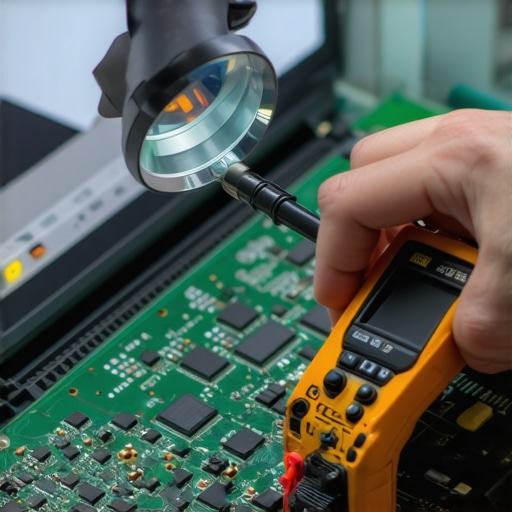
Is your ‘unlimited’ cloud backup actually skipping your most important files?
This is the advanced question every CEO needs to ask their IT lead. Many ‘unlimited’ backup agents are configured by default to skip ‘temp’ folders, large database files, or specific file extensions to save on bandwidth. I once helped a firm that thought they were 100% backed up, only to find their proprietary accounting software stored its data in a folder the backup software was told to ignore. This is where the danger of using free file recovery tools on a failing mechanical drive becomes real—you only find the hole in your backup when it’s too late to fix it.
Why Free Recovery Software Often Destroys Your Last Hope
Everyone wants a DIY fix when a drive dies, but ‘free’ recovery software is often the final nail in the coffin. These tools work by aggressively scanning every sector of the drive, which generates intense heat. If your drive has a physical mechanical issue, that heat will cause the read-heads to crash into the platters, physically scraping the data off the disk forever. In professional circles, we know that why Drive Savers remains the only choice for physically damaged drives is because they use clean-room environments that don’t stress the hardware. If your data matters, stop ‘trying’ tools and start calling experts. Have you ever fallen into the ‘it’s in the cloud, so it’s safe’ trap? Let me know in the comments.
If you want to move beyond the exhausting ‘break-fix’ cycle, you need to own your telemetry data before a technician ever touches your machine. I personally swear by tools like HWiNFO64 and CrystalDiskInfo for my weekly audits. While most people wait for a Windows ‘Your PC ran into a problem’ screen, I’m looking at the ‘Reallocated Sectors Count’ in the S.M.A.R.T. data. If that number is anything higher than zero, the drive is a ticking time bomb regardless of how fast it feels today. This proactive monitoring is the foundation of computer repair for beginners avoid costly mistakes. I’ve seen too many businesses lose weeks of work because they ignored a single numeric shift in a diagnostic log.
Stop Guessing and Start Measuring Thermal Health
Heat is the silent killer of silicon. I’ve found that many ‘random’ crashes are actually just thermal throttling events that the OS manages poorly. By keeping an eye on your CPU’s thermal junction temperatures, you can identify when the factory thermal paste has dried out—usually around the three-year mark for most professional-grade laptops. Addressing this early with the 3 hardware swaps that stop your office pc from freezing every hour can extend the life of a workstation by years, saving you thousands in premature replacement costs. As you scale, this level of detail becomes your biggest cost-saver. 
How do I maintain a reliable hardware fleet as my team grows?
Standardization is your best friend when scaling. When you have ten different laptop models, you need ten different sets of drivers and ten different spare parts. Implementing effective managed IT solutions for growing companies often starts with picking a single ‘gold standard’ machine for your staff. This makes it infinitely easier to perform laptop screen repair diy tips for clearer displays or swap out a keyboard because your internal team (or your provider) knows the chassis inside and out. It also simplifies your software stack, ensuring that managed IT solutions streamlining operations for small businesses aren’t bogged down by conflicting hardware drivers. According to technical white papers from manufacturers like Seagate, maintaining a consistent workload rate—staying within the rated ‘TeraBytes Written’ (TBW) limits—is the only way to mathematically guarantee uptime over a five-year period.
Keep Your Displays and Ports from Dying a Slow Death
Maintenance isn’t just about the motherboard; it’s about the touchpoints. I always tell my clients to use a dedicated microfiber cloth because why your laptop screen has a permanent mark from the keyboard is often a result of pressure and skin oils eating into the anti-reflective coating. Furthermore, keep your cooling vents clear. If you hear a grinding noise, learn how to fix a laptop that keeps telling you the fan has failed before the heat warps the frame. I predict that in the next few years, we will see BIOS-level AI that uses machine learning to predict fan failure based on acoustic signatures before the human ear can even detect a change in pitch. This is the future of hardware resilience.
The Advanced Verification Tip for Total Peace of Mind
Here is an advanced move most people skip: Check your backup ‘Exclusion List.’ Many automated backup agents are configured to ignore specific file types like .PST (Outlook) or .LDF (SQL logs) to save bandwidth. You might think you are protected by data recovery secrets expert techniques to save your files fast, but if the software was never told to watch those files, there is nothing to recover. Go into your settings this Friday and verify that your most critical database extensions are actually being synced. Don’t wait for a crash to find out your most important folder was on the ‘ignore’ list. Try this one simple check today—it’s the difference between a minor hiccup and a business-ending catastrophe.
The Lessons Only a 3 AM Server Crash Can Teach You
Reflecting on years of IT management, I’ve realized that the most expensive equipment is worthless without a solid process. One vital lesson is that documentation is your only map in a crisis; if you haven’t mapped your network, you’re just guessing in the dark. I also learned that hardware redundancy is often a half-truth; if your primary and backup systems share a single point of failure, like a cheap power strip, you aren’t actually protected. Finally, never underestimate the human element. Even with managed IT solutions for business security in 2025, a single untrained staff member can accidentally open the gates to a threat. True security is a blend of sharp tech and sharp people.
My Personal Tech Survival Kit
I don’t leave my office’s health to chance, and I recommend you don’t either. For monitoring hardware health in real-time, I swear by HWiNFO64 for thermal data and CrystalDiskInfo for drive health. When things go wrong, I often refer back to the ultimate guide to data recovery after accidental deletion to stay sharp on recovery protocols. #IMAGE_PLACEHOLDER_E# If you’re more of a hands-on fixer, learning how to troubleshoot common computer repair issues effectively can save you hours of downtime. I also keep a physical copy of The Phoenix Project on my desk; it’s essential reading for anyone trying to understand the flow of modern IT work.
Ready to Stop Putting Out Fires?
Moving from a reactive ‘break-fix’ mindset to a proactive strategy is the best gift you can give your business. It starts with one audit, one restored test file, and one commitment to regular maintenance. Whether you are troubleshooting laptop screen problems or vetting a new server, your attention to detail is what prevents the next ‘3 AM’ emergency. Your IT should be an engine for growth, not a source of anxiety. What’s the one hardware warning sign you’ve been ignoring lately? Let me know in the comments below!