

I’ll never forget the sinking feeling in my stomach when I realized my office server was behaving like a sieve. I had hired a managed IT team, and I felt invincible—until I wasn’t. It turns out, ‘managing’ and ‘auditing’ are two very different beasts. I made the classic mistake of thinking that because my computers were running, they were secure. I assumed my provider was checking the locks, but they hadn’t even looked at the gate in a year. That mistake almost ended my business. Today, I want to show you why your provider needs to stop just ‘maintaining’ and start ‘auditing’ to keep your data truly safe.
Why Sitting Still is Your Biggest Security Risk
Managed IT is great for day-to-day operations, but without a regular security audit, it is like having a security guard who never actually walks the perimeter. They are just sitting in the booth watching Netflix. If your provider isn’t digging into your logs and testing your defenses, you are flying blind. You need effective managed IT solutions for growing companies that prioritize proactive checks rather than just reactive fixes. It is about catching the problem before the ‘clicking’ sound starts or the screen goes black. Have you ever asked your IT provider for a security report and received a blank stare in return? Drop a comment and let me know—I’ve been there too.
Are These Regular Audits Actually Worth the Headache?
I get it. You are busy running a business. The last thing you want is a long report telling you that you need to change your passwords or update your hardware. But here is the kicker: according to the 2023 IBM Cost of a Data Breach Report, the average cost of a breach has climbed to a staggering $4.45 million globally. That is a lot of coffee money. When my provider finally performed a deep-dive audit after my ‘incident,’ we found red flags in your managed IT service agreement that I had completely ignored when I signed up. Regular audits aren’t just a chore; they are your only real defense against the evolving tactics of hackers.
Your Provider Should Be Stress-Testing Your Systems
It is not just about having a basic antivirus anymore. A real audit looks at the nitty-gritty. It ensures the move that prevents employees from using infected USB sticks is actually enforced across the board. It checks how to secure your business emails from being spoofed so your clients don’t get fake invoices. If your IT team isn’t looking at your managed IT strategies to keep your business secure in 2025, they are essentially leaving the back door wide open while you sleep. Trust me, you don’t want to learn that lesson the hard way like I did.
Catalog Your Hardware Before a Ghost Device Hacks You
Every audit begins with knowing exactly what is plugged into your walls. You would be shocked at how many ‘rogue’ devices are hiding in plain sight. I remember auditing a small logistics firm where we found a dusty old router plugged into a breakroom wall that nobody had touched in three years; it was a wide-open door for anyone in the parking lot. You need a live asset list. This isn’t just about desktops; it’s about checking the sign your office server is running out of disk space and identifying every tablet, printer, and smart lightbulb on your network. If you don’t know it’s there, you can’t protect it. 
Identify Your Weakest Hardware Links
While you are counting heads, look at the health of those machines. An audit should include a check on how to check if your hard drive is about to fail using s-m-a-r-t data because a hardware crash is often the first step in a security nightmare. When a drive fails, people start cutting corners, using personal USBs, or bypassing security protocols just to get their work done. Don’t let a dying component dictate your security posture. You should also be looking for the risk of ignoring that smart status bad warning on your pc, as these hardware alerts are the early warning system for your entire operation.
Read the Receipts Left by Your Network Traffic
Your network logs are like the ‘black box’ on an airplane. They record everything that happens right before a crash. An effective audit means your IT provider is actually reading these receipts. They should be looking for unusual login times or data spikes in the middle of the night. I once caught a breach early because we saw a workstation ‘talking’ to a server in Eastern Europe at 3:00 AM. It wasn’t a ghost; it was a compromised account. You need to know how to tell if your office firewall is actually blocking threats or if it is just letting everything slide through like a polite doorman.
Verify Your Remote Access Safety Nets
In the world of hybrid work, your audit must extend to your remote team. It is one thing to have a policy, but another to enforce it. Your provider should be checking how to verify your employees are actually using the company vpn. If they are bypassing the VPN to save five seconds of login time, they are exposing your core data to every coffee shop Wi-Fi they use. A real audit doesn’t take the employee’s word for it; it looks at the connection logs to prove it.
Make Your Backups More Than Just a Feel-Good File
Many business owners tell me, ‘It’s okay, we have a backup.’ Then I ask them when they last tried to actually open a file from it, and the room goes silent. A backup is just a pile of useless data until you prove it can be restored. This is why the reason your managed it provider needs a disaster recovery plan for you is so critical. An audit must include a ‘fire drill’ where you restore a random folder to see how long it takes. I once saw a business realize their ‘daily’ backup hadn’t run in six months because of a simple password change on the admin account. We only found it because we did a manual audit. Don’t wait for a flood to find out your roof leaks; verify why your business needs a local backup even if you use the cloud to ensure you have multiple layers of redundancy ready to go at a moment’s notice.
Let’s dig deeper into a nuance that almost every business owner gets wrong: the difference between a software fix and a hardware reality. Most people assume that if their computer boots to a blue screen, they just need to download a quick ‘fixer’ program. In reality, you might be looking at the hardware component that causes the most blue screens of death. Forcing a machine to reboot repeatedly while a component is failing is like trying to run a marathon on a broken ankle—you are only making the eventual surgery more expensive. I have seen clients lose everything because they tried to ‘stress test’ a machine that was already screaming for mercy.
How Do You Tell the Difference Between a Software Glitch and a Physical Disk Failure?
The ‘Oops’ factor often happens when we misdiagnose the symptoms. For instance, I frequently see people ignore a small hairline crack on their display because it still works. However, why a cracked laptop screen can eventually damage your motherboard is a lesson in electrical paths. Modern LED panels carry high voltage; when a physical break causes those paths to cross, it can send a surge straight back to your logic board. Suddenly, your simple screen fix turns into a total system replacement. Have you ever fallen into this trap? Let me know in the comments.

Another common mistake is the ‘wait and see’ approach to spills. I have seen owners think they dodged a bullet because their laptop turned back on after a coffee mishap. But the move that prevents a small coffee-spill from killing your entire laptop isn’t just about drying it out; it is about stopping the slow-motion corrosion that eats through copper traces over the next three weeks. If you aren’t opening it up and cleaning it with isopropyl alcohol, you are just waiting for a ticking time bomb to go off during your next big presentation.
When it comes to your files, the biggest myth is that ‘recovery software’ is a magic wand. If your drive is making any noise, stop everything. The danger of using free file recovery tools on a failing mechanical drive is that these programs aggressively scan the drive headers, often scraping the magnetic platters clean of the very data you are trying to save. Research from data recovery specialists at Gillware suggests that nearly 30% of failed DIY recovery attempts result in permanent data loss that a professional could have otherwise prevented. Sometimes the best move is the move that saves your data when a partition table is corrupted—which is often just turning the power off immediately.
Expertise isn’t just about knowing how to fix a problem; it is about knowing when a ‘fix’ will cause more damage. Whether you are dealing with how to pull data from a drive that shows up as an unallocated space or trying to follow the ultimate guide to data recovery after accidental deletion, always ask yourself if the drive is physically healthy enough to handle the workload. If you are in doubt, the most professional thing you can do is step away from the keyboard before a recoverable error becomes a permanent tragedy.
I’ve spent years refining my toolkit because, frankly, I’m tired of losing sleep over avoidable crashes. One tool I swear by is a dedicated S.M.A.R.T. monitor. While Windows has basic alerts, they are often too little, too late. I personally use specialized utilities to catch degradation early, long before that dreaded clicking noise starts. If you want to avoid a catastrophe, you need to grasp the power of data recovery tools before you actually need them. I always tell my clients that the best recovery tool is the one you never have to use because you saw the hardware failing weeks in advance.
Tools That Actually Tell You the Truth
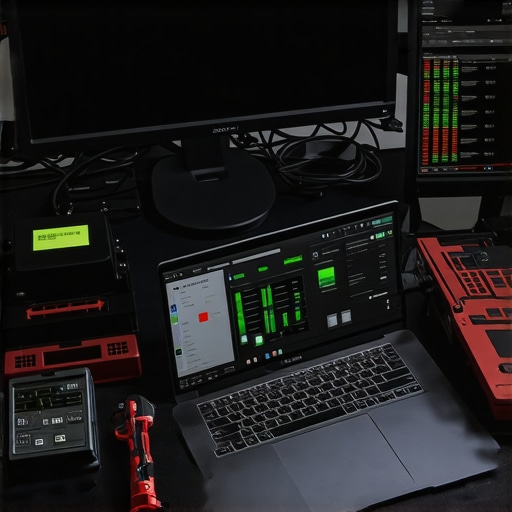
When you start scaling a business, you can’t just fix things as they break. You need to look at why managed IT is a game changer for growing companies. It is about moving from a reactive “break-fix” mentality to a continuous optimization cycle. For example, I recommend the 3 hardware swaps that stop your office pc from freezing every hour as a standard baseline for any machine hitting that three-year mark. It is significantly cheaper to proactively swap an aging SSD than to pay for emergency data recovery secrets expert techniques to save your files fast after a total controller failure. I also keep a set of precision drivers and suction cups handy for physical checks; sometimes, tips for troubleshooting laptop screen problems seamlessly involve nothing more than reseating a loose ribbon cable that has vibrated out of place over time.
Scaling Without Breaking Your Infrastructure
As your team grows, your security needs to grow with it. You can’t just hand out laptops and hope for the best. You need to implement how to keep your remote team secure without slowing down their workflow by using encrypted tunnels and automated patch management. I’ve seen too many businesses crumble because they scaled their headcount but kept their “garage-startup” security habits. According to the Backblaze 2023 Drive Stats report, certain enterprise-grade drives have an annualized failure rate of less than 1%, whereas consumer-grade drives in a server environment can spike much higher. This niche data proves that your hardware choices during scaling directly impact your long-term uptime. If you are noticing dimming, don’t wait; learn how to identify a dying backlight before your screen goes dark so you can schedule the repair on your own terms, not the computer’s.
How do I maintain system health over the long haul?
Maintenance isn’t a one-time event; it’s a rhythm. Every quarter, I perform a deep-clean of both software and hardware. This includes blowing out dust from fans to prevent thermal throttling and running deep-cycle tests on batteries. For those just starting out, computer repair for beginners avoid costly mistakes by documenting every cable you unplug. Over time, you’ll learn that troubleshooting common computer repair issues effectively is mostly about elimination. I predict that in the next few years, we’ll see AI-integrated BIOS that can predict a component failure with 99% accuracy by analyzing micro-fluctuations in power draw. Until then, we rely on good old-fashioned audits and the right software. My challenge to you: Download a hardware health monitor today and check your primary drive’s “reallocated sectors count.” If it’s anything other than zero, it is time to start your backup and look for a replacement.
The Hard Truths I Learned About Keeping Systems Alive
Looking back at my years in the trenches, I’ve realized that 90% of technical disasters aren’t caused by bad luck, but by ignored signals. I used to think that as long as the lights were blinking, everything was fine. Now I know that ‘fine’ is just the waiting room for ‘failed.’ One of the biggest lessons I’ve carried with me is that managed IT solutions streamlining operations for small businesses only work if there is a culture of transparency between you and your provider. If they are afraid to tell you that your hardware is aging, they aren’t helping you—they are just waiting for the billable hours of a crash.
Another lightbulb moment for me was realizing that security isn’t a wall; it’s a process. You can have the best firewall in the world, but if you aren’t auditing the logs, you’re just a person with a locked door and an open window. True reliability comes from combining high-level strategy with the gritty reality of hardware maintenance. I’ve learned to value the ‘boring’ audits more than the flashy new upgrades because the audits are what actually keep the lights on during a crisis.
Tools That Saved My Sanity More Than Once
I don’t go anywhere without a few specific tools in my digital and physical belt. First, I always recommend a deep-level S.M.A.R.T. utility that gives you raw data, not just a ‘Pass/Fail’ badge. Knowing exactly how many hours a drive has been spinning can change your entire replacement schedule. For physical issues, I’ve found that having a basic toolkit for laptop screen repair how to fix common issues at home is a lifesaver for minor display glitches that don’t require a full shop visit. I trust these methods because they move you away from guessing and toward knowing.
#IMAGE_PLACEHOLDER_E#
Beyond hardware, I constantly stay updated on data recovery secrets every business should know today. Staying informed through niche technical blogs and white papers from recovery firms like Kroll Ontrack or Backblaze has saved me from making the DIY mistakes that lead to permanent data loss. Knowledge is the ultimate tool for preventing a minor glitch from becoming a company-ending event.
Take Charge Before the Next Crash Happens
The tech landscape of the future is going to be faster, more complex, and more demanding. It is easy to feel overwhelmed, but you don’t have to face it alone. Understanding how managed IT can elevate your business security in 2025 is the first step toward building a resilient foundation that allows you to focus on your actual work, rather than your hardware’s health. Don’t wait for a blue screen or a clicking sound to tell you it is time to act. Be proactive, stay curious, and remember that every audit you do today is an insurance policy for your success tomorrow.
Have you ever found a major hardware issue just before a big deadline or noticed a weird log entry that saved your skin? Let me know your stories in the comments below—I read every single one!