

I’ll never forget the cold sweat that broke out on my neck when our lead designer told me every file from the last three years was just “gone.” I wasn’t worried at first. We paid a managed IT company for a reason, right? I assumed they were the invisible safety net beneath our high-wire act. But when I called them, I realized we were just paying for a storage locker, not a locksmith. They had the data, sure, but no strategy to restore it quickly. We lost three days of billable hours just waiting for them to figure out how to get the data back onto our hardware. It was a brutal wake-up call. Today, I want to show you why your IT partner needs more than just a backup drive; they need a battle plan. We are going to bridge the gap between “having files” and “being operational” so you never have to feel that Tuesday morning panic.
Why Your IT Provider’s “Don’t Worry” is Actually a Red Flag
Early in my career, I made the mistake of assuming that a monthly service fee bought me total peace of mind. I didn’t ask questions. I didn’t audit. I just trusted. But why your business needs a disaster recovery plan before the storm hits is a lesson usually learned the hard way. A provider who tells you everything is fine without showing you a documented recovery timeline is essentially selling you a false sense of security. It is a lot like computer repair for beginners—you might think you fixed the problem by restarting, but the underlying issue is still ticking away. If your provider isn’t discussing how managed IT can elevate your business security through structured recovery, they are just reactive repairmen, not proactive partners.
Is a Documented Recovery Plan Actually Worth the Extra Cost?
Some folks think that paying for a disaster recovery (DR) plan is like buying insurance for an asteroid strike—unlikely and unnecessary. But here is a reality check: data loss isn’t just about floods or fires. It is about a rogue employee, a failed update, or even a simple power outage that corrupts a database. According to a staggering statistic from FEMA, 40% of small businesses never reopen after a disaster, largely because they cannot recover their data in time to maintain cash flow. A true DR plan outlines exactly who does what and how fast things get back to normal. Have you ever asked your IT provider for a “recovery time objective” and received a blank stare in return? If you’ve been ghosted or given the runaround when asking for a safety audit, I’d love to hear your story. It is time we start demanding more than just “backups” from the people we trust with our livelihood.
Build Your Survival Map Instead of Just Hoarding Files
Most business owners treat their data like a messy junk drawer—they know everything is in there somewhere, but they have no idea how to find the specific tool they need when the lights go out. To move beyond the panic I felt that Tuesday morning, you have to start with a digital inventory. You cannot protect what you haven’t identified. I once worked with a small architectural firm that thought they were bulletproof because they had a ‘backup drive’ plugged into the main server. When a simple cooling fan died and the server cooked itself, we realized that the drive had only been backing up the ‘My Documents’ folder, completely ignoring the massive database where all their CAD blueprints lived. That is why managed IT strategies to keep your business secure in 2025 must begin with a comprehensive audit of where every byte of critical information lives.
Why Local Backups Beat the Cloud for Speed
While everyone loves the idea of the cloud, relying on it for a full system restore is like trying to empty a flooded basement with a drinking straw. It works eventually, but you’ll be underwater for a long time. This is why your business needs a local backup even if you use the cloud. A local Network Attached Storage (NAS) device acts as your high-speed emergency exit. If your primary server fails, you can pull data across your office network at gigabit speeds rather than waiting for a remote server hundreds of miles away to drip-feed your files back to you. 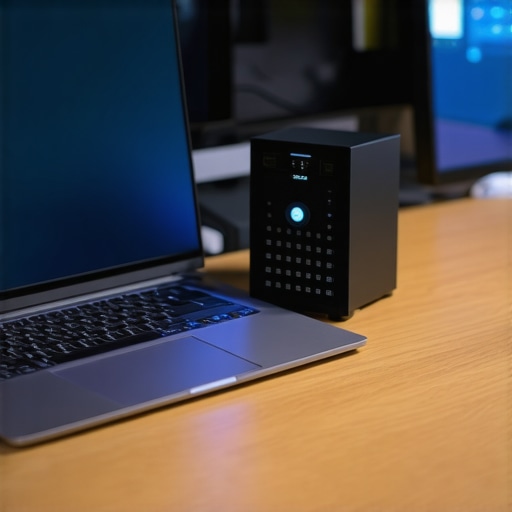
The Fire Drill Your Office Needs Every Quarter
A backup that hasn’t been tested in six months isn’t a backup; it is a theory. To ensure your business stays operational, you need to treat your data recovery like a literal fire drill. This is exactly why your managed IT service should be providing quarterly security audits and recovery tests. I make it a point to perform a ‘sandbox restore’ for my clients at least twice a year. This involves taking a random selection of files—or even an entire virtual machine—and attempting to bring it back to life on a separate piece of hardware.
Don’t Wait for the Smoke to Find the Exit
During one of these drills for a medical clinic, we discovered that their automated backup software had been ‘ghosting’ for three weeks. The logs said ‘Success,’ but the files were corrupted because of a minor software conflict. If we hadn’t been looking for trouble, we wouldn’t have found it until it was too late. This proactive approach is the difference between a minor tech hiccup and a business-ending catastrophe. If you are handling your own tech, you can learn some of these expert techniques to save your files fast, but the key is consistency. You need to verify that your ‘safety net’ actually has the strength to catch you before you lean your entire weight on it.
Why the Software Fix Myth is Killing Your Hard Drive
Most business owners and even some tech-savvy hobbyists believe that if a file is missing, the solution is simply a better piece of software. In my experience, this is the most dangerous assumption you can make. Let’s dig deeper into the physical reality of hardware failure. When a drive starts to physically degrade, software is actually your enemy. Every second that the platters spin while a program tries to scout for deleted bits, the physical read/write head is likely scraping away the very data you are trying to save. This is the ‘Oops’ factor nobody tells you about: the danger of using free file recovery tools on a failing mechanical drive. These tools are designed for healthy drives where you simply hit ‘delete’ by accident. If your drive is dying, those tools will literally grind it into dust. If you notice your office PC makes a clicking sound when you open files, step away from the keyboard immediately. That sound is a mechanical failure, and no amount of ‘pro’ software will fix a broken piece of metal. 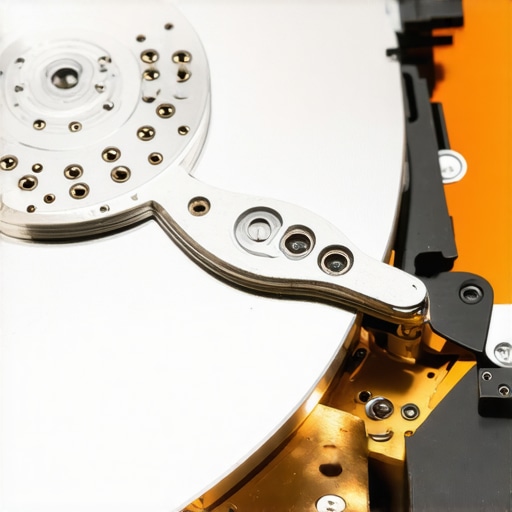
Can You Actually Trust Your Computer’s Built-In Health Alerts?
Most people rely on S.M.A.R.T. (Self-Monitoring, Analysis, and Reporting Technology) to tell them when a drive is toast. But here is the nuance: a drive can be 99% dead and still report a ‘Healthy’ status. A landmark study by Backblaze, an industry leader that tracks failure rates across thousands of drives, revealed that a significant percentage of failed drives showed absolutely no prior warning in their SMART data before they went dark. This is why you must know how to check if your hard drive is about to fail using S.M.A.R.T. data correctly—looking for specific attributes like ‘Reallocated Sectors Count’ rather than just the ‘Pass/Fail’ summary provided by Windows. If you ignore the risk of ignoring that smart status bad warning on your pc, you are essentially playing Russian Roulette with your company’s database. I have seen countless business owners lose everything because they waited for a pop-up warning that never came. Have you ever fallen into this trap where you trusted the hardware’s ‘word’ only to have it die the next day? Let me know in the comments.
Don’t Ignore the Early Warning Signs of Hardware Fatigue
The same logic applies to hardware repairs like screens or power supplies. Many people think a flickering display is just a minor nuisance, but it is often a sign of a failing inverter or a loose ribbon cable that is shorting out against the chassis. If you do not address it, you risk a motherboard surge that turns a $150 repair into a $1,000 replacement. It is why laptop screen repair involves more than just swapping a panel; it requires diagnosing why the failure happened in the first place. If you are dealing with a drive that is physically struggling, you must learn how to pull critical data from a hard drive that makes a scratching sound before the hardware gives up completely. In the world of managed IT, being ‘proactive’ means assuming your hardware is lying to you until you prove otherwise with a manual audit. Don’t let a ‘Healthy’ status icon lure you into a false sense of security while your business data is hanging by a thread.Once you accept that hardware is inherently fragile, you stop looking for a ‘permanent fix’ and start looking for a sustainable maintenance rhythm. For my clients, I move beyond basic antivirus and dive into effective managed IT solutions for growing companies that prioritize total system visibility. I personally swear by the Microsoft Sysinternals Suite, a collection of technical utilities that peel back the curtain on Windows in a way the standard Task Manager never could. Mark Russinovich, the CTO of Microsoft Azure and creator of these tools, designed them to expose exactly what a system is doing at the kernel level. This isn’t just about ‘cleaning’ a PC; it is about understanding how to spot a suspicious process in your task manager before it evolves into a full-blown ransomware incident. Even when hardware seems to be the only issue, like a flickering display, I use these software diagnostics first to ensure the GPU isn’t actually the culprit. If it truly is a physical failure, I follow a strict laptop screen replacement step-by-step repair guide to ensure zero static discharge occurs during the swap.
How do I maintain my hardware and data systems over the long haul?
Maintenance is not a one-and-done event; it is a culture that must be embedded into your daily operations. You need to transition from reactive ‘firefighting’ to managed IT solutions streamlining operations for small businesses. This shift involves automating the mundane—updates, patch management, and error log reviews. I predict that within the next few years, we will see deep integration of AI-driven predictive failure modeling in standard office hardware. Imagine your operating system sending an alert that says, ‘Your NVMe drive has a 92% chance of sector failure in the next 48 hours based on current heat cycles.’ We aren’t quite there yet, so for now, you have to be the intelligence behind the machine. We use the power of data recovery tools only as a last resort because our maintenance protocols are designed to prevent the crash entirely. You must also ensure security hygiene is part of the routine; for instance, understanding why your business should never use a single password for every employee is a fundamental pillar of long-term stability that goes hand-in-hand with hardware health.  If you want to take your maintenance to the professional level today, I challenge you to download Process Explorer and look for any process highlighted in purple or red—these are often packed or compressed files that deserve a second look for hidden malware. It is a simple five-minute audit that can save you a world of hurt.
The Hard Truths About Data That Only Disaster Can Teach You
Over the years, I’ve sat in too many server rooms watching business owners realize that their ‘automated’ backup hasn’t run since the last solar eclipse. Here are the core insights I’ve gathered: First, never trust a green checkmark blindly; a log file that says ‘Success’ might just mean the software successfully checked an empty folder. Second, the cost of a high-quality local NAS is always less than the cost of a single day of downtime. Third, if you are performing a DIY fix, remember that computer repair for beginners often ends in tragedy because of simple static discharge—always ground yourself. Finally, redundancy isn’t just for big corporations; it’s the only thing keeping your family photos or client invoices from vanishing forever.
The Toolkit I Use to Keep My Own Systems Bulletproof
You don’t need a thousand-dollar software suite to stay safe, but you do need the right tools for the job. I personally rely on Backblaze’s Hard Drive Stats to decide which brands of drives to buy for my clients—real-world data beats marketing every time. For troubleshooting, the Microsoft Sysinternals Suite remains the gold standard. I use it daily to see how to spot a suspicious process in your task manager before it can cause real damage. I also suggest keeping a physical ‘Emergency Binder’ that lists your ISP account numbers, router passwords, and recovery keys; because if your network is down, you won’t be able to access that digital password manager. Lastly, I always keep a dedicated SSD for cloning drives before I even attempt a repair, ensuring I have a ‘point in time’ snapshot before things get messy. #IMAGE_PLACEHOLDER_E#
Build a Business That Can Survive Anything
I know the world of IT can feel like a never-ending series of fires to put out, but it doesn’t have to be that way. When you transition from being reactive to implementing managed IT strategies to keep your business secure in 2025, you aren’t just buying software—you’re buying your Sunday afternoons back. You are ensuring that a clicking drive or a spilled coffee is just a story you tell, not a reason to close your doors. Your data is the lifeblood of everything you’ve built, so treat it with the respect it deserves. Whether it’s a simple laptop screen replacement step-by-step repair guide or a full server overhaul, do it with the future in mind. You’ve worked too hard to let a single hardware failure take it all away.
What is the one file or folder you would be most devastated to lose if your computer died right now? Let me know in the comments below, and let’s make sure you have a plan to protect it.