

It was 11:30 PM on a Tuesday, and my phone was blowing up. My lead developer was locked out of the main repository, 15 minutes before a critical code deployment. Why? Because I’d implemented a new, hyper-aggressive security protocol that flagged his legitimate login as a ‘suspicious event.’ I thought I was being a hero, protecting our data, but I was actually the villain. I’d effectively shut down our most productive hour of the week. That night, I realized that if security feels like a wall, people will either stop working or—worse—find dangerous ways to climb over it. We are going to fix that today. I’m showing you how to build a digital fortress that does not feel like a prison.
Security Should Not Feel Like a Speed Bump
I’ve made plenty of blunders in my time, like the time I followed computer repair for beginners advice and accidentally wiped a test server. But the biggest mistake was thinking that more ‘friction’ always meant more safety. It does not. When you make it hard for your team to access their tools, they start using ‘shadow IT’—like personal Dropbox accounts or unsecured messaging apps—just to get the job done. To keep things tight without the lag, you need managed IT strategies to keep your business secure in 2025 that focus on identity, not just blocking random IP addresses. We are moving away from the old-school mindset of ‘lock everything down’ and toward ‘verify everything seamlessly.’ The ‘Why’ matters because the landscape has changed. Remote work isn’t a temporary fix anymore; it is the standard. When your team is scattered across different home Wi-Fi networks, your perimeter is everywhere. If you try to control that perimeter with the same old tools, you will burn out your staff. The goal is a Zero Trust environment that feels like Total Trust to the end user. It sounds like a paradox, but with the right automation, it is entirely possible.
Is all this extra security actually worth the hassle?
It is a fair question. You might be thinking, ‘We are a small team, who is going to target us?’ The reality is that nearly 43% of cyberattacks target small businesses, according to the Verizon Data Breach Investigations Report. But the ‘hassle’ usually comes from using the wrong tools. For instance, why your business shouldnt rely on consumer grade antivirus becomes clear when those basic tools start flagging your own internal software as malware. A professional setup learns your team’s habits, so it only interrupts when something is truly wrong. Have you ever had a security ‘update’ completely derail a project deadline? I would love to hear your horror stories—sometimes knowing what did not work is the best way to find what does. We need to focus on the move that protects your business from a remote desktop attack without making the login process feel like a TSA interrogation. It is about being smart, not just being loud.
Stop Guarding the Front Door and Start Verifying the Person
The old way of securing a business was like building a castle with a huge moat; once someone was inside, they had the run of the place. Today, that model is broken because your ‘castle’ is now twenty different people working from twenty different Starbucks. You need to stop worrying about the ‘moat’ and start focusing on the person. This starts with Single Sign-On (SSO). Instead of your team managing dozens of weak passwords—which is exactly why your business should never use a single password for every employee—you give them one secure gateway. It’s like having a master key that only works when the lock recognizes your thumbprint. By centralizing identity, you can see exactly who is accessing what, in real-time, without making them fill out a dozen login forms every hour.
Consumer Antivirus Is a False Sense of Security
I remember a client who called me in a panic because their entire client database was encrypted by ransomware. They were confused because they had a popular, ‘big-name’ consumer antivirus installed on every machine. The problem is that consumer tools are reactive; they wait for a known virus to hit before they act. For a growing company, you need managed Endpoint Detection and Response (EDR). These tools don’t just look for ‘bad files’; they look for ‘bad behavior.’ If a laptop suddenly starts encrypting thousands of files at 3 AM, EDR kills the process instantly. This is a core part of managed IT strategies to keep your business secure in 2025. You aren’t just buying software; you are buying a system that understands what ‘normal’ looks like for your office and screams for help the second things get weird. This level of oversight is how you truly learn how to tell if your office firewall is actually blocking threats rather than just hoping it works.
How a Broken Laptop Becomes a Major Security Risk
Physical hardware issues often create the perfect opening for a security breach. A few years ago, I saw a manager trying to bypass all security protocols because his laptop screen would only work at specific angles. He was so frustrated with the flickering that he started remoting into his workstation from an old, unpatched home PC just to get his emails done. That unpatched PC was crawling with spyware. I’ve even seen people mistake a hardware failure masquerading as a software bug for a hack, leading them to download ‘fix-it’ tools from shady websites that were actually Trojans. Security and hardware health are two sides of the same coin. If the equipment is failing, your team will find a ‘workaround’ that puts your data at risk.
Own Your Data with Local Backups That Actually Work
Cloud storage is great, but it isn’t a backup strategy on its own. If someone accidentally deletes a critical folder and the cloud syncs that deletion across all devices, you’re in trouble. I always tell my clients why your business needs a local backup even if you use the cloud. A local, encrypted backup allows for near-instant recovery. I’ve seen businesses lose days of productivity waiting for a 500GB ‘cloud restore’ to download over a mediocre office connection. If you have the data on-site, you’re back up in minutes. Whether you are following the ultimate guide to data recovery after accidental deletion or recovering from a hardware crash, the goal is redundancy. Finally, you have to verify this system. If you aren’t getting reports, you aren’t secure. That is why your managed IT service should be providing quarterly security audits to prove the walls are still standing.Most business owners have a fundamental misunderstanding of what they are actually paying for when they sign an IT contract. They think they are buying a ‘firefighter’ who rushes in when the server dies. In reality, you should be paying for a ‘fire marshal’ who ensures the fire never starts. If your IT guy is always the hero of the hour, you have a major problem. It means your systems are reactive, not proactive. This is why many companies feel like why your IT support costs are higher than they should be; they are stuck in a cycle of paying for repairs that should have been prevented. According to a report by Gartner, organizations that shift toward proactive IT management see a 25% reduction in overall technology spending because they avoid the ’emergency tax’ of sudden failures.
Why does your IT team keep asking for more money even when nothing is broken?
It sounds counterintuitive, but the most expensive IT is the kind you only use when things break. I’ve seen businesses try to save money by cutting back on effective managed IT solutions for growing companies, only to end up with a five-figure bill when their primary server hits a wall. The ‘hidden nuance’ here is that technology has a shelf life. If you aren’t planning for the moment the sign your office server is running out of disk space appears, you aren’t managing IT—you’re just waiting for a disaster. Have you ever fallen into the trap of thinking ‘it’s working fine today, so it’ll be fine tomorrow’? Let me know in the comments, because that’s exactly when the worst crashes happen.
The Dangerous Myth of Software-Only Data Recovery
I need to give you a serious warning: stop trusting ‘recovery software’ you find on the internet for clicking or grinding drives. I’ve had clients come to me after they tried to run a scan on a failing hard drive, only to find they’ve literally scraped the magnetic coating off the platters. Software is for logical errors—like when you need to know how to recover a deleted folder when the recycle bin is empty. But if the drive is making noise, software is like a treadmill for a person with a broken leg; it’s just going to cause more damage. This is a core part of data recovery secrets every business should know today. You have to know when to put the tools down and call a pro. For example, the truth about recovering data from a water damaged SSD is that once the chips are corroded, your DIY ‘rice trick’ is useless.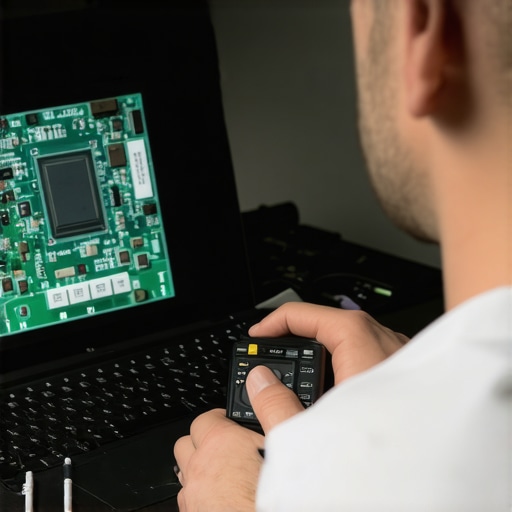
It Is Rarely Just the Screen
When a client tells me their screen is acting up, they usually assume they need a full laptop screen replacement. But here is the advanced trick: it’s often just the eDP cable. If you notice the fix for a laptop screen that only works at a certain angle, you are likely looking at a frayed ribbon cable in the hinge, not a dead panel. Most ‘budget’ repair shops will charge you for the whole screen and just swap the cable, pocketing the difference. You need to be able to how to spot a hardware failure masquerading as a software bug so you don’t get taken for a ride. Real expertise means knowing that a flickering display might actually be a failing GPU or a bad driver update rather than physical damage. Don’t throw the baby out with the bathwater just because your display looks like an old TV with static.I’ve spent thousands of hours in server rooms, and I can tell you that heat and silence are your worst enemies. Silence, because if you do not hear your fans spinning, your CPU is likely cooking itself alive. Heat, because every 10-degree Celsius increase in temperature can roughly halve the life of your electronics. This is why you need to learn how to check if your hard drive is about to fail using s.m.a.r.t. data. I personally use HWiNFO64 for a deep dive or CrystalDiskInfo for a quick health check. These tools tell you exactly how many ‘power-on hours’ your drive has and, more importantly, how many reallocated sectors it is hiding. If that number is anything other than zero, I am ordering a replacement that afternoon. According to the 2023 Backblaze Drive Stats report, drive failure rates increase significantly after the four-year mark, so if your workstation is hitting that milestone, you are on borrowed time.
How do I keep my infrastructure from rotting away?
The answer isn’t buying new gear every year; it is about active pruning. You should be auditing what you actually use. This is why your managed IT service should be tracking your software licenses. I once found a client paying $400 a month for Adobe licenses for employees who had left the company three years prior. That is $14,400 of pure waste. Scaling means getting leaner, not just bigger. You want effective managed IT solutions for growing companies that focus on resource allocation. If you haven’t checked the sign your ssd is reaching its write limit and about to die, you are missing a critical piece of the puzzle. SSDs do not just ‘wear out’ randomly; they have a finite amount of data they can write before the NAND flash cells degrade. Monitoring this ‘percentage of life remaining’ is how I sleep at night.
Predictive Repairs Are the Future of Your Office
In the next five years, the ‘break-fix’ model will be completely dead. We are moving toward AI-driven telemetry where your server will literally open a support ticket for itself before you even notice a slowdown. We are already seeing how managed it can elevate your business security in 2025 by using machine learning to spot anomalous traffic patterns. It is the difference between a doctor telling you to eat better and a surgeon performing an emergency bypass. I recommend starting small: pick one critical machine and check its ‘Thermal Throttling’ status today. If it is hitting 90 degrees just opening Chrome, it is time for a repaste, not a new computer. This simple check is part of knowing the hardware part you should never buy used for your business—the peace of mind that comes with knowing your equipment is running within spec. My advanced tip? Download a portable version of CrystalDiskInfo and run it on your most important server right now. If that health status says ‘Caution,’ do not wait for Monday—back it up and swap it out.
Three Hard Truths About Keeping Your Office Tech Alive
I’ve spent years in the trenches of server rooms and laptop repair benches, and the biggest lesson I’ve learned is that silence is often more dangerous than a loud fan. If your IT setup feels perfect because you haven’t heard from your support guy in months, you are likely sitting on a ticking time bomb. Real stability comes from the unglamorous work of checking logs and updating firmware before a crash happens. Another ‘lightbulb moment’ for me was realizing that most ‘broken’ screens are actually just loose connections; people waste thousands on physical replacements when a simple cable reseat would have worked. Finally, remember that data isn’t ‘saved’ unless it exists in three places. If your only copy is on a high-end SSD, you are still one power surge away from a disaster. It is about shifting from a ‘fix it when it breaks’ mindset to a culture of prevention.
The Professional Gear I Use Every Single Day
To keep a modern office running without the headache, you need a specific set of tools that go beyond basic antivirus. I personally rely on hardware diagnostic software to monitor drive health, but I also recommend diving into the power of data recovery tools what you need to know before you actually need them. For hardware longevity, I always suggest the hardware swap that gives your old office pc a massive speed boost—moving to NVMe drives—while keeping an eye on thermal paste. If you are handling minor repairs yourself, these laptop screen repair diy tips for clearer displays are invaluable for avoiding common mistakes like static discharge. For business owners, the ultimate resource is a solid set of managed IT strategies to keep your business secure in 2025 that prioritize identity and encryption over simple firewalls. These tools don’t just fix problems; they provide the telemetry you need to stay ahead of the curve.
Build a Fortress That Actually Helps You Work
At the end of the day, technology should be an invisible engine that drives your growth, not a hurdle that slows you down. By implementing proactive monitoring and understanding data recovery secrets expert techniques to save your files fast, you take the ‘fear’ out of the digital world. You don’t need to be a computer genius to protect your livelihood; you just need to be consistent and use the right managed IT frameworks. When you stop treating security like a prison and start treating it like a foundation, everything changes. Your team becomes more productive, your data stays safe, and you finally get to stop playing ‘firefighter’ every Tuesday night. What’s the most frustrating tech ‘workaround’ you’ve ever had to use to get your job done? Let me know in the comments below!