

I remember the Sunday morning my phone wouldn’t stop buzzing. It wasn’t my family; it was the office server screaming for help through a flurry of automated alerts. Back in 2018, I made a rookie mistake that almost cost me my entire consultancy. I had just set up a remote desktop connection for a new client, feeling pretty proud of myself for making their workflow seamless. Then the phone rang. It was 4:00 AM. Their main database was being encrypted in real-time, and I was watching the folders turn into gibberish right before my eyes. I had left the Remote Desktop Protocol (RDP) port wide open to the internet with nothing but a mediocre password standing in the way. It was a gut-punch moment that changed how I view managed IT strategies to keep your business secure in 2025. Today, I am going to show you how to lock that door once and for all.
Stop Inviting Hackers Into Your Office Network
We often think of hackers as these hooded figures in dark basements, but in reality, they are usually just scripts—automated bots scanning the web for any open door. If you have got RDP enabled without the right safeguards, you have essentially hung a neon sign that says “Free Entry.” I see this mistake constantly when I am called in for effective managed IT solutions for growing companies. People want the convenience of working from home, but they do not realize that how to stop a malware infection before it encrypts your data starts with closing those obvious gaps. The move we are discussing today acts as a digital deadbolt for your business. We are not just talking about changing a password; we are talking about a fundamental shift in how your network communicates. This is the same logic I use when I am helping a client with managed IT solutions streamlining operations for small businesses.
Is all this extra security actually worth the hassle?
You might be thinking that your small shop isn’t a target. It is a fair question, and honestly, I used to think the same thing until I saw a ten-person law firm get paralyzed for a week. The truth is, bots do not care about the size of your bank account; they care about the vulnerability of your port. According to the FBI’s Internet Crime Complaint Center (IC3), RDP remains one of the most common initial infection vectors for ransomware attacks worldwide. It is not about being a target; it is about being an easy mark. Have you ever noticed a weird lag on your office computer that you could not explain, or perhaps seen a suspicious process in your task manager that should not be there? If so, you might have already had a close call. When we talk about how managed IT can elevate your business security in 2025, we are looking at moving beyond the basics. I have spent years fixing common computer repair issues effectively, but preventing a remote attack is far better than trying to recover files from a usb drive that wont format or dealing with the aftermath of a total system wipe.Moving from that panic-inducing Sunday morning to a stable network started with one simple realization: if I could find the door, so could the bots. The first thing you need to do is move beyond the default settings. Everyone knows that RDP lives on port 3389. It is the digital equivalent of a front door that everyone knows is unlocked. I remember setting up a small medical clinic where we changed the port to something obscure. Within an hour, their firewall logs showed thousands of automated attempts still hitting 3389. Because we moved the ‘door,’ the bots were just shouting at a blank wall. This is a foundational part of computer repair for beginners to avoid costly mistakes.
Put a Bouncer at Your Digital Door
Even with a hidden port, a persistent hacker can find you. This is where Multi-Factor Authentication (MFA) becomes your best friend. I once worked with a CFO who was annoyed by the extra five seconds it took to tap ‘Approve’ on his phone. Two weeks later, his password was compromised in a third-party leak. Because he had MFA, the hacker was stuck at the lobby, and the CFO got an alert that someone in another country was trying to log in. We shut it down in seconds. Implementing the simplest way to manage remote employee computer passwords combined with MFA turns a flimsy latch into a bank vault.
Stop Using the Open Road and Build a Tunnel
Instead of exposing your computer directly to the internet, you should be using a Virtual Private Network (VPN) or a Remote Desktop Gateway. Think of the internet as a busy highway where anyone can see your car. A VPN is like a private, underground tunnel that only your employees have the key to. When I see businesses struggle with why your office wi-fi is slow even with a gigabit connection, it is often because they have not optimized how these secure tunnels handle data. 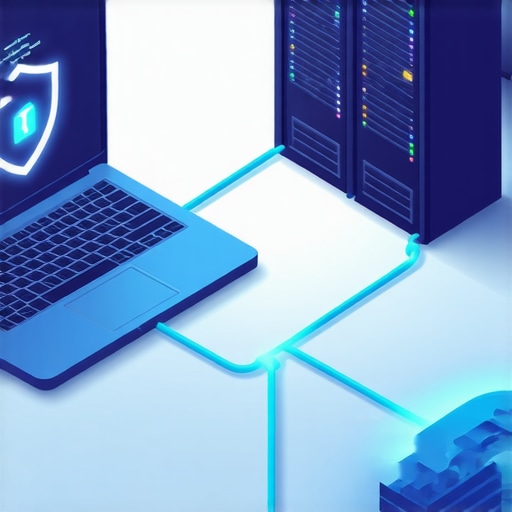
Check the Locks Every Single Quarter
You cannot just set this up and forget it. Technology shifts, and so do the methods used by bad actors. This is exactly why your managed IT service should be providing quarterly security audits. I recently audited a firm that had great security in 2022, but by 2024, they had three ‘ghost’ accounts from former employees that still had remote access. It is vital to tell if your office firewall is actually blocking malicious traffic or if it is just sitting there like a decorative fence.
Don’t Ignore the Physical Health of Your Hardware
While we focus on the software side, remember that a crashed server can be just as devastating as a hacked one. If you hear a grinding noise, stop and learn how to pull critical data from a hard drive that makes a scratching sound before the platter is destroyed. Similarly, if your remote sessions feel laggy, it might not be the connection—it could be hardware failure. Knowing how to identify a failing motherboard before it stops working can save you from a remote desktop session that simply never connects because the host machine is dead.
Now that we have locked the digital door with RDP and MFA, let’s address the biggest lie in modern business tech: the idea that the ‘cloud’ is an automatic safety net. I have had countless CEOs look me in the eye and say, ‘I do not need a dedicated backup plan; we are on Google Drive.’ That sentence makes my skin crawl because why your business backup plan is actually just a sync plan is a distinction that can save or destroy your company. Syncing is great for collaboration, but it is a mirror. If a ransomware script hits your local folder and starts encrypting files, your cloud provider will dutifully sync those encrypted files in seconds, over-writing your clean copies. According to the Veeam 2023 Data Protection Trends Report, nearly 85% of organizations suffered at least one ransomware attack last year, and many found their cloud data was just as vulnerable as their local servers.
Why Your Cloud Sync is Secretly Sabotaging Your Security
Real protection requires versioning and immutability. If you are not working with a provider that knows data recovery secrets every business should know today, you are basically flying without a parachute. I recently saw a marketing firm lose three years of client work because an angry ex-employee deleted their ‘synced’ shared drive. Because it was a sync and not a true backup, the files were purged globally before anyone noticed. This is where effective managed IT solutions for growing companies prove their worth by setting up ‘air-gapped’ backups that no user can delete.
Is full-disk encryption the reason your old office PCs feel sluggish?
Advanced users often ask if the security overhead is what’s killing their performance. While BitLocker and other encryption tools do use some CPU cycles, the real bottleneck is usually a failing drive masquerading as a software lag. If you notice your system hanging, you need to know how to check if your hard drive is about to fail using s.m.a.r.t. data before you blame the antivirus. In my experience, 90% of ‘slow’ computers are actually hardware issues in disguise.
Don’t Open the Case When the Clicks Start
Here is the ‘oops’ factor that kills more data than any virus: curiosity. If your external drive starts making a rhythmic clicking sound, the absolute worst thing you can do is search for a DIY video and try to open it yourself. You must understand why you should never open a clicking hard drive in a normal room. A single speck of dust is like a mountain to a hard drive head spinning at 7,200 RPM. I once had a client try to ‘unstick’ a drive head with a pair of tweezers in his kitchen. He didn’t just lose the data; he turned the platter into a scratched piece of useless glass. 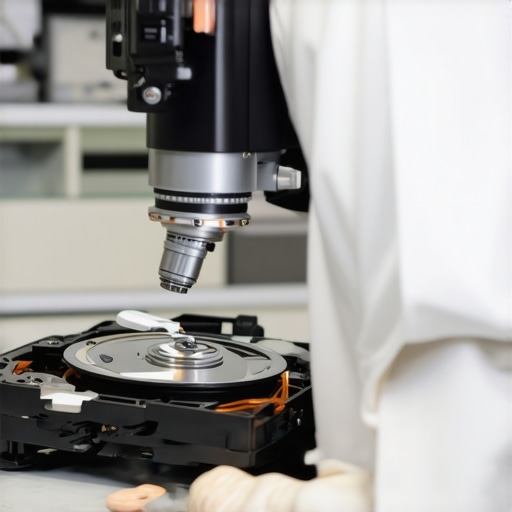
We see similar mistakes with laptops. People see a flicker and assume it’s a software bug, but laptop screen repair how to fix common issues at home often starts with just reseating a cable, not reinstalling Windows. However, if you see vertical green lines on your laptop screen, that is almost always hardware failure, not a driver. Have you ever fallen into the ‘sync-is-backup’ trap or tried a risky DIY repair? Let me know in the comments below.
I’ve realized over the years that scaling a business isn’t about buying the most expensive gear; it’s about having a “pulse” on what you already own. For me, that pulse comes from professional-grade Remote Monitoring and Management (RMM) tools. I personally swear by tools that provide real-time telemetry—things like disk I/O, thermal loads, and pending Windows updates that usually break printers. This is where managed IT solutions streamlining operations for small businesses really start to pay for themselves. Instead of waiting for a laptop to fail, I get a notification that a fan is spinning at 5,000 RPM just to keep a basic spreadsheet open. That’s my cue to step in before the motherboard fries.
The Toolbox That Keeps Me Sane
Beyond the software, you need a hardware strategy. I always tell my clients that the cheapest way to “upgrade” is actually a two-step process: more RAM and a fresh NVMe SSD. If you’re looking at how to extend the life of your office pcs by three years, this is the silver bullet. But you have to watch the telemetry. According to the Backblaze Drive Stats 2023 report, while SSDs are generally more reliable than HDDs, they have a “cliff” where performance drops off once they hit their TBW (Total Bytes Written) limit. I keep a close eye on the sign your ssd is reaching its write limit and about to die because, unlike a spinning drive, a dead SSD usually gives zero warning—it just disappears from the BIOS.
#IMAGE_PLACE_HOLDER_D#
How do I maintain all these moving parts without losing my mind?
Maintenance isn’t a weekend project; it’s a culture of small checks. I recommend a “Quarterly Tech Hygiene” day. This is why your managed IT service should be providing quarterly security audits. We look for those ghost accounts I mentioned earlier, but we also look at physical health. If we see the sign your office server is running out of disk space, we don’t just delete old logs; we investigate why the growth is happening. Is it a runaway backup script or a genuine need for more storage? This proactive stance is exactly why managed IT is a game changer for growing companies. It stops the “firefighting” loop and lets you actually focus on your clients.
Stop treating your server like a toaster
We often treat IT equipment as “set and forget,” but the future of this industry is moving toward AI-driven predictive failure. Within the next three years, your server won’t just tell me it’s broken; it will predict a power supply failure two weeks before it happens based on minute voltage fluctuations. Until then, you need to rely on the power of data recovery tools and a solid managed plan. Remember, choosing the cheapest managed IT plan always leads to more downtime because those plans are usually reactive, not proactive. My challenge for you today: Download a free S.M.A.R.T. utility and check your main workstation’s drive health. If it’s under 90%, it’s time to start that clone before the clicking starts.
What 15 Years of Server Crashes Taught Me
Looking back at that panicked Sunday morning in 2018, the biggest lesson wasn’t just about port security; it was about the dangerous illusion of ‘done.’ In IT, you are never truly done. I learned that convenience is the natural enemy of security. The easier it is for you to log in, the easier it is for a script to do the same. I also realized that users don’t need more rules—they need better systems that work with them, not against them. Finally, I discovered that data recovery secrets expert techniques to save your files fast are useless if you haven’t maintained the physical health of your drives first.
#IMAGE_PLACEHOLDER_E#
The Equipment I Actually Keep in My Bag
I don’t go anywhere without my triage kit. First, I rely on CrystalDiskInfo for real-time monitoring; it’s the gold standard for when you need to check if your hard drive is about to fail using s.m.a.r.t. data. Second, I always carry a precision screwdriver set for those times when a laptop screen repair how to fix common issues at home is just a matter of reseating a loose ribbon cable. For backups, I trust Veeam for local immutability and Backblaze for off-site storage because they offer the versioning that simple sync services lack.
Build a Network That Doesn’t Break
It is entirely possible to have a business network that doesn’t keep you up at night. It starts by moving away from reactive ‘break-fix’ habits. When you understand how managed IT can elevate your business security in 2025, you stop being a victim of circumstance and start being the architect of your own uptime. Don’t wait for the clicking sound or the ransom note to act. Remember, choosing the cheapest managed IT plan always leads to more downtime in the long run. Have you checked your server’s disk health this month, or are you waiting for the alert? Let me know your current setup in the comments below.