

The smell of ionized dust and ancient plastic is something you never forget. I was hunched over a 1998-era server in a client’s basement, my knees aching against the cold concrete, staring at a ribbon cable that looked more like a piece of industrial art than a computer component. This beast contained twenty years of proprietary accounting data, and the proprietary interface was laughing at my modern USB-C lifestyle. If you have ever felt that cold sweat when a client asks you to ‘just grab the files’ from a machine that predates the iPod, you know exactly where I was. I felt like a digital archaeologist trying to translate a dead language without a dictionary. Working with legacy hardware isn’t just about technical skill; it is about patience and having the right data recovery tools in your arsenal. Today, I am going to show you how to bridge that gap between the 1990s and today without smelling like a burnt circuit board.
The Day My Basement Became a Digital Graveyard
I remember my first real SCSI disaster vividly. I bought what I thought was a ‘universal’ adapter off a sketchy forum, plugged it into a screaming 10k RPM drive, and watched a literal puff of smoke rise from the controller board. I had ignored the termination settings—a rookie move that cost me the drive and a lot of pride. It was one of those costly mistakes that every technician makes once but never twice. SCSI (Small Computer System Interface) is a finicky beast that requires more than just a physical connection; it requires an understanding of IDs, termination, and bus speeds that modern plug-and-play tech has made us forget. We are going to solve the mystery of 50-pin versus 68-pin connectors and get those files onto a modern SSD where they belong. Have you ever stood over a piece of tech and felt like you were looking at a relic from an alien civilization?
Is This Ancient Hardware Actually Worth the Effort?
You might be tempted to tell your client or your boss that the data is gone forever. But legacy data is often the most critical backbone of a long-standing business. According to the SCSI Trade Association, the interface was designed for high-performance reliability, which means those old platters are often still spinning perfectly—they just need a way to talk to a modern OS. When you finally hear that old drive spin up and see the file directory pop up on your screen, it feels like winning the lottery. Using expert techniques to save files from the brink of extinction is what separates the pros from the hobbyists.
Why Your Legacy Data is Still Worth the Headache
Most people think old data is useless until they realize their entire tax history or a defunct patent is trapped on a clicking external drive. I’ve seen businesses nearly fold because they assumed their ‘indestructible’ server from 2004 would live forever. The risk of ignoring a clicking drive or a failing SCSI controller is a gamble you shouldn’t take. We aren’t just moving bits; we are preserving history. Getting that data off the old server is the first step toward a proper managed IT solution that ensures you never have to crawl through a dusty basement again. Ready to dive into the world of terminators and IDs? Let’s get to work.
Identify Your Connector Before Buying Adapters
First, you need to determine exactly what flavor of SCSI you are holding. If you are looking at a wide, flat ribbon cable with pins sticking out, it is likely a 50-pin ‘Centronics’ or ‘Narrow’ SCSI. If it’s denser and looks more like a modern D-sub connector, you’re dealing with a 68-pin ‘Wide’ SCSI. Think of these connectors like power outlets in different countries; you cannot just force them to fit. Many technicians fail because they try to use passive adapters that don’t translate the electrical signals correctly. When troubleshooting common computer repair issues effectively, the physical connection is always your first point of failure. If the pins are bent or the cable is frayed, the drive won’t even spin up to the point where a modern OS can see it.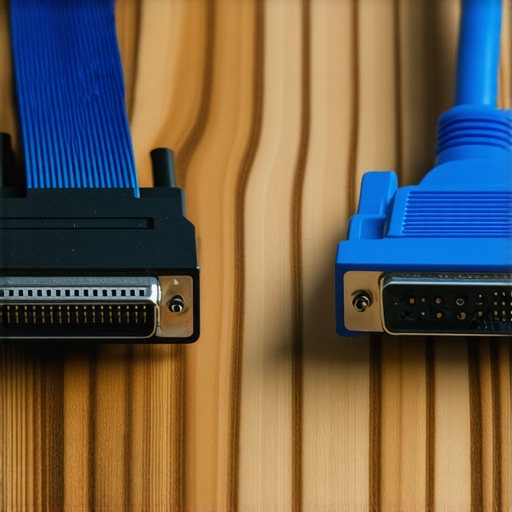
Master the Art of SCSI ID Termination
Unlike SATA, where each drive has its own dedicated channel, SCSI works on a daisy chain. This means every device on the bus needs a unique identity, and the last device must be ‘terminated.’ Think of termination like a literal wall at the end of a train track; without it, the signals bounce back and cause electrical echoes that confuse the controller. I once spent six hours on a server recovery for a logistics company where the system simply refused to boot. It turned out the client had added a second drive and set both to ID 7. Because ID 7 is usually reserved for the controller itself, it was like two people trying to use the same microphone at once. This is a classic example of why the fix for a computer that powers on but wont post to bios often involves checking internal hardware IDs rather than software settings.
Bridge the Gap to a Modern Workstation
Stop searching for a cheap USB-to-SCSI adapter on discount sites; they are notoriously unreliable and often lack the voltage needed to power legacy motors. Instead, find a dedicated PCI or PCIe SCSI controller card for a desktop workstation. This provides a direct hardware link that a modern Windows or Linux environment can actually communicate with. Once the hardware is bridged, you can use expert techniques to image the drive. Imaging is crucial because legacy drives are prone to sudden mechanical failure. You want to get every bit of data into a virtual disk file as quickly as possible before the ancient bearings seize up for good.
Handle the Fragility of Vintage Hardware
Old drives are heavy, loud, and incredibly sensitive to vibration. If you hear a high-pitched whine, that’s the sound of twenty-year-old lubricant failing. In these cases, you only have one shot at the data. This is exactly why your business needs a disaster recovery plan before you are forced into this high-stakes archaeology. If the drive makes a rhythmic clicking sound, stop immediately. Just as you would check the wiring when a laptop screen shows a check cable message, you must ensure your SCSI cables are seated perfectly. Using refurbished parts for these older systems can be a lifesaver, but always verify the source to ensure you aren’t replacing a failing part with another one on its last legs. Once the image is captured, the hard part is over, and you can begin the process of extracting files into a format that 2025-era software can actually open.I have seen too many technicians treat a 1995 Seagate drive like it is a modern NVMe stick. Everyone says you should just plug it in and start a bit-for-bit clone, but in my experience, that is a recipe for a permanent hardware funeral. The nuance most people miss is thermal expansion. When a drive has been sitting in a cold basement for a decade, the lubricants have thickened and the mechanical parts are stiff. Running a high-speed imaging tool immediately puts a massive load on the motor, creating a thermal spike that can cause the heads to crash. I always start with a low-power spin-up test and keep a dedicated fan blowing directly onto the drive casing. Using data recovery secrets expert techniques to save your files fast often means slowing down, not speeding up.
Stop Cooking Your Legacy Drives During the Imaging Process
A common myth is that software can fix anything if the drive still spins. But according to researchers at Ontrack, mechanical failures in legacy hardware are often exacerbated by the very tools meant to save them. If you hear a slight grinding, that is not just ‘old age’ noise; it is a sign that the drive is eating itself. This is the risk of ignoring a clicking external drive or a whining legacy unit. Modern imaging software tries to retry bad sectors repeatedly, which is like hitting a bruised limb over and over. When I am troubleshooting common computer repair issues effectively, I use hardware-level write blockers that allow me to skip damaged areas on the first pass to ensure I get the easy data before the drive gives up the ghost entirely. 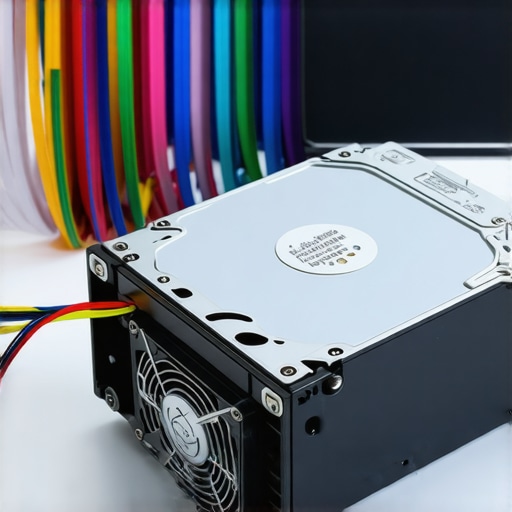
Can You Really Trust a Standard USB Adapter for Critical Data?
The short answer is no. Most off-the-shelf USB-to-SCSI or USB-to-IDE bridges do not support the full command set required for deep-level recovery. They often ‘timeout’ when they hit a bad block, causing the entire bus to reset and potentially corrupting the file system table you are trying to read. This is why I advocate for dedicated PCIe controller cards. If your business relies on this data, this is exactly why your business needs a disaster recovery plan that accounts for hardware obsolescence. I once saw a technician lose a decade of architectural renders because a cheap adapter sent a 12V spike down a 5V data line. It was a heart-wrenching ‘oops’ factor that could have been avoided with a professional-grade bridge.
The Hidden Danger of Modern File System Overlays
Another trap is assuming your modern OS will ‘just see’ the files. If you plug an old Windows NT 4.0 drive into a Windows 11 machine, the modern OS might try to ‘repair’ the legacy partition or update the metadata, which can render the original boot environment useless. Always work from a clone, never the original. This level of caution is what separates a successful recovery from a permanent loss. Have you ever fallen into the trap of trusting a cheap adapter only to have it fail at the worst moment? Let me know in the comments below, and let’s make sure we keep these digital relics alive together.Once I have the physical connection stabilized, I do not touch the Windows File Explorer. That is a death sentence for a drive with bad sectors. I move straight to a Linux environment to run GNU ddrescue. Unlike the standard dd command, ddrescue is intelligent; it maps the drive, scrapes the healthy data first, and then circles back to the ‘danger zones’ with surgical precision. It is one of the most vital data recovery tools because it actually respects the mechanical fragility of the hardware. When you are troubleshooting common computer repair issues effectively, you have to realize that software can be just as destructive as a hammer if it is not designed for fault tolerance. GNU ddrescue keeps a log file of its progress, meaning if the drive dies mid-way, you can pick up exactly where you left off after a cool-down period.
Why ddrescue is my first choice for dying platters
In my years of doing this, I have found that bit-for-bit imaging is the only way to treat a drive that sounds like it’s eating a bowl of gravel. The magic happens when you use a ‘backward’ pass, which reads from the end of the drive to the beginning. Often, the partition tables at the start are the most worn, and starting from the back gives you a higher success rate for a quick win. This is one of those expert techniques that saves files while others are still waiting for a progress bar to move. 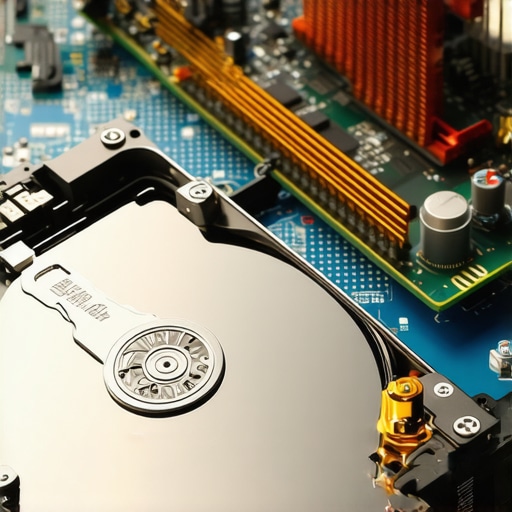
How do I maintain these digital fossils over time?
Maintenance for 30-year-old hardware is not about cleaning; it is about environment control. You need to keep these drives in a low-humidity, temperature-stable zone to prevent the ‘stiction’ effect, where the heads literally stick to the platters. If you are managing an archive, you should be performing a ‘spin-up’ test every six months to keep the lubricants from solidifying. This proactive approach is exactly why your business needs a disaster recovery plan that looks beyond the cloud. According to legacy documentation from Microsemi (the current owners of the Adaptec legacy), specific BIOS-level parity settings on the 2940 series controllers must match the drive’s internal jumper configuration perfectly or the bus will reset, potentially corrupting your target drive.
Virtualize the past to protect your future
The ultimate goal of legacy recovery is to never have to touch the physical hardware again. Once I have a clean image, I immediately move it into a virtual machine environment. Tools like VMware or VirtualBox can often be configured to boot an old Windows NT or OS/2 image, allowing you to run the proprietary software exactly as it was in 1996. This is part of a broader set of managed IT strategies to keep your business secure in 2025 by isolating ancient, vulnerable software from your modern network. Looking forward, I predict we will see AI-driven pattern recognition that can reconstruct ‘bit-rotted’ files from these old drives by predicting missing data based on file headers. We are moving toward a world where ‘gone forever’ is a much rarer phrase. If you are struggling with a system that has stalled, remember that the fix for a computer that powers on but wont post to bios is often a hardware conflict, not a failed drive. Try this today: If you have an old drive, do not just plug it in. Power it on without data cables first and listen to the rhythm. If it clicks, stop immediately. If it whines, let it warm up for five minutes before trying a read.
Hard-Won Truths from the SCSI Trenches
After years of wrestling with hardware that was built before many current IT graduates were even born, I have learned that the biggest hurdle isn’t the code; it’s the physical physics of decay. One major lightbulb moment for me was realizing that patience is a technical skill. If a drive doesn’t mount on the first try, walking away for ten minutes to let the mechanical components settle can be more effective than any software command. I’ve also learned that jumper settings are essentially a magic spell; if you get one parity bit wrong, the entire bus hangs. This is part of the data recovery secrets every business should know today—it’s 90% preparation and 10% execution. Another hard lesson? Never trust a passive adapter for professional work. When you are troubleshooting common computer repair issues effectively, using active, powered bridges is the only way to ensure the drive receives the consistent voltage it needs to maintain platter speed. Finally, always document the original hardware configuration with photos before you pull a single cable.
The Gear I Grab Before Every Rescue Mission
You don’t need a million-dollar lab, but you do need these specific items if you want to avoid a digital funeral. First, I always keep a vintage Adaptec 2940AU or 29160 card in an older PCI-equipped desktop; these are the gold standard for communicating with legacy SCSI drives. For the actual bit-scraping, GNU ddrescue is my non-negotiable software of choice because of its intelligent mapping and retry logic. I also recommend keeping a high-quality multimeter nearby to check for rail voltage on those old 4-pin Molex connectors. These are the data recovery tools that have saved me from countless late-night failures. #IMAGE_PLACEHOLDER_E# If you’re serious about this, pick up a copy of ‘The Art of Memory Forensics’—it’s not just about RAM; it teaches you how data is structured, which is vital when you’re looking at raw hex from a 1990s-era file system.
Your Legacy Data Deserves a Second Chance
Bringing a drive back from the dead feels like a triumph over time itself. While it can be stressful to hear that first grinding noise, remember that every successful recovery is a victory for business continuity and historical preservation. Once you have successfully migrated your data, take the opportunity to move toward modern managed IT solutions streamlining operations for small businesses so you never find yourself knee-deep in dust again. Building a resilient system today means you won’t have to be a digital archaeologist tomorrow. This proactive mindset is exactly why your business needs a disaster recovery plan before you need it. You’ve got the knowledge and the tools—now go save those files! What is the oldest or most ancient piece of hardware you have ever had to rescue data from? Let me know in the comments below!