

I still remember that Tuesday morning back in 2018 when the steady hum of our office server suddenly turned into a sound like a blender crushing gravel. My heart dropped. Within minutes, the screens went dark, and the realization hit me like a bucket of ice water: we were dead in the water. I hadn’t looked at our backup logs in months, and honestly, I just assumed things were working because they always had. That mistake nearly cost me my entire client list. That’s the thing about a crisis—it doesn’t give you a heads-up or wait until you’re ready.
The Day My Business Almost Vanished Into Thin Air
In that moment of panic, I realized that why your business needs a disaster recovery plan before the storm hits isn’t just a catchy headline; it’s the difference between a minor office hiccup and a permanent “Closed” sign on your door. We often confuse ‘backups’ with ‘recovery,’ but they aren’t the same thing. Today, I want to walk you through the mental shift I had to make. We are going to look at how to build a shield around your operations so that when—not if—the hardware fails, you can be back up and running before your customers even notice something went wrong. [image placeholder]
Isn’t a simple cloud backup enough to keep us safe?
I get this question all the time from neighbors and local business owners. They think that because they pay for a basic cloud service, they are invincible. But here is the hard truth: data is only half the battle. If your server motherboard fries tomorrow, do you have the hardware to restore those files to? If you see the first sign your business server motherboard is about to fail, you need a plan that covers more than just the files. You need a roadmap for your people and your processes. According to a surprising statistic from FEMA, roughly 40% of small businesses never reopen after a disaster, often because they couldn’t recover their operational capacity fast enough.
I Used to Think a Single Backup Drive Was Enough
Early in my career, my entire ‘plan’ consisted of one external drive plugged into the back of a workstation. It felt responsible at the time, but it was a massive single point of failure. If that drive failed—or if a pipe burst in the ceiling—I would have lost everything. You have to think about the move that prevents a ransomware attack from encrypting your server and your backups simultaneously. Have you ever actually tried to restore your entire business from a backup? It’s a lot scarier when you’re doing it for real than when you’re just reading about it. I want to help you avoid that cold sweat. Let’s talk about why proactive planning is the only way to sleep soundly. Have you ever had a moment where you realized your data was sitting on a ticking time bomb? I’d love to hear your story and see how we can shore up your defenses using data recovery secrets every business should know today.
Stop Guessing and Start Building Your Business Shield
Building a resilient business is like building a house in a flood zone; you don’t just hope the water stays low, you build on stilts. To move from panic to preparedness, you need to implement a strategy that handles the ‘when,’ not the ‘if.’
The 3-2-1 Strategy That Saved My Reputation
To get your business truly resilient, you have to look at the 3-2-1 rule not as a suggestion, but as a survival manual. You need three copies of your data, on two different media types, with one copy off-site. I once worked with a local law firm that thought they were fine because they had two external drives sitting right next to the server. When a small electrical fire broke out, both drives melted into a plastic puddle. We eventually had to use the power of data recovery tools on what was left, but it was a grueling process that could have been avoided with a simple off-site cloud sync. If you are struggling with a drive that is already physically failing, you might need to know how to pull data from a drive with a corrupted file system header to even get started.
Why a Surge Protector Is Never Enough
Most people ignore the physical vulnerability of their machines until the lights flicker. I’ve seen countless businesses lose a week of work because an SSD died during a summer storm. Implementing the move that stops an SSD from failing during a power surge is your first physical line of defense. But what if the whole board goes? If you know how to rescue files from a laptop with a damaged motherboard, you’re ahead of the game, but for a business server, you should have ‘cold standby’ hardware ready to go. You cannot afford to wait five days for a shipping container from overseas when your payroll is due tomorrow. 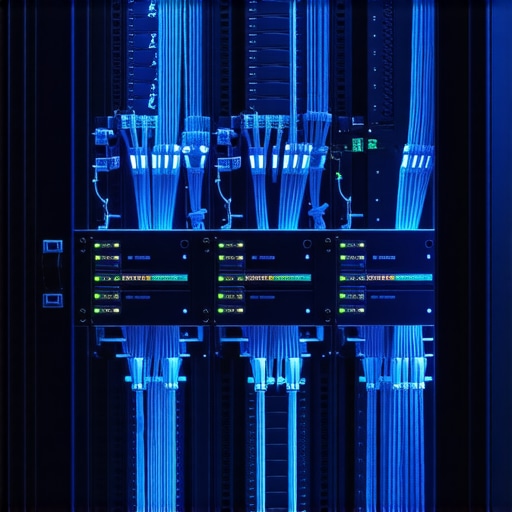
Testing Your Backups Before the Real Fire Starts
A backup that has never been tested is just a collection of hope. I make it a habit to perform a ‘fire drill’ every quarter. I pick a random folder from six months ago and try to restore it. If it takes more than ten minutes, the system is failing. This is why your managed IT provider should be doing quarterly audits of your entire infrastructure. During one of these drills for a retail client, we discovered that their main backup drive had been ‘verified’ but was actually writing empty blocks for three weeks. We caught it during a routine check, not during a crisis.
Hand the Keys to a Pro When Growth Hits
There comes a point where managing your own server becomes a liability. I stopped trying to be the guy who checked the logs every morning at 6 AM because, frankly, I had a business to run. That’s why your managed IT service should be doing regular security audits. They use specialized sensors to catch ‘SMART’ status warnings before the drive starts making that dreaded clicking sound. By aligning with managed IT strategies to keep your business secure in 2025, you shift the burden of 24/7 monitoring to experts who have better tools than a standard workstation can provide.
RAID Is Not Your Safety Net
In the world of high-level IT, there is a dangerous myth that having a RAID setup means you don’t need a traditional backup. I have seen countless business owners lose everything because they assumed redundancy was the same as a recovery plan. In my experience, if your drives are from the same manufacturing batch, they often fail within weeks of each other. This is exactly when you find yourself frantically searching for data recovery secrets expert techniques to save your files fast. Redundancy protects against a single hardware hiccup, but it does nothing against a localized fire, a flood, or a ransomware attack that encrypts the entire array at once.
The Software Trap That Kills Physical Drives
Here is the ‘oops’ factor that most people miss: trying to use software to fix a hardware problem. If you hear a clicking or grinding sound coming from your server, the very last thing you should do is run a ‘disk repair’ utility. Those tools stress the drive by attempting to read every single sector multiple times. If the read/write head is physically failing, you are essentially sandpapering your data into oblivion. This is the danger of using free file recovery tools on a failing mechanical drive. When the platters are physically damaged, professional intervention is the only way forward, and why Drive Savers remains the only choice for physically damaged drives in high-stakes scenarios. 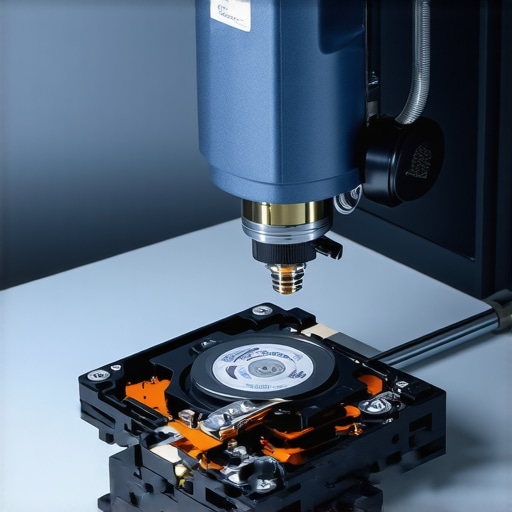
How do you know if your SSD is lying to you?
Sophisticated readers often ask about the reliability of SMART (Self-Monitoring, Analysis, and Reporting Technology) status. The hard truth is that while SMART can predict mechanical failure in traditional HDDs with decent accuracy, it often misses the sudden ‘electronic death’ common in SSDs. A study by Backblaze on drive failure rates highlights that SSDs can go from ‘Healthy’ to ‘Bricked’ in a matter of seconds without any prior warning. You cannot afford the risk of ignoring that SMART status bad warning on your pc, but you also can’t trust a ‘Good’ status to mean you’re safe. Proactive managed IT moves beyond just watching these sensors; it involves active image-based versioning that happens in the background.
Why Managed IT Is More Than Just a Help Desk
Many people think they are paying for a technician to fix things when they break. That’s the old ‘break-fix’ model, and it’s a recipe for disaster in 2025. True why managed IT is a game-changer for growing companies is the shift to a proactive stance. Instead of fixing a broken screen or a fried motherboard after the fact, we focus on the hardware upgrade that actually speeds up your daily workflow while simultaneously securing your perimeter. According to the IBM 2023 Cost of a Data Breach Report, companies with high levels of security automation and proactive monitoring saved an average of $1.76 million compared to those without. It isn’t just about ‘repairs’; it’s about business continuity. Have you ever fallen into this trap where you trusted a backup that wasn’t actually there? Let me know in the comments.I’ve spent years in the trenches of server rooms since that day I almost lost everything, and I can tell you that the right gear doesn’t just make the job easier—it makes it possible. I personally never walk into a diagnostic without my FLIR thermal camera. It might sound like overkill for some, but it is how I pinpoint the exact short on a circuit board, which is an absolute necessity when I’m explaining how to rescue files from a laptop with a damaged motherboard to a client whose entire life is on that drive. When we talk about the power of data recovery tools what you need to know is that the best tool is actually the one that prevents the need for a physical cleanroom in the first place. For my business clients, I rely heavily on image-based backup solutions that allow for instant virtualization. If your physical server dies at 10 AM, we can have a virtual version of it running in the cloud by 10:15 AM. That is the level of speed you should demand from your setup.
How do I maintain a rock-solid IT infrastructure over time?
The secret isn’t a one-time setup; it’s the boring, repetitive work of consistent maintenance. You have to treat your IT like a high-performance engine. This is exactly why your managed it provider should be doing quarterly audits of every single switch, access point, and workstation. I’ve seen too many companies implement effective managed it solutions for growing companies only to let them rot because they didn’t want to pay for the regular check-up. According to the NIST Special Publication 800-34 Rev. 1, a contingency plan is a living document, not a static binder on a shelf. If you add a new employee or a new piece of software, your plan must adapt to accommodate that change immediately. #IMAGE_PLACE_HOLDER_D#
Why AI and Predictive Monitoring Are the New Standard
Looking ahead, the days of waiting for a drive to start clicking before you replace it are numbered. We are moving into an era of predictive maintenance powered by machine learning and real-time telemetry. In the very near future, your server will likely order its own replacement drive before the current one even shows a SMART error. This shift is part of the hardware upgrade that actually speeds up your daily workflow because it removes the massive latency of failure from your business operations. If you are currently scaling your team, you need to follow the checklist for moving your business to the cloud without data loss to ensure you are ready for this automated future. If you want to stay ahead of the curve, I challenge you to try this one thing today: pull your last backup report and look for the verification timestamp. If it is older than 24 hours, call your IT person immediately. Real protection means knowing data recovery secrets expert techniques to save your files fast before you are actually staring at a blank screen.
Hard-Won Truths from a Career Spent in Server Rooms
After years of fixing servers and rescuing lost files, I’ve realized that the most expensive mistakes aren’t made by the machines, but by the assumptions we make about them. First, never trust a ‘successful’ status report until you’ve actually opened the restored file and verified its integrity. Second, silence is often the sound of a looming disaster; just because your server isn’t clicking doesn’t mean it isn’t dying. Finally, the best time to hire help is while things are working, not when the office is in a panic. I’ve learned to how to identify a fake tech support call before they gain access because scammers thrive on the same fear that a server crash creates. Real protection is built on knowledge and steady hands, not urgent phone calls from strangers.
[image placeholder]
The Gear and Guides That Keep My Systems Running
If you want to move beyond basic troubleshooting and build a truly resilient infrastructure, these are the resources I personally vouch for in my daily workflow:
- FLIR Thermal Imaging: This is essential for spotting overheating components before they melt. It’s exactly how I show clients the hardware component that causes the most blue screens of death before it actually gives out.
- NIST Cybersecurity Framework: I treat this as the definitive guide for data protection. It is the gold standard for learning how to audit your business software to find hidden security gaps.
- Local Redundancy over Brand Reputation: Don’t just buy a famous brand; buy the solution with the best local support. I always suggest looking into how to choose the right antivirus for a small business with no it staff to keep your perimeter tight without bloating your system.
Start Building Your Fortress Today
Building a resilient business isn’t about being a tech genius; it’s about being prepared for the inevitable reality that things break. You don’t have to do it alone, but you do have to do it now before the next storm rolls in. By implementing effective managed IT solutions for growing companies, you are buying more than just tech support—you are buying the ability to sleep through a thunderstorm without checking your phone. The future of your business is in your hands, so make sure those hands are holding a solid, tested plan. Have you ever had a backup fail on you at the absolute worst possible moment? Let me know in the comments below!