

I remember staring at a blinking cursor at 3:00 AM, my heart hammering against my ribs because a single suspicious login attempt had bypassed my “good enough” firewall. I’d spent years thinking my server was a fortress, only to realize I’d left the side door wide open. It was a visceral wake-up call that changed how I view security forever. You don’t know true panic until you realize your entire livelihood is one click away from being encrypted by a stranger halfway across the world. It’s that sinking feeling of helplessness that I want to help you avoid. Today, I’m showing you the exact move—network segmentation combined with restricted access—that prevents a ransomware attack from ever getting its hooks into your core data. We are going to move past the basic advice and talk about real-world defense that actually works when the chips are down.
Stop Treating Your Network Like an Open Floor Plan
The biggest mistake I made early on—and it’s one I see business owners make every single day—was assuming that once someone was “inside” the office Wi-Fi, they were safe. I treated my network like a studio apartment; if you’re in, you have access to the kitchen, the bedroom, and the safe under the bed. This is exactly how ransomware wins. It lands on one unsuspecting employee’s laptop through a phishing link and then “pivots” or moves laterally until it finds your crown jewels: the server. To stop this, you need to implement Network Segmentation. This is the practice of dividing your network into smaller, isolated zones. If a guest’s phone or a smart thermostat gets compromised, it stays in its own little sandbox and never even sees your database server. It is easily the most effective managed IT strategy to keep your business secure in a world where threats are constantly evolving.
Does this level of security actually work or is it just hype?
Skepticism is healthy in this business, and I get it. You might think that if a hacker is determined enough, they’ll get through anything eventually. While it’s true that no system is 100% impenetrable, making it difficult for an infection to spread is the difference between a minor afternoon annoyance and a company-ending disaster that lasts weeks. I’ve seen businesses bounce back in a matter of hours because their server was isolated from the breach point, while others faced total data recovery nightmares because they had no internal walls. You absolutely need a disaster recovery plan before the storm hits, and that starts with limiting the “blast radius” of any single device. When I first started out, I ignored this because it seemed too complex to set up. That was a costly error that I’m here to make sure you don’t repeat.
The statistics are pretty staggering and should serve as a wake-up call for any small business owner. According to the 2023 IBM Cost of a Data Breach Report, organizations that use high levels of security AI and automation—which includes automated segmentation and zero-trust protocols—save nearly $1.76 million compared to those that don’t. That isn’t just pocket change; it’s the very survival of your operation. If you’re still relying on a basic router and a prayer, you’re essentially leaving your vault open while you’re out at lunch. One of the most critical steps I now take for every single server I touch is making the move that protects your business from a remote desktop attack by disabling RDP on the open internet and requiring a VPN for any remote access. It’s a simple change, but it’s like putting a heavy-duty deadbolt on that side door I mentioned earlier. Have you ever checked your server logs and felt that cold pit in your stomach from seeing thousands of unauthorized login attempts? If so, you know exactly why we need to talk about these barriers. Let’s get into the nitty-gritty of how we build these walls without slowing down your team’s daily workflow.
Stop Letting Every Device Talk to Each Other
The first step in building a resilient network is identifying every device that touches your internet. I once walked into a firm where the smart coffee maker was on the same subnet as the server holding their client contracts. That’s a disaster waiting to happen. You need to create Virtual Local Area Networks (VLANs). Think of it like a hotel; every guest has a key to their room, but they can’t wander into the manager’s office or the laundry room. This is exactly why your business needs a separate Wi-Fi network for smart devices. If a cheap smart bulb gets hacked, the intruder is stuck in the “light bulb room” with nowhere else to go. This isolation prevents the lateral movement that ransomware relies on to spread from a single point of entry.
Build a Guest Portal That Actually Protects You
Don’t just hand out your main Wi-Fi password to everyone who visits. I made that mistake years ago with a client who wanted to be “hospitable.” A visiting contractor’s infected laptop nearly wiped their local backups because they were on the same open frequency. Now, I always insist that your office network needs a guest portal for visiting clients. This creates a logical barrier. It’s not just about professional appearance; it’s about ensuring that a guest’s device never even sees the IP address of your workstation or your NAS. It’s a simple layer of managed IT that pays for itself the moment a “dirty” device enters your lobby.
Lock the Doors with a Zero-Trust Approach
Segmentation provides the walls, but access control provides the locks. You need to move to a “Zero-Trust” model, where the network assumes every device is a threat until proven otherwise. I remember a medical clinic where the doctor’s primary workstation started failing. I had to explain why your office pc makes a clicking sound when you open files—it was the mechanical drive dying. While we were replacing it, we found a hidden network bridge that bypassed their entire firewall. Because the network wasn’t segmented, that one dying PC was a wide-open gateway for anyone on the guest Wi-Fi to see patient records. We fixed the drive, but more importantly, we fixed the network “holes” that were far more dangerous than a failing motor.
Verify Your Remote Connections Consistently
Remote work is here to stay, but it’s the biggest security gap for most small businesses. You must verify your employees are actually using the company VPN every single time they connect. If they aren’t, they are a walking vulnerability. In one messy cleanup I handled, a staffer bypassed the VPN to “save time” on a Monday morning, and by noon, the server was screaming. It turned out to be why your business computer is getting slower every Monday morning—it was busy encrypting files instead of opening them. A VPN combined with multi-factor authentication (MFA) ensures that even if a password is stolen, the attacker is still locked out of the core network.
Test Your Firewall to See What’s Actually Moving
Setting it and forgetting it is the fastest way to get breached. You need to actively monitor your traffic logs. Do you know how to tell if your office firewall is actually blocking threats? Most people just look for green lights, but the real data is in the “denied” logs. I regularly check for spikes in outbound traffic. If a computer is suddenly trying to send 50GB of data to an unknown IP in another country, your segmentation should catch it, but your firewall needs to kill the connection immediately. This level of oversight is why managed IT is a game changer for growing companies that don’t have time to stare at log files all day. We stop the leak before the ship sinks by ensuring the internal walls are tall and the gates are heavily guarded.
People love to tell you that local hardware is dead and that ‘the cloud’ is a magic cure-all for every security woe. I’m going to challenge that right now: relying 100% on cloud services without a local failover is a gamble that eventually ends in a losing streak. While SaaS is great, the hidden nuance most IT providers miss is the latency and ‘data gravity’ of your daily operations. The truth is, the hidden benefit of switching your office to a local server model isn’t just about control; it’s about having a ‘black box’ that keeps your business breathing when the external internet backbone stutters. If you aren’t balancing your infrastructure, you’re building your house on someone else’s sand.
Why Does Your ‘Reliable’ Backup Fail Exactly When You Need It?
It’s an industry secret that many managed IT services set up a backup routine and then just look for the ‘Green Checkmark’ in the software. This is a massive ‘oops’ factor. I’ve seen countless businesses discover too late that their backup was successfully backing up empty folders or corrupted database headers. According to the 2024 Backblaze Drive Stats report, drive failure rates can vary wildly by brand and environment, and assuming your hardware is ‘safe’ just because it’s new is a dangerous myth. You need to be aware of the risk of ignoring that smart status bad warning on your pc. A green light in your backup software doesn’t mean your data is recoverable; it only means the job finished. If you aren’t doing ‘fire drills’ where you actually restore a random file every month, you don’t have a backup—you have a wish.
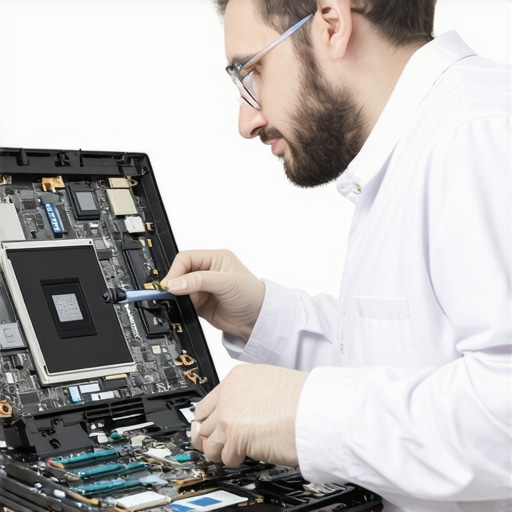
When we talk about the physical side of things, like laptop screen repair, the mistake most people make is focusing only on the visible glass. I’ve had clients try to save a few bucks by following a DIY video, only to realize that why a cracked laptop screen can eventually damage your motherboard is due to micro-shorts in the ribbon cable. A screen isn’t just a display; it’s a component in a delicate electrical loop. If you see white pressure spots, that’s not a software glitch—it’s physical stress on the layers of the LCD that could eventually lead to a total blackout. This is why why managed IT is a game changer for growing companies; we look at the hardware health long before it turns into an emergency repair bill.
The most dangerous trap in data recovery is the ‘one last try’ mentality. If you hear why your office pc makes a clicking sound when you open files, stop everything immediately. The ‘oops’ factor here is trying to run free file recovery tools on a failing mechanical drive. These tools stress the drive’s read-heads, often scraping the magnetic platter and turning your data into actual dust. Professional recovery isn’t about better software; it’s about knowing when to stop the hardware from killing itself. Have you ever fallen into this trap of trying ‘just one more reboot’ while a drive was dying? Let me know in the comments. We need to move past the ‘standard’ advice and start treating our office hardware with the same precision we treat our finances. Effective managed IT strategies to keep your business secure require a deep understanding of how these physical and digital layers interact.
I’ve developed a Sunday night habit that has saved me more gray hairs than I can count: I run a quick diagnostic sweep on my core systems while the house is quiet. Most people wait for a blue screen or a smell like burnt toast before they look at their hardware, but by then, you’re already in ‘panic mode.’ I personally rely on CrystalDiskInfo because it gives me a raw look at the S.M.A.R.T. data that Windows often hides until it’s too late. If you want to stay ahead of the game, you need to learn how to check if your hard drive is about to fail using s.m.a.r.t. data before you hear that dreaded clicking sound. It’s the difference between a planned $150 SSD swap and a $2,000 emergency data recovery bill. Similarly, I use WizTree for storage management; it reads the Master File Table (MFT) directly, which is significantly faster than the built-in Windows search. If you start seeing the sign your office server is running out of disk space, WizTree will show you exactly which hidden log file or cache is eating your margin in seconds. As detailed by the hardware experts at Puget Systems in their annual reliability reports, the failure rate for high-end components often spikes after the three-year mark, which is exactly why I schedule hardware ‘refresh’ talks with my clients at the thirty-month point.
How do I keep my infrastructure from rotting over time?
Maintenance isn’t just about software; it’s about the physical environment. I’ve seen office PCs that looked like they were pulled from a shipwreck because they were tucked under desks for five years without a single dusting. Dust is an insulator, and heat is the silent killer of silicon. Learning how to fix a laptop that keeps telling you the fan has failed is often as simple as using a can of compressed air to clear a blockage before the heat warps the motherboard. I also tell my clients that there is one specific hardware part you should never buy used for your business: the Power Supply Unit (PSU). A used PSU with unstable voltage can slowly ‘bake’ every other component in your system, leading to phantom crashes that are a nightmare to troubleshoot.
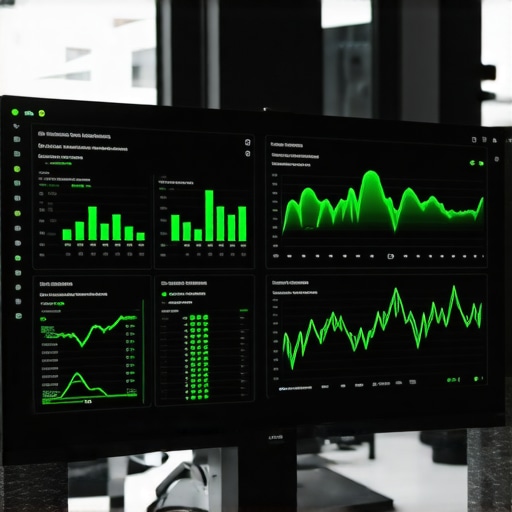
Looking toward the future, I see the industry moving into ‘Predictive Telemetry.’ We are entering an era where AI-driven RMM (Remote Monitoring and Management) tools won’t just report an error—they will notice subtle fluctuations in fan RPM or power draw that suggest a failure is two weeks away. This is why effective managed IT solutions for growing companies are shifting away from the old ‘break-fix’ model. We are now in the business of ‘uptime insurance.’ You should ensure your managed IT service is doing regular security audits alongside these hardware checks to catch both the digital and physical threats simultaneously. My challenge for you today: Download a SMART monitoring tool and check the ‘Health Status’ of your primary workstation. If it says anything other than ‘Good,’ don’t wait—back up your data and replace the drive immediately.
Hard-Earned Truths from the Server Room Floor
Over the years, I’ve realized that the most expensive IT mistakes aren’t caused by a lack of budget, but by a lack of perspective. First, convenience and security are on opposite ends of a seesaw. If your network is effortless to access, it’s effortless to hack. Second, hardware failure is a ‘when,’ not an ‘if.’ I’ve seen brand-new drives fail in three months and decade-old ones keep chugging; you cannot predict it, you can only prepare for it. Finally, a small business doesn’t need the same setup as a Fortune 500 company, but it does need the same level of discipline. This is precisely how managed IT can elevate your business security in 2025 without requiring a massive internal department.
The Three Resources I Check Every Single Week
I don’t just rely on my gut feeling; I use data-driven tools to keep my clients’ systems humming. While software diagnostics are essential, finding a partner who understands your specific operational needs is equally vital; this is the secret to choosing an it consultant who wont push unnecessary hardware. I also keep a close eye on the Puget Systems Reliability Reports for real-world hardware failure rates across different brands. Lastly, I always keep a link to the Backblaze Drive Stats bookmarked. It’s the gold standard for understanding which drive models are actually holding up under pressure, helping you avoid the ‘oops’ factor of a sudden crash during a critical data recovery task.
#IMAGE_PLACEHOLDER_E#
The Future of Your Business Starts with One Simple Scan
Securing your network and maintaining your hardware isn’t a one-time project; it’s a mindset shift. By taking the time to segment your traffic and audit your physical devices, you aren’t just preventing a ransomware attack—you are building a foundation for growth. When you implement managed IT strategies to keep your business secure, you’re buying yourself the mental space to focus on your actual work. Whether it is a simple laptop screen fix or a complex server overhaul, remember that prevention is always cheaper than a cure. Knowing why a cheap power supply is the biggest threat to your office hardware can save you thousands in the long run. Take the first step today: check your SMART data, lock down those guest portals, and stop letting your infrastructure rot from the inside out.
Have you ever had a hardware failure happen at the worst possible moment? Let me know in the comments below!