

It was 2 PM on a Tuesday when my office internet just… died. Not a total blackout, but a crawl so agonizingly slow I couldn’t even sync a simple Word document. After two hours of frantic troubleshooting, I found the culprit: a cheap smart thermostat in the breakroom. That little $30 gadget was stuck in a reboot loop, flooding my entire bandwidth with junk data. I felt like a total amateur. I had spent so much time reading up on managed IT strategies to keep your business secure in 2025, yet I let a plastic thermostat bring my productivity to a screeching halt.
Stop Letting Your Coffee Maker Talk to Your Payroll Server
When I first started adding ‘smart’ tech to the office, I thought I was being efficient. I wasn’t. I was actually creating a massive security hole. Every time you connect a smart device to your primary Wi-Fi, you’re basically handing a spare key to anyone who can hack that device. Most of these gadgets have terrible security. If a hacker gets into your smart bulb, and that bulb is on the same network as your client files, you’re in trouble. I learned this the hard way when I had to figure out how to find out which background program is eating your network bandwidth just to get my email working again. Today, I’m going to show you how to wall off these devices so they can do their jobs without risking your data. Have you ever noticed your office Wi-Fi getting weirdly slow after adding a new ‘smart’ gadget?
Is setting up a guest network actually worth the hassle?
I get it. You’re busy. The idea of managing two separate Wi-Fi names and passwords feels like just one more thing on a never-ending to-do list. You might think your current setup is ‘fine’ because nothing has happened yet. But here is the reality: the FBI explicitly recommends keeping your IoT devices on a separate network because they are notorious entry points for malware. It’s not just about speed; it’s about making sure a vulnerability in a breakroom TV doesn’t lead to a disaster recovery plan scenario you aren’t ready for. Trust me, learning why your small business shouldn’t rely on a single consumer-grade router is a lesson you want to learn from me, not from a data breach.
The Simple Move That Protects Your Most Sensitive Data
Segregating your network isn’t as scary as it sounds. By creating a Virtual Local Area Network (VLAN), you essentially build a digital fence. My mistake early on was thinking a ‘guest password’ was enough. It wasn’t. I needed a dedicated lane for my laptops and a separate ‘slow lane’ for the smart gadgets. This is the move that prevents unauthorized devices from joining your network and keeps your core operations running smoothly. When you separate the traffic, you also stop these devices from chatting with each other. Why does a smart printer need to talk to a workstation? It doesn’t. By shutting down that communication, you’re slamming the door on lateral movement—which is exactly how hackers move from a compromised lightbulb to your bank account credentials. Let’s look at how to actually set this up without breaking your brain.
Check if Your Router Actually Has the Guts for This
Before you start clicking through menus, you need to know if your hardware is up to the task. Most basic home routers simply aren’t built for sophisticated security. I remember trying to set up a VLAN on a $40 router I found in a bargain bin years ago; the interface was so clunky it literally crashed every time I tried to assign a static IP. This is exactly why your small business shouldn’t rely on a single consumer-grade router. To do this right, you need a router or a switch that supports ‘VLAN tagging.’ Think of it like a mailroom: a standard router just throws all the mail in one big pile, while a VLAN-capable one puts everything into neatly labeled cubbies. If you aren’t sure where to start, looking into how managed IT can elevate your business security in 2025 can give you a roadmap for the specific hardware that handles this out of the box. 
Turn on Guest Network Isolation Immediately
If you are not ready to dive into full VLAN configuration, the ‘Guest Network’ feature is your best friend. Most modern routers have a toggle for ‘AP Isolation’ or ‘Guest Isolation.’ When I was helping a friend with some troubleshooting common computer repair issues effectively, I found out their smart fridge was actually trying to sync with their main database because this one toggle was off. By turning on isolation, you ensure that even though the smart bulb and the payroll laptop are using the same router, they can’t ‘see’ or talk to each other. This is the move that prevents unauthorized devices from joining your network‘s sensitive areas. It is also a great time to consider why your office network needs a guest portal for visiting clients—it keeps your visitors happy without letting them anywhere near your internal files.
Isolate Every Smart Device to Stop Lateral Movement
Once the infrastructure is set, the real work begins: moving the gadgets. Every time I add a new device, I ask myself, ‘Does this need to touch my server?’ The answer is almost always no. I once spent three hours wondering why a client’s server was sluggish, only to realize a ‘smart’ picture frame was constantly scanning the network for open ports. By putting that frame on an isolated VLAN, the problem vanished. You should also take a moment to learn how to tell if your office firewall is actually blocking threats from these segregated segments. When a hacker compromises a smart device, they immediately try to move ‘laterally’ to find more valuable targets like your accounting PC. If that device is stuck in its own digital room with no door to the rest of the building, the attack dies right there. It is the same logic we use when we isolate a failing component during a laptop screen repair; you contain the damage so it doesn’t spread to the motherboard.You might think the ‘best’ IT professional is the one who answers the phone on the first ring and fixes your server in ten minutes. I’m going to challenge that: if your IT support is constantly ‘saving the day,’ they are actually failing you. Real expertise lies in the quiet weeks where nothing breaks because the infrastructure was built correctly from the start. This is a huge part of why managed IT is a game changer for growing companies—it shifts the focus from ‘break-fix’ firefighting to a ‘built-to-last’ strategy. According to a study by the Ponemon Institute, the true cost of unplanned downtime averages nearly $9,000 per minute, which is why prevention is worth infinitely more than a fast cure. Have you ever fallen into this trap of valuing repair speed over system stability? Let me know in the comments.
The Expensive Myth of the Superhero IT Guy
In my years of consulting, the biggest ‘oops’ factor I see is businesses mistaking activity for progress. A tech who is always sweating over a keyboard is often a tech who didn’t implement proper effective managed IT solutions for growing companies. For example, if your server keeps crashing, the ‘hero’ fixes it daily. The ‘expert’ identifies that your cooling fan is dying and replaces it before the crash happens. You should learn how to identify a failing motherboard before it stops working so you can be the one driving the strategy, not the one reacting to a crisis.
How do I know if my IT provider is actually doing anything?
It is a fair question. When things are running smoothly, it can feel like you are paying for nothing. However, a sophisticated provider should be giving you reports on patch management, blocked intrusion attempts, and hardware health. If the only time you hear from them is when a bill arrives or a printer dies, check for the sign your IT support company is outsourcing your help desk overseas. Expertise means they are proactive, not just a middleman for a call center half a world away. 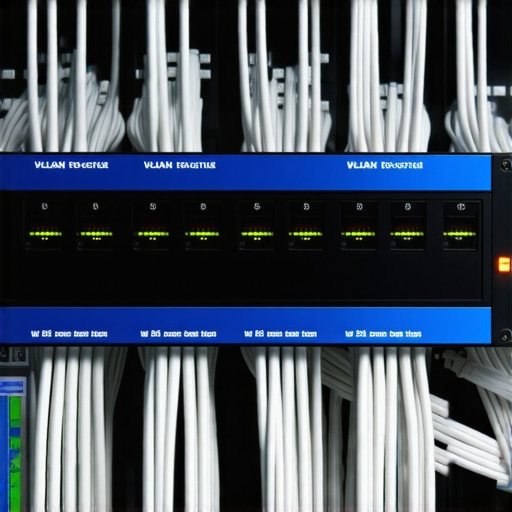
Stop Running Recovery Software on Clicking Drives
Another nuance most beginners miss involves the ‘death rattle’ of a hard drive. People hear a clicking sound and immediately download a ‘free’ recovery tool. On a failing mechanical drive, those tools are a death sentence. Every second that platter spins while the software scans, you are physically scraping data off the disk. You need to understand data recovery secrets expert techniques to save your files fast before you touch a single software button. If the drive is making noise, turn it off. Period. Using the danger of using free file recovery tools on a failing mechanical drive as a lesson, remember that professional recovery happens in a clean room, not via a $19 download.
The Cloud is Not a Recovery Plan
Finally, don’t let the ‘Cloud’ marketing lull you into a false sense of security. If you have 5TB of data, downloading that over a standard business connection after a total local failure could take days—or even weeks. That is why your business needs a local backup even if you use the cloud. The nuance here is the ‘Recovery Time Objective’ (RTO). A pro knows that having the data ‘somewhere’ isn’t enough; you need it back ‘now’ to keep the doors open. If you’re serious about your E-E-A-T-level IT knowledge, start looking at data recovery secrets every business should know today to bridge the gap between just being ‘backed up’ and being truly resilient.
Stop Waiting for the Blue Screen to Take Action
One of the hardest habits to break is the “if it isn’t broken, don’t fix it” mentality. In the world of tech, if you wait for it to break, you’ve already lost money. I used to spend my weekends doing computer repair for beginners avoid costly mistakes style fixes until I realized that professional-grade uptime requires professional-grade monitoring. I now rely heavily on RMM (Remote Monitoring and Management) tools like NinjaOne or Atera. These aren’t just for huge corporations; they are the backbone of managed IT solutions streamlining operations for small businesses. They alert me the second a drive starts showing reallocated sectors, long before the user sees a single error message. This is why I always tell people to how to check if your hard drive is about to fail using s-m-a-r-t-data—it is the difference between a planned 15-minute swap and a three-day nightmare. The experts at Backblaze, known for their annual Hard Drive Stats reports, provide data that I treat like the Bible for hardware selection; it shows exactly which brands are failing in real-world conditions, helping me avoid buying lemons for my clients.
How do I keep my systems running smoothly for years?
The secret isn’t a magic software button; it’s a “clean and lean” protocol. Every six months, I literally open up the cases. Dust is the silent killer of motherboards. While I am in there, I am looking for the power of data recovery tools what you need to know regarding physical drive health. If you are handling a lot of laptops, you also need to keep an eye on hinges and cables. A loose hinge is usually the precursor to a laptop screen replacement step-by-step repair guide scenario. By tightening a few screws now, you prevent the internal ribbon cable from fraying later.
The Professional Grade Toolkit That Changed My Life
I have tried the free stuff, and honestly, most of it is trash when your livelihood is on the line. When I am serious about maintenance, I use tools like HWiNFO for deep sensor data and CrystalDiskInfo for drive health. These aren’t just apps; they are the diagnostic lenses that let you see the microscopic cracks in your infrastructure. If you’re seeing the signs your business is outgrowing its current it infrastructure, it is time to stop using consumer-grade gear. I switched my office to a 10Gbps backbone last year, and the reduction in “waiting for the spinning wheel” has paid for the equipment ten times over in recovered billable hours.
Future-Proofing Your Business Against the Next Tech Wave
Looking ahead to 2025 and beyond, we are going to see AI-driven predictive failure analysis become standard. We won’t just guess when a battery is dying; the OS will tell us three months in advance based on discharge patterns. This is the ultimate evolution of managed IT strategies to keep your business secure in 2025. My advice? Start a hardware lifecycle spreadsheet today. Mark every purchase date and expected replacement date, typically 3 to 4 years for laptops and 5 for servers. Don’t let your gear reach its expiration date before you have a replacement plan in place. Go ahead, check your primary drive’s S.M.A.R.T. status right now—if the reallocated sectors count is anything other than zero, back it up and replace it this week.
3 Hard-Earned Truths That Every Small Business Owner Needs to Hear
Early in my career, I thought a great technician was a firefighter. I was wrong. The best techs are the ones who build systems so stable that the fire never starts. This realization is central to why I recommend effective managed IT solutions for growing companies. It is not just about having someone to call; it is about having someone who watched the system while you slept. Also, never ignore the small stuff. A flickering display isn’t just annoying; it is often a diagnostic signal. If you start seeing issues, check out tips for troubleshooting laptop screen problems seamlessly before the hardware fails entirely. Finally, remember that your network is only as strong as its weakest ‘smart’ bulb. I have seen $20 gadgets bypass $2,000 firewalls simply because they were on the wrong network segment.
The Essential Resources That Keep My Business From Crashing
#IMAGE_PLACEHOLDER_E#
I don’t make a move without checking my data. I use CrystalDiskInfo for every single machine because S.M.A.R.T. data is the closest thing we have to a crystal ball. For hardware failure trends, I trust the Backblaze Hard Drive Stats; they offer the kind of transparency you rarely see in the tech world. To understand the deeper side of file retrieval, I keep a close eye on the power of data recovery tools what you need to know. These resources have saved me from thousands of dollars in lost productivity and hardware mistakes. I also keep a physical hardware lifecycle spreadsheet for every client, ensuring nothing stays in production past its prime.
Stop Reacting and Start Rebuilding Your Tech Foundation
Taking the leap into professional infrastructure management can feel daunting, but the peace of mind is worth every second of setup. Whether you are isolating your first VLAN or finally outsourcing your monitoring, you are building a wall between your business and disaster. Implementing managed IT solutions streamlining operations for small businesses is the ultimate way to reclaim your time and focus on growth rather than glitches. Don’t wait for the blue screen to tell you that your hardware was tired; act while the system is still healthy. Have you ever had a piece of budget hardware cause a major headache in your office? Let me know your story in the comments below!