

It was 2 PM on a Tuesday. I had a deadline looming, three employees waiting for file access, and then… silence. Not the good kind. The kind of silence that happens when your ISP decides to take a nap and your entire ‘cloud-based’ workflow vanishes into thin air. I spent four hours paying people to sit around and drink coffee because I thought hardware was ‘old school.’ That was the day I realized that relying solely on someone else’s computer—which is all the cloud really is—was my biggest mistake. I felt completely disconnected from my own business assets. [image_placeholder_1]
That Time My Internet Died and My Business Stopped
I used to be the biggest cheerleader for the cloud. ‘It’s scalable!’ I’d say. ‘It’s easy!’ But what I didn’t realize back then was how much I was sacrificing in terms of control and actual speed. When I finally decided to look into a local server model, I wasn’t just trying to save money; I was trying to save my sanity. Most people don’t talk about the hidden fees that creep into your cloud bill every month. I was paying for storage, for ‘egress’ fees, and for features I didn’t even use. It felt like I was renting my own digital life instead of owning it.
If you’ve ever felt like you’re losing grip on where your data actually lives, or if you’ve noticed that software licenses are eating your budget alive, you aren’t alone. Today, I’m going to show you why bringing your data back home is the smartest move I ever made for my business security and speed. It isn’t just about avoiding an outage; it is about the raw performance that a local wire provides.
Is a Physical Server Just an Expensive Paperweight?
I know what you’re thinking because I thought it too: ‘Who wants to deal with a big, noisy box in the closet?’ It sounds like a headache waiting to happen. I actually made the mistake of buying a cheap, consumer-grade desktop and trying to call it a ‘server’ early on. Spoiler alert: it crashed within a month because it wasn’t built for 24/7 uptime. But once I worked with effective managed IT solutions to set up a real local infrastructure, the benefits were night and day. You get LAN speeds that the cloud can’t touch. We’re talking about opening 2GB files instantly, not waiting for a download bar to crawl across the screen while your productivity dies.
According to a report by the Barracuda 2023 Ransomware Report, 73% of organizations were hit with at least one successful ransomware attack in the previous year, and having a local, air-gapped backup was one of the few ways to ensure recovery without paying a cent. Have you ever felt that sinking feeling when the internet goes down and your team can’t do their jobs? Tell me about your worst ‘offline’ disaster in the comments. We’re going to dive into how local backups provide a safety net that no cloud provider can match, especially when things go sideways.
Build Your Foundation on Professional Grade Gear
When I first tried to move away from the cloud, I grabbed an old tower from the storage room, stuffed it with extra drives, and called it a day. It worked for three weeks. Then, a summer thunderstorm rolled through, and because I was using a low-quality component, the whole thing became a brick. I quickly learned that why a cheap power supply is the biggest threat to your office hardware isn’t just a clickbait headline—it is a financial reality. To do this right, you need hardware designed to run 24/7. This means ECC memory to prevent data corruption and a power supply rated for efficiency and protection.
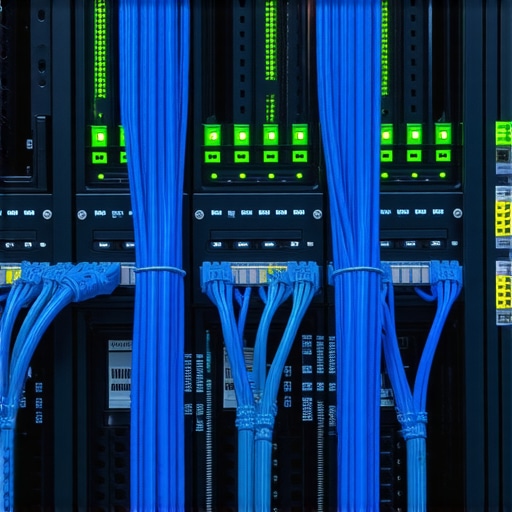
Think of your server like the heart of your office. If the heart is weak, the rest of the body fails. I once spent an entire weekend trying to figure out the move that saves your data when a partition table is corrupted because I skipped the basic step of using a dedicated RAID controller. Don’t be like me. Invest in a small, rack-mounted unit or a high-end NAS (Network Attached Storage) that manages your disks intelligently. This isn’t just about storage; it’s about making sure that if one drive dies, your business doesn’t die with it.
Protect Your Data Before the Drive Clicks
One of the biggest mistakes business owners make is assuming a local server is a ‘set it and forget it’ solution. You need to be proactive. I now make it a habit to use monitoring tools to keep an eye on hardware health. You should know how to check if your hard drive is about to fail using S.M.A.R.T. data before the dreaded clicking sound starts. When a drive begins to report errors, it’s giving you a grace period to swap it out. If you wait until it fails completely, you’re looking at a much more expensive recovery process.
I remember a specific Tuesday when a client called me in a panic. They had a ‘server,’ but they had committed the mistake that makes your backups completely useless: they were backing up their data to the same physical machine. The motherboard fried, taking the backup drive with it. We had to dig into data recovery secrets every business should know today just to get their payroll back. Now, I insist on the 3-2-1 rule: three copies of your data, on two different types of media, with one copy off-site (yes, even a local setup needs an off-site safety net).
Wire Your Office for Real Speed
The cloud feels slow because you’re limited by your upload and download speeds. On a local network, you are limited by your cables and your switch. If you’re still using that dusty router from five years ago to handle all your traffic, you’re creating a bottleneck. You need to recognize the sign your office switch is failing and dropping connections, such as intermittent lag during file transfers or devices randomly disappearing from the network. Upgrading to a managed gigabit switch is like moving from a dirt road to a multi-lane highway.
Finally, never plug your main equipment directly into a wall outlet. I’ve seen entire networks wiped out by a single power surge. Understanding why your office network needs a battery backup for the main switch is vital. An Uninterruptible Power Supply (UPS) gives your server time to shut down gracefully during a blackout, preventing the file corruption that happens when the power is suddenly yanked away. It’s the cheapest insurance policy you’ll ever buy for your digital assets.
Most people think that because an SSD has no moving parts, it is practically indestructible. In my experience, that is the most dangerous assumption you can make in modern business. While a traditional hard drive might give you the ‘death click’ as a warning, an SSD often fails silently and instantly. When that happens, the truth about recovering data from a water-damaged SSD or even a physically intact one is that it’s often more complex than recovering from a spinning platter. This is due to a process called TRIM, which actively wipes data to keep the drive fast, often making ‘deleted’ files impossible to retrieve within minutes. Have you ever fallen into this trap where you thought your hardware was invincible? Let me know in the comments.
The SSD Myth That Could Cost Your Business Everything
Everyone says SSDs are the ultimate safety net, but I have seen more data lost to sudden voltage spikes on flash storage than to mechanical failure in the last three years. According to a research report by Ontrack Data Recovery, the success rate for SSD recovery can be significantly lower than HDDs if the controller chip fails, as the data is often hardware-encrypted at the factory level. If you aren’t watching for the sign your SSD is reaching its write limit and about to die, you are essentially driving a car without a fuel gauge. You need to be looking at the ‘Total Bytes Written’ (TBW) metric in your system reports to know when your drive is nearing the end of its life cycle.

Can Your Managed IT Provider Actually Predict a Ransomware Attack?
Another common nuance people miss is the difference between ‘support’ and ‘management.’ If your IT guy only shows up when something breaks, you don’t have managed IT; you have a repairman on speed dial. True why managed IT is a game changer for growing companies lies in the predictive analysis. We use tools that monitor for anomalous behavior—like a user suddenly accessing five hundred files in a minute—which is a classic sign of a ransomware encryption process beginning. By the time you notice your computer is slow, the damage is done. Implementing managed IT strategies to keep your business secure in 2025 means stopping the attack at file number five, not file number five thousand.
Fix the Flickering Without Buying a New Machine
When it comes to hardware, I see so many business owners throw away perfectly good laptops because the screen starts acting up. They assume it’s a ‘blown’ display, but frequently, the issue is just a loose eDP cable or a failing backlight fuse on the motherboard. Before you spend $1,200 on a new unit, look into laptop screen repair how to fix common issues at home or in the office. Often, a ‘dead’ screen is just a software-related brightness bug or a simple component swap that costs fifty bucks. It’s these small technical nuances—knowing when to repair versus when to replace—that separate a profitable business from one that’s bleeding money into unnecessary hardware upgrades. Don’t let a simple fix become a capital expenditure just because you didn’t know which cable to jiggle.
Give Your Hardware a Fighting Chance
I personally keep a copy of HWiNFO64 and CrystalDiskInfo on every machine in my office. Why? Because you can’t manage what you don’t measure. I’ve seen too many business owners ignore the basics because they are ‘too busy,’ but spending ten minutes on a S.M.A.R.T. scan is far better than spending ten days trying to figure out the power of data recovery tools what you need to know because your OS drive just bit the dust. According to the Backblaze 2023 Drive Stats report, the annualized failure rate for drives increases from roughly 0.8% in their first year to nearly 4.2% by year five. This is why I advocate for a rolling replacement schedule. If you want to know how to extend the life of your office PCs by three years, it starts with keeping the thermals in check and the power clean. I also recommend performing a ‘blow-out’ with compressed air every six months; dust is a silent killer that leads to thermal throttling and eventual component fatigue.
How Can You Keep This Tech Running Without a Full-Time Engineer?
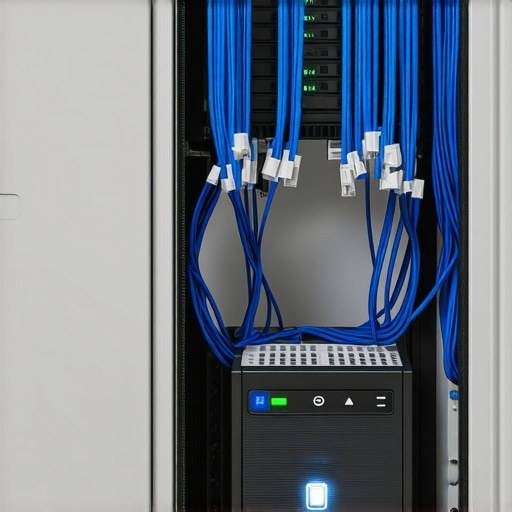
Maintaining a local infrastructure doesn’t mean you need to be a systems administrator yourself. This is where the difference between ‘reactive’ and ‘proactive’ care comes in. You need to ensure why your managed it service should be providing quarterly security audits as part of their standard package. If they aren’t checking your backup integrity and your server logs regularly, you’re flying blind. I remember a small firm that thought their server was fine until they realized the log files had filled the entire primary partition, causing a complete system lockup. Sometimes, all a machine needs is the hardware swap that gives your old office pc a massive speed boost—like moving from a SATA SSD to an NVMe drive—to buy you another two years of high-performance life. If you’re unsure about your current help, take the time to learn how to vet a new IT consultant without getting ghosted after three months so you can find a partner who actually values your uptime.
AI is Changing How We Prevent Crashes
Looking ahead, I see a massive shift toward ‘Edge IT’ where your local server handles your heaviest AI workloads to avoid those massive cloud subscription fees. We are already seeing how managed IT can elevate your business security in 2025 by using localized machine learning to spot patterns that human eyes miss. By 2026, I expect your local server won’t just store files; it will be running local AI instances that can predict a component failure before it even happens. The key to staying ahead is finding effective managed IT solutions that embrace this hybrid model. Don’t let your business stay stuck in a 2015 mindset. My challenge to you today: download CrystalDiskInfo (it’s free and lightweight) and check your primary server drive’s health. If that percentage is below 90%, don’t wait—plan your replacement this week before the hardware decides for you.
What I Learned After My Third Server Meltdown
Through years of troubleshooting, I’ve realized that the ‘set it and forget it’ mindset is the fastest way to a digital disaster. Here are the hard truths I live by now:
- Redundancy is cheaper than recovery: Spending an extra few hundred dollars on a second drive for a RAID array is nothing compared to the stress and cost you’ll face when you need data recovery secrets expert techniques to save your files fast.
- Environment is the silent killer: A server shoved into a cramped, dusty closet without airflow is a ticking time bomb. Heat kills capacitors and speeds up drive failure.
- The ‘Repairman’ Trap: If you only see your IT guy when things break, you’re losing money. You need a partner implementing managed IT strategies to keep your business secure in 2025 before the crisis occurs.
#IMAGE_PLACEHOLDER_FINAL#
The Gear That Actually Lives in My Office
I don’t just recommend these tools because they’re popular; I use them because they’ve saved my operations from total collapse. For hardware monitoring, CrystalDiskInfo is non-negotiable—it’s your early warning system. For power protection, I never run a main switch without a high-quality UPS; you can see why your office network needs a battery backup for the main switch to understand the protection it provides against file corruption. Lastly, for display issues, keeping a basic toolkit and knowing laptop screen repair diy tips for clearer displays has saved my team from replacing perfectly functional laptops over minor cable issues.
Building a Legacy That Stays Online
Taking control of your own hardware can feel like a daunting leap when the cloud makes everything look so effortless. But true business resilience comes from ownership and local speed. When you understand the components under the hood and have effective managed IT solutions in your corner, you aren’t just reacting to outages—you’re building a foundation that stays rock solid. Every piece of tech you master is a step toward total independence. Modern managed IT is the peace of mind that your business is ready for the technical demands of tomorrow. Have you ever had a hardware failure that completely changed the way you view backups or server maintenance? I’d love to hear your story in the comments below.