

I still remember the smell. It was a Tuesday afternoon, right in the middle of a massive spreadsheet audit, when my office suddenly smelled like a cross between a chemistry lab and a Fourth of July sparkler. There was no warning. No blue screen. Just a sharp *pop* and then a dead silence that felt way too heavy. My screen went black, and that acrid scent of ozone filled the room. I’d tried to save fifty bucks by picking up a generic power supply for my main workstation, thinking it was just a ‘box with wires.’ I was wrong. That ‘box with wires’ had just fried my motherboard, my primary SSD, and half my sanity. If you’ve ever wondered why your computer smells like burnt plastic, you’re likely already in the danger zone I occupied that day.
The Unseen Assassin Hiding in Your PC Case
Most office managers and small business owners focus on the fast stuff—the RAM, the CPU, or the fancy monitors. We obsess over speed but ignore the heart that pumps the blood. A cheap Power Supply Unit (PSU) is exactly that: a weak heart. When a budget PSU fails, it doesn’t just stop working; it often takes its ‘friends’ with it. Because it lacks the safety protections of a high-quality unit, it can send a massive surge of voltage directly into your most expensive components. It is, quite literally, the hardware part you should never buy used or settle for the lowest price on. Today, I want to walk you through why this happens and how you can protect your office hardware from a catastrophic meltdown before it costs you a week of productivity.
Does a More Expensive PSU Actually Do Anything Different?
I get this question all the time from neighbors and clients who think the ’80 Plus’ stickers are just marketing fluff. The truth is, high-end power supplies use Japanese capacitors and sophisticated voltage regulation that keep the electricity ‘clean.’ Cheap units have ‘dirty’ power with high ripple voltage, which slowly cooks your components over time. According to the technical standards for power conversion, poor voltage regulation can decrease the lifespan of your CPU by years. It’s like feeding a marathon runner nothing but fast food; they might run today, but they’re going to crash eventually. This is one of those classic computer repair for beginners lessons that most of us learn the hard way. Have you ever noticed your computer rebooting for no reason or smelled something slightly ‘off’ when you’re working late? Reach out and let me know—I’ve been there, and it’s better to swap a part now than to be identifying a failing motherboard after the damage is done.
Stop the surge before it starts
I used to think that as long as the computer turned on, everything was fine. Then I saw a client’s machine—a busy accounting firm—where the power supply was literally chirping like a cricket. They ignored it for three weeks because it ‘still worked.’ When I finally opened the case, the smell was unmistakable. We weren’t just looking at a dead PSU; we were looking at identifying a failing motherboard because the capacitor leakage had already begun. To prevent this, you need a proactive diagnostic routine that looks beyond the software.
Is it failing or just dusty?
First, you have to determine how to tell if your computer power supply is failing or just dusty. A thick blanket of gray lint acts like an insulator, trapping heat inside the unit’s internal coils. This heat causes the voltage to fluctuate, which manifests as those annoying random reboots you might be blaming on Windows updates. If you hear a high-pitched whine, often called coil whine, or a grinding fan sound, that is your final warning from the hardware. I once tried to clean a unit with a leaf blower—don’t do that. The static charge can be just as deadly as the dust itself. Use compressed air and short bursts to keep the internal fans from over-spinning. 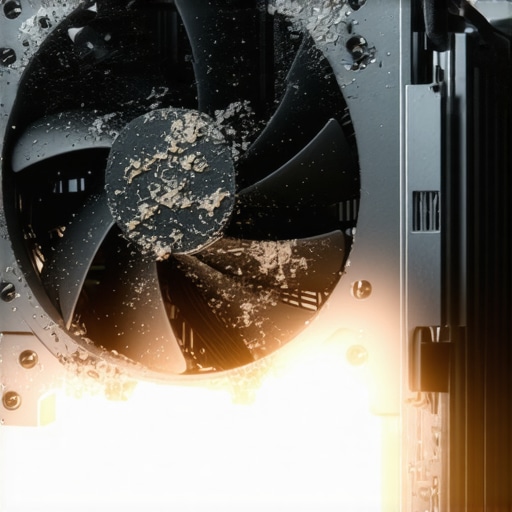
Why the 80 Plus sticker actually matters
Let’s talk about the ’80 Plus’ rating system. It’s not just a participation trophy for manufacturers. It tells you how much energy is being wasted as heat. A higher rating like Gold or Platinum means less heat is being dumped into your case, which keeps your other components happy and prevents the sign your cpu is thermal throttling from appearing during heavy workloads. When you are looking at the hardware part you should never buy used for your business, the PSU is at the top of that list. Used units have already undergone thousands of hours of heat stress; you’re essentially buying someone else’s ticking time bomb for your critical data.
The ripple effect on your data security
The ripple effect of a bad PSU often lands on your storage drives. I’ve seen countless cases where ‘dirty power’ caused the read/write heads of a hard drive to jitter, leading to corrupted file systems and total loss. This is where data recovery secrets become your only hope for getting your client lists back. Instead of fighting that uphill battle, implement managed IT strategies to keep your business secure in 2025 by standardizing your office hardware with Tier-1 power components. Finally, consider the environment outside the box. This is the move that keeps your office data safe during a power outage: pairing a high-quality PSU with a dedicated UPS. This combo acts as a double-layer filter, ensuring that even if a local transformer blows, your server won’t skip a beat. If you’re feeling overwhelmed by the technical jargon, remember that computer repair for beginners starts with respecting the power current before you worry about the processing speed.But even with the best power supply on the market, most business owners fall into a secondary trap: the ‘if it ain’t broke, don’t fix it’ mentality. I see it every single week. A company has a server that’s been humming along for five years, so they assume their IT is ‘solid.’ In reality, they are operating on borrowed time. This leads me to a contrarian view that often surprises my clients: if you see your IT person constantly running around your office with a screwdriver, your IT strategy is actually failing. The most effective managed IT solutions for growing companies are the ones where the provider is essentially a ghost. You shouldn’t see us because we should be catching that failing capacitor or the sign your ssd is reaching its write limit weeks before a single employee notices a slowdown. Have you ever fallen into the trap of thinking a ‘visible’ IT guy is a ‘productive’ IT guy? Let me know in the comments below.
Why your IT guy should be a ghost
The biggest nuance people miss about modern technology is that hardware doesn’t just ‘die’ anymore; it degrades. We’ve moved away from the era where a part simply stops. Now, we deal with ‘silent corruption.’ For instance, a slightly failing screen cable can create a ghosting effect that looks like a software glitch but is actually sending tiny electrical spikes back into the logic board. Most people ignore these flickers to save on laptop screen repair costs, only to find themselves needing a whole new machine a month later. This is exactly how to spot a hardware failure masquerading as a software bug. If you wait until the screen goes black, you’ve already lost the battle. 
Can a simple firmware update actually fry your physical hardware?
It sounds like a conspiracy theory, but it’s a documented reality for those of us in the trenches. According to a study by the IEEE (Institute of Electrical and Electronics Engineers), improper power management settings in firmware can lead to ‘transient voltage overstress,’ which essentially tells a component to pull more power than its physical traces can handle. This is why you see why your it support costs are higher than they should be when you rely on unmanaged, consumer-grade hardware. A professional IT partner manages these updates in a controlled environment, ensuring a ‘standard’ update doesn’t turn your workstation into a paperweight.
The data recovery lie you probably believe
Another massive mistake I see involves the ‘invincibility’ of Solid State Drives. Everyone knows that clicking hard drives are bad, but SSDs die in total silence. I’ve had frantic calls from business owners who thought they could just ‘swap the chip.’ The truth about recovering data from a water damaged ssd or a surged one is that the encryption controllers make it nearly impossible without specialized, six-figure lab equipment. Don’t let a computer repair for beginners mindset convince you that DIY tools will work for enterprise-level failures. You need to verify your managed IT strategies to keep your business secure in 2025 by performing actual ‘fire-drill’ restores. If you haven’t tested your backup in six months, you don’t actually have a backup; you have a hope. It’s much cheaper to pay for an audit now than to realize your backups are completely useless during a real crisis.I don’t just rely on a gut feeling or the smell of ozone anymore. My toolkit has evolved from a simple screwdriver set to a suite of diagnostic software that tells me exactly when a component is throwing its first tantrum. For example, I swear by HWiNFO64 for thermal monitoring. If I see a workstation idling at 60°C, I know it is time for a deep clean before it becomes a noisy laptop fan that sounds like a jet engine. This isn’t just about noise; it is about preventing the solder joints on the motherboard from micro-fracturing due to the constant stress of heat cycles. When it comes to storage, I never wait for the blue screen of death. I use automated S.M.A.R.T. polling to check if your hard drive is about to fail long before the clicks start. Most people do not realize that a Reallocated Sectors Count of even 1 is a valid reason to clone that drive immediately. According to the Google Cloud Reliability Report, drives with even one scan error are ten times more likely to fail completely within 60 days than those with none. That is the kind of data-driven decision-making that separates a hobbyist from professional managed IT solutions for streamlining operations.
How do I maintain a fleet of office laptops over time?
The secret isn’t a magical software patch; it is physical discipline. Every six months, every machine in my care gets a Logic & Lint check. We blow out the heatsinks and run a stress test to ensure the hinges are not tightening up. If you ignore a stiff hinge, you will eventually be looking for laptop screen repair tips at home because the physical stress has cracked the bezel or pinched the display cable. This is also the best time to extend the life of your office PCs by three years by simply reapplying high-quality thermal paste to the processor. It sounds like overkill until you realize you have saved $15,000 in capital expenditures for a twenty-person office.  I predict that within the next three years, we will move away from scheduled maintenance entirely. Instead, we will use local AI agents that monitor power signatures—detecting the literal micro-fluctuations in electricity that occur right before a capacitor pops. We are entering the era of truly predictive hardware. Until then, you have to be the one watching the gauges. If your screen starts acting up, do not just wiggle the lid to find the angle where the screen works. That wiggle is actively destroying the internal copper traces. My challenge to you today: Download a free tool like CrystalDiskInfo. Run it on your primary work machine right now. If any of those health circles are yellow or red, do not wait for Monday—reach out to a pro or start your migration immediately. You will thank me when your competitors are crying over a dead SSD while you are calmly finishing your morning coffee.
Lessons Bought with the Smell of Burnt Silicon
Over the years, I’ve realized that the most expensive part of a computer isn’t the one you see on the invoice; it’s the one that fails when you’re deep in a deadline. Here are a few truths I’ve learned the hard way while navigating the world of professional hardware support:
- Reliability is a quiet victory. You won’t get a notification when a high-quality PSU saves your motherboard from a surge, but you’ll certainly know when a cheap one doesn’t. This is the cornerstone of computer repair for beginners: buy quality once, or buy the whole machine twice.
- Your ears are diagnostic tools. If a machine sounds different—even slightly—it is trying to tell you something. Ignoring a fan or a faint whine is how you end up needing data recovery secrets instead of a simple cleaning.
- Proactive is cheaper than reactive. A $150 maintenance checkup is far superior to a $2,000 emergency server rebuild. I’ve seen managed IT strategies to keep your business secure in 2025 save entire companies from folding after a hardware disaster.
The Toolkit That Stops Small Glitches from Becoming Large Bills
I don’t walk into an office audit without a few specific tools that help me see through the common software excuses. I personally trust CrystalDiskInfo because it translates cryptic hardware language into a simple ‘Good’ or ‘Bad’ health rating that anyone can understand. For thermal issues, HWiNFO64 is my go-to for catching hardware failure masquerading as a software bug. Finally, I always recommend keeping a physical log of when hardware was purchased. The hardware part you should never buy used is usually the one that has the shortest lifespan, so knowing the age of your equipment is half the battle in preventing downtime.
Stop Waiting for the Smoke to Clear
Technology should empower your business, not hold it hostage with the threat of a sudden meltdown. By shifting your mindset from fixing what breaks to maintaining what works, you secure your data and your peace of mind. Implementing managed IT solutions for streamlining operations isn’t just a technical choice; it’s a commitment to your company’s future growth. Don’t wait until the room smells like ozone to take action and protect your investment. Have you ever had a computer die at the absolute worst possible moment? Let me know your hardware horror stories in the comments below.