

I will never forget the day I almost went bankrupt over a stack of routers I did not even know how to turn on. I was running a tiny three-person startup, and our consultant at the time convinced me that we needed a data center setup that could probably power a small city. I was terrified of a system crash, so I blindly trusted the expert. It turns out, most of that essential hardware sat in a corner gathering dust until it was obsolete. This is a common story in the world of computer repair for beginners, where a lack of knowledge often translates into a blank check for the provider. My goal today is to give you the exact questions to ask so you can spot a partner who values your growth more than their next commission check. Have you ever looked at an invoice for new equipment and felt that sinking feeling in your gut that you are being overcharged?
Stop Buying Metal Boxes You Do Not Need
It is a hard pill to swallow, but many consultants are essentially glorified hardware salespeople. They often get kickbacks from specific vendors, which is why they might push a massive networking switch when a simple hardware swap would have done the trick for a fraction of the cost. I made the mistake of thinking more expensive meant more secure, but that is rarely the case. In fact, understanding why your IT support costs are higher than they should be often comes down to this exact mismatch of needs versus gear. According to research by the Standish Group, nearly 30 percent of IT projects fail or go wildly over budget simply due to over-specification of hardware that provides no actual business value.
Are these consultants actually looking out for your wallet?
It is natural to be skeptical when someone tells you that your entire infrastructure is at risk unless you buy their recommended package. You should be! A real partner will talk to you about your business goals, not just your gigabytes. They will look for ways to extend the life of your office PCs rather than demanding you replace them every eighteen months. We are going to look at how to audit these recommendations so you can tell the difference between a necessary upgrade and a salespersons monthly quota.When a consultant hands you a five-figure quote, your first instinct should be to reach for a magnifying glass, not a pen. I remember a frantic call from a local law firm that was told their server was ‘dying’ and they needed a $12,000 replacement immediately. I went in to perform a second opinion and discovered the only real issue was a clogged fan and an OS drive that was nearly full. By learning how to audit your business IT spending without hiring an expert, they saved over $11,000 in a single afternoon.
Look at what you already own before buying more
Most office hardware is more resilient than people give it credit for. Before you agree to a total refresh, you need to verify if the components are actually failing or just poorly maintained. For instance, if your team complains about slow boot times, it is often a disk issue rather than a motherboard failure. You can learn how to check if your hard drive is about to fail using s-m-a-r-t-data in under five minutes. If the drive is healthy, a simple software cleanup or the hardware swap that gives old office PCs five more years of life (like moving from an HDD to an SSD) is usually all you need. 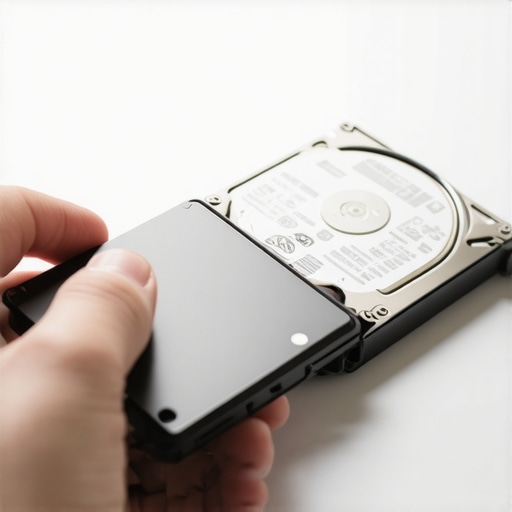
Ask for the specific business problem this gear solves
If a consultant tells you that you need a new firewall, do not just nod. Ask them to show you the logs. A reputable provider should be able to demonstrate how to tell if your office firewall is actually blocking malicious traffic or why your current setup is insufficient. If they can’t explain the ROI in plain English, they are likely just trying to hit a sales quota. This is exactly why your IT guy keeps recommending hardware you dont need; they are selling products, not solutions.
Focus on your network perimeter instead of flashy desktop upgrades
Your budget is finite, so spend it where it matters most. While a shiny new laptop might make an employee happy, managed IT strategies to keep your business secure in 2025 suggest that your money is better spent on robust network security and automated backups. I’ve seen businesses spend thousands on high-end workstations while their main switch was five years out of date and dropping packets. Identifying the sign your office switch is failing and dropping connections is far more critical for productivity than the latest processor. By pivoting toward effective managed IT solutions for growing companies, you ensure that every dollar spent actually reduces your risk profile rather than just padding an invoice. When you dig into the details, you’ll find that many ‘broken’ systems are actually just suffering from neglected maintenance. For instance, I once spent an hour with a client who thought their server was possessed because it kept rebooting. It turned out to be a classic case of why your business server keeps rebooting at 3 am and how to stop it—a simple scheduling conflict in their backup software. No new hardware was required, just a configuration tweak. This level of scrutiny is what separates a technician from a salesperson. If you are consistently seeing high bills, it is time to investigate why your IT support costs are higher than they should be. Often, it is because you are paying for ‘managed’ services that only react to fires instead of preventing them. Real efficiency comes from troubleshooting common computer repair issues effectively before they escalate into an office-wide shutdown.Establishing a solid infrastructure is just the beginning; the real test comes when you have to navigate the sophisticated myths that keep business owners overpaying. One of the most dangerous lies I hear constantly is that cloud syncing is the same as a backup. It is not. If a ransomware strain hits your local files, it will sync that encrypted mess straight to your ‘backup’ in seconds. This is why your business backup plan is actually just a sync plan, and why it is likely the mistake that makes your backups completely useless in a real crisis. Real managed IT strategies to keep your business secure in 2025 require versioned, immutable backups that sit outside your standard sync folder.
Stop thinking your SSD is invincible
A common contrarian truth I have to explain to clients is that while SSDs are faster and more durable than spinning disks, they are a nightmare for recovery. In a traditional hard drive, deleted data lingers until it is overwritten. On a modern SSD, the TRIM command actively wipes that data to maintain speed. This makes data recovery secrets every business should know today more about prevention than reaction. If you are dealing with a drive that won’t mount, you need to understand the truth about recovering data from an encrypted SSD that wont mount before you try any DIY software that could permanently brick your files. 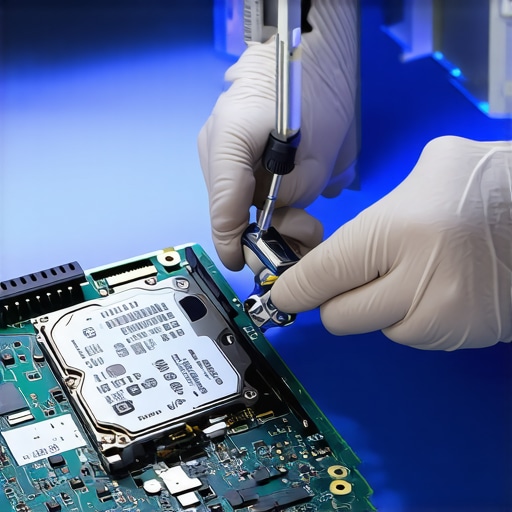
Is your provider hiding the real cost of unlimited support?
Many businesses sign up for ‘unlimited’ plans thinking they are covered for everything, but these are often just reactive maintenance packages. You need to verify the truth about unlimited IT support plans and what they actually cover. If your provider isn’t doing proactive work, like helping you how to identify a failing motherboard before it stops working, they are just waiting for you to break so they can bill you for the ‘out of scope’ labor. According to a 2023 report by Backblaze on drive reliability, while SSDs have a lower annualized failure rate (AFR) than HDDs, the lack of warning signs before an SSD failure means your monitoring must be flawless.
Beware the trap of physical drive tampering
The absolute biggest ‘oops’ factor in my industry is when someone hears a clicking noise and decides to open the drive casing. I cannot stress this enough: why you should never open a clicking hard drive in a normal room is because a single speck of dust is like a boulder to a read/write head. Similarly, if your laptop screen is acting up, don’t assume the panel is dead. Sometimes, the hidden reason your laptop screen flickers when the battery gets low is a simple voltage regulation issue, not a hardware failure requiring a full replacement. By troubleshooting common computer repair issues effectively, you avoid the ‘replace-first’ mentality that drains your budget. Have you ever fallen into the ‘sync-is-backup’ trap? Let me know in the comments.It is not just about what you buy; it is about how you treat it once the invoice is paid. I have seen $50,000 servers die in three years because they were neglected in a closet with no airflow, while a cheap workstation lasted a decade with just a bit of love. My favorite tool for this is CrystalDiskInfo. It is a tiny, free utility that reads S.M.A.R.T. data, and it is my first line of defense in identifying the sign your ssd is reaching its write limit and about to die. If you see ‘Caution’ in yellow, you do not wait—you migrate your data immediately. This proactive stance is the backbone of effective managed IT solutions for growing companies.
Predictive Alerts Are Better Than Panicked Phone Calls
Transitioning from reactive to proactive maintenance is not just a buzzword; it is a financial strategy. One of the most overlooked aspects of a healthy network is knowing why your managed it service should be tracking your software licenses. It sounds boring, but expired licenses are a major security hole that hackers love to exploit. I have personally sat through audits where the ‘savings’ from skipping license renewals were wiped out by a single ransomware attack that got through a patch-less system. According to the Backblaze Drive Stats report, which analyzes thousands of hard drives every quarter, environmental factors and firmware versions can wildly affect longevity, meaning you need someone watching those metrics.
How do I ensure these systems last five years instead of two?
It comes down to a rhythm. You should be insisting on why your managed it service should be providing quarterly security audits. These are not just for checking boxes; they are for catching things like how to spot a hardware failure masquerading as a software bug. If a laptop is suddenly crashing, it might just be the battery swelling and putting pressure on internal components. I once caught a bulging battery just by noticing how to fix a laptop screen that only works at specific angles—the physical pressure was actually pinching the video cable. 
The Future of IT is AI-Driven Prediction
Looking ahead, we are moving away from manual checks toward AI-driven predictive maintenance. In the next few years, your system will likely tell you it is going to fail three weeks before it actually does, based on microscopic fluctuations in voltage and heat. This will make data recovery secrets every business should know today less about saving a dead drive and more about never having a dead drive in the first place. For now, your best move is to download a S.M.A.R.T. monitoring tool tonight and check your primary drive health. If you see a health percentage below 80 percent, consider that your check engine light. Do not wait for the blue screen; start your migration now.
The Expensive Truths I Learned While Staring at Broken Servers
Over the years, I’ve realized that the most expensive part of IT isn’t the hardware itself; it’s the lack of a coherent strategy. One major lightbulb moment for me was discovering that most ‘crashes’ are actually just the result of neglected maintenance. If you want to stop the cycle of emergency bills, you have to understand how effective managed IT solutions for growing companies shift the burden from you to an expert who profits from your uptime, not your downtime. Another hard truth: your cloud storage is likely lying to you about being a safe haven. This is why your business backup plan is actually just a sync plan and won’t save you if a virus encrypts your local files. Finally, never ignore the small administrative tasks. I’ve seen entire offices go dark because no one knew why your managed it service should be tracking your software licenses until a critical security gate closed automatically at the worst possible moment.
#IMAGE_PLACEHOLDER_E#
My Personal Tech First-Aid Kit
I don’t expect you to become a computer repair expert overnight, but having a few go-to resources will save you thousands in consultation fees. First, always keep an eye on data recovery secrets expert techniques to save your files fast if you ever hear a strange mechanical noise from your computer. I personally trust the Backblaze Annual Drive Stats for choosing which hard drive brands to buy for our office servers; they provide the only unbiased failure data in the industry. For local health checks, CrystalDiskInfo is my absolute favorite tool to spot the sign your ssd is reaching its write limit and about to die. Having these tools ready means you won’t be at the mercy of a hardware salesperson when a laptop starts acting sluggish.
Take Back Control of Your Office Tech
Your technology should be a quiet engine that powers your dreams, not a source of constant financial anxiety. By shifting your mindset from buying more gear to maintaining what you already own, you are reclaiming your budget and your peace of mind. Every piece of hardware has a story to tell through its diagnostic data—you just need to know how to listen. If you start small by auditing your current spending and checking your drive health once a month, you’ll be miles ahead of most small business owners. Have you ever felt pressured into a hardware upgrade only to find out it didn’t actually solve the original speed problem? Let me know your story in the comments below.