

The sound was tiny, almost like a dry twig snapping under a boot, but it made my stomach drop. I was sitting in a quiet library, opening my trusty workstation to finish a client report, when that distinct pop echoed off the table. I did what most people do: I ignored it. I figured the plastic was just settling. Three days later, I tried to close the lid, and the entire left corner of the frame exploded outward, exposing raw metal and jagged plastic shards. My stubbornness turned a twenty-minute tightening job into a full-blown nightmare that almost required a laptop screen replacement just to keep the device functional. It was a classic case of missing the forest for the trees, and today, I want to make sure you don’t make the same expensive mistake I did.
The Moment My Laptop Literally Cracked Under Pressure
Laptops are marvels of engineering, but their greatest weakness is the constant mechanical stress we put on those two tiny points of contact. We open and close our screens thousands of times a year, expecting the friction to remain perfect. When that friction increases because of dust or a bent internal bracket, the energy has to go somewhere. Usually, it goes straight into the plastic standoffs that hold your frame together. I learned the hard way that a stiff lid isn’t a sign of ‘sturdy build quality’; it’s a sign that your hinges are seizing up. If you feel the keyboard deck lifting when you move the screen, you aren’t just looking at a cosmetic issue. You are witnessing the slow-motion destruction of your hardware. This is why computer repair for beginners often starts with simply paying attention to the physical ‘feel’ of your machine. Have you noticed your screen wobbling more than usual lately, or does it feel like you’re fighting a workout machine just to check your email?
Can a little creak really destroy my whole computer?
It sounds dramatic, but yes. According to a study on mechanical stress in portable electronics, hinge failure is one of the top three causes of structural chassis damage in consumer-grade laptops. When the hinge snaps, it often takes the delicate display cables with it. I once saw a hinge failure lead to a short circuit that killed a motherboard entirely because the metal bracket sliced through the power rail. This is exactly why a cracked laptop screen can eventually damage your motherboard if the structural integrity is compromised. Early on, I made the mistake of thinking I could just ‘be careful’ with a loose hinge. Spoiler alert: you can’t. The leverage involved in a 15-inch screen is immense, and once the plastic anchors are gone, there is no ‘careful’ enough to stop the inevitable. Today, we are going to dive into the specific red flags that mean your frame is on its last legs and how you can intervene before you’re left with a two-piece laptop.
Your Screen Should Not Have a Mind of Its Own
One of the first signs of trouble isn’t a noise, but a loss of tension. If you set your laptop down and the screen slowly drifts backward—or worse, slams shut—the internal friction washers are failing. While this seems less scary than a snap, it’s often the precursor to a complete seizure. When those washers fail, they can sometimes bunch up, creating a ‘locking’ effect that puts 100% of the opening force onto the plastic screw housings. If you’re already seeing the first thing to check when your laptop screen goes white, it might be because a failing hinge has already started tugging on the internal video ribbon. We need to catch these signals early, because once the frame ‘delaminates’ or starts to gap, the repair price triples. Stick with me, and I’ll show you exactly where to look for those tiny hairline fractures that signal a looming disaster.
Perform the Two-Finger Gap Test Today
You don’t need to be a technician to spot a disaster in the making; you just need to use your eyes. Start by placing your laptop on a flat surface and slowly opening the lid with one hand while watching the seam where the palm rest meets the bottom cover. If you see even a millimeter of separation or ‘breathing’ in the plastic, your internal screw anchors have already snapped. I remember a frantic call from a small business owner who thought they just had a ‘cosmetic’ crack. By the time I opened it, the metal hinge was floating freely, ready to pierce the battery. This is why troubleshooting laptop screen problems seamlessly requires a physical inspection first. If the frame is bulging or gapping, stop using it immediately before the leverage of the screen snaps the remaining plastic.
Adjust the Tension Nut Before the Plastic Snaps
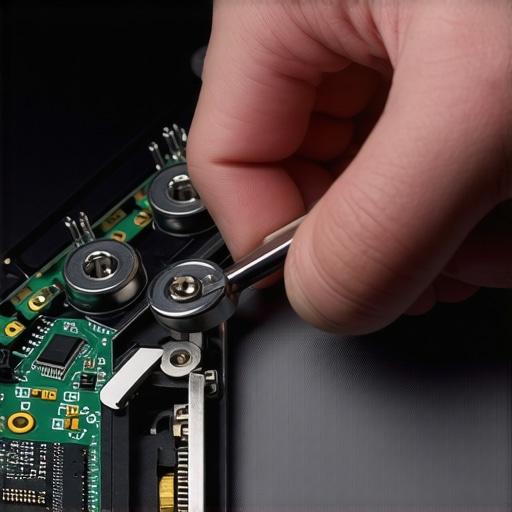
Most people don’t realize that laptop hinges have an adjustable tension nut that can be serviced. Over years of use, factory grease dries up or gets contaminated with dust, and the friction becomes so intense that the plastic frame can’t handle the torque. I once spent three hours on a ‘miracle’ save for an old workstation where the hinges were so tight I couldn’t move them with pliers. I applied a tiny drop of synthetic lubricant and backed off the 5mm nut by exactly one-eighth of a turn. Suddenly, the screen glided like new. This simple mechanical adjustment is a core part of laptop screen repair at home. You want the screen to stay upright, but you should never have to fight the machine just to open it.
Rebuild Broken Standoffs with Two-Part Epoxy
If you have already heard that sickening ‘pop,’ the plastic towers that hold the screws are likely in pieces. Don’t reach for the superglue; it is too brittle and will shatter the next time you apply pressure. Instead, use a high-strength two-part epoxy. When I was first learning computer repair for beginners, I tried to tape a broken frame back together—it lasted ten minutes. Now, I reconstruct the base of the standoff using a plastic-welding epoxy. You have to be precise; if the epoxy gets into the hinge mechanism itself, you have just created a permanent paperweight. This level of structural repair is often the only way to avoid a full laptop screen replacement which can cost more than the machine is worth.
Check Your Internal Cables for Pinch Marks
While you have the frame open to fix the hinges, you must inspect the LVDS or eDP cable—the thin ribbon that carries the video signal. A seizing hinge often pinches this cable against the metal chassis or the edge of the screen. If you see a tiny dent, a white stress mark, or exposed copper, you are seconds away from the fix for a laptop screen that shows strange horizontal black bars. I have seen countless laptops where the hinge acted like a pair of wire cutters, slowly chewing through the display harness. Reroute the cable away from the moving parts and secure it with heat-resistant tape to ensure it stays clear of the mechanical path. This proactive move is what differentiates a temporary patch from a professional-grade fix that actually lasts.
Everyone says that if your screen starts flickering or showing artifacts, you need to update your graphics drivers or reinstall Windows. In my experience, that is almost never the case with a laptop that has lived in a backpack for more than a year. We tend to separate ‘software’ from ‘hardware,’ but in a portable machine, the physical movement of the hinge is deeply intertwined with the electrical signal. If you are seeing the reason your laptop screen is showing a negative color effect, it is likely not a bug; it is a microscopic tear in the display ribbon caused by a seizing hinge. While many hobbyists focus on the plastic, the real pro-level concern is the electrical grounding. Modern laptop hinges often serve as a path to ground for the display assembly. When the hinge breaks or the metal becomes oxidized, you get ‘EMI noise’ that looks like software corruption but is actually just a bad physical connection.
Stop Blaming Your Drivers for Mechanical Issues
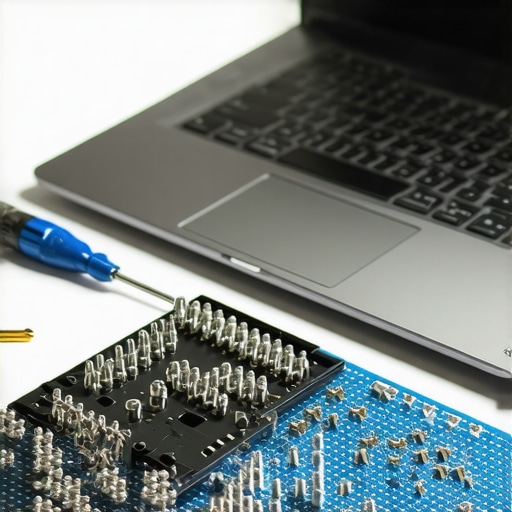
The most dangerous trap I see beginners fall into is the ‘Wrong Screw’ disaster. It sounds trivial, but using a 4mm screw in a 3mm hole is the fastest way to punch through your palm rest or, worse, pierce a lithium-ion battery. This is a common pitfall when attempting laptop screen repair DIY tips for clearer displays without a proper magnetic mat. According to a study by the Reliability Information Analysis Center (RIAC) on electronic components, mechanical interconnect failure accounts for a staggering percentage of total device downtime in portable electronics. People assume the frame is just a shell, but it is actually the structural chassis that protects every sensitive component from thermal and electrical stress.
Is your hinge actually causing an electrical short?
If you have noticed your laptop fans ramp up to max speed the moment you tilt the screen, you aren’t imagining things. A failing hinge can squeeze the display cable against the motherboard’s power delivery circuit, causing a ‘soft short’ that triggers a thermal emergency. I have seen people spend hundreds on troubleshooting common computer repair issues effectively only to find out a $20 hinge was the root cause of their ‘overheating’ or sudden shutdowns. It is the same logic used in professional data recovery; sometimes the ‘broken’ part is just a symptom of a deeper mechanical flaw. For instance, the danger of using free file recovery tools on a failing mechanical drive is that the software stresses the physical hardware to the point of total collapse. The same applies to your laptop: forcing a stiff hinge is like trying to run heavy software on a dying hard drive—you are just accelerating the end. Have you ever fallen into this trap where a simple ‘creak’ turned into a massive repair bill? Let me know in the comments.
I never let a cheap, unbranded screwdriver touch a client’s machine because I’ve seen more $2,000 laptops ruined by a $2 bit than by actual drops. I personally swear by the Wera Kraftform Micro series because the tips are laser-etched to grip the screw head, preventing the “cam-out” effect that strips those tiny M2.5 screws. When you are performing a laptop screen replacement step-by-step repair guide, the last thing you want is a rounded screw head deep inside the chassis. If you’re serious about avoiding computer repair for beginners avoid costly mistakes, invest in a proper magnetic mat and a tube of Super Lube 21030 synthetic grease. I also always use a nylon spudger rather than a metal one; the number of motherboards I have seen shorted out by a stray metal pry tool is truly heartbreaking. 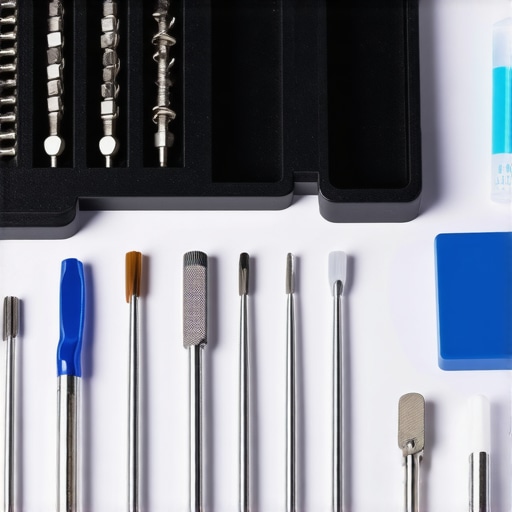
Stop Waiting for a Crash to Think About Data
For my business clients, maintenance isn’t just about screws; it’s about the bigger picture of operational health. I often see companies ignore their hardware until it fails, which is why managed IT solutions streamlining operations for small businesses is such a game-changer. By the time I am called in for the power of data recovery tools what you need to know, the emotional and financial cost has already spiraled out of control. I prefer a proactive approach, using managed IT strategies to keep your business secure in 2025 to monitor thermal levels and drive health across the entire fleet before a disaster strikes. As specified in the NIST Special Publication 800-88 regarding media sanitization and maintenance, keeping the physical integrity of your storage is the first step in a reliable data lifecycle. This is precisely why managed IT is a game changer for growing companies that cannot afford even an hour of downtime.
How can I keep my hardware alive for a decade?
The secret to longevity is a “Deep Clean and Re-Paste” every 24 months without exception. Factory thermal paste eventually dries out and cracks, leading to the sign your cpu is thermal throttling and slowing down your work. I use Noctua NT-H2 because it has a long lifespan and doesn’t require a long curing time like older ceramic compounds. While you’re in there, a quick blast of compressed air—making sure to hold the fan blades still so they don’t over-spin and generate back-EMF—is the hardware upgrade that actually speeds up your daily workflow by simply allowing the boost clock to stay higher for longer. Looking ahead, I predict we’ll see a massive shift toward “Right to Repair” compliant modularity and AI-driven internal sensors that predict hinge failure before the first creak even happens. In the next five years, the best effective managed IT solutions for growing companies will likely involve swapping internal modules rather than replacing entire units. If you’ve been putting off that weird clicking sound or that slightly stiff hinge, I want you to try one thing: open your laptop and check for loose screws on the bottom plate today. It takes thirty seconds and might save you from a catastrophic failure.
The Expensive Truth About Ignoring Mechanical Resistance
After years at the bench, I’ve realized that mechanical failure is almost never a surprise; it’s a series of ignored warnings. Here are the lightbulb moments that changed how I approach hardware longevity:
- Heat is the hidden enemy of plastic: If you are seeing the sign your cpu is thermal throttling and slowing down your work, the internal heat is likely softening the plastic anchors around your hinges, making them prone to snapping.
- Friction is a predator: A hinge that feels ‘solid’ is actually a hinge that is trying to rip itself out of the frame. Mechanical components should move with fluid, consistent resistance, never jagged tension.
- Software can’t fix physical trauma: No driver update will stop a ribbon cable from being sliced by a jagged metal bracket. When you start laptop screen repair how to fix common issues at home, check the physical path of the cables first.
- Data is the real victim: A broken hinge often leads to a drop or a short circuit that necessitates data recovery secrets expert techniques to save your files fast.
Tools That Saved My Clients Thousands in Repair Bills
I don’t believe in ‘consumer-grade’ tools when it involves precision electronics. If you want to avoid computer repair for beginners avoid costly mistakes, these are the three items I never work without. First, a dedicated magnetic project mat is non-negotiable for keeping track of different screw lengths. Second, high-strength two-part epoxy is the only way to rebuild a shattered standoff permanently. Finally, I always keep a tube of synthetic lubricant nearby to ensure hinges don’t seize again after a repair. For larger operations, having managed IT strategies to keep your business secure in 2025 ensures that hardware maintenance is scheduled before these tools are even needed.
Give Your Tech a New Lease on Life
Modern laptops are built to be thin, but that thinness comes at the cost of structural integrity. By paying attention to the way your device feels and sounds, you can prevent a minor creak from becoming a terminal diagnosis. Your laptop screen and chassis are the guardians of your data—treat them with the respect they deserve. Have you ever noticed a clicking sound when opening your lid, or does your screen wobble more than it used to? Let me know in the comments below!