

I’ll never forget the cold sweat that broke out on my neck when I saw that cryptic “.locked” extension on every single file in my main directory. It was 3:00 AM, and I was just trying to finish a migration. Instead, I was staring at a digital ransom note demanding three Bitcoin. My first instinct? I wanted to scream, then I wanted to unplug the server and throw it out the window. I actually did something worse—I tried to reboot the machine thinking it was a weird virus that a simple restart would fix. Big mistake. That reboot actually allowed the ransomware to finalize its encryption process on the system files I hadn’t lost yet. It was a hard lesson in what *not* to do. Today, I want to share the absolute first step you must take to save what’s left and prevent your entire office from going dark. If you’ve ever looked at a screen and felt your stomach drop, you aren’t alone. Have you ever been in that “oh no” moment where you realized your backups might not be as fresh as you thought?
Pull the Plug on the Network Right Now
The very first thing you need to do isn’t running an antivirus scan or calling the police; it’s physical isolation. You need to sever the link between that infected server and every other device on your network. Ransomware is like a house fire in a row of townhomes. If you don’t cut the connection, it’s going to hop from the server to your workstations, your NAS, and potentially your cloud backups. I’ve seen businesses lose everything because they spent twenty minutes debating what to do while the malware quietly crawled through their Ethernet cables. This is why knowing the move that prevents ransomware from spreading through your office is so vital. According to a 2023 report by Sophos, nearly 66% of organizations were hit by ransomware last year, and the speed of spread is often the difference between a bad day and a total business collapse.
Can you really recover without paying the hackers?
It’s the question that keeps every business owner awake: is the data gone forever? The short answer is maybe, but your odds skyrocket if you don’t panic. Many people assume paying is the “easy way out,” but the reality is much grimmer. Often, the decryption keys provided by hackers don’t work, or they leave behind backdoors for a second attack. You have to look at data recovery secrets every business should know today to understand that there are technical ways to claw back your information without funding a criminal enterprise.
Stop Thinking About Recovery and Start Thinking About Containment
Before you even dream of looking at your disaster recovery plan, you must ensure the bleeding has stopped. When I messed up years ago, I was so focused on “getting back to work” that I didn’t realize the infection was still active. I was trying to restore files onto a live network where the ransomware was still hunting for fresh meat. You need to disable the Wi-Fi, pull the LAN cables, and shut down any automated sync services to your cloud storage. Only once the environment is “cold” can you safely begin the triage. It’s a bit like a crime scene; you don’t want to trample the evidence or let the suspect escape to the next room while you’re busy looking at the damage. This initial lockdown is the foundation of any managed IT strategies to keep your business secure in 2025.Once the physical cables are out, you need to look at the ghosts in the machine. In 2019, I worked with a small law firm that thought they had isolated their network, but they forgot one thing: a secondary guest Wi-Fi bridge that was still active. While we were sitting there thinking the situation was contained, the ransomware was silently hopping over to the managing partner’s laptop. I had to literally dive under the desk and yank the power cord while he was mid-sentence. We saved the client files, but we lost three years of internal marketing assets because of those extra few minutes of connectivity. Isolation isn’t just about the main server; it’s about every single path a byte can travel.
Kill the Ghost Processes Before They Kill Your Data
Even with the internet gone, the ransomware is likely still running in the background of your local machines. You need to identify what’s actually happening under the hood. Most people open Task Manager and look for something named ‘VIRUS.EXE,’ but hackers are smarter than that. They disguise their scripts as ‘System Update’ or ‘Print Spooler.’ You have to use the simple way to check your pc for hidden background processes to see which applications are currently eating up your CPU and disk writing power. If you see a process you don’t recognize that is hovering at 90% disk usage, that’s your culprit actively encrypting files.
Find Out Exactly What the Hackers Locked
Before you start a wipe-and-reload, you need a map of the damage. Is it just your shared drive, or is the entire OS toast? Knowing the simple check to see if your hard drive is encrypted will tell you if you’re dealing with a surface-level file lock or a full-blown partition hijack. If the boot sector is untouched, you might be able to pull some files using data recovery secrets expert techniques to save your files fast. However, if the drive is fully BitLocker-encrypted by the attacker, your options narrow significantly.
How to Restore Without Re-Infecting the Entire Office
The biggest mistake I see during recovery is the ‘premature restoration.’ People get desperate to get back to work and start plugging backup drives into machines that are still technically infected. You are essentially hand-feeding your clean data to the monster. You must treat every device like it’s radioactive until it has been wiped to the metal. This is the stage where how managed it can elevate your business security in 2025 becomes obvious; a managed environment would allow you to push a clean image to every workstation simultaneously. If you’re doing this manually, you need to verify the health of your hardware first. Sometimes, the stress of a ransomware attack—which involves massive amounts of read/write cycles—can actually trigger physical failures. Keep an eye out for the first sign your business server motherboard is about to fail, such as bulging capacitors or random reboots, which often happen right as you’re trying to push 4TB of data back onto the system. Recovery is a marathon, not a sprint, and if you trip at the starting line by rushing the network reconnection, you’ll be right back where you started: staring at a ransom note.
Why Unlimited IT Support is Often a Race to the Bottom
Many business owners fall for the ‘unlimited’ trap, thinking a flat fee guarantees top-tier vigilance. However, the truth about unlimited IT support contracts for businesses is that they often create a conflict of interest. In a break-fix or poorly structured managed service, the provider makes more money when they spend less time on your account. If they aren’t actively hunting for vulnerabilities, they are just waiting for you to break so they can clock in. I’ve audited ‘managed’ networks where the administrative credentials hadn’t been rotated in three years, leaving the front door wide open for the very ransomware we’re trying to avoid. Real expertise isn’t about how fast they answer the phone; it’s about why your managed IT provider should be doing quarterly audits to ensure your defenses are evolving as fast as the threats.
Recovery is Harder on Your Hardware Than the Attack Itself
Here is the ‘oops’ factor that almost no one talks about: the physical toll of restoration. When you are restoring terabytes of data, your hard drives and server CPUs are running at 100% utilization for hours, sometimes days. This creates an incredible amount of heat. A landmark study by Google researchers on disk failure rates found that while temperature isn’t always the primary killer of idle drives, sustained high-utilization heat is a leading cause of ‘silent’ bit rot and mechanical failure in aging hardware. If your server room isn’t properly ventilated, you might successfully decrypt your files only to have the motherboard fry ten minutes later. Knowing how to stop your server from thermal throttling during peak hours is a critical skill during a crisis. I once saw a firm lose their entire backup array because they kept the server room door closed during a 48-hour restore, literally baking the drives into paperweights.
Why your managed IT service should be auditing your cloud permissions?
It’s easy to focus on the hardware in front of you, but in the modern office, the ‘ghost’ in the machine is often your cloud configuration. If your provider isn’t regularly checking who has access to what, you’re leaving a trail of breadcrumbs for attackers. I’ve seen disgruntled former employees delete entire directories months after leaving because their ‘unlimited’ IT support forgot to de-provision their accounts. This is a nuance often missed by DIY-heavy shops. Even when it comes to hardware, like a flickering laptop, people assume they need a full laptop-screen-replacement-step-by-step-repair-guide, when the issue is actually a software-driven power state conflict. Have you ever fallen into the trap of fixing the symptom instead of the cause? Let me know in the comments. I’ve found that laptop screen repair DIY tips for clearer displays often start with checking the voltage settings before ever picking up a screwdriver. True data recovery and repair is as much about patience and thermal management as it is about code.
Once the smoke clears from a data crisis, you need more than just a sense of relief; you need a proactive toolkit to ensure the nightmare doesn’t repeat. I’ve seen too many managers breathe a sigh of relief after a hard-fought recovery, only to find themselves in the same predicament six months later because they didn’t evolve their maintenance routine. For me, the holy trinity of long-term stability starts with complete visibility. I don’t care how “fast” your server is or how many backups you have if you aren’t watching your IOPS latency and thermal trends in real-time. I personally rely on HWiNFO64 for hardware health—it is one of the few tools that provides the granular sensor data required to spot a failing fan or a voltage drop before it necessitates a motherboard replacement.
The Tools That Save My Sanity After the Crisis Ends
If you are trying to scale your operations, you will quickly find that managed IT solutions streamlining operations for small businesses is less about buying the newest gear and more about having eyes on the infrastructure you already own. When I’m in the field, I keep a dedicated “emergency kit” that includes a hardware-based write blocker for forensic data pulls and a licensed copy of R-Studio for deep-sector recovery. For day-to-day fixes, I’ve learned that troubleshooting common computer repair issues effectively requires a methodical approach using software that actually talks back to you. I prefer tools like WinDirStat for visualizing storage bloat and CrystalDiskInfo for monitoring S.M.A.R.T. data on every drive in the building.
How do I keep my hardware alive for five years instead of two?
The secret to hardware longevity is thermal discipline. In the industry, we often look at the Backblaze Drive Stats report, a niche but vital technical resource that tracks thousands of hard drives. Their data consistently proves that environmental consistency is the best predictor of drive life. This is why I advocate for a “replace on schedule” policy based on usage hours rather than waiting for a failure. If you are struggling with poor performance, sometimes the fix is simpler than you think; for instance, how to fix a grainy laptop camera for professional meetings is often a matter of addressing the chipset’s heat rather than the camera lens itself. Excess heat causes the sensor to produce noise, which manifests as that annoying grain.
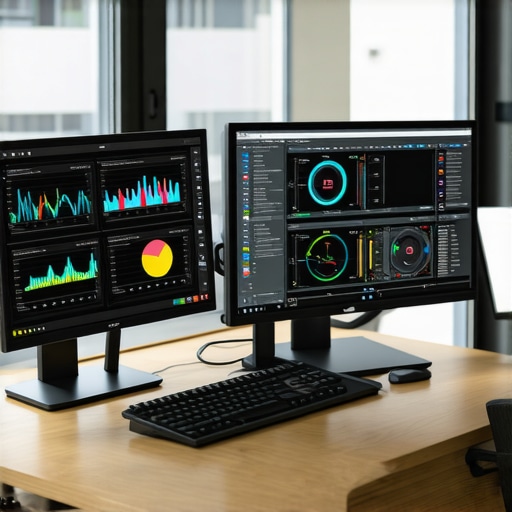
Stop Guessing and Start Monitoring with Real Data
I predict that by 2026, the trend in IT will move away from manual monitoring toward AI-driven behavioral analysis even for small shops. We are approaching a future where your router will detect a hardware failure before it happens by analyzing packet delays. This shift in how managed IT can elevate your business security in 2025 means that even the smallest business will have access to “intent-based” security. If your office printer suddenly starts broadcasting 10GB of data to an unrecognized external IP, the hardware will kill the connection automatically. Until that future is fully here, you must be the gatekeeper. Don’t let your growth be stunted by technical debt; knowing why your IT budget is leaking money on unused software or failing hardware is the difference between a profitable year and a catastrophic downtime event. My recommendation: Go download a hardware monitor today and check your CPU temps under load. If you are hitting 95C just opening your browser, you are sitting on a ticking time bomb—clean those fans and re-apply your thermal paste before the weekend.
The Hard Truths I Learned While My Server Was Melting
Reflecting on those 3:00 AM crises, I’ve realized that the technical side is only half the battle. One of the biggest lightbulb moments for me was discovering that recovery isn’t just about restoring data; it’s about verifying the integrity of the environment first. You must understand why your managed IT service should be auditing your cloud permissions before you even think about re-connecting. If the permissions are still compromised, you’re just inviting the hackers back for a second round.
Another lesson? Don’t skip the basics. I’ve seen complex recoveries fail because of simple hardware neglect. Reading up on computer repair for beginners to avoid costly mistakes can save you thousands in physical damage during the high-stress period of a rebuild. Your server hardware needs to be as healthy as your backup files, or the entire process will collapse under the weight of its own heat.
What I Keep in My Emergency Tech Bag
When I’m called in to help a company that has been hit, I don’t just bring software; I bring a philosophy of proactive maintenance. To stay ahead of the curve, I recommend looking into managed IT solutions streamlining operations for small businesses. Here are the three tools I swear by to maintain control during a disaster:
- R-Studio: This is the gold standard for deep-sector file recovery when the OS is corrupted. You can learn more about these types of resources in my guide on the power of data recovery tools.
- HWiNFO64: Essential for monitoring those thermal peaks I mentioned earlier to prevent a motherboard meltdown.
- Hardware-Based Write Blockers: Necessary to pull data without risk of accidental changes or malware activation.
#IMAGE_PLACEHOLDER_E#
Turn Your Tech From a Liability Into a Shield
The “cold sweat” of a data loss event doesn’t have to be your permanent reality. By moving from a reactive “break-fix” mindset to a proactive stance, you can ensure your business remains resilient. This is exactly why managed IT is a game changer for growing companies. It stops being about fixing problems and starts being about preventing them before they ever reach your keyboard. Secure your future by auditing your systems today, not when you see a ransom note.
Have you ever found a suspicious process in your Task Manager that made your heart skip a beat? Let me know your experience in the comments below.