

I used to think that moving our operations to the cloud meant I could finally stop worrying about the ‘server room gremlins’ and focus on growing the business. I was wrong. I remember a specific Tuesday when I realized an old contractor, who hadn’t worked for us in eight months, still had full ‘Global Admin’ access to our entire database. It was a terrifying lightbulb moment. I had effectively left my front door wide open and went on vacation. This isn’t just about hackers; it is about the quiet, invisible risks of forgotten accounts and over-privileged users. Today, I want to show you how a proactive partner can fix this mess, ensuring your business remains secure without you having to manually check every user profile.
Stop Treating Your Cloud Like an Open Buffet
The problem with most cloud setups is that permissions tend to only grow, never shrink. We call it ‘permission creep.’ In my early days, I made the classic mistake of giving everyone ‘Owner’ status because it was easier than figuring out the specific roles they actually needed. I thought I was being helpful, but I was actually creating a massive security hole. If you are not careful, your cloud environment becomes a buffet where everyone has access to everything, even the stuff that could sink your company if it leaked. This is precisely why your managed IT provider should be doing quarterly audits of every single account. According to research by Gartner, through 2025, 99% of cloud security failures will be the customer’s fault, primarily due to simple misconfigurations and overly broad access rights. Have you ever checked your user list and found names of people who haven’t worked in your office for years?
Is a Permission Audit Actually Worth the Hassle?
Many business owners I talk to worry that tightening the screws will just slow everyone down. They fear that ‘security’ means a mountain of red tape that prevents the team from doing their jobs. But the reality is the opposite. When your managed IT service handles the heavy lifting, they create a ‘least privilege’ environment where people have exactly what they need—no more, no less. It’s about building a disaster recovery plan that starts with prevention. By auditing these permissions, your IT team can spot a rogue device or a compromised account long before a breach occurs, saving you from a world of hurt later on.Cleaning up a messy cloud environment is a lot like clearing out a hoarder’s garage. You cannot just start throwing boxes away blindly, or you will likely toss something essential along with the junk. You need a systematic approach that identifies the garbage without disrupting the daily flow of your business. If you are trying to handle this internally, the simple way to check your pc for hidden background processes is a great starting point for local machines, but the cloud requires a much broader lens.
Map Your Digital Floor Plan
Before you change a single password, you must see the full scope of who is logged in and what they are doing. This is the inventory phase. I once worked with a logistics company that thought they only had twelve active users. After a deep dive, we found forty-two active identities, including several automated ‘bots’ that a developer had set up and forgotten about. These ‘ghosts in the machine’ are often why your it budget is leaking money on unused software and, more importantly, how attackers find an unmonitored back door. You need a list of every user, every third-party app with API access, and every shared mailbox. 
Stop Handing Out Individual Keys
The biggest mistake I see small businesses make is assigning permissions to individual people. When Sarah from accounting gets a promotion, you manually add new folders to her profile. When she leaves, you have to manually remember every single thing you gave her access to. It is a recipe for disaster. Instead, use Role-Based Access Control (RBAC). You create a ‘Finance’ group with specific permissions and simply move users in or out of that bucket. Utilizing managed it solutions streamlining operations for small businesses allows you to automate this process so that access is tied to the job role, not the person. This ensures that no one has ‘Owner’ status unless they absolutely need to rebuild the entire server.
Build a Kill Switch for Departing Staff
Offboarding needs to be as fast as a light switch. I remember an incident where a disgruntled employee was let go on a Friday afternoon, but his cloud access remained active through the weekend because the manager forgot to tell the IT guy. By Monday, three years of client data had been moved to a personal Dropbox. This is where the checklist for moving your business to the cloud without data loss becomes your best friend. A proper offboarding protocol should automatically revoke access across every platform the second HR marks a person as ‘terminated.’ Interestingly, these ‘hidden’ dependencies can be tricky; I once disabled a ‘test’ account that I thought was useless, only to find that the reason your office printer keeps losing its connection to the network was that it was using those specific credentials to scan documents to the cloud.
Add a Bouncer to Your Login Screen
Even if your permissions are perfect, a stolen password can still sink the ship. This is why Multi-Factor Authentication (MFA) and Conditional Access are non-negotiable. Think of it as a bouncer at a club who doesn’t just check your ID, but also checks if you’re on the list and if you’re wearing the right shoes. You can set rules that say, ‘If a login attempt comes from outside the US, block it immediately.’ This is the move that prevents ransomware from spreading through your office because even if a hacker gets a password, they cannot get past the secondary verification on your employee’s phone.
I often see business owners prioritize ‘unlimited calls’ over ‘security outcomes.’ In my experience, the truth about unlimited it support contracts for businesses is that they often incentivize the provider to spend as little time as possible on your network to stay profitable. You want a partner who gets paid to keep you up, not one who only shows up when you’re down. Let’s dig deeper into the biggest misconception I encounter: the idea that once your data is in the cloud, it is magically backed up forever. Many people believe that Microsoft or Google are responsible for their data recovery, but that is a dangerous half-truth. While they guarantee the infrastructure stays running, the data inside that infrastructure is your responsibility. If an employee accidentally purges a folder, those providers generally only keep a safety net for about 30 days.
The Shared Responsibility Trap No One Tells You About
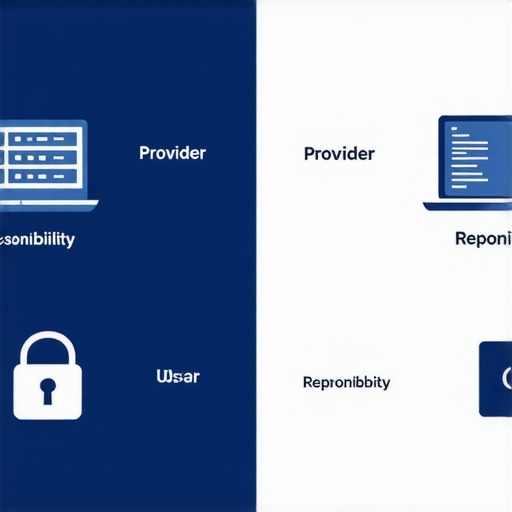
This is what we call the ‘Shared Responsibility Model.’ Think of it like renting an apartment; the landlord ensures the roof doesn’t leak and the plumbing works, but if you leave the stove on and burn your furniture, that’s on you. In the IT world, failing to realize this leads to the ‘Oops Factor’ where a business loses years of correspondence because they thought the cloud was an infinite archive. This is exactly why your business needs a dedicated backup for microsoft 365 emails and documents that exists outside of the primary cloud environment. Research from the security firm Veeam indicates that 68% of organizations have experienced data loss within their SaaS applications, primarily due to human error or malicious internal actors. Have you ever fallen into this trap? Let me know in the comments.
Does Your Current Backup Strategy Actually Pass a Stress Test?
An advanced mistake I see is conflating ‘syncing’ with ‘backing up.’ If you use a tool that simply mirrors your files to the cloud, and those files get hit by ransomware, the cloud will happily sync the encrypted, useless versions of your data. You haven’t backed anything up; you’ve just synchronized a disaster. True data recovery secrets expert techniques to save your files fast involve point-in-time snapshots that allow you to roll back the clock to a moment before the infection occurred. If your current setup doesn’t allow you to go back to a specific Tuesday at 2:14 PM, you don’t have a recovery plan—you have a hope-and-prayer plan.
Even on the hardware side, the nuances are just as sharp. For instance, when dealing with physical repairs, many people assume a flickering monitor is just a loose cable. However, knowing how to tell if your laptop screen backlight is actually failing can save you from wasting money on parts you don’t need. It’s these small, technical distinctions—the difference between a software glitch and a failing hardware component—that separate a quick fix from a weeks-long headache. Utilizing effective managed IT solutions for growing companies ensures you have an expert who knows these nuances before they become expensive mistakes. Don’t wait for a ‘scraping’ sound or a blue screen to start asking these questions. The goal is to move from reactive ‘firefighting’ to proactive management where the fires never start in the first place.
To move from reactive ‘firefighting’ to proactive management, I rely heavily on Remote Monitoring and Management (RMM) tools. I personally use platforms that provide a ‘single pane of glass’ view of every device on the network. Why? Because I want to know if a hard drive is reporting SMART errors—a precursor to failure—before the employee even notices a slowdown. This is exactly why managed IT is a game changer for growing companies. It allows us to automate the ‘boring’ but essential stuff. For instance, I set automated scripts to clear temp files and audit system logs every Friday at 6 PM. If you are doing this manually for twenty different workstations, you are already losing money on labor.
Stop Ignoring the Physical Screams of Your Hardware
On the physical side, maintenance is often the first thing to be cut when a business gets busy, but that is a massive mistake. If why your laptop fan is screaming even when you are not using it is a question being whispered around the office, you have a thermal throttling issue that is literally killing your hardware. I always keep a kit of specialized ESD-safe brushes and high-pressure compressed air handy. Following computer repair for beginners avoid costly mistakes means knowing when to open the case to clear out dust and when a component needs a complete repaste of its thermal compound. Neglecting this leads to motherboard warping and permanent chip damage.
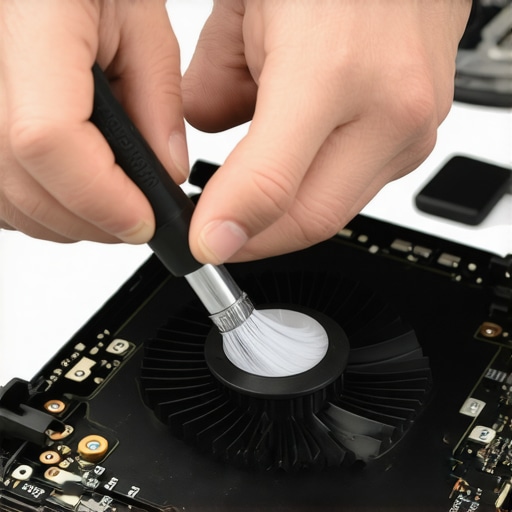
The technical documentation from repair experts at iFixit emphasizes that using high-quality precision bits—specifically those designed to prevent cam-out—is the only way to maintain the structural integrity of modern, thin-profile business laptops. Stripping a screw on a $2,000 workstation because you used a cheap screwdriver is a preventable tragedy. When you scale, you need to ensure your internal team or your partner is using professional-grade tools, not whatever was on sale at the local hardware store.
How can I maintain my office hardware over time?
Scaling your IT requires a strict hardware lifecycle policy rather than a ‘run it until it dies’ mentality. I recommend a staggered four-year replacement cycle for laptops and a five-year cycle for servers. This ensures that no more than 25% of your fleet is ever out of warranty. Part of this maintenance involves knowing how to spot a failing power supply before it fries your motherboard. If you notice random reboots or a faint ozone smell near the back of a desktop, that is your signal to swap the unit immediately. Consistent hardware audits, paired with data recovery secrets every business should know today, create a safety net that keeps the business running even when a component inevitably reaches its end-of-life.
Looking ahead, I expect we will see ‘self-healing’ firmware become standard in business-grade hardware. We are already seeing the early stages where a BIOS can detect a corrupted boot sector and automatically roll back to a known good version without human intervention. This AI-driven predictive maintenance will eventually make the ‘blue screen of death’ a relic of the past. For now, you need to be the intelligence behind the machine. I want you to try this right now: download a reputable hardware monitor and check your laptop’s CPU temperature; if it is idling above 65°C, your internal fans need a professional cleaning today before you experience a permanent hardware failure.
The Hardest Lessons I Learned About Keeping a Network Alive
I’ve spent years in the trenches, and if there is one thing I’ve realized, it is that IT isn’t about gadgets—it’s about discipline. Early in my career, I ignored a tiny ‘disk error’ notification for three days, only to lose an entire week of progress because I didn’t have a backup. Here are the lightbulb moments that changed my approach:
- Security is a process, not a product. You can buy the most expensive firewall, but if your managed IT strategies to keep your business secure in 2025 do not include quarterly audits, you are still at risk.
- Hardware screams before it dies. Whether it is a buzzing fan or a faint odor, your computer is talking to you. Follow computer repair for beginners avoid costly mistakes by listening to those early warning signs before they become expensive failures.
- Trust but verify your backups. A backup that hasn’t been tested is just a collection of hope. Make sure you understand data recovery secrets expert techniques to save your files fast before an emergency strikes.
The Professional Toolkit I Swear By
When you are serious about maintenance, you stop using whatever is lying around. I personally trust the iFixit Pro Tech Toolkit for any physical repairs because their precision bits won’t strip your delicate screws. For software monitoring, HWMonitor is my go-to for checking thermal health—it’s how I catch overheating before it warps a motherboard. I also recommend every business owner read The Phoenix Project; it’s a book that completely reframed how I view effective managed IT solutions for growing companies as a strategic engine rather than just a cost center.
Your Roadmap to a Resilient Digital Office
Stepping up your IT game can feel like trying to climb a mountain in a fog, but remember: you do not have to do it all in one afternoon. Start by auditing one department or cleaning the dust out of one server. Every small action you take today prevents a massive headache six months from now. Whether you are performing a laptop screen repair diy tips for clearer displays or overhauling your entire cloud infrastructure, the goal is the same—total peace of mind. You’ve got the knowledge now; it’s time to use it to protect your business.
Have you ever found a ‘ghost’ user account that should have been deleted months ago during a security check? Let me know in the comments below!