

It was 11:45 PM on a Tuesday, and I was about two seconds away from tossing my laptop out the window. The screen was frozen, the fan sounded like a jet engine, and I was staring at a blank document that was due in eight hours. My first instinct? Total panic. I assumed the motherboard was fried or that I’d fallen victim to some sophisticated cyberattack. I actually started looking up new laptops online, convinced that computer repair for beginners was a myth and I just needed to spend money to fix the problem. But then, I took a breath, opened the Task Manager, and saw it: a ‘helpful’ photo-syncing app I hadn’t used in three years was eating 98% of my resources. I felt like a fool, but it was a massive lightbulb moment. Most of the time, your hardware isn’t the problem; it’s the invisible ghosts living in your background.
Stop Letting Invisible Apps Kill Your Productivity
If you have ever wondered why your office PCs are taking ten minutes to log in, you are likely being haunted by the same digital parasites I dealt with. These hidden processes are like leaky faucets in your house. One or two won’t flood the place, but a dozen of them will ruin your foundation before you even notice a puddle. Today, I’m going to show you exactly how to hunt these processes down without needing a degree in computer science or a pocket full of expensive tools. We are going to reclaim your RAM, cool down your processor, and finally understand why your computer feels hot but the fan isn’t spinning even when you are just staring at the desktop. It is all about taking back control from the software that thinks it knows better than you do. It is often the same culprit behind how to fix a computer that freezes every time you open chrome.
Is this just a virus in disguise?
A lot of folks I talk to are terrified that every unknown process in their list is a hacker or a nasty piece of malware. It is a valid fear! According to researchers at Avast, nearly 6.5% of installed software is completely out-of-date and often carries unnecessary background services that bog down your system. While it is rarely a ‘virus’ in the traditional sense, these processes can be just as damaging to your sanity. I remember once spending three days trying to fix a ‘failing’ network connection, only to realize a hidden ‘cloud backup’ tool was saturating my entire bandwidth. Before you start looking at how to audit your business software to find hidden security gaps, we need to look at the low-hanging fruit first. Have you ever felt like your computer was working harder than you were? It shouldn’t be that way. Stick with me, and we’ll clear out the cobwebs together.
Open the Hood with Task Manager
The first thing you need to do is pull up your computer’s diagnostic X-ray. On Windows, that is Ctrl + Shift + Esc. For Mac users, it is the Activity Monitor. I call this ‘opening the hood’ because, just like a car, you can’t fix the engine if you are staring at the dashboard. Once you are in, click on the ‘CPU’ or ‘Memory’ column to sort by what is eating the most resources. I once spent three hours helping a neighbor who was convinced their laptop was dying because of a broken screen or a fried board. It turned out to be a single ‘Update Helper’ from a printer they had thrown away in 2019. We clicked ‘End Task,’ and the machine went from a brick to a racecar in three seconds. This is why troubleshooting common computer repair issues effectively starts with looking at the software before blaming the hardware. If you see something taking up more than 15% of your CPU while you are just sitting there, that is your primary target.
Clean Out the Junk in Your Startup List
Most of the lag people experience happens before they even open a browser. Think of your computer’s startup process like a backpack you put on every morning. If you keep stuffing it with tools you only use once a year, you’re going to be exhausted by noon. This is exactly why your computer takes ten minutes to reach the desktop screen. In the Task Manager, head over to the ‘Startup’ tab. Look for anything labeled ‘High’ impact. Do you really need Spotify, Steam, or that random PDF editor to start the second you turn on the power? Probably not. Disable them. You aren’t deleting the programs; you are just telling them to wait until they are called upon. It’s the easiest way to upgrade a slow pc without buying a new one, and it costs you exactly zero dollars.
Distinguish Between Software Bloat and a Real Hardware Crisis
Sometimes, the software isn’t the only culprit, but it’s the one that triggers the physical symptoms. If your software is running a marathon in the background, your hardware is going to sweat. I remember a client who thought their laptop was about to explode because of the heat. They were looking into how to clean a laptop fan without pushing dust deeper inside, which is a great skill to have, but the dust wasn’t the issue. A malicious browser extension was mining cryptocurrency in the background, forcing the processor to run at 100% capacity. This is a classic example of why your laptop fan is screaming even when you are not using it. Before you start unscrewing the case, kill the rogue processes and see if the temperature drops. If the fan keeps roaring after the CPU usage hits 1%, then you know it is time to grab the compressed air. Always remember to perform the move that protects your files when a windows update fails by backing up your data before you start making major system changes or hardware repairs. Software fixes are safe, but hardware tinkering always carries a small risk for the uninitiated.
The Factory Reset Trap You Need to Avoid
Most people believe that a factory reset is the ultimate cure-all for a sluggish system. It is the digital equivalent of ‘turning it off and on again’ on steroids. But here is the contrarian truth: jumping straight to a wipe-and-reload is often the laziest and most dangerous path you can take. If your slowdown is caused by a physically failing hard drive, the intense read-write activity of a reinstallation can be the final nail in the coffin, making data recovery after accidental deletion or hardware failure nearly impossible. Experts at Ontrack suggest that physical drive failure accounts for roughly 40% of data loss cases, and running intensive software ‘fixes’ on a dying disk can scrape the magnetic coating right off the platters. Before you pull the trigger on a reset, you need to know the risk of ignoring a clicking external drive. If you hear any mechanical ticking, stop immediately. Software cannot fix a broken arm, and it certainly cannot fix a crashed read-write head. 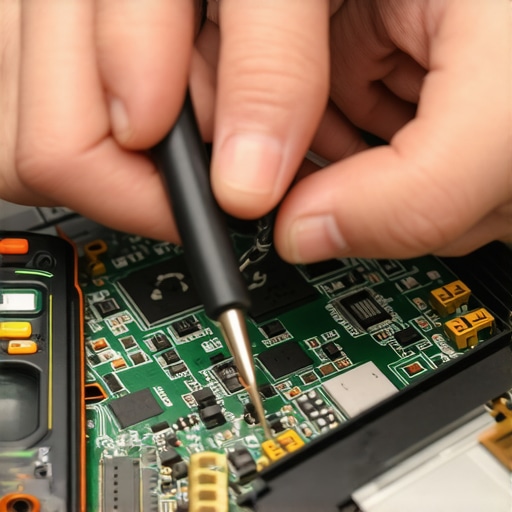
Stop Throwing Away Laptops with Black Screens
I see this every week: a perfectly good machine sits in a closet because the owner thinks the ‘motherboard is fried’ or the screen is smashed. Often, when a screen goes dark, it is not the panel itself that failed. It could be a blown backlight fuse on the logic board or a loose EDP cable that costs five dollars to replace. Instead of immediately looking up a laptop screen replacement step-by-step repair guide, try the flashlight test. Shine a bright light against the dark screen while the computer is on. If you can see a faint image of your desktop, your LCD is fine—your backlight circuit is the culprit. Knowing how to tell if your laptop screen backlight is actually failing can save you hundreds of dollars in unnecessary parts. This is the difference between a ‘parts swapper’ and a real technician.
How Can You Distinguish a Dying Drive from a Software Glitch?
For those of you looking for a more sophisticated diagnostic, you need to look at S.M.A.R.T. (Self-Monitoring, Analysis, and Reporting Technology) data. While Task Manager tells you what the software is doing, S.M.A.R.T. tells you how the hardware feels. If you see ‘Reallocated Sector Count’ rising, your drive is physically rotting from the inside out. No amount of ‘optimization’ software will fix that. This is where managed IT strategies to keep your business secure become vital; they monitor these health metrics in real-time so you can swap a drive before it dies. If you wait until the blue screen appears, you are already in the realm of data recovery secrets every business should know today. For individual users, the mistake is usually trusting ‘free’ repair tools found in Google ads. These are often ‘scareware’ designed to sell you a subscription you don’t need. Real repair happens in the BIOS and the command line, not in a flashy purple ‘System Optimizer’ window. Have you ever fallen into this trap and paid for software that did nothing? Let me know in the comments.
The Hidden Cost of the Break-Fix Mentality
Many small business owners think they are saving money by only calling a pro when something smokes or clicks. In reality, this ‘break-fix’ model is a financial sinkhole. By the time you are searching for how to rescue files from a laptop with a damaged motherboard, you’ve already lost hours of billable time. Transitioning to effective managed IT solutions allows for proactive maintenance that catches the ‘invisible ghosts’ before they turn into poltergeists. It is about moving from being a firefighter to being an architect. If you are still relying on a ‘tech guy’ who only shows up when the office is in a panic, you are missing the nuances of modern system stability.Moving from a firefighter mindset to an architect mindset means equipping yourself with the right blueprints. If you want to move beyond basic computer repair for beginners, you need to stop guessing and start measuring. In my personal kit, I never go anywhere without a bootable USB drive containing a lightweight Linux distro and a dedicated copy of CrystalDiskInfo. This isn’t just because I like looking at graphs; it’s because knowing the exact ‘power-on hours’ and ‘retired block count’ of an SSD is the only way to predict a crash before it happens. Most people don’t realize that the power of data recovery tools actually lies in their diagnostic capability, not just their ability to pull files from the grave. For physical repairs, I swear by the iFixit Pro Tech Toolkit. The precision bits are essential because stripping a tiny screw on a M.2 drive is a nightmare that can turn a five-minute upgrade into a three-hour extraction surgery. 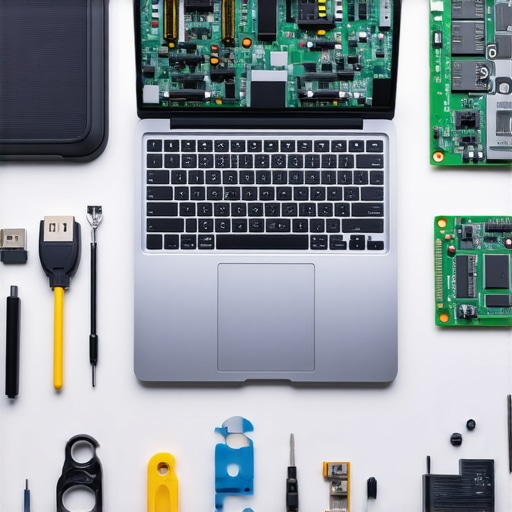
How do I maintain my computer’s health over time?
The secret is a combination of digital hygiene and physical respect. Digitally, I run a quarterly ‘bloatware audit’ where I use Revo Uninstaller to completely scrub any software that has overstayed its welcome. This is a core part of managed IT strategies to keep your business secure in 2025 because every unused app is a potential back door for an exploit. Physically, I blast my vents with compressed air every six months—not once a year. If you wait for the ‘screaming fan’ symptom, you’ve already shortened the lifespan of your thermal paste. According to the 2024 Backblaze Drive Stats report, while SSDs are generally more reliable than HDDs with an annualized failure rate of about 0.90%, they often fail without the warning clicks or groans of a mechanical drive. This makes learning data recovery secrets expert techniques to save your files fast more about redundancy than last-minute heroics.
Predictive Repairs are the Future of Tech
We are rapidly moving toward an era where AI-driven telemetry will tell you your motherboard is failing weeks before it actually dies. We are already seeing the first sign your business server motherboard is about to fail being caught by remote monitoring sensors that track minute voltage fluctuations. In the next five years, your laptop will likely notify you to replace a specific capacitor before you ever see a blue screen. This shift toward ‘predictive maintenance’ is why I always tell my clients to invest in a quality UPS (Uninterruptible Power Supply). A surge protector is a seatbelt, but a UPS is the entire airbag system, protecting your sensitive logic gates from the ‘dirty power’ that causes long-term degradation. If you want to take your system stability to the next level tonight, open your Command Prompt as an administrator and run ‘sfc /scannow’. It is a simple, advanced tip that forces Windows to check the integrity of every single system file and replace the corrupt ones—it is the quickest way to stabilize a jittery OS without a full reinstall.
Silicon Secrets That Save Your PC from the Scrap Heap
Over the years, I have learned that the loudest fan is rarely the biggest problem. The true culprit is often the ‘set it and forget it’ mentality. If you are not actively looking at your system health, you are essentially driving a vehicle without a fuel gauge. I have seen businesses lose weeks of work because they didn’t have why managed it is a game changer for growing companies in place before a critical server crash. One major lightbulb moment for me was realizing that most ‘software fixes’ are actually band-aids. If your registry is bloated, simply clearing your browser cache won’t help you much. You need to be surgical. Also, never ignore a strange noise. A clicking drive is a dying drive, and trying to ‘reformat’ it is a death sentence for your files. This is why understanding data recovery secrets expert techniques to save your files fast is a more valuable skill than any paid optimization tool you find in a web banner.
The Trusted Tools for Every Serious Tech Enthusiast
I do not go anywhere without these specific resources, and they will save you more money than any extended warranty ever could. I trust them because they provide raw data without the fluff. #IMAGE_PLACEHOLDER_E#
- CrystalDiskInfo: This is the first thing I install on any used machine. It reads the S.M.A.R.T. data and gives you a simple health status. It is the most honest piece of software you will ever own.
- Revo Uninstaller: When a program says it is ‘uninstalled,’ it usually leaves behind a graveyard of folders. Revo hunts them down, preventing the kind of bloat that slows down your system.
- iFixit Pro Tech Toolkit: If you are considering laptop-screen-repair-diy-tips-for-clearer-displays, you need the right bits. Using a generic screwdriver is a fast way to strip a screw and ruin your chassis.
- Backblaze Reliability Stats: I check their quarterly reports religiously. Knowing which drive brands are failing in the real world helps me advise my clients on what hardware to buy next.
Claim Your Seat at the Master Technician Table
Technology can feel like a black box, but it is really just a series of logical systems working together. You do not need to be a genius to keep your computer running like new; you just need to be observant and proactive. Whether you are implementing managed it strategies to keep your business secure in 2025 or just cleaning out your own laptop fan with compressed air, remember that you are the one in control. The ghosts in the machine only stay as long as you let them. Do not be afraid to open that Task Manager or pick up that screwdriver—you have the knowledge now. Have you ever successfully fixed a tech issue that seemed impossible at first? Let me know in the comments!