

I remember sitting at my desk three years ago, staring at a spinning circle on my screen while my biggest client was on the phone, waiting for a file I had ‘safely’ stored in the cloud. A local construction crew had accidentally severed a fiber optic line two blocks away, and suddenly, the ‘limitless’ cloud was as accessible as a locked vault on the moon. I felt like a total amateur. I had fallen into the trap of thinking that because my files were synced, they were safe. They weren’t; they were just out of reach. Today, I am going to show you why relying solely on remote servers is a gamble you don’t have to take and how a simple local backup can save your sanity. [IMAGE_PLACEHOLDER]
Stop Letting Your ISP Control Your Productivity
It is incredibly easy to get lulled into a false sense of security by big-name cloud providers. We have been told for a decade that the cloud is king, but here is the cold, hard truth: the cloud is just someone else’s computer. If you cannot reach that computer, your business stops dead in its tracks. I learned this the hard way when I realized my business backup plan was actually just a sync plan, which is a massive distinction. A sync service mimics what you do; if you accidentally delete a folder or a virus corrupts your files, that ‘helpful’ cloud syncs the damage across all your devices instantly. That is not a safety net; it is a digital suicide pact. You need a local copy—an onsite NAS or a high-quality external drive—to act as your ultimate fail-safe.
Is Cloud-Only Storage Actually Putting Your Files at Risk?
Many small business owners I talk to think that the cloud is infallible, but data loss still happens due to account hijackings or service outages. This is a common computer repair for beginners error that I see far too often. According to a report by IT security experts at Datto, nearly 91% of successful recovery stories involve some form of local hardware that allowed the business to get back to work while the internet was still being repaired. Early in my career, I ignored my own advice and thought I was being ‘modern’ by going 100% cloud-native. Then came the day a sync error corrupted a week’s worth of financial data, and I spent forty-eight hours trying to recover work from a word document that didnt save correctly, only to realize a local image backup would have fixed it in ten minutes. Today, I tell every client that effective managed IT solutions must include a hybrid approach to ensure you are never at the mercy of an internet outage. Have you ever been locked out of your own files because your office Wi-Fi decided to take a nap?
Build Your Digital Fortress with the Right Hardware
Choosing the right physical drive is the first real step toward independence from the cloud. You might think why your IT guy keeps recommending hardware you dont need is just a sales pitch to inflate the invoice, but it is actually about reliability. For a solo operation, a high-quality external SSD is your best friend. For a growing office, you need a Network Attached Storage (NAS) device. Think of a NAS as your own private cloud that lives in your closet rather than a data center three states away. I once set up a simple two-bay NAS for a small law firm that thought they were ‘safe’ with just Dropbox. Three weeks later, their account was flagged for a ‘security review’ and locked for four days. Because we had the NAS mirroring their data locally, they didn’t miss a single filing deadline. Without that hardware, they would have been dead in the water. 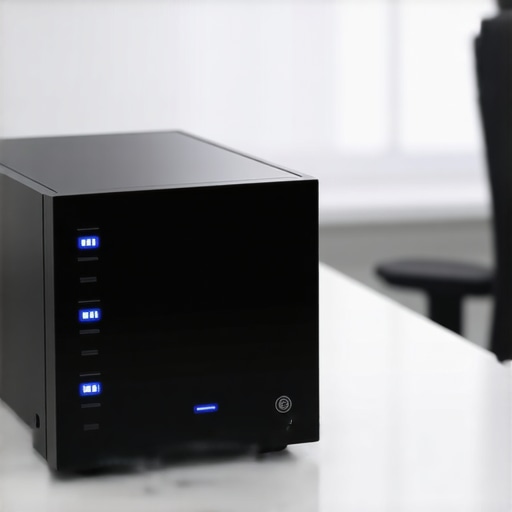
Identify the Warning Signs Before the Hardware Fails
Hardware is not immortal. Even the most expensive drives have a shelf life, and you need to know the sign your ssd is reaching its write limit and about to die before the clicking starts. If you notice your file transfers are getting sluggish or your computer hangs for a second when opening a folder, your local fail-safe might be failing. This is why I advocate for a RAID 1 setup, which essentially writes your data to two drives simultaneously. If one drive develops a mechanical fault, the other carries the load without a second of downtime.
Keep Your Office Running When the Power Dips
Most people forget that local hardware requires local power. If the lights flicker and your NAS shuts down hard, you risk data corruption that no cloud sync can fix. Implementing an Uninterruptible Power Supply (UPS) is the move that keeps your office data safe during a power outage by giving the system enough ‘juice’ to shut down gracefully. I remember a client in a stormy coastal town who lost a week of CAD drawings because a lightning strike surged through their router. We added a battery backup the following week, and the next time the grid went down, the system simply sent an email alert and shut itself down safely.
Audit Your Backup Health Every Single Season
Setting it and forgetting it is the mistake that makes your backups completely useless in the long run. You need to physically test your restores at least once a quarter. Can you actually pull a file from six months ago? Does the drive still show up as healthy in your disk utility? This is exactly why your managed IT service should be providing quarterly security audits to ensure the integrity of your local copies. I’ve seen businesses pay for backup software for years, only to find out the drive it was supposed to be writing to had unplugged by a cleaning crew months prior. Verification is the only way to sleep soundly at night.
Why Fixing What Breaks is Actually Your Most Expensive Move
Many business owners believe that managed IT is an unnecessary overhead until something explodes. They think, “Why pay a monthly fee if my computers are working fine?” But this mindset is exactly why your IT support costs are higher than they should be in the long run. In my experience, the “break-fix” model actually incentivizes failure. If your technician only gets paid when your server dies, they aren’t motivated to keep it alive. A truly proactive approach is how managed IT can elevate your business security in 2025 by catching a failing drive or a security vulnerability before it becomes a five-figure invoice. According to a study by Gartner, the average cost of IT downtime is roughly $5,600 per minute. If you wait for the crash to call for help, you have already lost the battle.
Is Your Data Recovery Software Actually Destroying Your Files?
There is a dangerous myth that data recovery is as simple as downloading a “free” tool from the internet and clicking ‘Scan.’ I call this the “Secondary Damage Trap.” If your hard drive is making a clicking sound or has been submerged in water, running software on it is the fastest way to kill it forever. I have seen clients try to handle their own data recovery from a water damaged SSD only to find that the heat generated during the intense scan fried the remaining healthy sectors. You need to understand data recovery secrets and expert techniques—like knowing when a drive needs a clean-room environment—before you touch that ‘Start’ button.
Avoid the DIY Trap with Laptop Hardware
It isn’t just about data; it is about the hardware you touch every day. I recently had a client try a “cheap” fix for their laptop display because they thought they could handle a simple screen swap. They didn’t realize that choosing between a glossy or matte laptop screen replacement involves more than just aesthetics; it involves checking pin-counts and voltage compatibility. They ended up blowing a backlight fuse on the motherboard because they didn’t properly discharge the internal capacitors first—a classic “oops” that turned a $100 repair into a $600 disaster. This is why choosing the cheapest managed IT plan always leads to more downtime; you get what you pay for, and in tech, “cheap” usually means “risky.”  Technology is designed to be user-friendly, but that often hides the mechanical complexity underneath. Whether it is managing a server or swapping a screen, the nuance is where the real money is saved or lost. Have you ever fallen into this trap of trying to fix a small issue only to make it much worse? Let me know in the comments.I’ve seen it a hundred times: a simple attempt to speed up a laptop leads to a snapped ribbon cable or a fried capacitor. The secret to avoiding these disasters isn’t just being careful; it’s having the right visibility into your hardware’s internal health. When I am managing a fleet of machines, I don’t wait for a blue screen to tell me there’s a problem. I use tools that act like an early warning system. For example, knowing how to check if your hard drive is about to fail using s-m-a-r-t-data is the difference between a ten-minute drive swap and a three-day recovery nightmare. I personally swear by CrystalDiskInfo for Windows users because it interprets those cryptic hex codes into a simple ‘Health Status’ light. As noted in the Backblaze 2023 Drive Stats report, the annualized failure rate for boot drives often spikes significantly after the third year of service, meaning if your machine is a few years old, you are statistically walking on thin ice.
Stop Reacting and Start Monitoring
If you want to keep your business running, you have to move away from the ‘break-fix’ mindset that keeps so many companies in a state of constant panic. In my own workflow, I use RMM agents that alert me if a CPU is running five degrees too hot or if a cooling fan starts spinning slower than its rated RPM. This level of detail is a core part of managed IT strategies to keep your business secure in 2025. It isn’t just about software security; it’s about physical longevity. For instance, if a client mentions the fix for a laptop screen that has a ghosting effect, my first thought isn’t always to buy a new panel. Often, it’s a sign of a loose eDP cable or electromagnetic interference—things you can catch and resolve early if you’re looking at the right telemetry data. 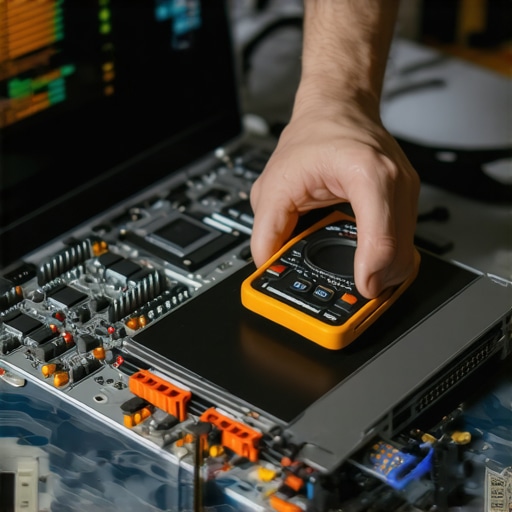
How do I keep my hardware healthy as my business grows?
Maintenance isn’t a one-time event; it’s a rhythm that must be built into your operations. I tell my clients to think of their computers like an office HVAC system. You wouldn’t wait for the building to reach ninety degrees before checking the filters, right? You should be troubleshooting common computer repair issues effectively by performing ‘stress tests’ once a quarter. Run a tool like Prime95 or MemTest86 for an hour. If the computer crashes during the test, you’ve found a weakness on your terms, not during a critical client deadline.
Why Your Next IT Upgrade Will Be Invisible
I predict that the next five years will see a massive shift toward self-healing hardware. We are already seeing SSDs that can automatically reallocate data from failing sectors without the user ever knowing, but soon, AI integrated into the BIOS will be able to throttle specific components to prevent total failure until a replacement arrives. This proactive automation is why managed IT can elevate your business security in 2025 by shifting the burden of ‘watching’ from you to the software itself. My best advice? Try one specific advanced tip today: install a hardware monitor like HWMonitor and check your temperatures while you have your typical twenty browser tabs open. If your CPU is hitting 90 degrees Celsius, it’s time for a cleaning before you cook your motherboard. Don’t let your hardware’s health be a mystery.
The Hard Truths About Keeping Your Office Tech Alive
Reflecting on a decade of fixing what breaks, I have realized that the most successful businesses aren’t the ones with the fastest computers, but the ones with the fewest surprises. Here are a few lightbulb moments that changed how I approach technology: First, redundancy is a mindset, not just a product; if your data does not exist in at least three places, it effectively does not exist. Second, computer repair for beginners often focuses on the immediate symptoms, but professionals look for the underlying power or heat issues that caused the crash in the first place. Third, spending an extra fifty dollars on a pro-grade drive today saves you five thousand in recovery fees tomorrow. Finally, a backup you haven’t tested is just a wish, not a plan.
The Exact Tools I Carry in My Digital Rescue Kit
I do not leave my data to chance, and neither should you. My personal toolkit always includes CrystalDiskInfo for a quick health check and Macrium Reflect for creating those life-saving local disk images. For anyone looking to dive deeper into the why behind system stability, I highly recommend the Backblaze Hard Drive Stats blog; it is the gold standard for knowing which drives actually last in the real world. If you are struggling to keep up with the technical demands of a growing team, exploring managed IT solutions streamlining operations for small businesses is the best way to get these professional tools working for you without needing a computer science degree. I also suggest keeping a dedicated USB boot drive with Hiren’s BootCD PE for those moments when Windows refuses to cooperate.
Build Your Future on Solid Hardware
Technology should be the engine that drives your business forward, not the anchor that holds it back. By taking these small, proactive steps—testing your backups, monitoring your temperatures, and investing in quality hardware—you are choosing to be the master of your digital environment. Implementing effective managed IT solutions isn’t about spending more; it is about spending smarter so you can focus on the work that actually matters. You have the tools and the knowledge now to ensure an internet outage never slows you down again. Which part of your current setup feels like the biggest ‘weak link’ right now? Let me know in the comments below!