

I still have nightmares about the ‘Great Meltdown of 2019.’ It wasn’t a hacker or a virus that took us down; it was a leaky air conditioner in the ceiling above our server closet. I walked in on a Monday morning to the sound of sizzling circuits and a smell like toasted electronics. We had been running our core operations off a machine sitting next to a stack of extra printer paper and a mop bucket. It was a classic amateur mistake, and it cost us three days of productivity and a mountain of stress. If you are currently housing your business’s digital brain in a room that also stores coffee pods, we need to talk. Today, I am going to walk you through why moving your server to a professional data center is the single best thing you can do for your sanity, and more importantly, exactly how to do it without losing your data in the process. Have you ever walked into your office and felt that wave of heat coming from the server corner and just prayed it wouldn’t die today?
Get That Server Out of the Janitor’s Closet
Trust me, I know the temptation of keeping everything in-house. It feels safer because you can see the blinking lights, but that is a total illusion of control. In reality, your office is a hostile environment for sensitive hardware. Between inconsistent power, lack of cooling, and the risk of someone accidentally unplugging a cord while looking for a stapler, you are playing a dangerous game. When I finally made the jump to colocation, I realized that the move that keeps your server running isn’t just about hardware; it is about infrastructure. In a data center, you get redundant power feeds and industrial-grade cooling that your office AC could never dream of matching. I made the mistake early on of thinking I could just ‘wing it’ with a bigger desk fan. I was wrong. According to the Uptime Institute, power-related problems cause nearly one-third of all major outages, a risk that professional data centers are specifically built to mitigate with massive UPS systems and backup generators. Transitioning to a secure facility is the ultimate game changer for growing companies that can’t afford a single hour of downtime. Even if you have dealt with why your server keeps rebooting on its own at night, moving it to a controlled environment often solves those mysterious ‘ghost’ issues instantly.
Is a data center membership actually worth the monthly bill?
It is the question I get asked the most, and I totally get the skepticism. Why pay for a rack when you have a perfectly good (and free) closet? But when you factor in the cost of electricity for 24/7 cooling and the sheer terror of the sign your office server is running out of disk space during a heatwave, the math starts to favor the pros. You aren’t just paying for space; you are buying insurance against catastrophes. We are going to break down the physical move, the network cutover, and the security protocols you need to ensure your transition is seamless. Before we dive into the nuts and bolts, remember that this isn’t just a move; it is an upgrade to your business’s backbone.
Map Out Every Digital Connection Before Unplugging
Before you touch a single power cable, you need a comprehensive map of your digital ecosystem. I once helped a client move a small rack without auditing their legacy software dependencies first. We spent six grueling hours on a Sunday night trying to figure out why their payroll system wouldn’t talk to the database—all because an old static IP was hardcoded in a config file we didn’t even know existed. To avoid this, conduct a full audit of your software stack. Identifying these hidden traps is a cornerstone of managed IT strategies to keep your business secure in 2025. You need to document every IP address, every open port, and every scheduled task that relies on local network paths.
The Pre-Move Hardware Health Check
Moving a server is like relocating a sleeping giant; you don’t want to wake it up to find it’s cranky and refusing to work. Before the move, check for the sign your office server is running out of disk space or if the internal fans are making an unusual whining noise. If you’ve been putting off the 3 hardware swaps that stop your office pc from freezing every hour, do it now. It is much easier to swap a failing power supply on your office desk than it is while squeezed into a cold aisle at a data center at 2 AM.
Protect Your Hardware From Physical Shock During Transit
The actual transport requires more than just a bubble-wrap-filled van. You need a bit-for-bit clone of your data before that server leaves the building. Never rely solely on the original drive during transit. I’ve seen a server slide just a few inches in the back of a truck, causing a mechanical head crash that made the data completely inaccessible. If that happens, you are suddenly desperate for data-recovery-secrets-expert-techniques-to-save-your-files-fast, which is a level of stress nobody needs. Always maintain a local backup and a verified cloud-based copy before the chassis is even unmounted.
Lower Your DNS TTL to Avoid a Business Blackout
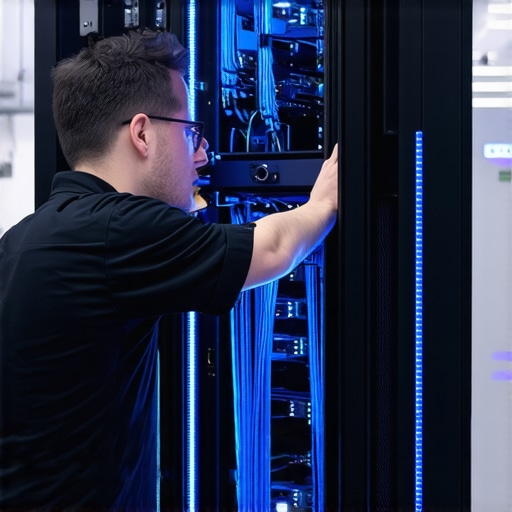
Your new data center will provide a new IP range, and this is where most business owners panic. To ensure a seamless transition, you must lower your DNS Time to Live (TTL) values at least 48 hours before the move. This simple setting tells the rest of the internet to check back for updates more frequently. When you finally flip the switch and point your domain to the new IP in the data center, the world sees the change in minutes, not days. This precision is what separates effective managed IT solutions for growing companies from amateur attempts. If the networking side feels overwhelming, take a look at the signs your office firewall is outdated; it might be time to upgrade your perimeter security while you are already upgrading your physical environment.
Once that DNS propagates and your traffic hits the new facility, do not make the mistake of thinking the job is done. A common myth in the industry is that ‘Managed IT’ is just a high-priced version of traditional tech support. Everyone says you need a provider who responds fast, but in my experience, the best provider is the one you never have to call because they have automated the crisis out of existence. If your support team is just waiting for a ticket to arrive, they aren’t managing your IT; they are just reacting to your pain. This is one of the most common troubleshooting common computer repair issues effectively involves moving from a reactive to a proactive mindset. If you feel like your current team is just ‘treading water,’ it might be one of the the sign your it support company is outsourcing your help desk overseas, which often leads to a disconnect in long-term strategy.
Can your business survive a ‘successful’ backup that fails to restore?
It sounds cynical, but a ‘successful backup’ notification does not mean your data is actually safe. According to a study by the Ponemon Institute, the average cost of a data center outage has risen to nearly $9,000 per minute, and a significant portion of that cost comes from the inability to restore data quickly despite having backups. This is the ultimate ‘oops’ factor. I’ve seen businesses lose a week of work because their backup files were corrupted, but the software kept sending ‘Green’ status emails every night. You need to ensure the reason your managed IT provider needs a disaster recovery plan for you involves monthly ‘fire drills’ where you actually spin up a virtual machine from those backups to verify integrity. Without verification, a backup is just a folder full of hope.

Beyond the software, never underestimate the physical nuances of your hardware. Even in a professional rack, the hardware component that causes the most blue screens of death is often a simple stick of failing RAM that was shaken loose during the move or a power supply that is slightly out of spec. And while we are talking about physical integrity, remember that your mobile management tools matter too. For instance, why a cracked laptop screen can eventually damage your motherboard is a very real threat; a short in the display panel can travel down the ribbon cable and fry the very system you use to monitor your servers. If you are going to invest in professional server housing, do not undermine it by using failing hardware to access it. Have you ever fallen into this trap of trusting a ‘green’ status light without manually verifying it? Let me know in the comments.
Once you are racked and stacked, the ‘set it and forget it’ mentality is your biggest enemy. I have seen companies invest thousands in colocation only to let their software environment rot from the inside out. I personally use UptimeRobot for external monitoring because it provides a ‘heartbeat’ check every 60 seconds. If a web service drops, I know before my clients do. For the internal hardware health, I rely heavily on IPMI (Intelligent Platform Management Interface). It is like having a physical hand on the power button even when you are miles away. This level of control is why managed IT solutions streamlining operations for small businesses have become the standard for anyone serious about growth. You need to be looking at your logs, not just your uptime. Tools like Graylog or the ELK stack allow you to spot patterns—like a series of failed login attempts—before they turn into a breach. This proactive approach is a core part of managed IT strategies to keep your business secure in 2025.
How do I keep this expensive infrastructure running for the next five years?
Maintaining a server is about managing the lifecycle of every component. Backblaze’s 2023 Drive Stats report reveals that hard drive failure rates increase significantly after the four-year mark, which is why I never push a production drive past its expiration date. You should be auditing your hardware health at least once a quarter. If you notice a specific machine is struggling, you have to decide how to choose between repairing an old workstation and buying a new one, and the same logic applies to your server nodes. Don’t wait for a total collapse to start looking for data recovery secrets every business should know today. Replace the fans, swap out the CMOS batteries, and keep your firmware updated.
The Future of Business Servers is Hybrid
We are moving toward a world where ‘the server’ is not just one box in a rack. The trend is shifting toward hybrid cloud models—keeping your most sensitive data on-site or in a private colocation while offloading scalable tasks to the public cloud. This approach minimizes the impact of troubleshooting common computer repair issues effectively because your critical infrastructure is redundant across multiple locations. If your current setup feels sluggish, it might not be a network issue; sometimes the hardware swap that gives your old office pc a massive speed boost is the exact upgrade your local nodes need to handle this hybrid traffic. I strongly recommend setting up a heartbeat monitor tonight; it is the one tool that will actually let you sleep through the night without wondering if your business is still online.
Hard-Won Lessons from the Server Room Trenches
Over the years, I’ve realized that the most dangerous phase for any server isn’t while it’s running, but while it’s in motion. One ‘lightbulb moment’ I had early on was that physical security is only half the battle; the logical prep work is where the real success happens. I’ve seen teams focus so much on the heavy lifting that they overlook the risk of running your core business operations on end-of-life software, which can fail to boot on new hardware. Don’t just move the box—move a healthy environment. Another big takeaway is that if you see the signs your business is outgrowing its current it infrastructure, you need to act immediately rather than waiting for a cooling failure to force your hand.
The Non-Negotiable Tools for a Flawless Transition
I don’t make a move without a specific ‘deployment kit’ that ensures I’m never flying blind. First, I use UptimeRobot for external monitoring; it’s the only way to get unbiased, third-party verification that your new IP is actually reachable. Second, before I touch a cable, I perform a deep dive on how to audit your business software to find hidden security gaps to ensure no legacy backdoors are coming with us. Finally, I never consider a move complete without a verified restore point; this is exactly why your business needs a disaster recovery plan before the storm hits. These tools aren’t just ‘nice-to-haves’—they are the barrier between a successful upgrade and a total business blackout.
#IMAGE_PLACE_HOLDER_E#
Stop Treating Your Business Backbone Like an Afterthought
Making the jump to a professional data center is the ultimate declaration that you are ready for the next level of growth. It transitions you from a reactive ‘fix-it-when-it-breaks’ mindset to one focused on uptime and reliability. By embracing effective managed IT solutions for growing companies, you free yourself to focus on your clients instead of worrying about leaky AC units or tripped breakers in the hallway. Your data is the lifeblood of your operation; give it a home where it can actually thrive. Have you ever experienced a hardware failure at the worst possible time? Let me know in the comments below.