

I remember sitting in my home office at 2 AM, the only sound being the soft hum of my high-end gaming laptop, when I suddenly smelled something sweet. It was faint, like maple syrup mixed with a cleaning chemical. I brushed it off as a leftover scent from the kitchen, but ten minutes later, my screen flickered and the machine shut down. When I lifted the chassis, there it was: a tiny, neon-green puddle on my mahogany desk. That ‘sweet’ smell was ethylene glycol, and it was currently eating through my motherboard. I learned the hard way that liquid cooling is a double-edged sword that demands your absolute attention.
I Thought My Laptop Was Sweating But It Was Actually Dying
If you have noticed a mysterious drop of fluid or your fans are screaming like a jet engine, you are right to be worried. Most people think a leak is always a catastrophic flood, but in reality, it usually starts as a slow, insidious weep. I made the mistake of thinking my laptop was just suffering from condensation because I was using it in a humid room. That cost me a three-thousand-dollar machine. Today, I want to help you avoid that heartbreak by showing you exactly how to spot the signs of a failing loop before you need expert data recovery techniques to save your files. We are going to look for the residue, listen for the air bubbles, and check the temps that just don’t make sense. Have you ever found a strange, sticky spot under your laptop and just hoped it was spilled soda?
Does liquid cooling actually belong in something so portable?
It is a fair question to ask if putting water inside a cramped, vibrating plastic shell is even worth the hype. While it keeps your CPU frosty, the points of failure are numerous compared to a standard heat sink. According to research from the Thermal Management Research Center, even ‘non-conductive’ coolants can become conductive over time as they pick up metal ions from the internal plumbing, meaning a small leak is eventually a short-circuit waiting to happen.
Spot the Sticky Residue Before It Toasts Your Hardware
The first thing you should do is grab a flashlight. You are looking for ‘crust.’ When coolant evaporates, it leaves behind a chalky or sticky residue that looks out of place. Check the exhaust vents and the bottom plate seams. If you see anything that looks like dried salt or colorful crystallization, your loop is failing. This is often accompanied by your machine acting erratic. You might see the laptop screen go white or experience random reboots. In my early days, I ignored a tiny blue stain near my USB ports, thinking it was just a cosmetic blemish. Don’t be like me. If you see any discoloration, it is time to stop and investigate. This isn’t just about avoiding costly repair mistakes; it is about preventing a literal fire hazard on your lap. Keeping your laptop from overheating is one thing, but drowning it in its own coolant is another entirely. If the liquid reaches the GPU, you might see the screen turn into a wall of static before everything goes dark. We need to catch this while the leak is still a ‘weep’ and not a ‘washout.’
Put Your Laptop on the Witness Stand
If you are suspicious, stop guessing and start testing. You don’t need a degree in mechanical engineering, just a few household items and a bit of patience.
The White Paper Towel Test is Your Best Friend
This is the gold standard for catching a ‘weeping’ leak. Place your laptop on a flat, hard surface and slide a sheet of bright white paper towel underneath it. Run a heavy task, like a benchmark or a high-end game, for about twenty minutes. The increased heat expands the remaining liquid and increases the internal pressure of the tubes. If you pull that paper out and see even a single pinpoint of color—usually neon green, red, or blue—your loop has a breach.  I remember doing this with an old Alienware I bought second-hand. I didn’t see any liquid, but after ten minutes of gaming, a tiny pink ring formed right under the GPU heat pipe. It looked like a water stain from a glass, but the color gave it away. If I hadn’t checked, that ‘stain’ would have eventually dripped onto the voltage regulator modules and caused a spark. This is the first step in computer repair for beginners: verify the fault before you start tearing things apart.
Listen Closely for the Dreaded Coffee Pot Gurgle
A healthy liquid cooling system should be almost silent, save for the hum of the fans. If you start hearing a sound like a coffee percolator or a straw sucking the bottom of a milkshake, you have air in the lines. Air only gets in if liquid gets out. While you might be tempted to ignore it, air bubbles create ‘hot spots’ where the coolant isn’t touching the metal, leading to instantaneous thermal throttling. This is often why your laptop fan is screaming even when you are not using it; the pump is struggling to move air, and the sensors are panicking.
Watch Out for Thermals That Bounce Like a Yo-Yo
Open a hardware monitor and watch your CPU temperatures. In a functioning loop, the temperature should rise and fall gradually. If you see your temps jump from 40°C to 95°C in two seconds and then throttle back, the liquid is likely gone or the pump has stalled. This erratic behavior is a classic sign that the system is failing to dissipate heat. It’s similar to why your computer keeps freezing when you watch youtube videos, but with liquid cooling, the stakes are much higher. You might even find that the secret to cooling down a gaming laptop that feels like a stove isn’t more fans, but checking if the liquid is actually still inside the tubes. If the software keeps telling you the fan has failed, it might actually be the pump tachometer reporting a dead motor. If the pump dies, the liquid sits still, boils, and the pressure eventually blows a seal. When that happens, you are no longer looking for a fix; you are looking for how to rescue files from a laptop with a damaged motherboard.
Why Non-Conductive Coolant is a Marketing Trap
Common wisdom suggests that if you buy a laptop with ‘non-conductive’ coolant, a leak is just a mess and not a death sentence. In my professional experience, that is dangerously misleading. While the fluid starts pure, the moment it hits the dust-covered surface of a motherboard, it picks up particulates and ions, becoming highly conductive almost instantly. This is where computer repair for beginners often goes wrong; users assume they have time to ‘dry it out’ while the power is still connected. If you suspect a breach, you must cut all power, including the battery, immediately. 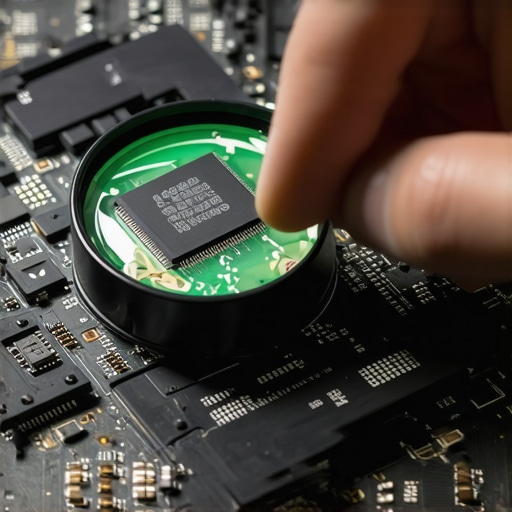
Should you ever try to refill a sealed loop yourself?
For the advanced user, the temptation to ‘fix’ a gurgling AIO (All-In-One) by drilling into the tubes is high, but the ‘oops’ factor here is astronomical. Modern laptop loops are factory-sealed under vacuum to prevent oxygenation. Once you break that seal, you introduce air that causes internal oxidation. According to hardware experts at GamersNexus, even a tiny amount of oxygen can lead to galvanic corrosion between the copper cold plate and aluminum radiator. If your system is already physically damaged, you should know that why drive savers remains the only choice for physically damaged drives isn’t just marketing hype; it is about having the right cleanroom environment to save your data from a liquid-soaked chassis.
Don’t Let Your Pump Become a Silent Killer
Actually, the pump itself has a finite lifespan, often measured in Mean Time Between Failures (MTBF). When a pump starts to vibrate excessively, it is not just a noise issue; it can cause micro-fissures in the solder joints of nearby components. I have seen cases where a vibrating pump caused the laptop screen to go white because of loose ribbon cables or even caused the laptop screen to flicker due to electromagnetic interference. If your business relies on high-end liquid-cooled workstations, this is where managed IT strategies to keep your business secure in 2025 become vital—you need proactive hardware monitoring, not just reactive repairs. One trap I see constantly is users ignoring a slight discoloration on the motherboard. This often leads to a situation where you need to know how to rescue files from a laptop with a damaged motherboard because the acid in the coolant finally ate through a trace. Have you ever fallen into this trap and ignored a ‘minor’ leak? Let me know in the comments.
If you are ready to stop playing Russian Roulette with your hardware, we need to talk about the professional toolkit. I do not just rely on ‘feel’ anymore. I use HWiNFO64 religiously because it allows me to map the ‘Delta T’—the difference between the liquid temperature and the component temperature. If that gap starts widening, I know the micro-fins in the water block are clogging with gunk, even if the pump is spinning at full speed. This level of detail is how you start troubleshooting common computer repair issues effectively before they turn into a puddle on your desk.
For my business clients who run these high-performance rigs, I always emphasize that managed IT solutions streamlining operations for small businesses are not just about software updates; they are about hardware lifecycle management. You would not drive a supercar for fifty thousand miles without an oil change, yet people expect these complex cooling loops to run forever. I personally recommend a full system flush every 12 to 18 months using distilled water and a high-quality biocide. This prevents the biological growth that eventually chokes the pump motor.
How can I keep a liquid cooling loop healthy for years?
The secret is not just cleaning; it is consistency. I keep a log of my idle and load temperatures every quarter. If I see a five-degree creep, I know it is time to check the fittings. I also use a leak tester—a manual air pump with a pressure gauge—before I ever put liquid back into a system. This allows me to find a loose O-ring without risking a single drop of moisture on the PCB. It is one of those the 3 hardware swaps that stop your office pc from freezing every hour that people often overlook: replacing aged, brittle tubing before it cracks under the pressure of high heat cycles.
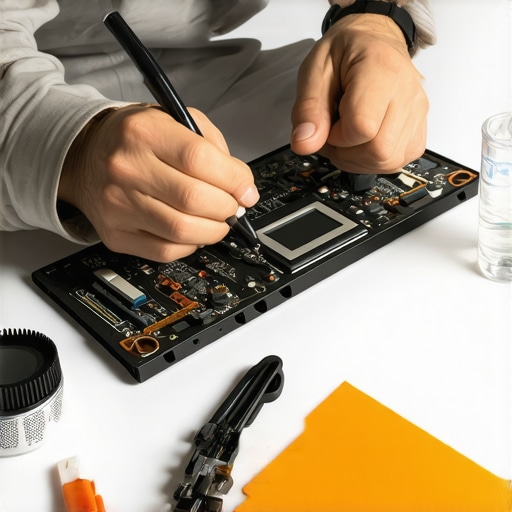
Igor Wallossek of Igor’s Lab has done extensive teardowns showing how cheap coolants interact with mixed metals, leading to ‘sludge’ that kills pumps. This is why I tell people to avoid the ‘neon’ dyes. They look cool for a week, but they are a nightmare for long-term reliability. If your system is already showing signs of a slow death, you might need data recovery secrets expert techniques to save your files fast before the motherboard traces are permanently etched by the acidic byproduct of coolant breakdown. Proactive maintenance is always cheaper than a cleanroom recovery.
Looking ahead, I believe we are moving away from liquid entirely in the laptop space. Solid-state active cooling, like the ultrasonic chips from Frore Systems, promises the same thermal headroom as liquid without the ‘leak’ anxiety. It is a transition that will change how managed IT can elevate your business security in 2025 because hardware failure rates will plummet. Until then, you need to be the steward of your machine. Try this today: Download HWiNFO64, find your ‘Pump’ or ‘CPU Fan 1’ header, and set an alert to trigger a loud beep if the RPM drops below 1,500. It could save your machine while you are in the middle of a high-stakes project.
The Hardest Lesson I Learned About Liquid Cooling Reliability
After years of managing high-performance machines, I have realized that the flashy aesthetics of a liquid loop often hide a demanding reality. Here is the insider wisdom I wish someone had shared with me before my first hardware disaster: liquid cooling is a dynamic relationship. Unlike air cooling, which is passive, a liquid loop is actively degrading from the moment you first press power. I have found that the ‘sweet’ smell of ethylene glycol is often a more accurate diagnostic tool than any software sensor. If you smell something odd, do not wait for the blue screen. Another lightbulb moment for me was realizing that ‘maintenance-free’ AIO systems are a myth. Components expand and contract with heat cycles, and O-rings eventually lose their elasticity. Learning troubleshooting common computer repair issues effectively starts with accepting that water and electricity are only friends as long as you are the vigilant chaperone. If you are not checking your fittings at least twice a year, you are essentially gambling with your motherboard’s life.
My Essential Toolkit for Keeping Laptops Dry and Fast
I do not leave my hardware’s health to chance, and neither should you. These are the specific tools I trust to ensure I never have to utilize data recovery secrets expert techniques to save your files fast. First, HWiNFO64 is my go-to for mapping Delta T. If the gap between your liquid temp and your CPU temp grows, your water block is likely clogging. Second, I highly recommend a manual pressure tester; it allows you to verify loop integrity without risking a single drop of liquid on your PCB. Finally, keep 99% Isopropyl Alcohol in your desk. If a leak does occur, this is the only way to safely strip the ionic contaminants from your motherboard before they cause a short. Using these tools is a core part of computer repair for beginners that separates the pros from the victims of hardware failure.
Protect Your Performance Before the Puddle Forms
Liquid cooling offers unparalleled thermal headroom, but it requires a level of vigilance that standard laptops do not. By staying attuned to the subtle signs—the gurgles, the faint smells, and the thermal spikes—you can enjoy the benefits of a high-end rig without the heartbreak of a flooded chassis. For those running these machines in a professional capacity, remember that managed it solutions streamlining operations for small businesses are your best bet for hardware lifecycle management. If the worst happens, knowing how to rescue files from a laptop with a damaged motherboard could be the only thing standing between you and total data loss. Take control of your thermals today so your machine can keep up with your ambitions tomorrow. Have you ever experienced a leak that caught you completely off guard, or did you spot the signs early? Let me know in the comments below.