

I still remember the sinking feeling in my stomach when I realized a former designer still had full access to our project server three months after he’d moved on to a competitor. It wasn’t that he was a bad guy—he was actually a friend—but the sheer vulnerability of that oversight felt like leaving my front door wide open in a thunderstorm. Managing how people leave your company isn’t just a chore for HR; it’s a vital part of your survival. Early on, I made the mistake of using the same admin password for every workstation because I thought it made my life easier. In reality, it just made every departure a potential disaster. Today, I’m going to show you how to tighten those bolts and secure your digital perimeter so you can sleep at night, even when your team is in flux. We’re going to solve the “leaky bucket” problem once and for all. Have you ever checked your access logs only to find a “ghost” user still lurking in your files? It’s a wake-up call you never forget.
Stop the Data Leak Before the Goodbye Lunch
When an employee hands in their notice, the clock starts ticking faster than most business owners realize. It is incredibly easy to get caught up in the logistics of hiring a replacement or organizing a farewell party, but the real work happens in the digital shadows. If you don’t have a specific, documented plan, you are essentially gambling with your intellectual property. A study by the Ponemon Institute found that a staggering 59 percent of employees who leave a job admit to taking sensitive corporate data with them. That isn’t always done with malicious intent; sometimes they just think those files are “theirs.” This is exactly why managed IT strategies to keep your business secure in 2025 are no longer optional. You need a system that cuts off access to Slack, email, and cloud storage the moment that final paycheck is cut. Don’t let your business data walk out the door in a pocketed thumb drive. I’ve learned the hard way that a handshake doesn’t encrypt a database.
Is All This Security Actually Worth the Hassle?
I hear this a lot from small business owners who feel that high-level security protocols make the office feel a bit cold or distrustful. You might think your team is like family, and that’s a beautiful thing, but professional security isn’t about a lack of trust; it’s about professional hygiene. Just as you wouldn’t ignore a laptop screen replacement because the crack is small, you shouldn’t ignore a dangling user account because the person was nice. Implementing effective managed IT solutions for growing companies allows you to automate the offboarding process, ensuring that the move that stops your business data from leaking through dropbox is executed every single time without fail. We are going to look at the move that protects your business from disgruntled former employees and why why your managed IT service should be auditing your cloud permissions on a regular basis to catch the things you might miss in the heat of a busy workday.
Construct a Digital Deadbolt for Every Exit
The process of letting someone go needs to be as clinical as a surgical strike. You aren’t just taking back a physical badge; you are reclaiming digital territory that holds the lifeblood of your company. I remember a specific instance where a departing manager decided to “clean up” his desktop before handing in his keys, inadvertently deleting a decade of client contact logs. Because we hadn’t yet implemented why your business needs a documented disaster recovery plan today, we spent forty-eight hours in a cold sweat trying to piece our database back together. It taught me that offboarding isn’t a casual conversation; it’s a high-stakes technical protocol.
Retract All Access Privileges in Real Time
Your first move is the digital “kill switch.” If your office uses a fragmented system—where Slack, Email, and your CRM all have separate, local logins—you are asking for a security breach. This is where managed IT solutions streamlining operations for small businesses pay for themselves. By using Single Sign-On (SSO), you can revoke a single identity and watch the doors lock across every platform simultaneously. It’s the difference between changing one master lock and trying to rekey fifty different windows while someone is walking out the door. Don’t forget to use the simple way to check your pc for hidden background processes to ensure no remote access software was installed for “convenience” that might bypass your firewall later.
Inspect the Physical Gear Before It Disappears
When the laptop hits your desk, your job isn’t done. You need to perform a physical and digital triage. Check the hardware for more than just scratches; look for signs of neglect that could lead to future failures for the next user. For instance, I always check how to tell if your laptop battery is swelling before it breaks the case because a departing employee might not mention a hardware glitch on their way out. Once the physical shell is cleared, verify the data integrity. If the drive looks suspiciously empty, you might need to consult the ultimate guide to data recovery after accidental deletion. I once found that a “blank” drive was actually a deliberate attempt to hide the fact that a proprietary client list had been moved to an external drive. 
Flush Out the Lingering Ghost Accounts
The biggest threat is the account you forgot existed. This is why why your managed IT service should be auditing your cloud permissions is a non-negotiable part of your monthly routine. Shared folders in cloud storage are notorious for this. You remove someone from the “Team,” but they might still have a direct link to a specific project folder because of individual permissions. It’s like a phantom limb that can still reach into your files. Use how managed IT can elevate your business security in 2025 to automate these audits. I once discovered an ex-contractor still had “Editor” access to our website’s backend two years after his contract ended. He wasn’t doing anything wrong, but his own compromised password could have brought our entire site down without him even knowing.Let’s dig deeper into the nuance that most ‘how-to’ guides skip over. Most people assume that once a drive is formatted or a user is deleted from the Active Directory, the risk is zero. But here’s the contrarian truth: software deletion is often just a cosmetic fix. In my years of doing forensic work, I’ve seen that data is rarely actually gone; it’s merely deindexed. If you aren’t using cryptographic erasure, that sensitive data remains on the NAND cells, waiting for someone with the right software to find it. This is why understanding the truth about hard drive recovery services and pricing is essential—not just for when you lose data, but for when you are trying to destroy it.
Why Does a Brand New Screen Still Look Dim?
I see this ‘oops’ factor play out every single week: a business owner tries to save money by ordering a replacement panel for a manager’s laptop, matching the model number perfectly, only to find the display is practically unreadable. They assume the new part is defective, but the reality is much more technical. Modern displays use specific EDID (Extended Display Identification Data) handshakes. If the firmware on that new screen doesn’t perfectly match your motherboard’s expectations, the backlight controller won’t trigger. This leads to a laptop screen that is too dim even at max brightness. It isn’t a physical break; it’s a communication breakdown that computer repair for beginners usually fails to mention. 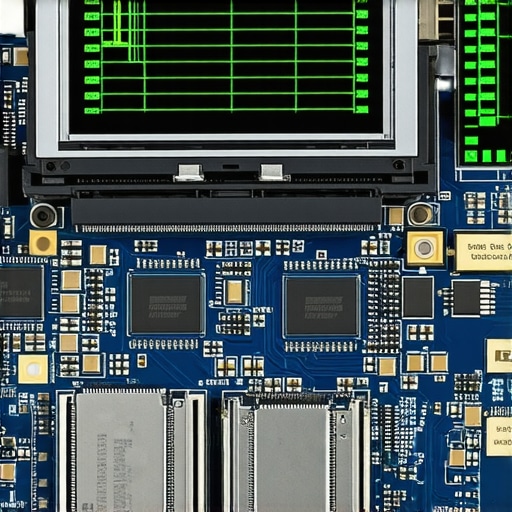
The stakes get even higher when you look at hardware longevity. A common mistake is ignoring the invisible wear on your storage. While you’re worried about the screen, you might be missing the fact that your high-performance workstations are eating through their drives. You need to know how to tell if your ssd is wearing out from too many writes before the drive simply locks into a ‘read-only’ mode, or worse, fails entirely during a critical project. A study by the Blancco Technology Group revealed that nearly 40 percent of used hard drives sold on secondary markets still contain residual data. This isn’t just a technical oversight; it’s a massive compliance liability. If you aren’t auditing these devices before they leave the building, you’re handing out keys to your kingdom.
Another nuance that separates the pros from the amateurs is how they handle ‘Unlimited’ support claims. You might think you’re covered, but the truth about unlimited it support contracts for businesses often involves caps on on-site visits or exclusions for ‘legacy’ hardware. I once saw a company lose a week of productivity because their ‘unlimited’ plan didn’t cover the very server that held their main database. It’s these fine-print details where effective managed it solutions for growing companies actually earn their keep—not by just fixing what’s broken, but by predicting the failure points of your specific infrastructure. If your IT provider isn’t talking to you about why your business email is constantly flagged as spam or how to secure your voip phone system from eavesdropping, they are just reacting to fires, not preventing them.
I’ve found that using the power of data recovery tools is a double-edged sword. While it’s a lifesaver when a drive has a corrupted file system, it also proves how easy it is for a departing employee to ‘recover’ things you thought were gone. True security means hardware-level sanitization and a strategy that goes beyond the surface. Have you ever fallen into the trap of thinking a quick ‘Format’ meant your data was truly gone? Let me know in the comments below, and let’s talk about how to actually lock down your hardware for good.
Stop Guessing and Start Monitoring
Building a business on a foundation of ‘it seems to be working’ is like building a house on quicksand. As your team grows, you can’t manually check every workstation for a failing fan or a bloated SSD. This is where I rely heavily on Remote Monitoring and Management (RMM) tools. I personally use platforms like NinjaOne or Atera because they provide a ‘god-mode’ view of every piece of hardware on the network. These tools are the backbone of effective managed IT solutions for growing companies because they alert me to a failing drive before the user even notices a slowdown. We aren’t just reacting anymore; we are predicting. According to the Backblaze 2023 Drive Stats Report, drive failure rates can jump from 1.5% to over 10% after just four years of service. If you aren’t tracking the age and health of your fleet, you are essentially waiting for a disaster to happen. I’ve seen how managed IT can elevate your business security in 2025 by turning these metrics into a proactive replacement schedule, ensuring that no one is ever left staring at a dead screen on a deadline day.
How do I maintain my business tech over time?
Consistency is the secret sauce that most people ignore because it’s boring. Long-term maintenance isn’t about one-off heroic repairs; it’s about a rhythm of health checks. I recommend a monthly ‘Digital Hygiene Day’ where you run the easy way to check your hard drives health using smart data across all mission-critical machines. This helps you identify ‘Reallocated Sectors’ or ‘Pending Sectors’—the digital bruises that signal a drive is about to die. If you catch these early, you can use data recovery secrets expert techniques to save your files fast rather than paying thousands for a forensic lab later. I also make it a habit to physically inspect our network hub. Knowing how to spot a failing network switch before your office goes dark is often as simple as listening for a fan that sounds like it’s grinding coffee or checking for ‘link lights’ that are blinking in an erratic, non-rhythmic pattern. 
The Gear That Separates Pro Technicians from Amateurs
When it comes to actual repairs, the tools you use dictate the quality of the result. I never touch a laptop with a generic hardware-store screwdriver; you’ll strip the tiny Torx screws in seconds. I swear by the iFixit Pro Tech Toolkit because the bits are hardened steel and won’t mar the chassis. This level of precision is vital when you are learning how to fix a flickering screen by adjusting the display ribbon. Often, a ‘broken’ screen is just a loose 30-pin eDP cable that has vibrated out of its socket over years of opening and closing the lid. Instead of a $200 replacement, it’s a ten-minute reseat. Looking forward, I predict we are moving toward a world where AI-driven diagnostics will live directly in the UEFI firmware, fixing ‘soft errors’ before the operating system even boots. But until then, you need to be the one with the eyes on the data. I strongly suggest you download a tool like CrystalDiskInfo today and check the ‘Health Status’ of your primary drive. If it says anything other than ‘Good 100%’, it’s time to start a backup and plan your next move.
Hard Truths About Digital Cleanups You Only Learn After a Breach
Reflecting on years of managing tech transitions, I’ve realized that the most dangerous part of an employee leaving isn’t the missing physical key—it’s the ‘digital ghost’ left behind in shared cloud folders. One lightbulb moment for me was realizing that a simple ‘delete’ button is often just a cosmetic fix; without cryptographic erasure, your sensitive data is still technically there, just waiting to be found. I also learned that hardware failures, like a swelling battery, are often hidden by employees who don’t want to deal with the paperwork before they leave. This is why data recovery secrets every business should know today include knowing when to give up on a drive and when to call in the pros. Lastly, never underestimate the power of a physical audit; I’ve found hardware keyloggers on office PCs that had been there for months simply because no one looked behind the tower.
The Toolkit That Keeps My Business Running
I don’t believe in gatekeeping the tools that actually work. For hardware, the iFixit Pro Tech Toolkit is my holy grail because generic tools will absolutely ruin your chassis. For software monitoring, CrystalDiskInfo is the gold standard for a quick health check—it’s how I get the easy way to check your hard drives health using smart data without needing a degree in computer science. If you are handling your own repairs, I recommend laptop screen repair how to fix common issues at home as a baseline guide to avoid the ‘dim screen’ firmware trap. Finally, for growing teams, looking into why managed IT is a game changer for growing companies will show you how RMM tools like NinjaOne can automate the headache of manual monitoring.
Step Into a More Secure Future
Securing your business isn’t a one-time project; it’s a culture of digital hygiene that evolves as you do. By tightening your offboarding protocols and keeping a close eye on your hardware health, you aren’t just preventing leaks—you’re building a resilient foundation for whatever comes next. Don’t let the fear of technical complexity stop you from taking the first step. Start small, check your primary drive’s health today, and remember that computer repair for beginners is all about patience and having the right information at your fingertips. Your data, your hardware, and your peace of mind are worth the effort. Have you ever discovered a ‘ghost user’ or a former employee still logged into your company apps months later? Let me know your story in the comments below!