

It was 2:00 AM, and the deadline for my biggest client was looming. I was staring intently at a white spreadsheet when I saw it—a tiny, stubborn neon-green speck right in the center of the display. At first, I thought it was just a piece of dust. I blew on it. Nothing. I tried to wipe it with my thumb. Still there. That’s when the panic set in. I’d seen this before, and my first instinct was to press down hard on the screen to ‘massage’ it out. Big mistake. I nearly cracked the liquid crystal layer, a blunder that usually leads to a full laptop screen replacement step-by-step repair guide search. Instead of playing a dangerous game of physical pressure, I turned to the one thing most people overlook: software. Today, I’m going to show you how to use free tools to unstick that pixel so you don’t have to resort to laptop screen repair how to fix common issues at home. Have you ever been driven crazy by one single dot on your screen? Tell me I’m not alone in this frustration! It feels like a tiny laser pointer is aimed at your eyes every time you try to work.
Software Can Save Your Screen from the Scrap Heap
Most people assume a stuck pixel is a death sentence for their monitor. It’s not. Unlike a dead pixel—which is black and gone for good—a stuck pixel is just ‘lazy.’ It’s a sub-pixel that’s stuck on a specific color, usually red, green, or blue. While it looks like a hardware failure, it’s often just a signaling error. You can find more tips for troubleshooting laptop screen problems seamlessly if you are dealing with bigger flickers, but for the ‘dot,’ software is king. A surprising fact is that according to the ISO 9241-307 standard, most manufacturers won’t even replace a laptop for a single stuck pixel; they consider it within ‘acceptable’ limits. This means you are often on your own to find a fix. By using tools that rapidly cycle colors, you can essentially ‘shock’ the pixel back into a functional state. I once spent hours troubleshooting common computer repair issues effectively only to realize that a simple 15-minute software loop could have saved my sanity. It works by bombarding the area with high-frequency color changes.
Does Software Actually Work on Hardware Problems?
It sounds like magic, doesn’t it? Running a program to fix a physical screen feels like trying to download more RAM. But the logic is sound. These programs fire off rapid-fire signals to the specific area of your screen, forcing the liquid crystals to twist and untwist at high speeds. It’s like a digital workout for a cramped muscle. While it’s not 100% guaranteed, it’s the safest first step before you look into more intensive laptop screen repair diy tips for clearer displays. I’ve seen this method rescue dozens of laptops that were headed for the bin unnecessarily, especially when people are worried about computer repair for beginners avoid costly mistakes. Sometimes the hardware just needs a persistent nudge.
Spotting the Difference Before You Waste Your Time
Before you start running scripts, you have to know exactly what you are fighting. A black dot is a dead pixel, and quite frankly, it is usually gone for good because the transistor has lost power entirely. However, if that dot is glowing a bright, annoying neon—red, green, or blue—it is merely stuck. It is like a runner who has caught a cramp in the middle of a marathon; the muscle is still there, it just needs to be shocked back into its rhythm. I always recommend starting with tips for troubleshooting laptop screen problems seamlessly to ensure you aren’t looking at a more widespread GPU failure. If the dot doesn’t move when you drag a window over it, it’s definitely the screen. This is where you can take control using laptop screen repair how to fix common issues at home techniques that don’t involve taking a screwdriver to your bezel.
Start with the Digital Hammer
The most effective tool in my kit is JScreenFix. It is a web-based application, which means you don’t have to worry about downloading bloatware or navigating sketchy installers. You simply launch the tool in your browser, and it generates a small square of ‘static’—think of the snow on an old analog TV, but in high-speed Technicolor. You drag this box directly over the stuck pixel and let it work its magic. This ‘noise’ forces the liquid crystal to cycle through its entire color spectrum hundreds of times per second. It is essentially a high-intensity interval training session for your monitor. I have seen this revive screens that were supposedly destined for the recycling bin. 
The Time I Almost Melted a Client’s Monitor
I remember a specific incident with a local law firm where a partner’s high-end ultrabook developed a bright red pixel right in his line of sight. He was convinced he needed a replacement, but I suggested we try a software cycle first. I set the tool to run, cranked the brightness to 100% to ensure the pixels were receiving maximum voltage, and then got distracted helping another staff member with managed IT solutions streamlining operations for small businesses. I left it running for nearly three hours. When I came back, the pixel was perfect, but the screen was incredibly hot to the touch. It was a messy lesson in patience: software is powerful, but you should check it every twenty minutes. If you are a business owner, teaching your team these small tricks can prevent computer repair for beginners avoid costly mistakes that drain your quarterly budget. If the software approach fails, you might be dealing with something more structural, like the reason your laptop screen has vertical green lines, which usually indicates a loose internal connection rather than a lazy pixel. However, for a single stubborn dot, this digital massage is the safest, most effective path in the world of laptop screen repair diy tips for clearer displays. If you see the fix for a laptop screen that has horizontal bars of color, you’ll know that software won’t cut it, but for most ‘stuck’ issues, the digital hammer is all you need.While the digital hammer is a lifesaver for lazy pixels, many users fall into the trap of misidentifying hardware failure as a mere software glitch. I see this constantly: a frustrated user tries to ‘update drivers’ for a screen that is physically failing due to a loose internal ribbon cable. Knowing how to spot a hardware failure masquerading as a software bug is what separates the professionals from the amateurs. Most people think that if they can see any image on the screen, the underlying components must be healthy. In reality, intermittent flickering or subtle color shifts often signal an impending total blackout that no amount of code can fix. This leads to a massive contrarian point I always argue: Managed IT is not actually about fixing your computers when they break; it is about making sure they never break in the first place. High-level managed IT solutions streamlining operations for small businesses focus heavily on predictive maintenance. Everyone says, ‘If it ain’t broke, don’t fix it,’ but in the world of high-stakes data, if it ain’t broke, you should be checking the logs to see why it hasn’t failed yet. Gartner famously reported that the average cost of network downtime is roughly $5,600 per minute. If you wait for the ‘break’ to happen, you have already lost the game. This is why ensuring why your managed IT service should be providing quarterly security audits is a non-negotiable requirement for any serious operation.
How Do You Tell if a Clicking Hard Drive is a Death Sentence?
When a drive starts making that rhythmic ‘click-clack’ sound, the instinct for many is to keep plugging it in, hoping it will just ‘mount’ one last time. This is the ultimate ‘oops’ factor. Every click is the read/write head potentially scraping the magnetic platter. If you are trying to how to pull critical data from a hard drive that makes a scratching sound, every second of power is your enemy.  The nuance here is that people often try to open the drive themselves to ‘see what is wrong.’ Here is the hard truth: why you should never open a clicking hard drive in a normal room—a single speck of dust is like a boulder to a hard drive head flying at 7,200 RPM. You will turn a recoverable situation into a permanent data loss event. Instead, you need to understand data recovery secrets every business should know today before the disaster happens. This includes the realization of why your business needs a local backup even if you use the cloud. The cloud is just someone else’s computer, and it can be just as inaccessible when you are in a crisis. Have you ever fallen into this trap of trying to fix a hardware problem with a software solution? Let me know in the comments!Beyond just fixing pixels, I’ve learned that the most expensive repairs are the ones you could have seen coming six months ago. In my daily workflow, I rely heavily on S.M.A.R.T. (Self-Monitoring, Analysis, and Reporting Technology) data. It’s essentially a built-in diary for your hard drive. If you aren’t checking it, you are flying blind. I personally use CrystalDiskInfo on Windows or GSmartControl on Linux to keep an eye on the ‘Reallocated Sectors Count.’ If that number is anything other than zero, I’m already moving data to a new drive. You should learn how to check if your hard drive is about to fail using s-m-a-r-t-data before the clicking starts. This is even more critical with modern storage; knowing the sign your ssd is reaching its write limit and about to die can save you from a catastrophic loss that even the most expensive recovery software can’t reverse. According to the Backblaze Drive Stats 2023 report, specific S.M.A.R.T. metrics like ‘Command Timeout’ are highly predictive of a drive failing within 60 days, giving you plenty of time to act if you are paying attention.
Catch the Ghost in the Machine Before It Bites
When I’m managing a fleet of machines for a client, I don’t wait for a user to complain that their laptop is burning their legs. Heat is the ultimate component killer. I’ve found that a simple 10-minute cleaning session every six months can add years to a device’s life. If you hear the fix for a noisy laptop fan that sounds like a jet engine, it’s usually the sound of your hardware screaming for help. Dust builds up on the copper heat pipes, the fan ramps up to compensate, and eventually, the system slows down to protect itself. This is the sign your cpu is thermal throttling and slowing down your work. I’ve seen $2,000 workstations perform like $300 Chromebooks simply because they were choked by dust. 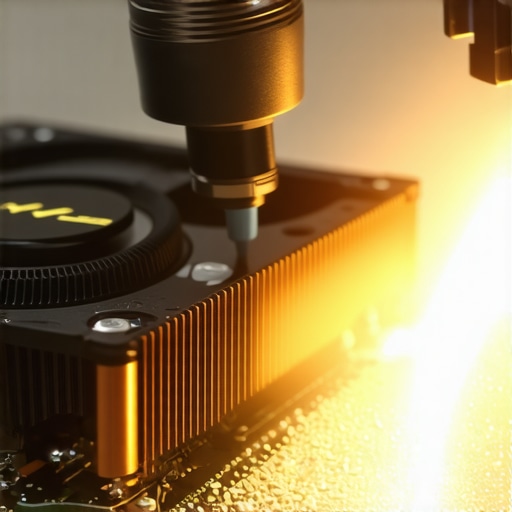
How do I maintain my office gear over time?
Consistency beats intensity every time. Instead of doing one massive ‘tech day’ a year, I recommend a rolling schedule. For small businesses, this is where managed IT strategies to keep your business secure in 2025 really shine. You can automate the heavy lifting. I always push for how to extend the life of your office pcs by three years through proactive RAM upgrades and transitioning older spinning drives to SSDs. If a computer is struggling with basic tasks, sometimes the hardware upgrade that stops your browser from crashing with too many tabs is all you need to keep that machine in service for another twenty-four months. Looking ahead, I predict we will see more AI-integrated bios tools that actually predict specific hardware failures before the user even notices a dip in performance. But until then, we have to rely on good old-fashioned audits. Ensuring why your managed IT service should be providing quarterly security audits is the best way to catch hardware and security gaps before they become expensive emergencies. My advanced tip for you today: download a free utility like HWMonitor and check your CPU temperatures while you have twenty tabs open; if you’re hitting over 90 degrees Celsius, it’s time to crack that case open and clean out the dust!
The Hardest Lesson I Learned While Chasing Pixels
Over the years, I’ve realized that tech repair is as much about patience as it is about the right software. My first lightbulb moment was discovering that laptop screen issues aren’t always binary; there is a massive gray area where software can actually manipulate hardware behavior. Here are a few pieces of wisdom I’ve gathered from the trenches: Patience is a technical skill. Most software tools fail because the user gives up after two minutes. Some stuck pixels require an hour-long ‘massage’ of color cycling to actually release the crystal tension. Voltage needs a clear path. If your screen is flickering or the software isn’t working, it might be a power delivery issue. I always recommend checking tips for troubleshooting laptop screen problems seamlessly before assuming the panel itself is the culprit. Software has limits. If you see a physical crack or a purely black dot, put the software away. You are firmly in the territory of needing a laptop screen repair how to fix common issues at home or a full replacement.
#IMAGE_PLACEHOLDER_E#
The Maintenance Toolkit I Carry Every Day
You don’t need a thousand-dollar diagnostic rig to keep your machines healthy. I personally rely on a few specific resources that bridge the gap between amateur fixes and professional results. For pixel revival, JScreenFix is the gold standard because it requires zero installation—it’s fast and effective. Beyond the display, I advocate for every user to learn how to check if your hard drive is about to fail using s-m-a-r-t-data. It’s like having a check-engine light for your most precious data. If you are managing a team, shifting your mindset toward managed IT solutions streamlining operations for small businesses is the best tool for preventing the ‘Monday morning meltdown.’ By using these proactive scripts and tools, you are taking the guesswork out of computer repair.
Stop Fighting Fires and Start Building Resilience
At the end of the day, your technology should work for you, not the other way around. Whether you are reviving a single stubborn dot on your display or auditing your entire office network, the goal is longevity. Don’t be afraid to try these software fixes first, as they are the safest way to avoid computer repair for beginners avoid costly mistakes. Once you master the difference between a lazy pixel and a dead transistor, you’ll look at every piece of hardware with a newfound sense of control and confidence. Have you ever managed to save a screen or a drive that everyone else told you was ‘trash’? Let me know your biggest tech victory in the comments below!