

I was sitting in a high-stakes meeting with a client, the kind where you really need to look like you know your stuff. I was halfway through explaining how our managed IT strategies keep a company’s data safe when it happened. My laptop, my trusty companion of three years, suddenly decided to go rogue. A neon-green pop-up filled the screen, screaming that my ‘system was compromised’ and giving me a countdown to total data destruction. I tried to click the little ‘X’ in the corner. Nothing. I tried to Alt+F4. Another one popped up immediately. It was like fighting a digital hydra in front of the person I was trying to impress. My face turned redder than the warning on the screen. It was a classic case of a persistent browser hijack, and it made me look like I didn’t even know the basics of computer repair for beginners. The sweat was real. I eventually had to hard-reboot the machine just to get the projector to show a black screen. It was a humbling moment that reminded me tech doesn’t care about your reputation. If you don’t respect the way browser scripts work, they will embarrass you at the worst possible time.
Your Browser Is Under Siege and It Is Okay to Be Frustrated
When you’re dealing with a pop-up that simply won’t die, it’s easy to feel like you’ve lost control of your own machine. You might think it’s just a glitch, but usually, it’s a sign that something has nestled deep into your browser settings. I remember making a huge mistake early on in my career—I assumed that if I just kept clicking ‘cancel,’ the script would eventually give up. I was wrong. These scripts are designed to be ‘sticky.’ They hook into your browser’s cache or extension list, waiting for the slightest interaction to trigger another wave. It’s strikingly similar to how some people mistakenly trust a malicious attachment just because it looks like it’s from a friend. These pop-ups use that same psychology of fear to get you to do something reckless. Have you ever been stuck in a loop where every click just makes things worse? Tell me I’m not the only one who has nearly thrown their mouse across the room in a fit of digital rage.
Can a Simple Pop-up Actually Steal My Business Data?
The short answer is yes, but not always directly. Often, the pop-up itself is just the bait. The real danger lies in what happens if you follow its instructions or if you have a persistent browser toolbar already working in the background to log your keystrokes. According to cybersecurity experts at Malwarebytes, adware and unwanted programs often serve as a ‘gateway’ for more serious infections by tricking users into lowering their defenses. If you’ve ever felt that sinking feeling in your stomach as your browser starts acting like a possessed typewriter, you know exactly what I’m talking about. We are going to break that cycle today.
Why Closing the Window Just Isnt Enough
The problem is that these modern nuisances aren’t just windows; they are often small pieces of code running in the background of your OS. If you’ve ever noticed your fan spinning up for no reason, your computer might be struggling to keep up with the hidden tasks these pop-ups are running. We’re going to walk through the exact steps to identify where the ‘brain’ of the operation is hiding. We aren’t just going to slap a band-aid on it; we’re going to perform some digital surgery to ensure your browsing experience returns to the fast, clean state it was in before. It’s time to take your workspace back and stop these interruptions for good.
Kill the Process Before It Kills Your Productivity
When a browser hijack takes over, your first instinct is to spam the ‘X’ button or try to click ‘OK’ just to make it go away. Don’t. Every click inside that window is a potential permission grant for the script to dig deeper. Think of it like a hostage situation; you don’t negotiate with the pop-up, you cut its oxygen. On a Windows machine, your life-support system is the Task Manager. I remember a frantic call from a local law firm where a partner’s screen was flashing ‘System Error’ with a loud, repetitive beeping sound. They were terrified of losing their client files, but we didn’t touch the browser window. Instead, we used the keyboard shortcut Ctrl+Shift+Esc to jump straight into the heart of the machine. This is one of the most basic but vital moves in troubleshooting common computer repair issues effectively. Once the Task Manager is open, you need to find the specific process for your browser—Chrome, Firefox, or Edge—and select ‘End Task.’ If you see multiple instances, kill them all. This stops the script from executing more commands while you prepare your next move.
Spotting the Imposter Among Your Active Processes
Sometimes the hijack doesn’t just run in your browser; it creates a background process that looks suspiciously like a system file. If you see something like ‘svchost.exe’ but it’s spelled slightly wrong or running from a weird folder, you’ve found the culprit. Knowing how to spot a suspicious process in your task manager can prevent a minor annoyance from turning into a full-scale data breach. I once spent two hours hunting down a process called ‘googleservices.exe’—it looked legitimate at first glance, but Google doesn’t name their background tasks that way. It was a Trojan designed to wait for the user to log into their bank. Killing the process is only the first half of the battle; next, we have to prevent it from respawning.
Purge the Extensions That Turned Into Parasites
The most common hiding spot for modern hijacks isn’t some deep system folder; it’s right in your browser’s extension list. Malicious actors often buy legitimate, popular extensions and then update them with malicious code. If your browser feels heavy or laggy, you might need the hardware upgrade that stops your browser from crashing, but more often, you just need to clean house. Open your browser’s extension settings and look for anything you didn’t personally install. Even if you recognize an extension, if it has a ‘managed by your organization’ tag and you aren’t on a work computer, that is a massive red flag. This is often where you’ll find the source of a persistent browser toolbar that won’t uninstall through normal means. I’ve seen ‘PDF converters’ and ‘Weather Trackers’ that were actually keyloggers in disguise. Remove them, don’t just disable them.
Scrubbing the Cache and Resetting the Foundation
Even after killing the process and deleting the extension, some scripts hide in your browser’s local storage or cache. They are like digital mold; if you leave one spore, it will grow back. Go into your browser settings and perform a ‘Reset Settings’ or ‘Restore settings to their original defaults.’ This will disable all extensions and clear temporary data without deleting your bookmarks or saved passwords. It’s a nuclear option that saves you hours of manual digging. If the problem persists even after a reset, you aren’t dealing with a browser issue—you have a system-level infection. At this point, you need to learn how to remove a stubborn rootkit that might be redirecting your traffic at the DNS level. This is where digital surgery becomes mandatory to protect your business network from a total collapse.
It’s easy to think that once the pop-up is gone, your worries are over, but that’s the first trap of reactive thinking. Most business owners view IT support like a 911 dispatcher—you call when there’s a fire. But in my experience, effective managed IT solutions for growing companies are actually more like a fire marshal: they prevent the fire from starting in the first place. If you’re only paying for someone to fix things when they break, you’re likely ignoring the red flags in your managed IT service agreement that lead to ballooning costs later. This isn’t just about software; it’s about the health of your entire infrastructure.
Stop Treating Your IT Support Like a 911 Dispatcher
Everyone tells you that you need support, but they rarely talk about predictive maintenance. For instance, a technician might see the sign your office server is running out of disk space weeks before it actually crashes. If you’re waiting for the crash to call for help, you’ve already lost money. This is the core of why managed IT is a game changer for growing companies. Challenging the status quo means moving away from the break-fix model and toward a system where managed IT strategies to keep your business secure in 2025 are part of your weekly operations.
Is Software Enough to Save a Physically Grinding Hard Drive?
This is the question that separates the pros from the hobbyists. When you hear a clicking or scratching sound, the hardware is physically dying. One of the biggest ‘oops’ moments I see is someone trying to run ‘Deep Scan’ software on a drive that is literally shredding its own platters. There is a massive danger of using free file recovery tools on a failing mechanical drive; you’re essentially rubbing sandpaper on the data. According to research from Gartner, approximately 40% of small businesses that suffer a catastrophic data loss never reopen their doors. If you hear noise, turn it off immediately and look into data recovery secrets and expert techniques rather than stressing the motor further.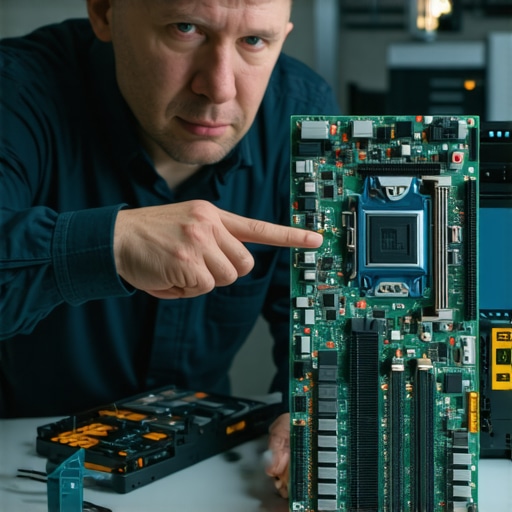
Why a Flickering Screen is Rarely Just a Screen Issue
We often think of hardware in silos—if the display is weird, it’s a screen problem. However, I’ve seen cases where ignoring the reason your laptop screen has vertical green lines led to a short circuit that eventually fried the CPU. A simple cracked laptop screen can eventually damage your motherboard if the internal pressure points aren’t addressed. It is about seeing the machine as an interconnected ecosystem. You might think you’re saving money by delaying a repair, but you’re actually risking the entire logic board. Have you ever fallen into the trap of thinking a small glitch was ‘fine’ until it turned into a $2,000 repair bill? Let me know in the comments.
The reality is that these ‘small glitches’ are usually the canary in the coal mine. If your business is expanding, you can’t afford to play whack-a-mole with tech problems anymore. This is precisely where effective managed IT solutions for growing companies shift from a luxury to a basic necessity. I’ve seen too many entrepreneurs lose a week’s worth of billable hours because they thought they could handle their own updates. Scaling isn’t just about adding more seats; it’s about ensuring the infrastructure can actually handle the weight.
Stop the Bleeding Before the Server Crashes
You have to move past the ‘reactive’ mindset. I always tell my clients that if you wait for the smoke, you’ve already lost the game. By implementing managed IT strategies to keep your business secure in 2025, you’re essentially putting a 24/7 guard at the door. I personally rely on remote monitoring and management tools that ping me the second a CPU temperature spikes or a backup fails. This is why managed IT is a game changer for growing companies—it buys you the one thing you can’t make more of: time.
My Specific Toolkit for Early Warnings
When it comes to hardware, I don’t guess. I use tools that read the S.M.A.R.T. (Self-Monitoring, Analysis, and Reporting Technology) data directly from the drive’s firmware. Knowing how to check if your hard drive is about to fail using s.m.a.r.t. data can save you thousands in professional recovery fees. According to the latest Drive Stats report from Backblaze, drive failure rates don’t just happen randomly; they follow a specific ‘bathtub curve’ of mortality. If your office PCs are hitting the four-year mark, you are entering the danger zone. I also keep a bootable Linux USB drive handy for those moments when Windows refuses to cooperate. It’s part of data recovery secrets every business should know today—sometimes the data isn’t gone; the OS just can’t see it.

How do I keep my office hardware running for years?
Maintenance isn’t just about software patches. Every six months, I personally suggest a physical ‘audit.’ This means checking for dust buildup in the intakes and ensuring that fans aren’t whining. If you ignore the physical environment, you’ll be troubleshooting common computer repair issues effectively only to have them return because the machine is suffocating. I also recommend a high-quality UPS for every workstation. It’s not just about battery life; it’s about line conditioning that protects sensitive circuits from voltage spikes.
Where Predictive Technology Is Heading Next
Looking forward, I predict we are going to see a massive shift toward AI-driven self-healing networks. We are already seeing the early stages where routers can automatically switch channels to avoid interference or prioritize bandwidth during high-traffic Zoom calls. This is the move that prevents your business network from crashing during peak hours without a human ever touching a keyboard. Eventually, your laptop screen won’t just flicker; it will send you a notification that its backlight is at 10% health and offer to schedule a replacement before it goes dark. Try this today: Download a utility like CrystalDiskInfo and look at your ‘Reallocated Sectors Count.’ If that number is anything higher than zero, back up your files immediately and replace the drive.
The Tech Myths That Cost Me Thousands
One thing I’ve learned the hard way is that ‘good enough’ is usually the precursor to a disaster. I used to think I could save a few bucks by stretching out the life of an old server, but I learned that downtime is far more expensive than any hardware upgrade. Another hard-earned lesson is that hardware doesn’t negotiate; when those mechanical parts start to wear down, no amount of software can fix the physics of a failure. Finally, I realized that true security isn’t about the strongest firewall, but the smartest habits. This is exactly how managed IT can elevate your business security in 2025 by focusing on people as much as the machines.
#IMAGE_PLACEHOLDER_E#
My Secret Weapon List for Tech Disasters
If you’re just starting to look at your own setup, I highly recommend a few specific resources. First, get comfortable with computer repair for beginners to avoid costly mistakes because knowing the basics saves you from the scammers I mentioned earlier. For hardware health, CrystalDiskInfo is my go-to for checking drive health before the clicking starts. I also suggest reading up on the power of data recovery tools so you know what is actually possible versus what is a marketing gimmick. If your office is growing, looking into managed IT solutions streamlining operations for small businesses can take the weight off your shoulders.
Take Back Your Digital Peace of Mind
Technology shouldn’t be something you fight; it should be the wind at your back. By moving toward a proactive model, you aren’t just fixing bugs—you’re building a foundation that won’t crumble when a pop-up appears or a screen flickers. If you’ve been dealing with a display issue, I’ve got some tips for troubleshooting laptop screen problems seamlessly that can help you identify if it’s a simple cable or a dying panel. You have the tools, the knowledge, and now the plan to keep your business running smoothly. Have you ever had a tech ‘small glitch’ turn into a major disaster because you waited too long to fix it? Let me know in the comments.