

I smelled it before I saw it—that sickly sweet, metallic scent of ozone that every IT pro and business owner dreads. My main office server hadn’t crashed yet, but it was behaving like a toddler long past naptime. Programs were stuttering, the lights on the front panel were flickering like a haunted house, and the chassis felt hot enough to fry an egg. I made the classic mistake of thinking, “Eh, it’s probably just a hot day,” and I ignored it. Two hours later, I was staring at a black screen and a very expensive paperweight. It was a brutal lesson in why we can’t take our power units for granted. It reminded me of my early days when I was diving into computer repair for beginners just to avoid those heart-stopping repair bills. If you don’t know how to spot a failing power supply before the smoke starts, you are basically playing Russian Roulette with your company’s data. Today, I’m going to share the subtle, often ignored red flags that indicate your server’s lungs—the Power Supply Unit (PSU)—are starting to collapse under the weight of your workload. We’ll look at the specific symptoms I missed so you can keep your business running smoothly without the sudden, catastrophic downtime.
Your Server Is Screaming for Help in Ways You Might Not Hear
When a server is overloaded, it doesn’t always just shut down. Sometimes, it starts a slow, agonizing crawl that mimics software bloat or a network bottleneck. I once spent three days troubleshooting our office router because the internet felt sluggish, only to realize the server’s PSU was failing to provide consistent voltage to the network card. This is where managed IT strategies become a lifesaver; they help you monitor these hardware health markers before they turn into a 2 AM emergency call. According to reliability studies from the IEEE, power supply units are among the top three components most likely to fail due to thermal stress in high-density environments. If you’ve added more drives or a faster CPU lately, you might be pushing that old PSU past its breaking point. Have you ever walked into your server room and felt that sudden wave of heat that just felt different from the usual fan exhaust?
Should You Actually Worry About a Little Extra Heat?
It is easy to be skeptical. You might think, “The server is still on, the fans are spinning, so everything must be fine, right?” This is the most dangerous trap you can fall into. A struggling PSU often works at a lower efficiency, generating massive amounts of heat as a byproduct. This excess warmth doesn’t just stay in the PSU; it bleeds into your motherboard and RAM. I’ve seen cases where a poor power supply led to people searching for data recovery secrets because the fluctuating voltage corrupted their file system beyond repair. You have to learn how to stop your server from thermal throttling early on, or you’ll be replacing more than just a power cable. Trust me, spending a little bit now on a higher-wattage, gold-rated unit is infinitely cheaper than a week of lost productivity while you try to rebuild a RAID array from scratch.
Monitor Your Voltage Rails Like a Pro
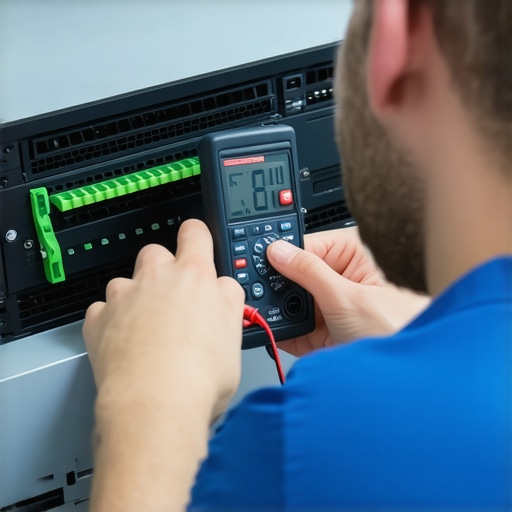
You cannot just guess if a PSU is failing; you need to see the numbers. Access your server’s BIOS or management interface (like iDRAC or ILO) to check the +3.3V, +5V, and +12V rails. If the +12V rail dips below 11.4V under load, your hardware is effectively on life support. This is a critical part of troubleshooting common computer repair issues effectively. If you wait for the magic smoke, you’re already too late. Most people ignore these minor fluctuations until they are desperately searching for the fix for a computer that powers on but wont post to bios, which usually involves a frantic and expensive emergency hardware replacement.
The Vibrating Case Mystery and What It Taught Me
I once worked on a database server that sounded like a swarm of angry bees. The owner thought the hard drives were failing, but when I touched the chassis, I felt a high-frequency buzz. I found that the reason your computer case is vibrating and making a hum was actually a dying fan inside the PSU. The bearing had seized, the unit was baking itself, and it was sending electrical interference through the entire motherboard. I swapped the unit, and the ‘failing’ hard drives suddenly started performing perfectly again. It taught me that power issues often masquerade as storage or memory failures.
Keep Your Airflow Clear to Stop Thermal Death
Heat is the primary killer of capacitors. If your server room feels like a sauna, your power supply is working twice as hard to stay cool. You need to know how to properly vent a server rack in a small office space to prevent the recursive loop of heat buildup. When the PSU gets hot, its efficiency drops, which creates more heat, eventually leading to a catastrophic shutdown. Using managed IT strategies allows you to set up automated alerts for when internal chassis temperatures exceed safe thresholds, giving you a chance to intervene before the hardware melts.
Why You Should Never Buy a Used Server PSU
When a server goes down, the temptation to grab a cheap, used replacement from an auction site is huge. Don’t do it. We have discussed the truth about using refurbished parts for business server repairs before, and power supplies are the one component where ‘used’ is a gamble you will likely lose. Capacitors have a finite lifespan, usually rated in hours of operation. A used unit might have 50,000 hours on it already, meaning you are just buying someone else’s ticking time bomb. Invest in a new, 80 Plus Gold or Platinum rated unit to ensure your server has the clean, stable current it needs to survive peak traffic hours without a hiccup.
The industry likes to tell you that modern hardware is resilient, but the truth is far more fragile than a spec sheet suggests. Most people assume that if a server passes a POST (Power-On Self-Test), the power delivery is healthy. This is a dangerous myth. In my experience, ‘dirty power’—voltage ripple that stays just within the threshold of operation—is a far more common cause of mysterious crashes than outright component failure. When you are troubleshooting common computer repair issues effectively, you have to look past the static numbers in your BIOS. Software monitoring tools often average out voltage readings over several seconds, completely missing the micro-millisecond spikes that degrade sensitive silicon. A study by the Ponemon Institute highlights that hardware failure remains a leading cause of unplanned data center outages, costing businesses an average of $9,000 per minute. This isn’t just about a ‘bad part’; it’s about the invisible electrical noise that slowly eats away at your investment. Have you ever fallen into this trap where a ‘working’ machine suddenly dies for no reason? Let me know in the comments.
Can High Ripple Voltage Actually Destroy Your Hard Drives?
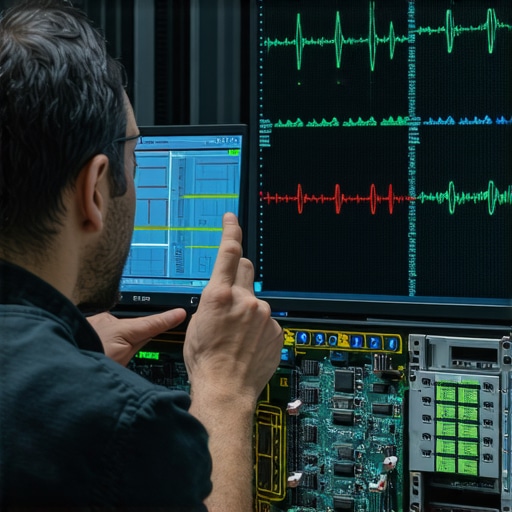
When your PSU capacitors begin to age, they lose their ability to filter the AC ‘ripple’ from the DC output. You might not see the server shut down, but your storage controllers will. I’ve seen countless scenarios where businesses jump straight into data recovery secrets because their RAID array collapsed, only to find the root cause was a $100 power supply sending 150mV of ripple down the 12V rail. This electrical noise creates write errors that the OS can’t always catch immediately. By the time the system logs a ‘Drive Failed’ message, the parity is already corrupted. This is why managed IT strategies must include proactive hardware telemetry, not just software patches.
Stop Blindly Trusting Your BIOS Readings
Another sophisticated mistake is ignoring the ‘Power Good’ signal timing. If your PSU takes too long to stabilize its output, your motherboard might attempt to boot with unstable current. This is often the hidden culprit behind the fix for a computer that powers on but wont post to bios. Advanced techs use an oscilloscope to verify the waveform, but for most office environments, the ‘Oops’ factor comes from overloading a single circuit with too many high-draw devices. If your server is on the same circuit as a high-powered laser printer, you are inviting transient voltage surges every time a staff member hits ‘Print.’ If you’ve ever noticed a slight flicker in your monitor when the printer starts, your server’s PSU is fighting a battle it will eventually lose. This is why understanding computer repair for beginners usually starts with the basics, but staying in business requires mastering these environmental nuances. Don’t wait for a laptop screen that shows static like an old tv to realize your power infrastructure is failing. Invest in a true double-conversion UPS and a PSU with Japanese-rated capacitors to ensure your data stays as stable as your power delivery.
The reality of ‘dirty power’ is that it doesn’t just go away; it accumulates as wear and tear on your capacitors over months of operation. To stay ahead of this invisible decay, I have moved away from standard monitoring and toward a toolkit that treats my servers like high-performance engines. I personally rely on HWiNFO for deep sensor logging because it catches those micro-second voltage drops that the standard Windows task manager ignores. When I am not at the console, I use specialized data recovery secrets every business should know today to ensure that if a drive does hiccup from a power surge, I am not starting from scratch. If you have ever had to identify a memory leak that is slowing down your workstation, you know that software can often lie to you about what the hardware is actually doing. You need tools that see past the OS layer and into the electrical truth of the machine.
Ditch the Guesswork with My Go-To Diagnostic Toolkit
When it comes to physical maintenance, a basic screwdriver set isn’t enough for a professional environment. I use a Fluke 115 multimeter for every new PSU install or suspected failure. Checking the pins directly on the motherboard connector tells me more than a BIOS screen ever could. For laptops, I have found that laptop screen repair diy tips for clearer displays often start with checking the ribbon cable tension—a physical fix that no software update can provide. Understanding the power of data recovery tools what you need to know is equally important because it helps you realize that hardware failure is a ‘when,’ not an ‘if.’ My toolkit is designed to push that ‘when’ as far into the future as possible by verifying the stability of every component from day one.
How do I keep my hardware stable as the business grows?
Maintenance over time requires moving from a ‘break-fix’ mentality to a proactive, data-driven one. This is why effective managed IT solutions for growing companies are so critical for long-term survival. You need a centralized system that alerts you when a laptop screen is dim even at maximum brightness, which is often a hidden sign of failing power delivery to the backlight. According to the niche experts at Backblaze in their annual drive reliability reports, consistent environmental monitoring and temperature control are the single biggest factors in extending the life of enterprise-grade storage. If you do not have a dashboard telling you the health of your drives and PSUs today, you are just waiting for a disaster. This proactive stance is also why your IT consultant should be talking to you about cyber insurance; it covers the operational gaps when even the best hardware maintenance cannot prevent an external catastrophe.
The Future of Hardware Diagnostics is Getting Smarter
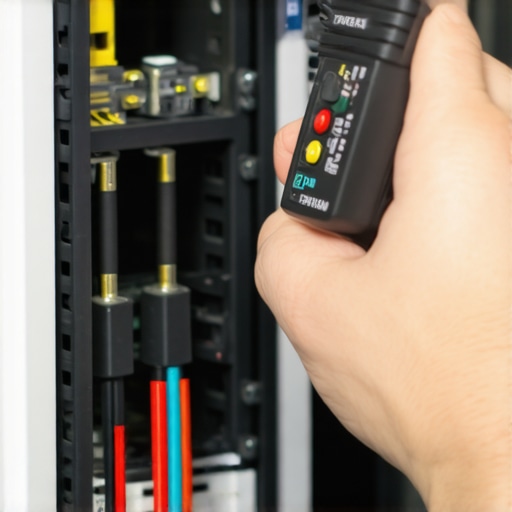
I predict we are moving toward AI-integrated S.M.A.R.T. systems that do not just report errors but predict them weeks in advance based on tiny changes in electrical resistance. We are already seeing this in high-end data centers, and it will soon trickle down to standard office desktops and laptops. My advice is to not wait for the technology to get easy or automated. Go into your Windows Event Viewer right now, filter for ‘Critical’ errors in the System log, and see if your machine has been silently rebooting while you were away. Catching one ‘Event 41’ error today could save you five figures in data recovery costs tomorrow. Take control of your power stability before the hardware takes it away from you.
The Hardest Lesson I Learned About Dirty Power
Over the years, I’ve realized that a stable server isn’t just about the parts you can see; it is about the invisible quality of the electricity feeding them. I used to think computer repair was simply about swapping out a broken component, but real computer repair for beginners starts with realizing that heat and voltage fluctuations are silent killers. One major lightbulb moment for me was discovering that even if a server stays on, poor power quality is actively degrading its sensitive capacitors every second. This is why I now treat power supply health as a non-negotiable metric. If you learn how to spot a failing power supply by watching voltage rails instead of waiting for a crash, you have already won half the battle in hardware longevity.
My Essential Diagnostics Toolkit
I don’t believe in guessing when it comes to business-critical hardware; I rely on a specific stack of resources that hasn’t failed me yet. For physical testing, a high-quality multimeter is essential for verifying the ‘Power Good’ signal directly at the source. For deep monitoring, I always keep HWiNFO running to catch the micro-spikes that standard Windows tools miss. I also highly recommend keeping an eye on industry reliability studies, which provide the statistical proof that environmental factors drive hardware death. Pairing these tools with effective managed IT solutions for growing companies ensures that your expansion isn’t crippled by a sudden hardware failure. Knowing the power of data recovery tools what you need to know is your final safety net, but these preventative habits keep that net from ever being necessary.
Build a Foundation That Does Not Melt
Hardware failure is an eventual certainty, but a catastrophic loss of productivity is entirely optional. By taking a proactive stance and implementing managed IT strategies, you are moving from a state of constant firefighting to a position of total control over your infrastructure. Don’t let your server struggle through another heatwave or power surge without the right protection in place. Equip yourself with the right knowledge and data recovery secrets every business should know today to ensure your operation stays resilient no matter what the power grid throws at you. You have the power to keep your business running smoothly—literally. Have you ever caught a hardware problem right before it became a total disaster? I would love to hear your ‘close call’ stories in the comments below.