

I remember sitting in a cold server room at 3 AM, staring at a screen that simply read “All your files are encrypted.” My client, a local bakery owner, was nearly in tears. I had the backups—I knew I could get their data back—but I realized right then that I couldn’t recover their lost revenue, the legal fees for the privacy breach, or the massive reputation damage they were about to face. It was my first real lightbulb moment. I was great at fixing hardware, but I was failing them on the business survival side because I hadn’t pushed them toward the right protection. Today, we are going to fix that gap for you. I will show you exactly why your technical setup and your insurance policy need to be in a constant, active conversation.
Why Fixing Your Server Is Not Enough Anymore
For years, I focused solely on the technical. I was the guy you called for troubleshooting common computer repair issues effectively. If a drive clicked, I handled the data recovery secrets and felt like a hero. But the landscape has shifted underneath us. Now, a breach isn’t just a tech glitch; it’s a financial catastrophe. If your IT consultant is only talking about firewalls and not about how you’ll pay for a forensics team after a hack, they’re only doing half the job. Real managed IT strategies to keep your business secure in 2025 must include a financial safety net. Have you ever asked your IT provider what happens to the money if a breach occurs, not just the data?
Is Cyber Insurance Actually Worth the Hype?
I’ll be honest with you. Early on, I thought cyber insurance was just another way for big companies to squeeze small businesses. I even made the mistake of telling a client it was “overkill” because we had a solid firewall. Six months later, they were hit by a CEO fraud email scam. The firewall didn’t stop a human from clicking a link. According to a report by Hiscox, the average cost of a single cyber attack for a small business has surged to over $200,000—a price tag that puts most mom-and-pop shops out of business forever. That is why this matters. It is not just about the bits and bytes; it is about keeping your doors open.
The Conversation Your IT Person Is Scared to Have
Most IT folks are comfortable talking about managed IT solutions for small businesses. We love gadgets, code, and new hardware. We don’t necessarily love talking about insurance policies, liability, and fine print. But here is the truth: even the most robust security can’t guarantee 100% protection. You need to know if you are using pirated software on a business network, because that simple mistake could void your entire insurance claim. Your consultant should be auditing your setup to ensure you actually qualify for the coverage you are paying for. Setting up why your business needs a disaster recovery plan before you need it is the first step toward becoming insurable in today’s market.
Stop Guessing if Your Policy Covers a Hack
I remember a frantic call from a law firm owner on a Tuesday afternoon. They’d been hit by a ransomware attack, and they were confident because they’d been paying for a premium cyber insurance policy for years. But when the adjuster arrived, the first thing they asked for wasn’t the logs; it was the proof of Multi-Factor Authentication (MFA). Because the firm had disabled MFA for one senior partner who found it “annoying,” the insurance company denied the entire $80,000 claim. That’s the brutal reality of the modern insurance landscape. You need to ensure your how managed it can elevate your business security in 2025 plan actually matches the “attestation” forms you sign every year.
The Audit Your Insurance Company Will Perform
Don’t wait for a disaster to find out you’re ineligible for a payout. Start by performing the simple check to see if your hard drive is encrypted on every single device. If your policy says data is encrypted at rest, and I find one laptop in your fleet that isn’t, you’re at risk. I’ve seen claims vanish because a tech forgot to toggle a setting. This is where managed IT solutions streamlining operations for small businesses become your best friend. A good provider doesn’t just fix things; they document the state of your network so you have a “get out of jail free” card when the auditors come knocking.
Why Consumer Gear Is Killing Your Coverage
I often see small businesses trying to save a few bucks by picking up hardware at a big-box retail store. However, the hidden cost of buying cheap consumer laptops for your staff goes beyond just poor performance. Many insurance providers now require enterprise-grade security features—like TPM chips and Pro versions of Windows—that consumer-grade “Home” laptops simply don’t have. If you can’t remotely wipe a lost device, you might be violating your policy terms. For mobile teams, I always suggest that why safeware coverage is a smarter move for office laptops than basic insurance because it handles the physical accidents that standard cyber policies ignore.
The Three-Step Handshake Between Tech and Policy
First, you need to sit down with your IT lead and your insurance broker in the same room—or at least on the same Zoom call. Your broker knows the “what,” but your IT person knows the “how.” Second, you must create a living document. Knowing why your business needs a disaster recovery plan before you need it isn’t enough; the plan must specifically list the recovery time objectives (RTO) that match your insurance business interruption limits. If your insurance only pays for three days of downtime but your tech setup takes a week to restore, you have a massive financial hole. Finally, verify your defenses against social engineering. Knowing the signs your business is being targeted by a ceo fraud email scam is a training requirement for many modern policies. If you haven’t run a phish test in six months, you might be in breach of your contract without even knowing it.
The Deadly Myth of the Set It and Forget It Backup
Everyone tells you to back up your data. It is the most common advice in the industry. But here is the contrarian truth: a backup is not a recovery plan. I have seen businesses with terabytes of data stored in the cloud who still went under because their restoration time was measured in weeks, not hours. When you look at the truth about unlimited backup plans for small businesses, you realize that ‘unlimited’ often comes with throttled download speeds that make a full recovery impossible during a crisis. If you are relying on a consumer-grade cloud tool, you are not protected; you are just archiving your own demise.
Can You Really Trust DIY Data Recovery Tools?
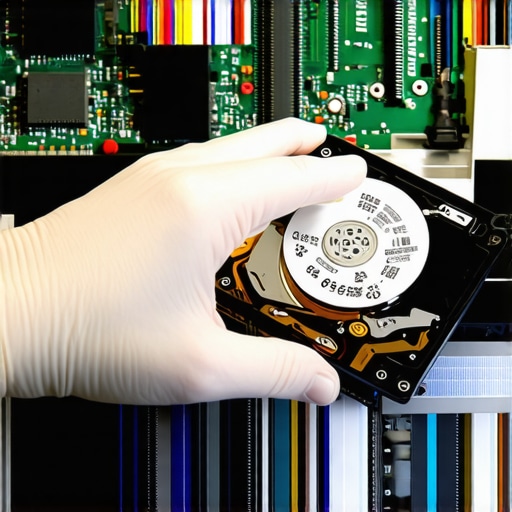
I get asked this all the time by panicked business owners. The answer is a frustrating ‘maybe.’ While the power of data recovery tools is undeniable for minor accidental deletions, they can be a death sentence for a failing physical drive. If your drive is making a clicking sound, running software on it is like trying to run a marathon on a broken leg—you are just going to cause more permanent damage. In my shop, we use data recovery secrets and expert techniques that involve hardware-level imaging, which bypasses the file system entirely. According to a study by Gartner, the average cost of IT downtime is $5,600 per minute, which means every second you spend tinkering with a ‘free’ recovery tool is literally burning your profit.
The biggest trap I see is the ‘Oops’ factor regarding hardware longevity. People assume that if a laptop turns on, it is healthy. But have you noticed why your laptop screen has a single vertical line that changes color? Most users think it is a driver issue. It is not. It is almost always a physical failure of the gate driver in the LCD panel. This is where why managed IT is a game changer for growing companies; a pro recognizes these hardware warnings before the screen goes completely black in the middle of a board presentation. We also have to face the nightmare of modern design, like how to replace a soldered-in battery in a modern ultrabook. You cannot just swap these parts out on the fly anymore. If your IT strategy does not account for the ‘unrepairable’ nature of modern hardware, your disaster recovery plan is already obsolete. Have you ever fallen into the trap of thinking a backup was enough, only to find the restoration was a nightmare? Let me know in the comments.
Moving past the ‘panic’ phase of a tech failure requires a shift in mindset: you need to stop being a fire extinguisher and start being a fire marshal. In my daily workflow, I don’t rely on the flashy, expensive software you see in social media ads. Instead, I stick to a lean set of tools that actually deliver. For instance, when I’m dealing with a drive that Windows won’t even mount, I turn to R-Studio or the open-source TestDisk. These aren’t user-friendly ‘one-click’ solutions, but the power of data recovery tools at this level is that they can reconstruct file systems that other software thinks are gone forever. If you are trying to handle a small office move or upgrade, you might need to know how to speed up a file transfer between two office computers without saturating your entire network and crashing the VoIP phones.
The Professional Software I Carry in My Pocket
I always carry a Ventoy-loaded USB drive with a dozen different bootable environments. This allows me to bypass a corrupted OS and test hardware directly. For businesses, scaling this means moving toward effective managed IT solutions for growing companies where we use RMM (Remote Monitoring and Management) tools like NinjaOne or Datto. These tools tell me a fan is spinning 200 RPM slower than it should be *before* the CPU throttles. It is the difference between a ten-minute cleaning and a $1,000 motherboard replacement. You should also be looking at the administrative side; specifically, why your managed IT service should be auditing your cloud permissions monthly. It doesn’t matter how fast your hardware is if a former employee still has ‘Owner’ access to your Dropbox folder.

Stop the Thermal Creep Before It Kills Your Motherboard
Maintenance isn’t just about software updates. It is about the physical reality of heat. I have seen countless high-end laptops die because the owner didn’t want to open the case. Learning how to safely upgrade your ram without voiding the warranty is often your first step into understanding the internals of your machine. While you are in there, a simple blast of compressed air can extend the life of your device by years. If you ignore the dust, you’ll eventually see hardware-level glitches—everything from thermal shutdowns to the moment you need to know how to fix a laptop screen that shows a check cable message because the heat has actually caused a connector to expand and wiggle loose. According to the 2023 Backblaze Hard Drive Stats report, drive failure rates begin to climb sharply after the 48-month mark. This data proves that ‘luck’ is not a strategy; replacement cycles are a mathematical necessity.
How can I keep my hardware alive for a decade?
The secret to longevity is consistency. You need a quarterly ‘Health Check’ that includes checking SMART data on your SSDs and checking for battery swelling. I predict that in the next few years, we will see ‘Self-Healing’ firmware become standard, where AI-driven BIOS agents can automatically isolate a failing RAM module or a corrupt sector before the user even notices a flicker. But until then, the human element is key. I want you to try one advanced tip today: Download a tool like CrystalDiskInfo and look at the ‘Total Host Writes’ on your primary drive. If it is over 80% of the manufacturer’s rated TBW (Terabytes Written), stop what you are doing and clone that drive to a new one immediately. It is a $100 fix that prevents a $2,000 recovery bill later.
Hard Truths About Tech Failure That I Learned the Expensive Way
In my two decades in the trenches, I have seen brilliant technical setups fail because the paperwork was lazy. Here are the core realizations that changed how I approach my work:
- Documentation is your strongest firewall. It does not matter how good your computer repair skills are if you cannot prove to an insurance adjuster that you patched the system on time. If it isn’t documented with a timestamp, in the eyes of an insurance carrier, it never happened.
- Small hardware glitches are early warning sirens. I once had a client ignore a flickering display for a month. If you notice why your laptop screen has a single vertical line that changes color, that is not just an annoyance; it is a physical signal that the hardware is failing. Ignoring these signs leads to the kind of catastrophic data loss that insurance might refuse to cover under ‘negligence.’
- The human element is the ultimate wild card. You can have the most expensive managed IT stack in the world, but if your accounting team isn’t trained to spot a fake invoice, the money leaves the bank before the firewall even blinks.
- Recovery time is the only metric that matters. Having a backup is step one, but knowing how fast you can actually be back online is what keeps your business from folding.
The Tools That Never Leave My Tech Bag
I am often asked what I use to keep my own systems running. I don’t believe in gatekeeping, so here is the hardware and software I trust implicitly:
For diagnosing physical health, I swear by CrystalDiskInfo. It pulls the SMART data directly from your drives, giving you a ‘Health Status’ percentage. This simple tool has saved more data than any fancy software because it tells you to swap the drive before it dies. When things do go south, the power of data recovery tools like R-Studio cannot be overstated; it handles fragmented file systems that standard Windows tools can’t even see. For growing businesses, I recommend moving toward effective managed IT solutions for growing companies that utilize RMM platforms like NinjaOne. This allows for proactive monitoring rather than waiting for a blue screen of death to tell you there is a problem. Finally, for those just starting out, checking out computer repair for beginners can save you thousands in ‘rookie tax’ mistakes like static discharge or stripped screws.
Take Control Before the Next Crash
The bridge between your technical security and your financial safety is smaller than you think. By aligning your managed IT strategies with your insurance requirements, you aren’t just protecting files; you are protecting your legacy. It is about moving from a state of constant reaction to a state of prepared resilience. Don’t wait for a 3 AM server alert to realize your coverage has a hole in it. Start the audit today, document your wins, and build a tech stack that can withstand the inevitable. Have you ever found a gap in your insurance coverage after a tech failure? Let me know in the comments below.