

I sat there with a cold cup of coffee, staring at a screen that had turned a violent shade of crimson. It was 3:14 AM. Every file on my company’s shared drive—years of invoices, client contracts, and project blueprints—was gone. Well, not gone, but locked behind a ransom note demanding three Bitcoin. I had done everything “right” by the book of a budget-conscious small business owner. I’d installed the same big-name antivirus you see in yellow boxes at every big-box store. I thought I was protected. I thought I was smart. I was actually just an easy target.
The Night My ‘Good Enough’ Security Cost Me Five Figures
That failure didn’t happen because the software was bad; it happened because it was designed for a home, not a battleground. Consumer-grade antivirus is great for your laptop when you’re browsing Pinterest, but it’s like bringing a toothpick to a swordfight in a business environment. Today, I want to show you why that “Home & Family” license is secretly your biggest vulnerability and how we can fix it before you end up where I was—staring at a screen of death in the middle of the night. We’re going to look at the gap between simple scanning and the active defense required to keep your livelihood safe. I’ve spent years fixing troubleshooting common computer repair issues effectively, and I can tell you that a virus on a business network is a whole different animal than a slow laptop at home.
Is a $50 subscription actually worth the risk?
You might be thinking, “Hey, my current software has a green checkmark, so I’m fine.” I thought the same thing. But here is the cold, hard truth: modern hackers don’t just send files anymore. They use fileless attacks that live in your computer’s memory. According to research from the Ponemon Institute, fileless attacks are now ten times more likely to succeed than traditional file-based malware. Your “Home” antivirus is usually looking for signatures—specific “fingerprints” of known bad files. If the hacker uses a script or a legitimate system tool against you, your consumer software just waves them through like a VIP at a club. This is why I always tell my neighbors in the business community to stop buying expensive antivirus when these free settings do more for personal use, but to recognize that your office needs a specialized wall. Early in my career, I made the mistake of thinking all “protection” was created equal. I ignored the warnings about centralized management and behavior-based detection. I learned the hard way that you need to know how to stop a malware infection before it encrypts your data before the first byte is ever locked. This is exactly how managed IT can elevate your business security in 2025—by moving from reactive “hoping” to proactive “knowing.” Have you ever had a moment where your computer did something weird, and you just crossed your fingers hoping it wasn’t a hack? It is a terrifying feeling, isn’t it? Let me know in the comments if you’ve ever dealt with a security scare that made you question your setup.
Building a Wall That Actually Fights Back
Moving from a consumer mindset to a professional one starts with realizing that your security needs to be an active participant in your network, not just a passive observer. When I was rebuilding that small architectural firm’s server after the 3 AM disaster, I realized they were still relying on a basic ‘scan and hope’ strategy. We had to shift them to what we call Endpoint Detection and Response (EDR). Unlike your standard home software, EDR doesn’t just look for a list of bad files; it watches for suspicious behavior. If a calculator app suddenly starts trying to encrypt your spreadsheet folder, EDR doesn’t care if the app is ‘trusted’—it kills the process instantly. This is a core part of effective managed IT solutions for growing companies because it stops the damage before it spreads.
Stop Trusting the Fingerprint Method
Traditional antivirus works like a security guard at a gate with a book of ‘wanted’ posters. If the criminal isn’t in the book, they get in. Modern hackers just change their clothes. Professional-grade security uses behavioral analysis, which is more like a guard who notices someone is trying to pick a lock, regardless of what they look like. I remember a case with a local dental office where their ‘good’ antivirus didn’t beep once while a script was slowly harvesting patient emails. We caught it only because their new monitoring system flagged an unusual amount of outgoing data to an IP address in a different country. You have to learn how to spot a suspicious process in your task manager to understand what these tools are doing for you in the background. 
Divide Your Network to Conquer Threats
Think of your office network like a modern ship. If the hull is one giant open space, a single leak sinks the whole boat. If you have compartments (network segmentation), the leak is contained. I once walked into a shop where the guest Wi-Fi, the office printer, the credit card machine, and the main server were all on the same subnet. One infected phone from a customer could have wiped their entire database. This is the move that prevents unauthorized devices from joining your network and keeps a breach in the ‘lobby’ instead of the ‘vault.’ You should also keep an eye on hardware health, as a compromised system can sometimes mimic physical failures; knowing how to identify a failing motherboard before it stops working helps you differentiate between a hack and a hardware hiccup.
Your Cloud Sync is Not a Safety Net
This is the hill I will die on: Dropbox, OneDrive, and Google Drive are NOT backups. They are synchronization tools. If a ransomware virus encrypts the files on your desktop, those services will ‘helpfully’ sync those encrypted files to the cloud, deleting your good copies in the process. I’ve had to break the news to too many business owners that why your business backup plan is actually just a sync plan is the reason they lost everything. You need an immutable backup—a copy of your data that cannot be changed or deleted by the network once it is written.
Identify the Human Element Before It Fails
You can have a million dollars in software, but it only takes one person clicking a ‘Track Your Package’ link to bypass it all. Part of a real security strategy involves knowing how to find out which employee is clicking on phishing links so you can provide training, not just more software. In my early days, I spent three days helping a client with data recovery secrets expert techniques to save your files fast all because a manager thought they were opening an invoice from a regular vendor. Proactive auditing turns these ‘oops’ moments into educational points instead of business-ending catastrophes.Let’s dig deeper into a hard truth most people ignore: the cloud is not a magic safety net. I’ve seen countless business owners assume that moving to Azure or AWS solves their reliability issues, but they quickly realize why your business cloud costs are higher than the original estimate when they don’t manage the architecture correctly. It’s a common trap. You aren’t just paying for storage; you’re paying for the complexity of management. If your internal processes are broken, the cloud just makes them broken and expensive.
The Cloud is Not a Magic Security Shield
Many believe that if a file is in the cloud, it is inherently safe. In my experience, that is exactly the mistake that makes your backups completely useless. Without a ‘Point-in-Time’ recovery strategy, a single sync error or a ransomware attack can overwrite your ‘safe’ cloud copies in seconds.
Spotting the Silent Killers Before They Strike
We also need to talk about the physical hardware that even ‘cloud-first’ companies still rely on. Everyone focuses on software patches, but few keep an eye on the sign your ssd is reaching its write limit and about to die. Modern SSDs are fast, but they have a finite lifespan. When they fail, they often do so without the ‘clicking’ warning of an old hard drive. According to research by the International Data Corporation (IDC), hardware-related downtime remains a top three cause for data loss in small to medium enterprises, yet it is the most frequently overlooked in ‘basic’ IT plans. 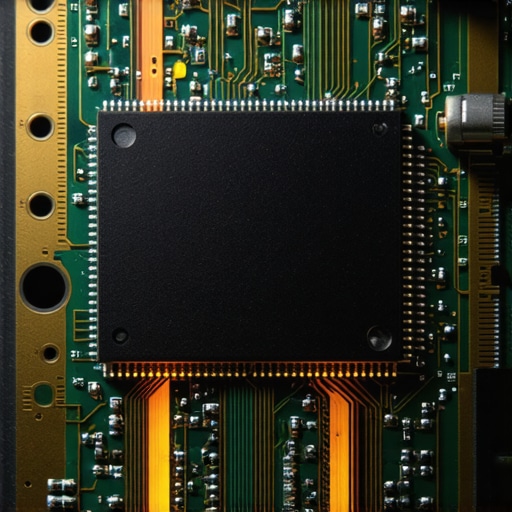 This is where expertise matters—you need to know how to spot a hardware failure masquerading as a software bug before you waste hours on pointless ‘Windows updates’ that won’t fix a dying capacitor.
Why do some ‘unlimited’ IT plans feel so limited?
It is a sophisticated question that gets to the heart of the industry. The ‘Oops’ factor here is the ‘SLA’ or Service Level Agreement. Many businesses sign up for ‘unlimited support’ only to find out it does not cover data recovery secrets every business should know today when a real disaster hits. They cover the easy stuff, like resetting passwords, but they bail when the server actually catches fire. This is why choosing the cheapest managed it plan always leads to more downtime. You aren’t paying for someone to fix things; you’re paying for their availability and expertise when things get complicated. If your IT guy isn’t looking at the long-term health of your workstations, they aren’t managing your IT—they’re just waiting for it to break so they can charge you again. Have you ever fallen into this trap? Let me know in the comments.
I stopped relying on luck a long time ago. When you’re responsible for a dozen networks, you quickly realize that ‘fixing things when they break’ is a recipe for a heart attack. Instead, I transitioned to a set of specialized tools that allow me to sleep at night. I personally swear by RMM (Remote Monitoring and Management) platforms like NinjaOne. Why? Because it tells me a hard drive is failing before the user even notices a slowdown. This is the bedrock of effective managed IT solutions for growing companies. I don’t wait for the phone to ring; I get a push notification that a CPU is running too hot or a critical service has stopped. If you’re still waiting for a ‘clicking’ sound to tell you there’s a problem, you’re already behind. By then, you’re usually searching for why your office pc makes a clicking sound when you open files, which is often the sound of data disappearing.
How can I maintain my office hardware over the long haul?
The secret to longevity isn’t just software; it is physical care. Every six months, I take a canister of compressed air and a specialized vacuum to every server and high-end workstation. Dust is the silent killer of electronics. It acts as an insulator, trapping heat and forcing fans to work double time. I’ve found that simple physical upkeep is how to extend the life of your office pcs by three years without spending a dime on new parts.  While you are at it, check the cable management. Messy cables aren’t just an eyesore; they restrict airflow. If you’ve ever had to learn how to salvage a laptop after a coffee spill, you know that the internal environment of your tech is fragile. Keeping it cool and dry is half the battle.
Standardize Your Fleet or Prepare for Chaos
One of the biggest mistakes I see small businesses make is ‘Franken-fleeting’—having six different laptop brands and four different operating system versions running at once. When you scale, you need to standardize. Pick one solid model (I’m partial to the Dell Latitude or Lenovo ThinkPad series for business) and stick with it. This makes it infinitely easier when you need to find the best way to phase out old workstations without losing data. You can keep a few spare parts on hand, and your IT guy won’t have to learn a new BIOS every time a machine acts up. According to the latest annual Backblaze Drive Stats report, certain drive models have significantly higher failure rates than others; standardizing on proven hardware reduces these statistical risks across your entire office.
The Future is Predictive, Not Just Proactive
As we look toward the next few years, I predict that AI will completely take over the ‘monitoring’ aspect of IT. We are moving toward a world where your computer will automatically open a support ticket for itself because its telemetry data suggests a component failure is 48 hours away. We already do this manually by knowing how to check if your hard drive is about to fail using s-m-a-r-t-data, but AI will make it seamless. Implementing these managed IT strategies to keep your business secure in 2025 means you’re essentially buying insurance against downtime. If you want to take control of your budget right now, I highly recommend you learn how to audit your business it spending without hiring an expert. My big tip for today? Go check your battery backup (UPS) units. If they are more than three years old, the batteries are likely dead, and they won’t help you during the next power flicker. Test them today—it takes five minutes and could save your server.
Hard Truths I Learned While Rebuilding Shattered Networks
I’ve spent over a decade in the field, and if there’s one thing I’ve learned, it’s that technology never fails at a convenient time. First, you have to stop thinking that ‘it won’t happen to me.’ I’ve seen even the most cautious business owners fall victim to simple mistakes because they lacked a second pair of eyes. Second, realize that the truth about unlimited it support plans and what they actually cover is often far less than you expect; many plans bail the moment a real disaster hits. Finally, remember that human error remains your biggest variable. Even with the best managed IT strategies to keep your business secure in 2025, a single untrained click can bypass a million-dollar firewall if you aren’t monitoring behavior.
The Survival Kit for a Modern Digital Office
To stay ahead of the curve, I rely on a few core pillars that every business should adopt. For hardware longevity, I always use tools that monitor S.M.A.R.T. data to catch a drive failure before the clicking starts. For true data safety, I recommend moving beyond simple syncing and looking for effective managed IT solutions for growing companies that include off-site, immutable backups that hackers can’t touch. I also suggest every office manager learns how to audit your business it spending without hiring an expert to identify zombie software licenses that are draining your monthly budget without providing any value. These simple shifts in focus turn a reactive ‘firefighting’ culture into a streamlined, efficient operation.
Secure Your Future Peace of Mind Today
Securing your business isn’t a one-time event; it’s a consistent commitment to your future stability. Whether you are finally standardizing your fleet or dealing with a smaller issue like laptop screen repair how to fix common issues at home for a remote staff member, every proactive step you take builds a more resilient company. You don’t have to be a technical genius to protect your livelihood, you just have to be willing to act before the crisis hits your screen. If you’re feeling overwhelmed by the technical debt in your office, reach out through our contact us page to see how we can help you bridge the gap between ‘good enough’ and truly secure. Have you ever discovered a hardware failure or a security gap just in the nick of time? Let me know your close-call stories in the comments below.