

I’ll never forget the cold sweat I felt when a visiting consultant asked for our Wi-Fi password and, within five minutes, casually asked why our “Accounting_Private” folder was visible on his laptop. My heart skipped a beat. I’d spent years worrying about hackers in distant countries, but I’d literally handed the keys to our digital kingdom to a guy sitting on our lobby sofa. It was a classic mistake of being a bit too helpful and not nearly cautious enough. Today, I’m going to show you why a guest portal isn’t just a fancy “welcome” screen for your visitors—it is the digital airlock your business needs to stay secure. We are going to solve the problem of internal visibility and make sure your guests have a great experience without seeing things they shouldn’t.
Stop Letting Strangers Wander Through Your Virtual Filing Cabinets
Think about your office network like your home. You’d let a guest use your guest bathroom, but you probably wouldn’t give them the combination to your floor safe or the key to your bedroom. When you let a client onto your main Wi-Fi, you’re doing exactly that. Early in my career, I made the bone-headed mistake of putting everyone on one big subnet because I thought it was “efficient” and easier to manage. Then, a visiting vendor accidentally queued up hundreds of pages of high-res graphics to our main office printer because his laptop automatically detected every device on the network. It was a chaotic mess, and it taught me quickly that why your office printers are a massive security risk to your data is a lesson best learned before the ink runs dry. Implementing a portal is essentially the move that prevents unauthorized devices from joining your network and seeing your sensitive internal traffic.
Is a guest portal actually worth the extra setup time?
The short answer is a resounding yes. You might worry that it’s just another layer of tech to manage or that it will annoy your clients, but the security payoff is massive. According to a study by the Ponemon Institute, over 50% of small businesses have experienced a data breach, and many of those are caused by simple negligence rather than malicious intent. A guest portal creates a “walled garden” where your visitors get the internet access they need to check their emails or give presentations, but they are completely isolated from your server and backups. It’s one of those managed IT solutions streamlining operations for small businesses that pays for itself in peace of mind. Have you ever felt that pang of anxiety when sharing your main Wi-Fi password with someone you just met? It’s time to get rid of that feeling for good. Setting this up is a critical step in how managed IT can elevate your business security in 2025.
Partition your traffic to keep secrets safe
Setting up a guest portal is not just about the login screen; it is about what happens behind the scenes. Think of your network as an office building. Without a portal and proper isolation, every guest you let in has a master key that opens every door, from the supply closet to the CEO’s desk. To stop this, you need to implement Virtual Local Area Networks, or VLANs. This is why your IT guy is insisting on a separate network for guest Wi-Fi. By tagging guest traffic with a specific ID, you ensure that even though the data travels through the same physical wires or airwaves, it can never interact with your sensitive internal data. I once worked on a site where we skipped this step because we were in a hurry. A few days later, a contractor accidentally started browsing the internal file server while looking for a printer. It was a wake-up call that taught me that skipping isolation is one of the biggest computer repair for beginners avoid costly mistakes you can make.
Configure the captive portal for maximum control
The captive portal is the gateway that greets your users. It serves two main purposes: identification and legal protection. When you set this up, you should require users to agree to a ‘Terms of Service.’ This protects you from liability if a guest decides to do something unsavory on your connection. Furthermore, modern portals allow you to set session timeouts. This ensures that a device doesn’t stay connected to your network for weeks after the visitor has left the building. This is a core part of managed IT strategies to keep your business secure in 2025 because it prevents ‘ghost’ devices from occupying your bandwidth.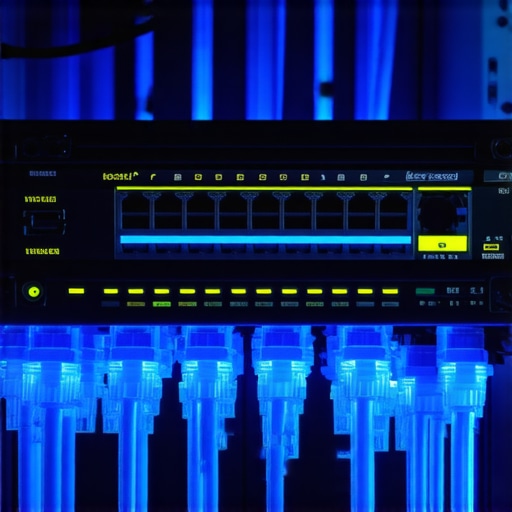
Throttle the speed so your employees can actually work
We have all been there—trying to send a critical email while the guest in the lobby is downloading a massive software update or streaming high-definition video. If you don’t set bandwidth limits on your guest portal, your business operations will suffer. You should set a hard cap on the upload and download speeds for the guest VLAN. This is the move that stops your business network from crashing during peak hours. By allocating only 10% or 15% of your total bandwidth to the guest network, you ensure that your team always has the ‘fast lane’ for the work that actually generates revenue.
Detecting unwanted lurkers
Even with a portal, you need to stay vigilant. If you notice your internet speed dragging even when no guests are present, it is time to check your logs. Learning how to tell if your office wi-fi is being tapped by outsiders is a skill every business owner should have. A guest portal gives you a central dashboard to see exactly who is connected and how much data they are using. If you see a device you don’t recognize pulling gigabytes of data at 2 AM, you can block that MAC address instantly. It gives you the oversight that a simple shared password never could.Let’s dig deeper into the hardware side of things, because this is where the real experts separate themselves from the weekend hobbyists. Most people think that if a file is gone or a drive is acting up, you just download a $40 program and let it run. But here is the contrarian truth: running recovery software on a physically failing drive is the fastest way to lose your data forever. When a hard drive starts making noise, it’s usually a mechanical failure. Every second you keep that drive powered on, the read/write head could be physically gouging the platters. Instead of a software fix, you need to understand why you should never open a clicking hard drive in a normal room and why professional intervention is the only way to save those files. According to data from the 2023 Backblaze Drive Stats report, the annualized failure rate for older drives can jump significantly once they cross the five-year threshold, yet many business owners wait for a total crash before taking action. Knowing how to check if your hard drive is about to fail using s-m-a-r-t-data is the difference between a controlled migration and a desperate emergency.
Stop trusting software to fix a dying motor
The common myth is that ‘data is data,’ but in reality, hardware health dictates your recovery success. If your drive is making a rhythmic ticking noise, stop everything. In these cases, you need to know how to pull critical data from a hard drive that makes a scratching sound without destroying the magnetic surface. It is the ultimate ‘oops’ factor: I’ve seen clients run ‘deep scans’ for 48 hours on a dying drive, only for the drive to seize up permanently just as the scan finished. This is the mistake that makes your backups completely useless because you’re relying on a failing physical medium to cooperate with logic. Have you ever fallen into this trap? Let me know in the comments.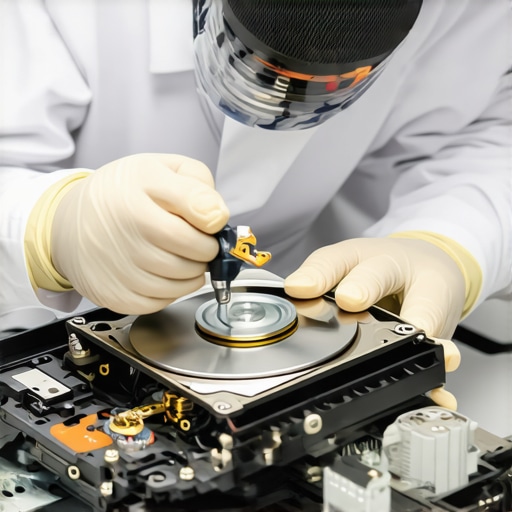
Why does your ‘repaired’ screen still have that weird ghosting effect?
Another nuanced trap involves laptop repairs. Many DIY enthusiasts follow a laptop screen replacement step-by-step repair guide but ignore the most critical warning: disconnect the battery and wait for the capacitors to drain. If you hot-swap a screen, you can blow the backlight circuit on the motherboard. Even if the screen works, you might see the fix for a laptop screen that has a ghosting effect is actually related to a damaged EDP cable or a blown fuse rather than a bad panel. These are the computer repair for beginners avoid costly mistakes that turn a simple fix into a total loss. This level of technical foresight is why managed IT is a game changer for growing companies; it ensures that hardware is handled by people who know the difference between a software bug and a looming electrical failure.
I have seen too many business owners treat their hardware like a toaster—something you just use until it stops working. But a laptop or a server is a living ecosystem of components, and the moment you stop paying attention to the vitals, you are on a countdown to disaster. If you want to scale without your infrastructure crumbling, you need to move beyond simple troubleshooting and start looking at predictive maintenance. It is about having the right tools in your belt before the ‘Check Disk’ error ever appears. This is where the power of data recovery tools what you need to know becomes your competitive advantage.
Stop guessing and start monitoring your drive health
The biggest shift in my personal workflow happened when I stopped trusting the Windows ‘Health’ indicator and started looking at raw S.M.A.R.T. data myself. I personally use CrystalDiskInfo because it translates those cryptic hex values into something I can actually use, like the percentage of life left on an SSD’s NAND flash. According to the JEDEC JESD218 standards, SSD endurance is a finite resource measured in Total Bytes Written (TBW). If you aren’t tracking this, you won’t see the sign your ssd is reaching its write limit and about to die until your accounting software suddenly refuses to save. I make it a habit to check these vitals every quarter for my primary workstations.
How do I keep my systems running smoothly as my business grows?
Maintenance is not a one-time event; it is a rhythm. As you scale, you cannot manually check every laptop in the office. This is where effective managed IT solutions for growing companies step in to automate the monitoring. Beyond the software, you need a physical fail-safe. Even in an era of OneDrive and Google Drive, why your business needs a local backup even if you use the cloud is a lesson I’ve seen learned the hard way when an internet outage hits during a deadline. A local, encrypted NAS (Network Attached Storage) provides that ‘instant’ recovery that the cloud simply can’t match when you’re trying to pull 50GB of raw video files.

Don’t let a bad driver ruin a perfect screen
We spent a lot of time talking about physical screen damage, but I’ve had clients come to me ready to pay for a full replacement when the issue was actually much simpler. After a big Windows update, things can get weird. Knowing how to fix a blurry laptop screen after a driver update can save you hundreds of dollars and days of downtime. It is these small, nuanced fixes that keep your team productive. Furthermore, as you add more seats to your office, ensure why your managed IT service should be tracking your software licenses is on your radar. There is nothing more frustrating than a screen blacking out or a program locking up because a license key expired and no one was notified.
The future of your office tech is predictive
Looking ahead to 2025 and beyond, I predict we will see a massive shift toward AI-driven predictive failure analysis integrated directly into motherboards. We are moving away from ‘fix it when it breaks’ and toward ‘the computer tells you it needs a new fan two weeks before the bearings seize.’ This proactive approach is the hallmark of modern IT management. Try this today: Download a portable version of a S.M.A.R.T. monitor and check your ‘Reallocated Sectors Count.’ If that number is anything other than zero, stop what you are doing and back up your data immediately. It is the single most reliable ‘crystal ball’ we have in the repair industry.
Hard lessons from the server room floor
I have spent countless nights in cold server rooms, and if there is one thing I have learned, it is that hardware has no loyalty. You can buy the most expensive enterprise-grade SSDs, but without proactive monitoring, they are just expensive paperweights waiting to fail. I used to think I could outrun a clicking drive, but I eventually learned that data recovery secrets every business should know today involve admitting defeat early to save the files later. Another lightbulb moment was realizing that my clients didn’t need faster internet; they needed better traffic management. A guest portal is not about being a gatekeeper; it is about being a protector of your primary workspace. Finally, never underestimate the value of a managed IT solutions streamlining operations for small businesses approach—it transforms you from a firefighter into an architect of your own stability.
The gear I rely on to keep things running
When it comes to maintaining a healthy office environment, I don’t just guess; I use tools that provide hard data. For anyone serious about troubleshooting common computer repair issues effectively, I recommend keeping a dedicated diagnostics environment on a thumb drive; it is a lifesaver for diagnosing hardware without booting into a corrupted OS. For backup strategies, I always point people toward the 3-2-1 rule, backed by a high-quality NAS—it is the reason why your business needs a local backup even if you use the cloud is my most repeated advice. Lastly, if you are tackling a physical fix, always refer to a laptop screen repair diy tips for clearer displays guide to ensure you don’t miss the small details like grounding yourself before touching sensitive motherboard components.
#IMAGE_PLACE_HOLDER_E#
Take the first step toward a resilient office
The goal isn’t to become a tech expert overnight; it is to make your business resilient enough that technology acts as a silent partner rather than a constant source of stress. Whether you are implementing a guest portal for the first time or finally setting up those effective managed IT solutions for growing companies, the best time to start was yesterday—the second best time is right now. By focusing on computer repair prevention and data recovery preparedness, you are securing your company’s future against the unexpected. Have you ever had a near-miss where you almost lost everything due to a hardware failure or a security gap? Let me know your story in the comments below!