

I was sitting in my office three years ago, coffee in hand, watching my team stare at their monitors in a collective state of frozen frustration. We had just landed our biggest client, but instead of celebrating, we were watching the ‘loading’ icon spin for minutes at a time. It felt like trying to run a marathon in flip-flops. My business was growing, but my tech was stuck in the garage-startup phase.
That Moment You Realize the Tech Is Tired
Growing a business is exhilarating until your infrastructure starts acting like a literal anchor. I made a massive mistake early on by thinking I could save money with ‘good enough’ equipment. I bought a bunch of consumer-grade routers and expected them to handle twenty people streaming video and accessing databases. Spoiler alert: they didn’t. In fact, relying on a single consumer-grade router became the single biggest bottleneck in our operation. It wasn’t just the internet; it was everything. Our computers were getting slower every Monday morning as they struggled to sync with a server that was basically a glorified desktop. Today, I want to show you exactly how to spot those red flags before they turn into a total system meltdown. We’re going to walk through the signs that your current setup is screaming for help and how to transition without losing your mind or your data.
Does Managed IT Actually Cost Too Much?
I get it. You see the price tags for professional services and you think, ‘I can just hire a kid who knows computers.’ I thought that too. But according to a study by IT Pro, downtime can cost small businesses up to $427 per minute depending on the industry. When you do the math, that ‘expensive’ proactive support starts looking like the bargain of the century. My early refusal to invest in effective managed IT solutions cost me more in lost productivity than three years of service would have. Have you ever had a day where you felt like you were working for your computer instead of it working for you? If your office server is running out of disk space or your network drops every time someone uses the microwave, you aren’t just dealing with ‘glitches’—you’re outgrowing your skin. Let’s dive into the specific warnings you need to watch for.
Ditch the Consumer Gear Before It Ditchs You
The first thing I had to learn the hard way is that home-office tech has a “ceiling.” When you hit it, things don’t just slow down; they break in ways that cost you money. I once spent four frustrating hours trying to figure out why our main office printer wouldn’t connect, only to realize my consumer-grade router had reached its maximum device limit. It literally couldn’t “see” any more hardware. You need to transition to managed IT solutions streamlining operations for small businesses to avoid these artificial bottlenecks. This means moving away from those all-in-one boxes provided by your ISP and investing in a dedicated switch and a business-grade firewall that can handle high-density traffic without breaking a sweat. It’s the difference between a garden hose and a fire hydrant; both move water, but only one can handle the pressure of a growing team.
Watch for These Hardware Red Flags Daily
Your hardware usually tells you it’s dying long before the blue screen of death appears. I used to ignore the slight “whirring” sound from my old desktop tower until the day it smelled like burnt plastic and refused to boot during a client presentation. Now, I tell my team to proactively check if your hard drive is about to fail using S.M.A.R.T data every few months. It’s like checking the oil in your car; it takes five minutes but saves the entire engine. If you notice a flicker on a laptop screen, don’t wait for it to go black. I once ignored a small hairline fracture on a staff member’s screen, only to find out that why a cracked laptop screen can eventually damage your motherboard is a very real, very expensive reality. Physical pressure from a damaged panel can cause internal shorts that turn a simple repair into a total system replacement.
Build a Data Safety Net That Actually Works
Everyone thinks “the cloud” is a magic shield. It’s not. It’s just someone else’s computer. If your internet goes down and your files are only in the cloud, your entire operation stops. I learned this during a local construction accident that severed a fiber line on our street; we sat idle for eight hours because we couldn’t access a single spreadsheet. Now, I advocate for a hybrid model. You need local, fast backups paired with off-site redundancy. Most importantly, why your business needs a disaster recovery plan before the storm hits is about more than just having the files—it’s about the “time to recovery.” Ask yourself: if your server died right now, how many hours would it take to be fully operational again? If the answer is “I don’t know,” or “maybe a week,” you aren’t protected.
Isolate Your Guest Traffic Immediately
One of the most common security mistakes I see is businesses giving their main Wi-Fi password to every visitor who walks in. It’s like giving a stranger a key to your main filing cabinet. If a guest’s phone is infected with a sleeper virus, it can hop onto your network and start sniffing for your financial data. This is why your IT guy is insisting on a separate network for guest Wi-fi. It creates a digital wall that keeps your internal documents safe while still letting your clients check their email in the lobby. I didn’t take this seriously until I caught a “smart” coffee machine in our breakroom trying to ping an unknown server in another country. Segment your network or prepare for the consequences of an open door policy.I’ve seen too many business owners treat tech issues like a ‘set it and forget it’ problem. But the reality is that technology is organic; it degrades in predictable ways if you know what to look for. For example, most people assume a flickering screen is just a nuisance. They don’t realize that troubleshooting laptop screen problems seamlessly often reveals loose cables that, left unchecked, eventually short out other components. Everyone tells you that you must go to a specialist for every minor crack, but I disagree. In my experience, if you have the right tools, following laptop screen repair DIY tips for clearer displays can save you hundreds while extending the life of your hardware. The key is knowing your limit. If you see vertical green lines on your laptop screen, you’re likely looking at a failing panel or GPU, and no amount of software ‘tweaking’ will fix it.
Stop Trusting Free Recovery Tools with Your Life’s Work
Here is the ‘Oops’ factor that breaks my heart once a week: a business owner realizes their drive is failing and immediately downloads free software to ‘fix’ it. This is a massive mistake. When a mechanical drive starts clicking, every second of operation is a gamble. The danger of using free file recovery tools on a failing mechanical drive is that they stress the physical components, often causing a total ‘head crash’ that makes professional recovery impossible. Instead, you need to understand expert techniques to save your files fast, which often involves cloning the drive first, not scanning it. #IMAGE_PLACE_HOLDER_C#
Can Your IT Provider Actually Explain Their Disaster Recovery Timeline?
Most business owners feel safe because they pay a monthly fee, but they never ask about the ‘RTO’—Recovery Time Objective. A study by the Ponemon Institute found that the average cost of data loss has skyrocketed, yet many businesses still lack a tested recovery plan. It’s not enough to have a backup; the reason your managed IT provider needs a disaster recovery plan for you is so you aren’t waiting three days for a ‘cloud restore’ while your staff sits on their hands. You need to know exactly how long you’ll be down. Have you ever fallen into this trap of assuming you were protected only to find out the ‘backup’ was empty? Let me know in the comments. Moving forward, you need to look for red flags in your managed IT service agreement that might signal hidden costs during an emergency. Don’t let a contract be the reason your business fails to recover.
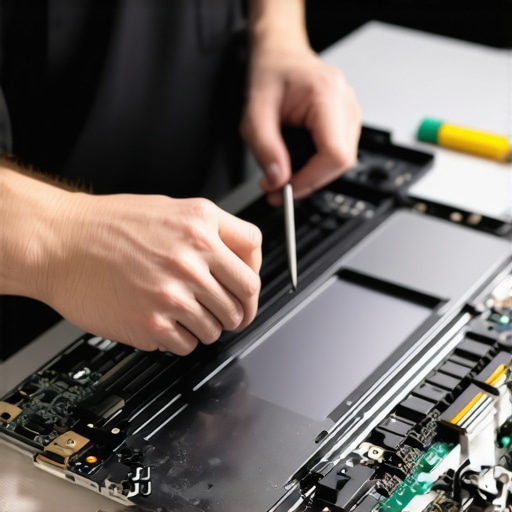
If you’re serious about longevity, you need to stop reacting and start maintaining. I’ve found that most hardware failures are preventable with about twenty minutes of work a month. For the physical side of my business, I swear by my iFixit toolkit and a can of compressed air. Whether I’m following a laptop screen replacement step-by-step repair guide or just clearing out dust that causes thermal throttling, having the right precision bits prevents stripped screws and broken plastic clips. It is one of those computer repair for beginners avoid costly mistakes tips: never use a kitchen screwdriver on a two-thousand-dollar laptop. I once saw a DIY attempt turn into a nightmare because a used a magnetized driver near the wrong component, which is why I always emphasize using the right gear.
The Physical Toolkit That Saves My Hardware Every Week
Beyond the screwdrivers, my most important ‘tool’ is actually a piece of software for monitoring health. I personally use CrystalDiskInfo for all our Windows machines. Why? Because it gives me the raw data on drive health before the OS even realizes there is a problem. You should proactively check if your hard drive is about to fail using S.M.A.R.T data at least once a quarter. According to the Backblaze 2023 Drive Stats report, certain drive models show failure rates that can be predicted months in advance if you track the ‘Reallocated Sector Count.’ If you see that number climbing, get your data off immediately. Even if you have the ultimate guide to data recovery after accidental deletion, it is much easier to clone a healthy drive than to scrape bits off a dying one.
How do I keep my team’s laptops running for years?
Maintenance is not just about the hardware inside; it’s about the environment. I’ve implemented a ‘clean desk’ policy that isn’t just for aesthetics. Dust is the silent killer of laptop fans. If your office feels like a sauna, your hardware is dying faster. I recommend a simple six-month cycle: blow out the vents with compressed air and run a screen diagnostic to catch pixels before they spread. If you do run into trouble, I’ve found that laptop screen repair DIY tips for clearer displays can fix minor backlight bleeding before it requires a full panel swap. Keeping a small inventory of common spare parts—like extra chargers and high-quality SSDs—ensures that a minor failure doesn’t become a three-day work stoppage.
Predictive AI is Changing the Maintenance Game
Looking forward, I predict we are moving away from manual checks entirely. By 2025, managed IT strategies to keep your business secure in 2025 will be dominated by AI-driven ‘predictive maintenance’ agents. These tools won’t just tell you a drive is failing; they will automatically spin up a virtual instance of your machine in the cloud the moment they detect a hardware anomaly. This is how managed IT can elevate your business security in 2025—by making hardware failure a non-event for the end user. If you haven’t yet, I strongly encourage you to download a S.M.A.R.T. monitoring tool today and check your primary drive’s ‘Power On Hours.’ You might be surprised at how close you are to the ‘danger zone’ of hardware wear and tear.
The High Price of ‘Saving Money’ on Infrastructure
Looking back, the biggest mistake I made wasn’t the hardware I bought, it was the mindset I held. I treated IT like a utility bill—something to be minimized—rather than a growth engine for my team. If I could go back to those early days, I would tell myself that downtime isn’t just about lost minutes; it’s about the erosion of trust between you and your clients. I eventually realized that understanding why managed IT is a game changer for growing companies is the difference between surviving and thriving. Another lightbulb moment for me was accepting that most data loss happens due to simple neglect rather than catastrophic events. Internalizing data recovery secrets every business should know today saved my reputation more than once when I thought all was lost. Professional support doesn’t just fix problems; it prevents the anxiety of waiting for the next crash.
Gear I Rely on Every Single Week
I don’t leave my office without a few key essentials that have proven their worth over the years. First, a high-quality precision toolkit is non-negotiable for anyone troubleshooting common computer repair issues effectively. Beyond the physical tools, I rely heavily on automated monitoring software that alerts me to drive failures before they happen. I also keep a shortcut to effective managed IT solutions for growing companies handy for those moments when a problem exceeds my internal team’s bandwidth. These tools aren’t just gadgets; they are the insurance policy that keeps my operation running smoothly while my competitors are stuck waiting for a repair tech to call them back. #IMAGE_PLACEHOLDER_E#
Your Business Deserves a Foundation That Does Not Shake
Scaling a company is hard enough without your tools fighting you every step of the way. When you finally decide to invest in your technology, you aren’t just buying faster computers; you are investing in your own sanity and your team’s ability to perform at their best. You deserve to focus on your vision, not on why the server is rebooting again. If you’re feeling overwhelmed by the technical debt you’ve accumulated, don’t hesitate to contact us to see how a professional eye can simplify your workflow. It is always better to build the bridge before you absolutely need to cross the river. Have you ever had a tech ’emergency’ that actually turned out to be a blessing in disguise because it forced you to upgrade? Let me know in the comments below!