

It was 4:45 PM on a Friday. I had twenty pages of a critical contract ready to go, the client was waiting, and I clicked that little printer icon with total confidence. Then… silence. No whirring, no paper feeding, just a soul-crushing notification on my screen: ‘Printer Not Found.’ I spent the next hour crawling under the desk, toggling Wi-Fi settings, and eventually, I just gave up and emailed the PDF to myself to print at home. It is a special kind of madness, isn’t it? You know the printer is right there. You can see it. You can touch it. But your network treats it like an uninvited ghost. I used to think I just bought a ‘lemon,’ but after years of learning computer repair for beginners and helping friends out, I realized the hardware is rarely the culprit. We are going to stop that ghosting today. I will show you how to stabilize your office network so your devices actually stay talking to each other.
Stop Blaming the Hardware and Look at the Handshake
Most of us make the mistake of thinking the printer is dying when it drops off the map. Early in my career, I actually convinced a client to scrap a perfectly good laser printer because I could not get it to stay connected for more than two days. It was an embarrassing, expensive mistake that I still regret. The truth is, the ‘handshake’ between your router and the printer is where the divorce happens. If your office is still trying to troubleshoot common computer repair issues without looking at the network foundation, you are just spinning your wheels. According to a study by Robert Half, workers lose an average of 22 minutes a day to IT issues—and printers are consistently at the top of that list of grievances. We are not just losing our minds; we are losing billable hours. Often, the issue is that your small business shouldn’t rely on a single consumer-grade router to handle a dozen different devices all fighting for a stable IP address.
Is your network actually too crowded for a printer?
You might be skeptical. ‘My phone works fine, my laptop works fine, why is it just the printer?’ It is a fair question. Printers are notorious for having weak network cards that do not handle signal interference or IP address changes well. If your connection drops every time someone starts a video call or the microwave runs, you are likely dealing with interference or a lease renewal issue. Have you ever had to restart your router just to get a single document to print? I would love to hear if I am not the only one who has faced this specific nightmare! Stick with me, because next, we are going to dive into the settings that actually keep your printer locked onto the network permanently.
Give your printer a permanent seat at the table
The single biggest reason printers go ‘ghost’ is something called DHCP. Think of your router as a busy restaurant host. Every time a device walks in, the host gives it a seat (an IP address). But in most home and small office setups, those seats are temporary. When the ‘lease’ on that seat expires, the host moves the device. Your laptop is smart enough to find its new seat, but your printer is like a confused regular who refuses to move. When your computer looks for the printer at Seat 101 and it has been moved to Seat 105, everything breaks. To fix this, you need to assign a Static IP. I remember a frantic Tuesday at a local law firm where three paralegals were practically in tears because the main laser printer ‘died’ right before a filing deadline. I didn’t replace a single part or even open the printer casing. I simply logged into their router, found the printer’s MAC address, and reserved a specific IP address for it. Five minutes later, every computer in the office could see it perfectly. If you are just starting out with computer repair for beginners, learning how to reserve an IP is the most powerful ‘magic trick’ you can have in your pocket.
Kill the interference before it kills your workflow
Most printers run on the 2.4GHz Wi-Fi band, which is the technological equivalent of a crowded subway station. It is slow, congested, and prone to interruptions from microwaves, Bluetooth speakers, and even your neighbor’s old router. If your printer is constantly dropping off, it might be losing the ‘shouting match’ against other devices. When I’m troubleshooting common computer repair issues for clients, I often find that moving the printer just three feet away from a filing cabinet or a large monitor can stabilize the signal. If your router supports it, create a dedicated SSID just for your static office equipment. This keeps your high-bandwidth activities—like those 4K video calls—from choking the small ‘pipe’ your printer uses to receive data. If you continue to see lag or ‘offline’ status errors even after a reset, you might be seeing the signs your business is outgrowing its current IT infrastructure.
Stop relying on consumer gear for professional results
If you have more than ten devices connected to a basic router you bought at a big-box store, you are asking for trouble. Those devices are designed for a family of four, not a growing business. This is where managed IT solutions become a lifesaver. A professional-grade access point can handle hundreds of simultaneous connections without breaking a sweat, ensuring that your printer always has the priority it needs. I’ve seen businesses waste thousands on high-end hardware only to have it fail because they rely on a single consumer-grade router that simply can’t manage the ‘handshake’ requests. Stability isn’t about how fast your internet is; it is about how reliably your internal ‘traffic cop’—the router—directs the flow of information between your devices.It’s a common trap to assume that every computer glitch is a software bug waiting for a quick patch. In my years of fixing rigs, the biggest ‘aha’ moment for most clients is realizing that hardware and software are in a constant, delicate dance. For instance, most people think that if their screen goes haywire, it’s always a driver issue. They spend hours updating Windows, but in reality, a cracked laptop screen can eventually damage your motherboard if the internal pressure points aren’t addressed immediately. I’ve seen people ignore small hairline fractures only to have their entire system short out a month later because the liquid crystal leaked onto the inverter or logic board.
The data recovery lie you probably believe
Here is the contrarian view that gets me in trouble: Stop trusting those ‘free’ recovery tools you find on the first page of Google. Everyone says they are a lifesaver, but in my experience, they are a death sentence for a physically failing drive. If your hard drive is making a clicking sound or even a subtle hum, running software is the fastest way to kill it forever. Software stresses the physical platters by forcing them to read and re-read corrupted sectors. According to data from Backblaze, a leading storage provider that monitors thousands of drives annually, a drive showing SMART errors is significantly more likely to fail completely within 60 days. If you’re ignoring that SMART status bad warning, you are playing Russian roulette with your company’s intellectual property. I once watched a business owner lose five years of tax records because he fell for the danger of using free file recovery tools on a failing mechanical drive, which effectively ground the read-head into the disk.
Why does your screen only flicker when the charger is plugged in?
This is a classic advanced-level headache that stumps most beginners. You’d think more power would mean a more stable display, right? Not always. Often, this is a sign of a grounding issue or a failing power brick that is introducing ‘noise’ into the motherboard’s video circuit. Learning how to fix a laptop screen that is flickering only on battery power (or the reverse) requires looking at the power supply’s ripple voltage. If your tech doesn’t own a multimeter, they aren’t really troubleshooting; they’re just guessing.
The hidden cost of ‘Good Enough’ IT
Many small business owners think they are saving money by handling their own tech until something breaks. But there’s a ‘silent tax’ on DIY IT. It’s not just the downtime; it’s the security gaps you don’t see. This is where data recovery secrets and managed IT solutions come into play. A pro doesn’t just fix the ‘Printer Not Found’ error; they ask why the network allowed a rogue device to take that IP address in the first place. If you are constantly troubleshooting common computer repair issues without a strategy, you’re treating symptoms, not the disease. Have you ever fallen into the trap of trying to fix a hardware problem with a software ‘solution’ and made it ten times worse? Let me know in the comments. I’ve been there, and I promise you, the microscope is usually a better tool than the ‘Refresh’ button.
The tool I never go to a job site without
If you want to move past the amateur phase of fixing things, you need to stop guessing and start measuring. My ‘secret weapon’ isn’t a physical screwdriver—though a good iFixit kit is essential—it is a piece of software called HWiNFO64. Unlike the standard Windows Task Manager, which gives you a very high-level (and often misleading) view of performance, HWiNFO64 shows me exactly what the sensors are doing in real-time. I use it specifically to check if the sign your cpu is thermal throttling and slowing down your work is actually the culprit behind those mysterious 3 PM slowdowns. If you see your clock speeds dropping while your temps hit 90°C, no amount of ‘software optimization’ will help; you need to repaste that heat sink or clear the dust. For creating clean installation media that actually works on the first try, Rufus is the only tool I trust. It allows you to bypass those annoying hardware checks that keep older, perfectly capable office PCs from running modern operating systems.
How can I maintain my office hardware over the long haul?
Preventative maintenance is the difference between a minor weekend task and a Tuesday morning catastrophe. I tell my clients to treat their computers like cars: you wouldn’t wait for the engine to seize before checking the oil. Once a month, you should be checking your drive’s health. According to Google’s landmark study on disk failures, annualized failure rates (AFR) are often more about the drive’s age and heavy utilization than just raw temperature. If you are ignoring that smart status bad warning on your pc, you are basically ignoring a ticking time bomb. I also recommend a physical ‘blow out’ of the chassis every six months. Dust is non-conductive until it gets slightly damp from humidity, and then it becomes a bridge for short circuits. 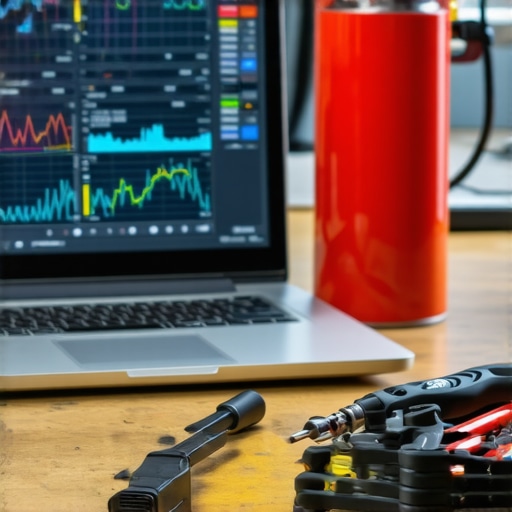
Invest in a plan before you need a prayer
As your business grows, the ‘fix it when it breaks’ model starts to cost you more in lost productivity than the actual repairs. This is the stage where managed IT solutions streamlining operations for small businesses become a genuine investment rather than an expense. A good provider uses RMM (Remote Monitoring and Management) tools to catch a failing fan or a saturated hard drive before the user even notices a lag. If you are still trying to handle everything yourself, at least ensure you aren’t falling for the hardware part you should never buy used for your business, such as power supplies or mechanical hard drives. These components have a finite lifespan, and ‘saving’ $50 on a used unit could cost you a $2,000 server motherboard when the cheap capacitors finally pop.
Where tech is headed: The era of self-repairing silicon
Looking forward, I predict we are entering an era of ‘AI-on-chip’ diagnostics. We are already seeing the first wave of processors that can reroute tasks away from damaged cores or predict their own failure weeks in advance. Until that becomes the standard for every laptop on the shelf, you need to be the one paying attention. If your machine is older than four years, consider the hardware swap that gives your old office pc a massive speed boost—usually moving from a SATA SSD to an NVMe drive or simply maxing out the RAM. It’s a five-minute fix that can buy you another two years of relevance. For those of you managing a growing team, looking into effective managed IT solutions for growing companies is the best way to stop being the ‘computer guy’ and start being the CEO again. Take ten minutes today to download a sensor monitor and check your CPU temps—you might be surprised at how hard your hardware is struggling to keep up with your workflow.
Hard Truths from the Repair Bench That Tech Manuals Skip
After years of untangling office networks, I have realized that the most persistent ‘glitches’ are rarely about the age of your equipment. First, remember that rebooting is a diagnostic tool, not a fix. If you have to restart your router every Monday, you aren’t fixing a problem; you are ignoring a hardware limitation. Second, I’ve learned that a single failing peripheral can ‘poison’ a whole network. I once saw a $10 USB hub bring down an entire accounting department’s connectivity. Always look at the cheapest link in your chain first. Finally, never underestimate the power of a clean environment. If you are comfortable enough to learn laptop screen repair how to fix common issues at home, you should also be comfortable opening your desktop case to clear out the dust bunnies that cause thermal strangulation. Most ‘slow’ computers are just hot computers. I also can’t stress this enough: why a cheap power supply is the biggest threat to your office hardware is a lesson you do not want to learn after a surge. A quality PSU is the literal heartbeat of your productivity.#IMAGE_PLACEHOLDER_E#
My Go-To Toolbox for a Zero-Downtime Office
To keep things running smoothly, I rely on a specific stack of resources that go beyond the basic ‘Settings’ menu. For system health, HWiNFO64 is my eyes and ears; it tells me when a fan is dying before the noise does. For security, I suggest you learn how to audit your business software to find hidden security gaps at least once a quarter. This prevents ‘software bloat’ from slowing down your team. If you are dealing with critical data, bookmarking data recovery secrets every business should know today can save you thousands in emergency forensic fees. I also highly recommend the iFixit community guides; they provide the teardown schematics that manufacturers often try to hide from you. These tools transform you from a frustrated user into a proactive administrator.
Build a Network That Supports Your Growth Instead of Fighting It
At the end of the day, your technology should be an invisible engine that drives your business forward, not a hurdle you have to jump over every morning. Whether you are assigning static IPs to stop your printer from ‘ghosting’ or finally deciding to move toward professional managed IT, the goal is the same: peace of mind. You didn’t start your business to become a full-time computer technician. By implementing these stability ‘magic tricks’ and keeping a sharp eye on your hardware health, you reclaim the time you used to spend under your desk crawling through cables. The future of your office is stable, fast, and—most importantly—predictable. Have you ever spent more than an hour trying to fix a ‘simple’ printer issue only to find out it was a single setting in your router? Let me know in the comments below!