

The air in the office was stale, and the only sound was the frantic clicking of my mouse. I had just tried to save fifty bucks by downloading a ‘cracked’ version of a design suite, and now, every file on our shared drive looked like a jumble of alien hieroglyphics. I felt that cold, sinking sensation in my gut—the kind that tells you that you didn’t just make a mistake; you invited a thief into your house. I’ve spent years in tech, yet I fell for the oldest trap in the book. That ‘free’ download wasn’t a bargain. It was an expensive invitation for ransomware. Today, I’m going to show you exactly why chasing ‘free’ is the most expensive thing you’ll ever do for your business and how you can actually lock your doors before the lights go out.
That One Time a Cracked App Broke My Entire Office
Years ago, when I was first scaling my team, I thought I was being a savvy entrepreneur by cutting corners on licensing fees. I mean, who wants to pay a monthly subscription for every single seat, right? But that mentality led me to a Tuesday morning I’ll never forget. My lead designer called me, voice trembling, because the server wouldn’t let him in. We didn’t have managed IT to elevate our security back then, and we paid the price. We had to spend three days and thousands of dollars on emergency recovery just because of one ‘patch’ that was actually a back door for a botnet. I learned the hard way that when you download software from a shady forum, you aren’t just getting a tool; you’re often getting a silent partner who wants your banking info. This is why why managed IT is a game changer for growing companies—it stops these rookie moves from becoming company-ending disasters.
Wait, Can One Download Really Bring Down Everything?
You might think I’m being a bit dramatic. After all, your cousin has used pirated movies for years without a hitch. But a business network is a different beast. It is interconnected, and a single infected machine can act as a bridge for a hacker to reach your accounting files or your client database. According to research from the BSA | The Software Alliance, there is a strong statistical correlation between the use of unlicensed software and the presence of malware. It’s not just a ‘maybe’; it’s a statistical ‘when.’ If you aren’t sure what’s running on your team’s laptops right now, you need to learn how to audit your business software before a small gap becomes a massive hole. Have you ever felt that panic when a ‘system fix’ pop-up suddenly appears on a workstation? Tell me I’m not the only one who has stared at a frozen screen in pure regret. Getting ahead of this starts with understanding the move that prevents ransomware from spreading through your office network, and it usually starts with deleting that ‘free’ installer you found on a shady forum. Let’s dig into the real risks that no one talks about at the water cooler.
Flush the Poison Out Before It Reaches Your Backups
The first thing I did after that design suite disaster wasn’t call a lawyer; it was pulling every ethernet cable I could find. When you realize one machine is ‘sick,’ you have to treat the whole office like a quarantine zone. You can’t just delete the file and hope for the best. You need to physically and digitally isolate the infected hardware. I remember one specific Tuesday when I found a junior developer trying to ‘fix’ a slow machine by running even more ‘optimization’ tools from the web. It was like trying to put out a grease fire with a cup of water. I had to step in and show him how to audit your business software properly. If we hadn’t stopped it there, the script would have jumped to our network drive in minutes. 
Seal the Hatches with a Real Firewall
Most small businesses are essentially naked. If you’re using the router your ISP gave you, you’re basically locking your front door with a piece of wet string. You need a dedicated hardware firewall to act as your bouncer. I learned this the hard way when a botnet tried to brute-force our main server for 48 hours straight. A simple router would have buckled, but a dedicated unit identifies that traffic and shuts the gate. This is a huge part of why your company needs a hardware firewall instead of a basic router. It’s the difference between a fence and a fortress.
Grab Your Data Back Without Paying a Cent
If files are already encrypted or disappearing, stop using the drive immediately. Writing new data to an infected or failing drive is like walking on a crime scene with muddy boots—you’re destroying the evidence we need to save your work. I once managed to pull 200GB of client data from a drive that everyone else had given up on. It wasn’t magic; it was about using the right forensic tools and knowing data recovery secrets and expert techniques to bypass the corrupted sectors. If you’re dealing with a specific mess, like a spreadsheet that won’t open, there are even ways how to recover documents from a corrupted excel file without needing a degree in computer science. The key is acting fast but moving slowly enough not to overwrite the ghost of your data.
Stop the Spread with Network Segmentation
You wouldn’t put your life savings in the same drawer as your junk mail, right? So why is your accounting software on the same Wi-Fi as your guest lobby? You need to segment your network. This is the move that prevents ransomware from spreading. If a guest downloads a malicious file on their phone, it shouldn’t be able to talk to your server. I set this up for a local retail shop after their POS system got hit by a redirected ad on a staff member’s laptop. Because we had segmented the network, the damage stayed on one laptop and never touched the credit card data.Let’s dig deeper. Most small business owners think they’ve reached the finish line once they’ve set up a ‘set it and forget it’ cloud backup. But in my experience, that’s when the real danger begins. Everyone says cloud storage is your safety net, but I’m here to tell you that it can be a spiderweb.
Stop Trusting Your Backup Until You’ve Broken It
The biggest myth in tech is that an ‘unlimited’ plan covers your whole business. The truth about unlimited backup plans for small businesses is that they often have fine-print exclusions for the critical system images or SQL databases your company depends on. I once worked with a law firm that religiously paid for cloud backup, only to find out that none of their client management software was being synced because the files were too large for the ‘unlimited’ tier’s single-file limit. They didn’t lose their data to a hacker; they lost it to a configuration setting they never checked.
Why Your Screen Flicker Isn’t a Software Bug
Here is the ‘oops’ factor I see every week: someone spends three days reinstalling Windows because their laptop screen is flickering, thinking it’s a driver conflict. If you don’t know how to tell if your laptop screen backlight is actually failing, you’re fighting a physical battle with digital tools. Often, it’s just a worn-out hinge pinching the ribbon cable. Replacing a driver won’t fix a torn wire. I’ve seen people throw away perfectly good machines because they misdiagnosed a simple physical repair as a ‘dying motherboard.’
Why Does a ‘Healthy’ Backup Fail During a Crisis?
This is the advanced question every CEO should ask. A ‘successful’ backup status only means the data moved from point A to point B; it doesn’t mean the data is usable. Gartner recently reported that a staggering 40% of organizations that experience a major data loss fail to stay in business within two years because their recovery time objectives were unrealistic. This is exactly why your managed IT provider should be doing quarterly audits. You need to simulate a failure to see if your recovery process actually works under pressure. 
Listen for the Sound of Permanent Loss
Lastly, let’s talk about the physical reality of hard drives. If your external drive starts making a rhythmic ticking noise, every second you leave it plugged in, the read/write head is literally carving a groove into your data. The risk of ignoring a clicking external drive is that you turn a $300 software recovery into a $3,000 clean-room surgery. When the damage is physical, software fixes will actually make the problem worse by stressing the failing hardware. In those extreme cases, why Drive Savers remains the only choice for physically damaged drives becomes very clear—they have the specialized environment to open that drive without killing it instantly. Have you ever fallen into the trap of assuming a backup was working only to find it empty when you needed it? Let me know in the comments.It’s one thing to survive a crash; it’s another to build a system that simply refuses to go down. When I look back at that design suite disaster I mentioned earlier, I realize the problem wasn’t just the malware—it was my lack of a maintenance rhythm. Now, when people ask me how to scale, I tell them to stop thinking about what they can afford today and start thinking about what they can’t afford to lose tomorrow. I personally swear by a combination of high-speed NVMe drives and strict hardware lifecycles. If you’re still running spinning platters in your office workstations, you are literally waiting for a catastrophe. Swapping to solid-state storage is the hardware upgrade that actually speeds up your daily workflow more than any CPU upgrade ever could. 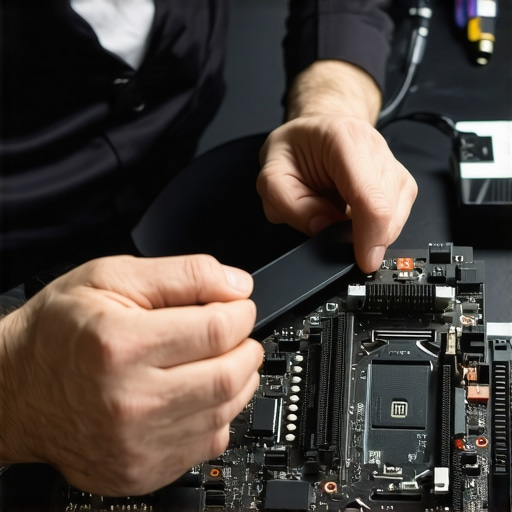
How Can I Keep My Hardware Alive for the Long Haul?
Maintenance isn’t about fixing things when they break; it’s about preventing the break from happening. I’ve found that the simplest things are the most neglected. For instance, why your laptop fan is screaming even when you are not using it usually comes down to dust buildup or outdated background processes that are eating your CPU alive. If you don’t address that heat, you’re roasting your motherboard from the inside out. I always keep a canister of compressed air and a license for a solid RMM tool handy. This allows for why your managed IT service should be doing regular security audits without you needing to lift a finger. Beyond the physical, you need to be smart about your data layers. I use specialized software to monitor S.M.A.R.T. data on all my drives. This is the power of data recovery tools—knowing the failure is coming before the clicking starts. According to the 2023 Backblaze Drive Stats report, the annualized failure rate (AFR) for hard drives significantly increases after the four-year mark. That’s a technical fact that should drive your replacement policy: if it’s older than four years, it’s a liability. You have to decide how to choose between repairing an old workstation and buying a new one based on data, not just because it ‘still works.’
Your Screen Is Trying to Tell You Something
If you’ve noticed that how to fix a laptop screen that flickers only when the brightness is low is becoming a frequent search term in your office, don’t ignore it. These small glitches are the early warning signs of hardware fatigue. When you’re ready to move to a more stable environment, make sure you follow the checklist for moving your business to the cloud without data loss. Looking ahead, I predict the next five years of IT maintenance will shift toward AI-driven predictive analytics where systems self-heal by isolating bad sectors before a user even notices a slowdown. For now, your best move is to be proactive. Grab a tool like CrystalDiskInfo today and check your drive’s health status—if it says anything other than ‘Good,’ it is time to act before the sound of clicking begins.
What I Finally Noticed After Fixing a Thousand Servers
Reflecting on years of hardware crashes and network breaches, I’ve realized that the most catastrophic failures are always the quietest. A server doesn’t usually scream before it dies; it just stops. Here are the core truths I live by now: First, your staff is your first and last line of defense. Even the best firewall can’t stop someone from clicking a link. That’s why you must teach them how to spot a malicious email that bypasses your spam filter. Secondly, reliability is a habit, not a product. Checking your drive health once a month saves more money than any emergency recovery service ever will. Finally, always assume your primary backup will fail when you need it most. If you haven’t tested it in the last ninety days, you don’t actually have a backup plan at all.
The Toolkit That Keeps My Own Systems Running
I don’t believe in over-complicating things, but there are a few non-negotiables in my office. First, move away from local spreadsheets for sensitive data. The risk of keeping your business passwords in an excel sheet is simply too high in an era of automated scrapers. I personally use Bitwarden for team password management. For hardware, I never rely on the ISP’s default gear; why your company needs a hardware firewall instead of a basic router becomes obvious the moment you see your first brute-force attack log. Finally, keep CrystalDiskInfo installed on every workstation to monitor those NVMe lifespans before they hit the 0% health mark. #IMAGE_PLACEHOLDER_E#
Build a Fortress You Can Actually Trust
Navigating the world of tech can feel like walking through a minefield, but you don’t have to do it alone. The goal isn’t to become an IT expert overnight; it’s to build a resilient system that lets you focus on your business without the constant fear of a blue screen ending your week. When you prioritize proactive maintenance, you’re not just buying hardware; you’re buying peace of mind. Knowing the data recovery secrets and expert techniques to save your files gives you the confidence to innovate, knowing your digital assets are shielded. Start with one small audit today, and your future self will thank you for the lack of drama. Have you ever ignored a clicking sound or a slow system only for it to crash a week later? Let me know in the comments below.