

I remember sitting in a dimly lit office with a local accounting firm owner, let’s call him Dave. He was bragging about his “solid” firewall and how he hadn’t had a single virus in years. Meanwhile, I was looking at his network logs and seeing a tiny, almost imperceptible trickle of data leaving his server at 3:00 AM every single Tuesday. It had been happening for six months. He didn’t have a ransomware screen, no scary red text, and no locked-out computers; he simply had a ghost in the machine. That was my wake-up call. I realized that while we all prepare for the digital equivalent of a high-stakes bank heist, most small businesses are actually being bled dry by a thousand tiny cuts. These are “low-and-slow” attacks, and if you think your shop is too small to be a target, I am here to tell you that is exactly what the bad guys are betting on. They love the ‘set it and forget it’ mentality that many of us fall into when things are running smoothly.
The Invisible Thief in Your Server Room
When I first started in IT, I made a massive mistake: I prioritized the loud problems. I would fix a PC for hidden background processes only if it was crashing or screaming for attention. I thought hackers were like movie villains—flashy, loud, and immediate. But the truth is much more boring and much more dangerous. A “low-and-slow” attack is designed to fly under the radar of standard security software. Instead of trying to break your door down, they pick the lock, come in, and sit in the corner for months, slowly siphoning off credit card numbers, payroll data, or client lists. They are patient. They are quiet. And they are very effective. According to the Verizon 2024 Data Breach Investigations Report, small businesses are increasingly targeted because they often lack the sophisticated monitoring systems that catch these subtle anomalies. Hackers know you are busy running your business, and they use that distraction against you. Today, I am going to show you how to flip the script. We are going to talk about IT strategies to keep your business secure in 2025 that focus on these quiet threats rather than just the big explosions. Have you ever noticed your internet speed dragging at odd hours or seen a strange login on your email? Tell me in the comments, because that might be your first clue.
Do these hackers really have the patience for this?
It sounds like a lot of work for a small payoff, right? Why spend six months stealing from a florist when you could hit a bank? The reality is that automation makes this easy for them. One hacker can run thousands of these “slow” scripts simultaneously. It is low risk and high reward. They are not looking for a million dollars today; they want ten dollars from a thousand businesses every day. This is why quarterly audits for your managed IT are so vital—they find the patterns that a daily check might miss. If you have ever worried about signs of a CEO fraud email scam, you already know the gut-punch feeling of realizing someone is watching. But do not panic. By the end of this guide, you will know exactly how to spot the “slow” signs and shut the door for good.Think of your network like a plumbing system. If a pipe bursts, you know it immediately—that is your ransomware. But a ‘low-and-slow’ attack is a pinhole leak behind the drywall. You won’t see the water until the mold has already taken over the structure. To catch these leaks, you need to stop looking at what is coming in and start obsessing over what is going out.
Start Watching Your Outbound Traffic Like a Hawk
Most business owners focus on the ‘front door,’ but the real damage happens when data leaves the building. If you are not monitoring your egress traffic, you are essentially leaving the back door wide open. I once worked with a legal firm that was convinced their slow internet was just a bad ISP. After we checked how to tell if your business internet speed is being throttled, we realized the bandwidth was fine—it was just being maxed out by a hidden script uploading their database to a server in Eastern Europe every night at exactly 2:00 AM.
Check Your Background Processes Often
You do not need to be a coding genius to spot a ghost. Use the simple way to check your pc for hidden background processes at least once a week on your main workstations. Look for names that don’t belong or processes that are consuming CPU cycles when the office is empty. I remember a specific case where a receptionist’s computer was lagging. While troubleshooting why your office pcs are taking ten minutes to log in, I found a crypto-miner buried in a temp folder. It wasn’t stealing data, but it was wearing out their hardware and stealing their electricity.
Lock Down Your Cloud Permissions
In the world of 2025, your physical office is only half the battle. If your cloud setup is messy, a hacker doesn’t even need to touch your hardware. This is why your managed it service should be auditing your cloud permissions monthly. If a former marketing intern still has ‘owner’ access to your SharePoint, you have a massive liability. I have seen countless businesses leave these digital ‘spare keys’ under the mat for years.
Kill the Generic Admin Account
Stop using one ‘Admin’ login for the whole office. It makes it impossible to track who did what. Implementing individual credentials is the move that protects your business from disgruntled former employees and ensures that if one account is compromised, the attacker can’t jump to every other file. Individualized accounts act like a series of airlocks; if one room is breached, the rest of the ship stays safe.
Replace That $50 Home Router with a Real Firewall
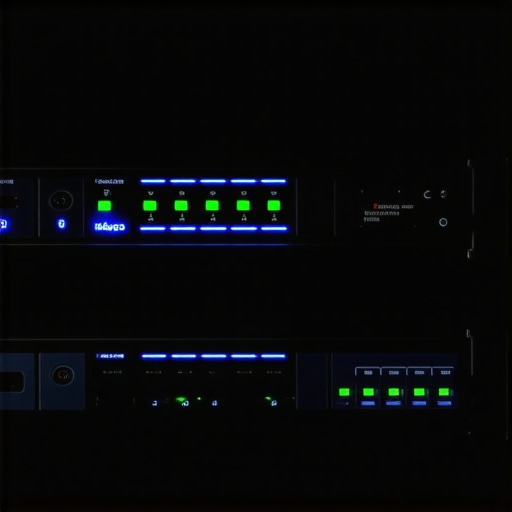 If you are running your business on a router you bought at a big-box store, you are bringing a knife to a tank fight. Consumer-grade gear is built for streaming movies, not for stopping sophisticated intrusion. You need to understand why your business should never use residential-grade firewalls. A dedicated appliance can perform deep packet inspection, which actually looks inside the data to see if it is a harmless PDF or a piece of malicious code masquerading as one. This is one of the most effective managed IT strategies to keep your business secure in 2025.
Invest in a Dedicated Appliance
A software firewall is better than nothing, but why your office network needs a dedicated firewall appliance comes down to processing power. A hardware firewall handles the heavy lifting so your server doesn’t have to, ensuring that security doesn’t come at the cost of speed. I saw this pay off for a small clinic last year; their hardware firewall caught a ‘low-and-slow’ beaconing attempt that their standard antivirus had completely ignored for weeks because the traffic looked like a normal system update.Let’s dig deeper into the biggest lie in small business IT: the ‘set it and forget it’ backup. Everyone tells you that moving to the cloud is the ultimate safety net. While the checklist for moving your business to the cloud without data loss is a great starting point, most owners stop there. They assume that because a green checkmark appears in their taskbar, their business is invincible. But here is the nuance: a backup is not a recovery plan. I have seen businesses with ‘perfect’ backups stay offline for a week because they never tested the restoration speed. They had the data, but they couldn’t access it fast enough to keep their customers happy. This is a classic case where managed IT solutions streamlining operations can prevent a total collapse by focusing on the ‘recovery’ part of the equation, not just the ‘storage.’
Can your business actually survive a 48-hour data restore?
This is where the ‘Oops’ factor hits hard. You might be using a service that offers unlimited backup plans for small businesses, but have you ever tried to pull that data back down? Most ‘unlimited’ consumer-grade services throttle your download speeds. If you have 500GB of client files, you might find yourself waiting days for the download to finish while your phones stay silent and your staff sits idle. This is why managed IT is a game changer for growing companies; we don’t just look at the ‘copy’ process, we look at the ‘uptime’ process. According to a report by ITPRO, the average cost of IT downtime is significantly higher than most small business owners estimate, often exceeding thousands of dollars per hour when lost productivity is factored in.  I always tell my clients that data recovery after accidental deletion is easy, but recovering from a total server failure is a different beast entirely. You need to stop asking ‘Is it backed up?’ and start asking ‘How fast can I be back at work?’ If you are still relying on a single point of failure, you are effectively gambling with your company’s future. Implementing managed IT strategies to keep your business secure in 2025 means having local ‘hot’ spares and encrypted cloud off-sites that work in tandem. One of the most advanced mistakes I see is ignoring the ‘integrity’ of the backup. Just because the file exists doesn’t mean it works. Ransomware can quietly encrypt your files, and your backup software will happily copy those encrypted files right over your good ones. Without quarterly audits for your managed IT, you might be backing up garbage for months. This is exactly why your business needs a disaster recovery plan before you need it. Have you ever fallen into this trap where you thought you were safe only to find the recovery failed? Let me know in the comments, because your story might help someone else avoid a total shutdown. If you are feeling overwhelmed, it might be time to look into effective managed IT solutions for growing companies to handle the heavy lifting for you.So, if you are tired of the ‘hope and pray’ method of IT management, let’s talk about the actual gear and habits I use to keep things breathing. I don’t just rely on standard software; I rely on hardware redundancy and active virtualization. For instance, when I am working with a client whose livelihood depends on zero downtime, I implement BDR (Backup and Disaster Recovery) appliances that can virtualize a failed server in under fifteen minutes. This isn’t just about saving files; it is about business continuity. If you are still exploring the power of data recovery tools, you need to understand that the most effective tool is the one you configured six months before the disaster. I personally prefer solutions that offer ‘image-based’ backups because they capture the entire environment—OS, settings, and all—allowing for a seamless transition when the primary hardware inevitably fails.
The Specific Gear That Keeps My Clients Online
I am often asked what is in my own toolkit. Beyond the obvious, I swear by managed switches that allow for VLAN tagging to isolate guest Wi-Fi from the corporate data stream. This is one of the most effective managed IT solutions for growing companies because it prevents a compromised smartphone in the lobby from seeing your payroll server. I also recommend dedicated environmental sensors for server closets. You would be surprised how many ‘data recovery’ jobs start because an AC unit failed on a Sunday afternoon and baked the hard drives. According to the Backblaze 2024 Drive Stats report, while overall failure rates remain manageable, environmental stress significantly accelerates wear on high-capacity mechanical drives. Watching these metrics is how managed IT can elevate your business security in 2025 by replacing hardware based on data, not just gut feelings.
How do I maintain a healthy digital ecosystem over time?
Consistency is the only thing that beats a hacker. You have to move away from ‘break-fix’ and toward ‘continuous monitoring.’ This means checking your error logs even when nothing is wrong. I predict that by 2026, we will see a massive shift toward AI-driven predictive maintenance where your system will tell you a SSD is going to fail three weeks before the first bad sector even appears. To stay ahead, you should be looking into managed IT strategies to keep your business secure in 2025 that include automated patch management and heuristic behavioral analysis. If you are still doing manual updates, you are already behind. My biggest piece of advice? Run a ‘fire drill’ this week. Try to recover one single deleted folder using your current system. If it takes you more than ten minutes to find it, your system is too complex. Mastering data recovery after accidental deletion is the first step toward true peace of mind. Stop what you are doing and test your ‘restore’ button right now—knowing it works is worth more than any insurance policy.
What I Have Learned After Two Decades in the Server Room Trenches
One of the hardest lessons I have had to swallow is that technical perfection is a myth. You can have the best hardware in the world, but if your human processes are flawed, you are still vulnerable. I have seen businesses spend thousands on software only to fall victim to the signs of a CEO fraud email scam because they did not have a double-check policy for wire transfers. It taught me that security is 20% tools and 80% habit. Another lightbulb moment for me was realizing that “good enough” is the enemy of “restorable.” If you are not performing quarterly audits for your managed IT, you are just guessing that your systems are safe. Lastly, remember that your staff are your first line of defense; if they feel comfortable reporting a weird email without fear of getting in trouble, you have already won half the battle.#IMAGE_PLACE_HOLDER_E#
Tools I Use to Sleep Better at Night
I do not just recommend these because they are trendy; I recommend them because I have seen them save companies from total liquidation. First, you need a physical appliance to act as your gatekeeper; find out why your business needs a hardware firewall before relying on a software-only solution. Second, for those “oh no” moments, I rely on image-based backup systems that allow for data recovery after accidental deletion in minutes, not days. For anyone looking to level up their knowledge, I highly recommend following the Backblaze Drive Stats blog for hardware reliability and the Verizon DBIR for emerging threat patterns. These are the same resources I use to shape my own managed IT strategies to keep your business secure in 2025.
Take Control of Your Digital Destiny Today
The transition from a “break-fix” mindset to a proactive one is the single most important move you will make for your company’s longevity. It feels overwhelming at first, but you do not have to do it all at once. Start by securing your most critical data and then branch out. Whether you are looking for effective managed IT solutions for growing companies or just want to run your first recovery test, the important thing is that you start now. You have worked too hard to build your business to let a “low-and-slow” thief take it away. Have you ever run a “fire drill” for your data recovery and been surprised by how long it actually took? Let me know in the comments below!