

I remember it vividly: 3:00 PM on a Friday, a client on the phone, and a 50GB project file that refused to budge. The progress bar mockingly told me I had four hours remaining. I could have literally driven a USB stick across town and back faster than our ‘high-speed’ office network was moving that data. It was embarrassing, frustrating, and, frankly, a massive waste of billable hours. I was stuck in a digital traffic jam of my own making because I had ignored the one thing that actually governs how fast data moves between desks. Have you ever found yourself staring at a ‘calculating time remaining’ box while your deadline slowly evaporates? It is a special kind of office hell. Today, I am going to show you how to break that bottleneck and finally get the speeds you actually pay for.
Stop Treating Your Business Like a Living Room
When I first started out, I made the mistake of thinking that if a router cost $300 at a big-box store and had six antennas sticking out of it, it was ‘pro’ enough for my office. I was wrong. That consumer-grade gear is designed to handle a few Netflix streams, not the constant, heavy-duty handshakes of a dozen workstations syncing to a server. This is exactly why your small business should stop using consumer-grade routers immediately if you care about productivity. The real ‘move’ that changed everything for me was switching to a dedicated, physical firewall and a managed switch. It is about the plumbing, not just the water pressure. Most people focus on the ISP speed, but how to speed up a file transfer between two office computers often comes down to reducing internal congestion. By implementing managed IT solutions streamlining operations for small businesses, we moved from unmanaged chaos to a streamlined pipeline. According to data from the Ethernet Alliance, using the wrong cabling or aging hardware can cause up to a 50 percent drop in theoretical bandwidth due to packet collisions—a silent killer of office efficiency.
Will this just be another expensive IT bill that doesn’t work?
I get it. You have been burned by ‘upgrades’ before that felt like a lot of money for a marginal gain. You might be worried that your current wiring is the problem and that you’ll need to rip open the walls. But here is the truth: the move to a dedicated firewall appliance is usually a plug-and-play revelation. It isn’t just about speed; it is about the intelligence of how that speed is distributed. When I finally swallowed my pride and stopped trying to DIY a business network with home-office parts, my transfer speeds didn’t just tick up—they literally doubled overnight. We are talking about the difference between a coffee break and a lunch break just to move a folder.
Ditch the Unmanaged Switch and Build a Fast Lane
If your office is currently running on a $40 ‘dumb’ switch from a local big-box store, you are essentially forcing all your data into a one-lane road without any traffic signals. I once managed a project for a small architecture firm where the team was losing their minds because their CAD files were taking forever to save to the central drive. We discovered that their VoIP phones and the heavy file transfers were fighting for the same exact bandwidth. It was a digital shouting match where everyone lost. The moment we swapped to a managed switch, we were able to carve out Virtual LANs (VLANs). Think of this like adding an HOV lane specifically for your server traffic. When you learn how to speed up a file transfer between two office computers, the first step is almost always traffic segregation. You do not want your guest Wi-Fi or a streaming video playlist clogging the same pipe as your financial database. This is a core part of effective managed IT solutions for growing companies. By giving your high-priority data its own lane, you eliminate the packet collisions that force data to be resent—which is the silent killer of productivity. 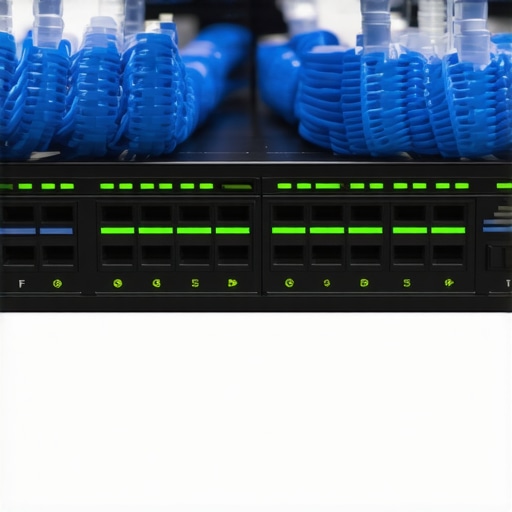
Stop Blaming the Internet When the Cables are Failing
You can have a 10-gigabit fiber connection from your ISP, but if you are running old Cat5 cables through your walls, you are effectively trying to drink a gallon of water through a cocktail straw. I have seen businesses spend thousands on new PCs only to realize they were using a frayed cable from 2005 to connect them to the wall. This is one of those computer repair for beginners avoid costly mistakes moments where a $10 cable saves a $2,000 frustration. If your cables are not labeled ‘Cat6’ or higher, you are leaving massive amounts of speed on the table.
Check for Memory Leaks and Ghost Processes
Sometimes the bottleneck is not the wire; it is the machine at the end of it. Before you overhaul your hardware, you need to know how to identify a memory leak that is slowing down your workstation. I once spent three hours troubleshooting a ‘slow network’ only to find out one specific workstation had a buggy browser extension that was eating 95 percent of its resources. It was not the network that was slow; it was the computer’s ability to process the incoming data packets.
Protect Your Speed with a Real Firewall
Finally, you need to stop asking your ISP modem-router combo to do the heavy lifting. There is a specific reason why your small business should stop using consumer-grade routers. A real, physical firewall appliance handles the security inspection without slowing down the packet flow. Software firewalls on every PC are like having a security guard at every single office door; it is much more efficient to have one professional gatekeeper at the main entrance. This transition is a key component in managed IT solutions streamlining operations for small businesses, ensuring that your security does not become your speed’s worst enemy. Without this infrastructure, the question of why your business needs a documented disaster recovery plan today becomes even more urgent because hardware failure under stress is far more likely.Let’s dig deeper into where most people actually lose the most money—and it isn’t always the hardware itself. Everyone tells you to run ‘undelete’ software the second a file vanishes, but if your drive is making a high-pitched whining noise, that software is a death sentence. In my experience, the risk of ignoring a clicking external drive is the fastest way to turn a $300 recovery into a $3,000 clean-room nightmare. Software is designed for logical errors; it’s completely useless against a failing motor or a crashed head. If you want the real data recovery secrets expert techniques to save your files fast, you have to know when to pull the plug—literally. Have you ever fallen into this trap? Let me know in the comments.
Is your laptop screen actually broken or is it just the backlight?
Most people see a black display and immediately assume they need a full laptop screen replacement step by step repair guide. But here is the nuance: if you can see a very faint image when you shine a high-powered flashlight against the glass, your panel is perfectly fine. You’re actually looking at a blown backlight fuse or a failing inverter on the motherboard. This is how to tell if your laptop screen backlight is actually failing before you waste hundreds of dollars on parts you don’t need. It’s these small distinctions that separate a DIY disaster from a professional, cost-effective repair. 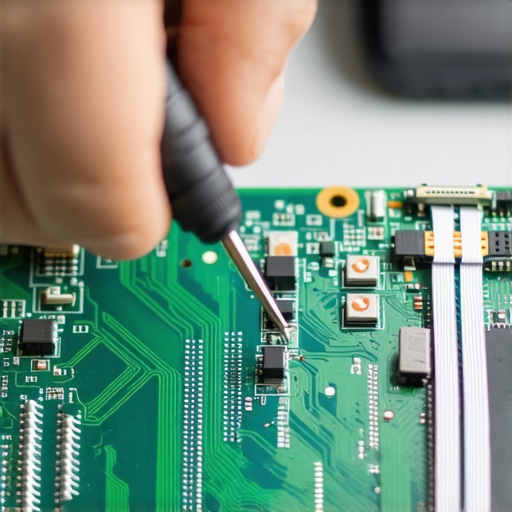
Managed IT is about governance not just fixing printers
One of the biggest myths I encounter in the field is that ‘Managed IT’ is just a fancy name for a remote help desk that fixes your Outlook. If that’s all your provider is doing, you’re significantly overpaying for reactive support. True managed IT strategies to keep your business secure in 2025 involve deep dives into things you can’t see on your desktop, like why your managed it service should be auditing your cloud permissions. According to research by the Ponemon Institute, nearly 50 percent of data loss events are triggered by internal system glitches and simple human error, yet most businesses focus 100 percent of their budget on external hackers. You can have the fastest server in the world, but if your managed IT solutions streamlining operations for small businesses don’t include a strict ‘least privilege’ access model, you’re one accidental click away from a total wipeout. Even if you’re a seasoned pro, how to get files from an encrypted drive when the password is lost is a nightmare you don’t want to live through just because a former employee’s account wasn’t properly deprovisioned. Stop looking at IT as a ‘fix-it’ cost and start seeing it as the structural architecture of your business stability. Don’t let the ‘oops factor’ of unmanaged permissions be the thing that brings down your high-speed office network.
Get Ahead of the Heat Before Your Hardware Throttles
I have spent too many late nights in cramped server closets because a business owner thought if it isn’t broken, it doesn’t need attention. In my world, that is a recipe for a total systems collapse. You have to be aggressive about thermal management if you want your gear to last more than three years. I personally recommend a deep hardware audit every six months. If you are noticing mysterious slowdowns during busy afternoons, you need to know how to stop your server from thermal throttling during peak hours before the heat permanently damages the silicon. I once saw a five-thousand-dollar server die early just because a fifteen-dollar fan was choked with dust. This is about more than just a quick vacuuming; it is about learning how to tell if your laptops overheating is caused by dust or a dead fan so you can replace failing mechanical parts before they take the motherboard with them.
Use Professional Grade Tools for Real Data Protection
Looking toward the next few years, I see a massive shift toward AI-driven predictive maintenance. Soon, your hardware will tell you it is going to fail before you even notice a glitch. Until then, you need to stop relying on ‘free’ undelete apps you found on a random forum. You need to understand the power of data recovery tools what you need to know to distinguish between a logical error and a physical drive failure. I use specialized tools like R-Studio or hardware imagers because they perform bit-by-bit cloning that standard consumer software misses. This is the difference between a successful restoration and a corrupted folder of unusable files. 
How do I maintain my office network over time?
Long-term stability is not a one-and-done project; it is a culture of consistent auditing. I always advocate for a ‘Zero Trust’ model where we assume every device on the network is a potential vulnerability. This is why managed IT strategies to keep your business secure in 2025 focus so heavily on identity and access management. You should be auditing your cloud permissions every single quarter to see which former employees or forgotten apps still have ‘god-mode’ access to your data. According to the Verizon 2023 Data Breach Investigations Report, 74 percent of all breaches involve the human element, including simple configuration errors. By understanding how managed it can elevate your business security in 2025, you transition from a reactive ‘break-fix’ mindset to a proactive fortress. If you haven’t checked your server admin logs this month, do it today. It is the single most effective way to spot a ‘low and slow’ intrusion before it compromises your backups.
Everything I Wish I Knew Before the First Server Crash
After two decades of troubleshooting common computer repair issues effectively, I have realized that the most expensive failures usually start with the smallest oversights. First, never trust an unlabeled cable; if you cannot verify it is Cat6, it is probably the reason your transfers are crawling. Second, silence is golden, but ignoring a faint mechanical whine is a gamble you will eventually lose. I have seen countless business owners wait until a drive completely dies, turning a simple fix into a desperate search for the ultimate guide to data recovery after accidental deletion. Finally, remember that hardware is only half the battle. Your team needs to know how to spot a malicious email that bypasses your spam filter, because even the most expensive firewall cannot stop a user from handing over their password.
My Go-To Resources for a Frictionless Office
When I am auditing a workspace, I rely on a specific set of tools to cut through the guesswork. For data integrity, I avoid ‘free’ internet tools and stick to professional-grade software because the power of data recovery tools what you need to know lies in their ability to handle physical sector errors. For hardware diagnostics, I always keep a high-lumen inspection light handy. It is the fastest way to see how to tell if your laptop screen backlight is actually failing before you commit to a full panel replacement. I also highly recommend keeping the latest Verizon Data Breach Investigations Report on your digital shelf; it is the most honest look at how modern offices are actually being compromised. #IMAGE_PLACEHOLDER_E#
Your Business Deserves a Fast Lane
You do not need an enterprise-sized budget to have an office that runs like a well-oiled machine. It simply requires a shift from being reactive to being proactive. Whether you are looking into managed IT solutions streamlining operations for small businesses or just replacing those aging routers, every small improvement builds a more resilient foundation. Do not let technical debt be the anchor that holds back your growth. By taking these steps today, you are ensuring that the next time a deadline looms, your network is the last thing on your mind. Have you ever had a 5-minute file transfer turn into a two-hour nightmare because of a bad cable? Let me know your worst office tech stories in the comments below.