

I’ll never forget the Tuesday my office Wi-Fi decided to ghost me. I was three minutes into a pitch that could have doubled our revenue when my screen turned into a mosaic of frozen pixels. I stood up, laptop in hand, and started a frantic “signal dance” toward the hallway. I looked ridiculous. I had just installed a top-of-the-line router the month before, convinced that more antennas equaled a better life. I was wrong. It turns out, those frustrating dead zones aren’t just bad luck; they are usually the result of us fighting against the literal laws of physics without a proper game plan. Today, I’m going to pull back the curtain on why your signal drops the moment you step into the breakroom and how you can finally stop the “connection lost” cycle. [image_placeholder_1]
The Brutal Reality of Signal Obstacles and Interference
I made a massive mistake early on by thinking that if I could see the router, the Wi-Fi would work. I didn’t account for what was *inside* the walls. In my old office, we had these beautiful, industrial-style glass partitions. Little did I know, some modern glass has metallic coatings that act like a shield against wireless signals. If you’ve noticed that your office Wi-Fi is patchy in the conference room, you’re likely battling more than just distance. You’re battling density. It’s not just walls, either. We often forget that we are swimming in a sea of invisible noise. According to the National Institute of Standards and Technology (NIST), physical materials like concrete and even human bodies significantly attenuate signals, but the real silent killer is often “co-channel interference” from the twelve other businesses in your building. I used to think I just needed a bigger “pipe,” but Wi-Fi is often slow even with a gigabit connection because the airwaves are simply too crowded.
Does Managed IT Really Fix This or Is It Overkill?
You might be wondering if you really need a professional to look at your “dead zones” or if you can just buy another range extender and call it a day. I tried the range extender route—it was a disaster. Those cheap little plugs often create more lag by halving your bandwidth. Truly fixing these gaps requires a look at your entire infrastructure. Sometimes the fix is as simple as preventing unauthorized devices from joining your network and hogging all the airtime, but other times, you need a mesh system that actually understands how to hand off signals between rooms. Have you ever found yourself standing on a chair in the kitchen just to send an email? It’s a frustrating way to work, and it’s a sign that your new router still isn’t covering the back of your office the way the box promised. We need to stop looking at Wi-Fi as a “plug-and-play” appliance and start seeing it as a living part of the office that needs a bit of strategic placement.To fix this, you have to stop guessing where the signal goes and start mapping it. I remember using a basic heat-mapping app for the first time in our flagship office. I walked the entire floor, and the results were a wake-up call; the breakroom was a literal black hole for data, and the conference room was barely pulling a signal through the insulation. If you want to know if your infrastructure is actually working, you need to learn how to audit your business IT spending without hiring an expert, because throwing money at more routers won’t help if they aren’t placed correctly. Most people shove their main hardware in a server closet, which is essentially a lead-lined cage. You need to get your Access Points (APs) out into the open, mounted high on the walls where they have a clear line of sight to the desks. 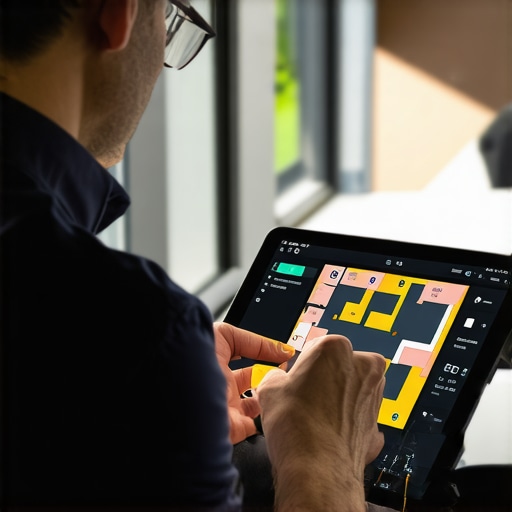
Stop Guessing and Start Mapping Your Signal
Heat mapping is the only way to see the invisible walls your Wi-Fi is hitting. I once spent an entire morning chasing what I thought was a software bug, only to realize the signal was being eaten by a decorative metal screen in the lobby. By using a site survey tool, you can identify exactly where the decibels drop off. This allows you to place your APs strategically rather than just guessing. If your network feels sluggish despite good signal strength, it might be time for a deeper look at your backend. For instance, knowing the sign your office switch is failing and dropping connections can save you from replacing expensive routers when a simple hardware swap is all that’s needed.
Why Your Hardware Placement is Killing the Connection
I learned the hard way that ‘more’ isn’t always ‘better.’ In a previous setup, I installed three extra consumer-grade routers in a 2,000-square-foot space. The interference was so bad that my laptop couldn’t decide which one to talk to, causing constant drops every time I moved my chair. This is why the move that stops your business network from crashing during peak hours isn’t adding more hardware—it’s optimizing the channel width and power levels of what you already have. You also have to consider your client devices. Sometimes the ‘patchy Wi-Fi’ isn’t a signal problem at all. It’s vital to know how to spot a hardware failure masquerading as a software bug, as an old wireless card in a legacy laptop can make the whole network seem slow for everyone else.
Separate the Guests from the Heavy Lifters
If your clients are using the same Wi-Fi as your accounting team, you’re asking for a bottleneck and a security nightmare. There’s a very practical reason why your IT guy is insisting on a separate network for guest Wi-Fi; it keeps the ‘untrusted’ devices from hogging the bandwidth your team needs for high-priority tasks. Security is performance. If you don’t know how to tell if your office Wi-Fi is being tapped by outsiders, you might have neighbors or passerby leeching your speed, causing that ‘unexplained’ lag during business hours. A clean, segmented network is a fast network.
I’ve seen too many business owners treat their network like a toaster—something you plug in and forget until it stops working. But here is the contrarian truth: buying the most expensive hardware is often a waste of capital if you aren’t managing the ecosystem behind it. Everyone tells you to buy more bandwidth, but in my experience, the bottleneck is rarely the speed of your internet; it’s the efficiency of your internal traffic. This is exactly why managed IT is a game changer for growing companies. It moves you away from the ‘break-fix’ cycle where you only call for help when things are already on fire, which is the primary reason why your IT support costs are higher than they should be over the long term.
How Does Proactive Monitoring Catch a Crash Before it Starts?
The most sophisticated part of modern IT isn’t the hardware itself, but the telemetry data we pull from it. A common mistake is assuming that if a computer is running, it’s healthy. However, professionals look at S.M.A.R.T. data and thermal logs to find how to spot a hardware failure masquerading as a software bug before the blue screen of death appears. According to a study by IDC, organizations that shift to a proactive managed model see a reduction in unplanned downtime by nearly 85%. This isn’t just about ‘monitoring’; it’s about having a system that knows your SSD is reaching its write limit months before it actually dies.

Let’s talk about the ‘Oops’ factor, specifically regarding hardware repairs. I’m a huge fan of transparency, which is why I share laptop screen repair DIY tips for clearer displays for simple cosmetic issues. But there is a dangerous trap many fall into: trying to ‘fix’ a clicking hard drive. I cannot stress this enough—why you should never open a clicking hard drive in a normal room is because a single speck of dust can act like a boulder to a drive head, turning a recoverable situation into a permanent loss. Real data recovery secrets involve expert techniques that use ISO-certified cleanrooms, not a screwdriver and a YouTube tutorial.
The same level of caution applies to your network security. Simply having a firewall isn’t enough anymore. You need to ensure why your managed IT service should be providing quarterly security audits to check for dormant accounts and outdated firmware that your team likely missed. When you stop looking at IT as a series of isolated repairs and start seeing it as a living, breathing infrastructure, the ‘random’ problems start to disappear. Have you ever fallen into the trap of trying a complex DIY fix only to make it worse? Let me know in the comments.
It’s one thing to fix a broken laptop screen; it’s another thing entirely to ensure that your entire fleet stays operational for five years without a catastrophic failure. I’ve found that the secret isn’t just buying expensive gear—it’s about aggressive, almost paranoid, maintenance. For instance, I always keep a copy of CrystalDiskInfo running on my workstation. If you want to know how to check if your hard drive is about to fail using s-m-a-r-t-data, this tool is your best friend because it translates those cryptic hexadecimal values into a simple ‘Good’ or ‘Bad’ health status. I’ve seen people lose entire years of work because they ignored a ‘reallocated sectors count’ warning. This is where effective managed it solutions for growing companies really shine—they automate this monitoring so you don’t have to be a hardware geek to stay safe.
How Can You Keep Your Business Tech From Rotting?
Maintenance is often the first thing to go when a business gets busy, but skipping it is why your it support costs are higher than they should be. I recommend a quarterly ‘digital physical.’ This includes checking for why your screen looks washed out after a software update, which is often just a driver mismatch, and blowing out the dust that causes the sign your cpu is thermal throttling and slowing down your work. If you’re serious about longevity, you need to learn how to extend the life of your office pcs by three years through simple thermal paste refreshes and RAM upgrades. According to the 2023 Backblaze Drive Stats report, hard drives have an annualized failure rate that spikes significantly after year four, meaning if your office PCs are hitting that five-year mark, you are living on borrowed time. This is also the point where the best way to phase out old workstations without losing data becomes a critical skill to prevent a chaotic transition.

The future of this space is moving toward ‘self-healing’ networks and predictive AI that can identify a failing power supply before the smell of burnt plastic even starts. But until the robots take over, you still need a human-centric strategy. You should verify why your managed it service should be tracking your software licenses and ensuring your business cloud costs are higher than the original estimate don’t spiral out of control. My top tip for today? Download a basic S.M.A.R.T. monitoring tool right now and check your primary drive’s health. If it’s anything less than 90%, it’s time to plan your exit. If you’re feeling overwhelmed by the logistics, check out our managed it strategies to keep your business secure in 2025 to see how we handle the heavy lifting for you.
The Hardest Lesson I Learned About Managed IT and Connectivity
I used to think that a faster internet plan solved everything, but that is rarely the case. First, I realized that consumer-grade gear has no place in a growing office; it simply can’t handle the device density of a modern workspace. Second, I learned that ignoring small hardware warnings is a recipe for disaster. If you’ve ever read about computer repair for beginners avoid costly mistakes, you know that the quick fix often creates a far bigger mess than the original problem. Finally, the biggest epiphany was that security and performance are two sides of the same coin. A network that isn’t secure—clogged with unauthorized devices or unpatched firmware—is a network that will never be truly fast.
My Go-To Kit for Network Sanity
If you’re tired of guessing why your signal is dropping or why your PCs are sluggish, start with these essentials. CrystalDiskInfo is a non-negotiable tool for monitoring hard drive health; it has saved my data more times than I can count. I also swear by Ubiquiti WiFiman, a mobile app that helps you visualize exactly where your signal dies so you can stop the guessing game. For physical maintenance, I always keep a high-powered Electric Duster on hand to prevent the dust buildup that causes thermal throttling. I trust these tools because they provide data-driven answers instead of gut feelings. Learning how to audit your business IT spending without hiring an expert often starts with just seeing what your current hardware is actually doing on a daily basis.
Take Back Control of Your Office Tech
Technology should empower your business, not become a second full-time job for you or your management team. By moving toward a more structured, proactive approach, you stop being the office IT firefighter and start being the CEO again. Whether you are looking into managed IT strategies to keep your business secure in 2025 or you just want to stop the Wi-Fi from dropping during your biggest pitches, the first step is always visibility. Don’t let your infrastructure rot under the surface; start your quarterly digital physical today and keep your growth on track. Have you ever attempted a DIY tech fix that went completely sideways? Let me know your story in the comments below!