

I was sitting in a crowded coffee shop last year, sipping a lukewarm latte, when I looked over at a guy two tables down. He was clearly working on a massive spreadsheet for a well-known local firm. No privacy screen, no tethered hotspot—just him and the free, unencrypted ‘Starbucks_WiFi.’ It hit me like a ton of bricks: if he was playing fast and loose with his company’s data, were my own employees doing the same? I had spent a decent chunk of the budget on a high-end VPN, but looking at that screen, I realized I had zero proof anyone was actually clicking ‘Connect.’ It’s a scary thought for any business owner, especially when you realize that simply buying the tools isn’t the same as securing your perimeter. [image_placeholder]
Stop Guessing Whether Your Data is Safe
I’ll be the first to admit a major mistake I made early on. I assumed that if I gave my team the best software available, they’d use it because they understood the risks. I handed out login credentials and figured my job was done. I was dead wrong. It wasn’t until we had a minor malware scare—which, as I learned, is exactly why your business shouldn’t rely on consumer-grade antivirus—that I finally checked the server logs. To my horror, the VPN gateway hadn’t seen a single connection from three of my most active remote workers in over a month. They weren’t being malicious; they just found the extra step ‘annoying.’
Today, I’m going to show you how to move past the ‘honor system.’ We are going to look at how you can use your firewall logs and traffic reporting to see the real story. My goal is to help you keep your remote team secure without slowing down their workflow, making sure that the safety net you paid for is actually under them when they’re working from a hotel or a cafe.
Does monitoring my team make me the bad guy?
I hear this all the time from managers who feel like they’re ‘spying’ if they check connection logs. But here’s the reality: verifying a VPN connection isn’t about tracking how many minutes someone is at their desk; it’s about verifying that the encryption tunnel is active. According to the Verizon 2023 Data Breach Investigations Report, nearly 74% of all breaches involve a human element, often through the bypass of security protocols. By checking your logs, you aren’t being a micromanager—you’re being a steward of your company’s survival. Have you ever checked your network logs only to find they were eerily quiet while your team was supposedly ‘online’?
If you really want to see how managed IT can elevate your business security in 2025, it starts with visibility. You can’t fix what you can’t see, and you can’t protect data that is flying over an open public network. Let’s dive into the technical indicators that prove your team is actually behind the digital wall where they belong.
Look for the Encryption Tunnel First
Monitoring your network isn’t about being a hawk; it’s about being a lighthouse keeper. You need to verify that the ‘light’—your encrypted tunnel—is actually on and guiding data safely. I remember a Tuesday afternoon when I noticed our bandwidth was strangely high, yet our internal file server was barely being touched. I pulled up our firewall dashboard and realized one of my senior designers was working from a hotel in Vegas. He hadn’t toggled the VPN because he felt it ‘interfered with his music streaming.’ By the time I caught it, he’d been working on unencrypted Wi-Fi for three days, exposing every file he touched. It was a massive headache to audit, and it taught me that how to tell if your office firewall is actually blocking threats starts with checking who is actually inside the wall versus who is shouting from the sidewalk.
Spot the Red Flags in Your Traffic Logs
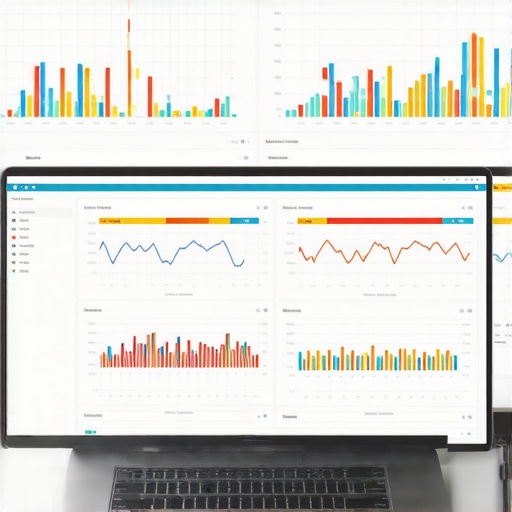
Think of your firewall logs like a guestbook at a high-security building. If someone is ‘working,’ but their name isn’t in the guestbook (the VPN log), they are essentially standing in the middle of the street with your company’s sensitive documents. To catch this, you need to filter your traffic by Source IP. If you see traffic coming from a residential ISP or a public IP address that doesn’t match your VPN gateway, you have a leak. This is often where managed IT strategies to keep your business secure in 2025 come into play, as they automate this cross-referencing so you don’t have to spend your Sunday nights staring at IP tables.
Stop Unauthorized Devices Before They Enter
Another major indicator that your team is bypassing security is the appearance of ‘ghost’ devices. When a worker connects through the VPN, their device is assigned a specific internal IP address. If you see a device accessing your email server or cloud storage from an unrecognized address, it’s a red flag. Implementing the move that prevents unauthorized devices from joining your network is vital here. This usually involves MAC address filtering or certificate-based authentication, ensuring that even if someone has a password, they can’t get in unless they are using the sanctioned, encrypted path you’ve provided.
Use Automated Alerts to Do the Heavy Lifting
You don’t have time to manually check logs every hour. The best way to maintain visibility is to set up ‘absence alerts.’ This is a simple logic gate: if an employee logs into their workstation or Microsoft 365 account, but there is no corresponding active session in the VPN concentrator, the system pings you. I’ve found this much more effective than constant manual auditing. It’s the same logic used when the reason your managed IT provider needs a disaster recovery plan for you—you want the system to tell you when something is wrong before it becomes a catastrophe. This proactive approach turns security from a chore into a background process that just works.
Check for Split Tunneling Leaks
Sometimes your team *is* connected to the VPN, but their traffic is still ‘leaking’ out the side. This happens with a configuration called split tunneling, where only certain data goes through the VPN. It’s like having a high-security armored truck for your gold but carrying the map in your back pocket for everyone to see. You need to ensure that DNS requests are also being routed through the tunnel. If you aren’t sure how to check this, you might be falling for the truth about using public DNS for your office network speed, which can sometimes bypass your security filters entirely. Always verify that your team’s DNS queries are hitting your secure internal resolvers.
Everyone tells you that moving to the cloud and handing out VPN credentials is the finish line for security. In my experience, that’s where the real trouble begins. The biggest myth I see business owners swallow is the idea that ‘The Cloud’ is a built-in safety net. It’s not. Most people treat cloud syncing as a backup solution, but there is a massive difference between syncing and true data protection. If a remote worker’s laptop is compromised and a ransomware script starts encrypting their files, those encrypted files sync to your cloud drive in seconds, overwriting your good data. This is exactly why your business needs a local backup even if you use the cloud; you need an ‘immutable’ copy of your data that sits outside the reach of a sync-loop.
Stop Treating Your Cloud Sync Like a Backup
The nuance here is the ‘Shared Responsibility Model.’ According to a report by Gartner, while cloud providers ensure the infrastructure is up, the customer is responsible for the data itself. If you aren’t running independent backups of your SaaS platforms, you’re flying without a parachute. I’ve seen companies lose months of work because they assumed the ‘trash bin’ in their cloud suite was a disaster recovery plan. It’s a classic trap that leads to a frantic search for data recovery secrets and expert techniques to save your files fast when the ‘undo’ button fails.

The Physical Health Warning Your Team Ignores
Another nuance that most managers miss is the physical degradation of remote hardware. When a laptop is in the office, you can hear a clicking fan or see a flickering screen. When it’s in an employee’s home, those ‘small’ issues get ignored until the machine dies during a critical presentation. I’ve had clients bring in laptops with fried motherboards all because they ignored a hairline fracture in the display housing. Believe it or not, why a cracked laptop screen can eventually damage your motherboard is a real concern—pressure points on the frame can pinch internal cables and cause electrical shorts over time. If your team isn’t reporting these ‘minor’ issues, you aren’t truly managed.
Does Your IT Strategy Account for the ‘Quiet’ Hardware Failures?
Most advanced users focus on software logs, but the real experts look at the S.M.A.R.T. data of the physical drives. Your firewall won’t tell you when an employee’s SSD is reaching its write-limit, but the hardware will. If you aren’t proactively monitoring these telemetry markers, you’re waiting for a catastrophe. This is the risk of ignoring that smart status bad warning on your pc—it’s the digital equivalent of ignoring a ‘check engine’ light while driving at 80 mph on the highway. You might feel fine now, but the crash is already mathematically inevitable.
The ‘Oops’ factor often comes down to the small components. I’ve seen entire workstations at home-offices get bricked because an employee used a generic, third-party power adapter to save twenty dollars. This is why a cheap power supply is the biggest threat to your office hardware; inconsistent voltage can slowly degrade the capacitors on the motherboard until the whole system becomes a paperweight. Have you ever fallen into this trap by letting your team buy their own accessories? Let me know in the comments. Moving forward, the goal is to realize that the reason your managed IT provider needs a disaster recovery plan for you isn’t just about software—it’s about the total lifecycle of the hardware in the field.
I’ve realized that the difference between a business that stays online and one that spends three days in a recovery mode panic is often down to about fifty dollars worth of specialized software and a bit of foresight. If you are tired of the break-fix cycle, you have to move into the world of active maintenance. For me, that starts with a dedicated RMM (Remote Monitoring and Management) tool. I personally lean on platforms like Auvik or NinjaOne because they don’t just tell me a device is up; they map the network and alert me the moment a port on a switch starts throwing CRC errors. It’s the difference between guessing why the internet is slow and knowing that the sign your office switch is failing is literally blinking in your dashboard before anyone even loses their connection. When it comes to the most stressful moments—the ones where a drive clicks or a partition vanishes—I don’t mess around with generic freebie tools. I keep a licensed copy of R-Studio on a dedicated recovery machine. Most people think data recovery is magic, but it’s really just about having data recovery secrets and expert techniques at your fingertips, like the ability to bypass a corrupted file system and read raw sectors. If you are trying to handle things internally, remember that laptop screen repair and common issues can usually be handled with a steady hand, but drive failure is a race against time. 
How do I maintain network health over the long haul?
The secret is automation, not perspiration. I set up automated scripts that run every Sunday at 2 AM to clear system caches and check the health of every SSD in the company. We use the 10/10/10 rule: if a drive is 10% past its rated endurance, has 10 reallocated sectors, or is over 10 degrees hotter than its peers, we swap it. No questions asked. This proactive stance is at the heart of managed IT solutions streamlining operations for small businesses. You aren’t paying for someone to fix what’s broken; you’re paying to ensure it never breaks during business hours.
According to the niche reliability data from the Backblaze Drive Stats, the annualized failure rate for older drives can jump significantly after the four-year mark, which is why I always recommend a hardware refresh cycle of 3 to 5 years. If you’re pushing a workstation past year five, you’re essentially gambling with your productivity. Looking ahead, I predict we are moving toward self-healing networks where AI-integrated BIOS settings can automatically throttle a CPU or redirect traffic if it detects a cooling failure. But until that’s standard, you need to be the brain of the operation. My challenge to you: download a free utility like CrystalDiskInfo today and check if your hard drive is about to fail. It takes two minutes and might save you two weeks of downtime.
Hard Truths About Managing Remote Security Without Being a Dictator
Reflecting on my early years, I realized that security is not just a technical challenge—it is a cultural one. If you treat your employees like children, they will act like children and try to bypass your rules. The biggest lightbulb moment for me was realizing that managed IT strategies to keep your business secure in 2025 are about enabling people, not restricting them. I also learned that computer repair for beginners usually misses the point: it is not the big hacks you should fear most, but the slow, silent degradation of hardware that no one is watching.
The Practical Toolkit I Use to Stay Ahead of Failures
To keep my sanity, I rely on a few specific tools that provide clarity where there is usually confusion. First, I always keep CrystalDiskInfo running on workstations because it is the most reliable way to check if your hard drive is about to fail before the clicking sounds even start. Second, for those moments when the worst does happen, I trust R-Studio to handle data recovery secrets and expert techniques that generic software simply cannot touch. Finally, I recommend Ninite for keeping all your core software updated automatically, which closes the security gaps that manual updates always leave open.
Build Your Security Perimeter Today
Security is never a finished project; it is a moving target. However, by moving toward effective managed IT solutions for growing companies, you are buying yourself the most valuable resource of all: time. You do not have to be a tech wizard to protect your data, but you do have to be proactive. Whether it is a cracked screen or a mysterious VPN disconnect, addressing the small issues today prevents the catastrophic failures of tomorrow. Have you ever caught a hardware failure or a security leak just seconds before it became a disaster? Let me know in the comments below!