

I stared at the blue screen of death for twenty minutes, wondering if a gentle kick would fix it or if I was finally witnessing the end of an era. My old workstation had been my partner in crime for six years, but lately, it felt more like a stubborn mule than a high-performance tool. I’ve been there—clinging to a machine because I knew its quirks, even when those quirks started costing me billable hours. Today, I want to help you cut through the nostalgia and the ‘tech-guilt’ to decide if your current setup deserves a second chance or a one-way trip to the recycling center. We’re going to look at the real costs of maintenance versus the jump in productivity a new machine offers. Have you ever spent more on a single repair than the computer was actually worth?
Stop Throwing Good Money After Bad Parts
I made a massive mistake early in my career. I was determined to keep an aging tower alive, so I performed a DIY repair that involved a new motherboard and a CPU upgrade. Two weeks later, the old power supply gave out, taking the brand-new parts with it. It was a classic example of not knowing when to quit. Sometimes, a hardware swap can breathe new life into a system, but other times you’re just putting a band-aid on a broken leg. You have to recognize when the CPU is thermal throttling simply because the architecture can’t keep up with modern software requirements.
Is Sinking Cash into Old Tech Actually Worth the Hype?
The skepticism is real. We’re told to be sustainable and ‘fix it first,’ yet hardware feels designed for a short lifespan. However, the numbers don’t lie. According to research from tech analysts at Intel, once a PC hits the four-year mark, the annual cost of maintenance and lost productivity can actually exceed the price of a newer, more efficient machine. If you are constantly troubleshooting computer repair issues every Monday morning, you aren’t saving money; you’re losing it in invisible increments of frustration.
The Performance Gap You Can No Longer Ignore
Modern applications, especially if you’re doing any creative work or heavy multitasking, demand efficiency that older chips just can’t provide. Even the most robust managed IT strategies can’t fix a processor that lacks the instruction sets required by 2025 software. It’s like trying to run a marathon in flip-flops. You might finish, but it’s going to hurt. Before you decide to spend $300 on a laptop screen replacement or a new drive for a decade-old chassis, we need to look at the ‘performance ceiling’ your old motherboard is hitting. [image placeholder]Once you hit that performance ceiling, every dollar spent is like trying to upgrade a horse to compete with a jet engine. You might make the horse faster, but it’s still never going to fly. To escape this cycle, you need a systematic approach to auditing your hardware before you pull out the credit card.
Identify the Part Killing Your Productivity
Before you panic-buy a new machine, pinpoint exactly where the lag lives. Is it the memory, the storage, or the brains of the operation? I remember a frantic client who was ready to trash twenty office PCs because they were ‘too slow for Excel.’ We performed the hardware swap that gives your old office PC a massive speed boost—specifically moving from mechanical drives to SSDs—and they got another three years out of that fleet. However, if your task manager shows that the CPU is thermal throttling even after a deep cleaning, you’re likely dealing with silicon that just can’t handle modern instruction sets. 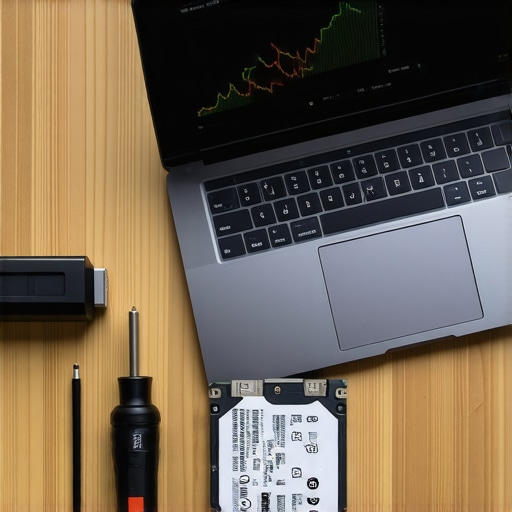
The 50% Rule for Repair Costs
I use a simple litmus test for my own gear: if the repair cost exceeds 50% of the computer’s current market value, it’s time to move on. Think of it like a car with a blown transmission. You could spend $3,000 on a laptop screen replacement and a new battery for a five-year-old MacBook, but that same $3,000 is halfway to a machine that is four times faster and actually supported by the latest OS. Plus, you have to consider secondary damage. I’ve seen cases why a cracked laptop screen can eventually damage your motherboard due to internal pressure or glass shards interfering with the bezel cables. If the repair is invasive, the risk of ‘repair-induced’ failure goes up.
Don’t Neglect the Software Wall
It isn’t just about the physical parts. Security is the silent killer of old tech. There is a massive risk of running your core business operations on end-of-life software that no longer receives security patches. Even the best managed IT strategies to keep your business secure in 2025 can’t fully protect a system with unpatchable vulnerabilities at the kernel level. I once tried to keep an old Windows 7 server running for a small accounting firm. I thought I was being the hero by saving them money. Two months later, the move that keeps your server running when a cooling fan dies wasn’t enough because a simple exploit bypassed their outdated firewall. We spent three days on data recovery secrets just to get their client list back.
Moving Your Data Without Losing Your Mind
If you decide the old machine is toast, the ‘how’ of the transition is where people usually stumble. You don’t just want your files; you want your workflow. If the old machine won’t even boot, you’ll need to know how to pull data from an old desktop that hasn’t been turned on in years using an external SATA-to-USB adapter. This is often the safest route because it bypasses the unstable operating system and lets you cherry-pick what moves to the new, clean environment. Remember, bringing ‘junk’ files from an old, infected, or cluttered OS to a new one is like moving into a brand-new house but bringing all your old trash with you. Clean breaks are almost always better for long-term stability.
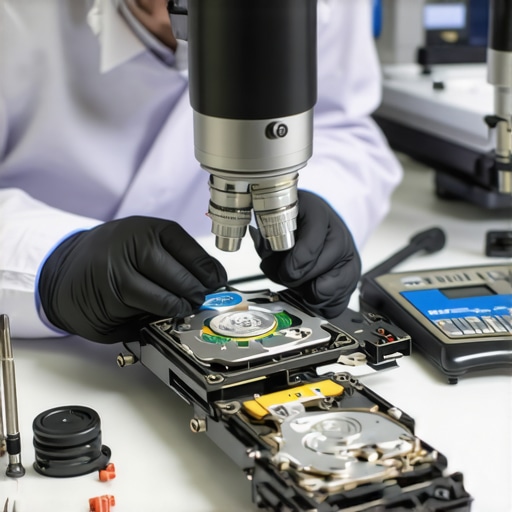
While the basic repair logic holds up, the real danger lies in the ‘common knowledge’ that backfires in high-stakes situations. Most people assume that if a drive is failing, the best first step is to download a piece of recovery software and let it run for ten hours. In reality, this is the quickest way to turn a recoverable situation into a paperweight. I’ve seen countless DIY enthusiasts fall victim to the danger of using free file recovery tools on a failing mechanical drive. If the drive has physical damage, every second the platters are spinning while a software tool ‘scans’ for files, you are literally grinding away the data you’re trying to save. Sometimes, you have to realize that why drive savers remains the only choice for physically damaged drives is due to their cleanroom environments that software simply cannot replicate.
Why is your modern SSD failing faster than an old mechanical drive?
It sounds counterintuitive, but the ‘Bathtub Curve’ of hardware failure is shifting. Modern solid-state drives are incredibly fast, but they have a finite number of write cycles. According to data from Backblaze’s 2024 drive stats report, while SSDs are generally more reliable in the short term, they tend to fail without the warning ‘clicking’ sounds that old HDDs provided. This is why you need the reason your managed it provider needs a disaster recovery plan for you. You won’t get a heads-up; your data will just be gone one morning because of a controller failure or a NAND cell wearing out. If you aren’t monitoring the ‘SMART’ status of your drives, you are flying blind.
Another common ‘trap’ I see involves the power supply. People will spend $800 on a GPU but $40 on the unit that powers it. This is a recipe for disaster. I’ve learned the hard way that why a cheap power supply is the biggest threat to your office hardware is because when they fail, they don’t just stop working—they often send a surge through the motherboard, killing the RAM and CPU simultaneously. It is the hardware component that causes the most blue screens of death that people most often overlook during their ‘budget’ builds. Don’t be the person who loses a $2,000 workstation because you wanted to save $50 on a generic power brick.
We also need to talk about the ‘restart’ myth in managed IT. We often joke about ‘turning it off and on again,’ but in a professional environment, a reboot can actually hide a deeper, more malicious problem like a memory leak or a brewing thermal issue. Instead of just fixing the symptom, you should be looking at how managed IT can elevate your business security in 2025 by using proactive telemetry. If your system is crashing, check for the sign your cpu is thermal throttling before you assume it’s just a Windows glitch. Have you ever fallen into this trap and spent days chasing a software bug that turned out to be dusty hardware? Let me know in the comments.
Finally, if you’re dealing with a cracked screen, don’t wait. It’s a common myth that a ‘small crack’ is just cosmetic. Pressure on the LCD can cause internal leakage that eventually shorts out the backlight fuse on your motherboard. If you’re hesitant about the cost, look into a laptop screen replacement early before the damage spreads. For those who want to keep their current setup secure while they weigh these options, I highly recommend reviewing managed IT strategies to keep your business secure in 2025 to ensure your data is backed up regardless of what the hardware does.
After years of tinkering, I’ve realized that the difference between a quick fix and a permanent solution usually comes down to the quality of your tools and the consistency of your habits. I never touch a laptop motherboard without my grounded anti-static mat and a set of high-precision drivers. If you are serious about avoiding costly mistakes, invest in a decent toolkit like the iFixit Pro Tech series. One of the most common issues I see in my shop is stripped screws from people using the wrong size Phillips head or generic store-bought drivers that lack the necessary torque control. Beyond the physical tools, I rely heavily on imaging software like Macrium Reflect. It is a lifesaver when you need to perform the hardware upgrade that actually speeds up your daily workflow without the headache of reinstalling every single application and license key from scratch.
How do I maintain my workstation performance over time?
Maintaining a machine is a lot like maintaining a car; you can’t just drive it until the engine explodes and expect a cheap fix. Every six months, I perform a physical ‘blowout’ using compressed air to clear the heatsinks and a digital ‘pruning’ of startup items. Dust buildup is the silent killer that ensures the sign your cpu is thermal throttling starts appearing in your task manager, leading to those mysterious 2 PM slowdowns. Digitally, you need to regularly find out which background program is eating your network bandwidth to prevent your system from becoming a zombie for telemetry data. For business owners, these manual checks aren’t just a hobby; they are a necessity for uptime. This is why managed IT solutions streamlining operations for small businesses are becoming the gold standard—they automate this maintenance cycle so you can focus on your actual work instead of playing IT janitor.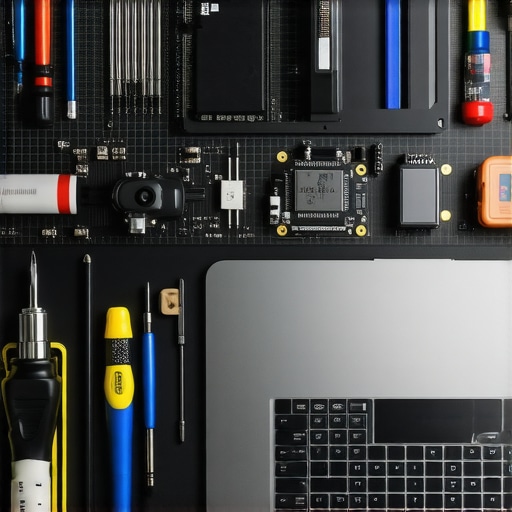
Stop Reacting and Start Scaling Your Business IT
According to the 2024 Hardware Reliability Report from Puget Systems, component failure rates are significantly lower when systems are paired with high-efficiency, Gold-rated power supplies and kept in climate-controlled environments. This data mirrors my own experience with why a cheap power supply is the biggest threat to your office hardware. As your business grows, the DIY approach eventually hits a wall. You will start to notice the signs your business is outgrowing its current it infrastructure, such as frequent network drops or backup failures. Looking ahead, I predict a massive shift toward AI-driven predictive maintenance, where your computer will literally tell you its drive is going to fail three weeks before it actually does. Don’t wait for that technology to become mainstream to protect yourself. Start implementing data recovery secrets every business should know today by keeping a local, encrypted backup of your most vital files. **My challenge to you today:** Download a free tool like CrystalDiskInfo and check your SSD health. If that percentage is below 80%, it is time to move your data before the drive locks itself into read-only mode forever.
The Hard-Earned Lessons That Saved My Sanity
Over a decade of troubleshooting has taught me that the biggest mistake isn’t choosing the wrong part—it’s choosing the wrong time to give up. I once spent a grueling weekend trying to resurrect a workstation that had clearly given up the ghost, only to realize that the billable hours I lost were triple the cost of a new machine. First, you have to accept that hardware has a pulse, and sometimes that pulse simply stops. If you find yourself constantly searching for troubleshooting common computer repair issues effectively, you’re likely in a toxic relationship with your PC. Second, never underestimate the damage a failing component can do to its neighbors. For instance, I’ve seen how a laptop screen with even minor pressure issues can cascade into a complete failure; it’s a known fact why a cracked laptop screen can eventually damage your motherboard over time. Finally, the best data recovery strategy is the one you never have to use because your backups were redundant and automated.
My Secret Arsenal for Keeping Systems Bulletproof
If you’re going to handle your own maintenance, you need to move beyond the ‘restart and pray’ method. I swear by Macrium Reflect for creating exact clones of my drives; it’s the only way to swap hardware without a week-long setup headache. For physical repairs, I don’t trust anything but iFixit precision kits to prevent stripping those tiny, fragile screws that hold modern ultrabooks together. To keep a pulse on my drive health, I rely on CrystalDiskInfo to catch the risk of ignoring that smart status bad warning on your pc before it becomes a total data loss event. For anything beyond a simple swap, I always tell people to look into effective managed IT solutions for growing companies. Why? Because as much as I love DIY, a professional team using real-time telemetry will always spot a failing power supply faster than a human can.
Stop Guessing and Start Growing Your Infrastructure
Your technology should be the engine of your success, not the anchor holding you back. Whether you decide to invest in a high-end computer repair or finally upgrade to a 2025-spec workstation, the goal is consistent, predictable performance. Don’t let the fear of a new setup keep you chained to a machine that is thermal throttling your potential. When you understand how managed IT can elevate your business security in 2025, you stop reacting to fires and start preventing them. It’s time to stop being an ‘IT janitor’ and start being a strategist for your own productivity. Have you ever regretted waiting too long to replace a piece of hardware that eventually died at the worst possible moment? Let me know your horror stories in the comments below.