

I still remember the cold sweat that broke across my forehead three years ago when I saw a login notification from a server in Eastern Europe at 2 AM. I hadn’t been on the computer. My lead designer was asleep. It turned out his personal laptop—the one I had let him use to save the company some cash—was crawling with malware his teenage son had accidentally invited in while downloading games. That one decision, born out of a desire to be the cool, flexible boss, nearly cost us our biggest client’s data.
The Hidden Cost of Being the Flexible Boss
We often think that letting staff use their own devices is a win-win. They get to use the gear they love, and we do not have to shell out thousands for new workstations. But I learned the hard way that when you mix personal lives with professional data, you are basically leaving your front door wide open. It is not just about convenience; it is about control. If you have ever wondered why your business should never use a personal gmail for company work, the logic is identical here. You simply cannot secure what you do not own. Today, I am going to show you why the BYOD (Bring Your Own Device) model is a ticking time bomb and how to keep your remote team secure without slowing down their workflow.
Will my employees hate me for banning their personal laptops?
That is the big fear, right? We do not want to be the corporate fun police. But here is a reality check: most employees actually prefer a clear boundary between their work and personal lives. When I finally made the switch, I felt like a failure for being too rigid. In reality, I was finally protecting my team’s livelihood. It is much easier to implement managed IT strategies to keep your business secure in 2025 when you have a uniform fleet of devices.
Why Your Data Is Currently One Bad Click Away
The problem is not just your employees; it is the ecosystem they live in. According to a study by the Ponemon Institute, data breaches caused by remote work or unmanaged personal devices cost businesses an average of $1 million more than those with strict device controls. It is easy to assume your team is tech-savvy, but even the best pros make mistakes. I once ignored a hardware warning on a staff member’s personal PC because I did not want to pay for a replacement, and that led to a week where I realized the reason your managed IT provider needs a disaster recovery plan for you is because hardware fails when you least expect it. Have you ever felt that sinking feeling when you realized a personal device was accessing your most sensitive company files? Let’s dive into the specific security gaps you are likely ignoring right now.
Audit Every Device Before It Audits You
The first step in fixing a leaky ship is finding the holes. You cannot secure a network if you do not actually know what is connected to it. I learned this the hard way when I found an old, unpatched tablet tucked away in a breakroom drawer that was still synced to our primary file server. To get ahead of this, you need to how to audit your business software to find hidden security gaps before a hacker finds them for you. Use a network scanner to identify every MAC address currently pulling bandwidth. If you see a device name like ‘Johnny-iPad’ or ‘Living-Room-PC’ on your office network, that is a red flag that demands immediate isolation. Once you have a list, you can begin the process of decommissioning hardware that no longer meets your security standards. This is essentially the digital version of a home inspection; you are looking for the cracks in the foundation before the whole roof collapses. 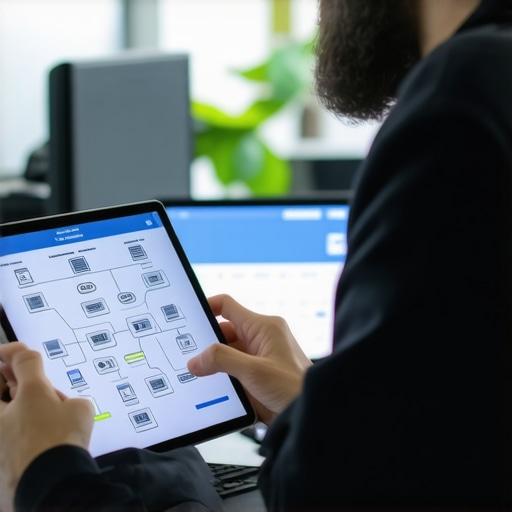
Stop Sharing Your Wi-Fi With Personal Laptops
If you must allow personal devices in the building, treat them like radioactive material. They should never, ever sit on the same subnet as your accounting software or your client database. I once worked with a client who let his sales team use their personal MacBooks on the main office Wi-Fi. One staffer’s laptop had a dying GPU—we only knew because of how to spot a dying gpu before your screen turns into a wall of static—but the bigger issue was the malware that hopped from his ‘private’ laptop onto the office server. This is exactly why your business needs a separate wi-fi network for smart devices and personal electronics. By creating a ‘sandbox’ network, you allow the convenience of connectivity without the catastrophic risk of cross-contamination.
The High Price of Cutting Corners on Hardware
I used to think I was being frugal. I once bought a fleet of five ‘like-new’ laptops for a marketing team from a random liquidator. Within three months, two had flickering displays and one had a total motherboard failure. I spent more on emergency laptop screen replacement and overnight shipping than I would have spent on brand-new, warrantied units. This experience taught me about the hidden cost of buying refurbished laptops for your entire team. When you own the hardware, you control the maintenance cycle. You know exactly when to swap a battery or an SSD before it fails during a deadline.
Train Your Team to Spot the Invisible Threat
Technical barriers are only half the battle. Your team needs to be your human firewall. A personal device often lacks the enterprise-grade email filtering that your office machines have, making them prime targets for phishing. You must teach your staff how to spot a malicious attachment even when it comes from a known contact. When they are using their own gear, they are more likely to let their guard down. Constant education is the only way to bridge the gap between ‘I’m just checking my Facebook’ and ‘I just gave a ransomware group the keys to our digital kingdom.’ If a device starts acting up—running hot or showing strange artifacts—it is often a sign of an underlying hardware issue or a background process you did not authorize. In those cases, you have to decide how to choose between repairing an old workstation and buying a new one to maintain a secure, professional environment.
Why Your Cloud Backup Is Not Actually a Security Strategy
Everyone tells you that the ‘cloud’ is the ultimate safety net. It is a comforting thought, but in my years of cleaning up digital wrecks, I have seen this belief lead to total catastrophe. The cloud is just someone else’s computer, and if you do not have a local strategy, you are just outsourcing your vulnerability. Most people think that because their files are on OneDrive or Dropbox, they are immune to data loss. This is a dangerous myth. If a user on a personal laptop accidentally syncs a ransomware-encrypted folder, that ‘backup’ will faithfully overwrite your clean files with encrypted junk in seconds. This is why your business needs a dedicated backup for microsoft 365 emails that exists outside of the primary ecosystem. Gartner research suggests that the average cost of IT downtime is approximately $5,600 per minute, and much of that downtime comes from the slow recovery speeds of cloud-only restores. Relying solely on the internet to pull back terabytes of data while your team sits idle is a recipe for bankruptcy.
The Fatal Mistake of DIY Data Recovery
When a hard drive starts making a rhythmic clicking or you hear a high-pitched whine, the natural instinct is to download a ‘free’ recovery tool. This is the ‘Oops’ factor that turns a $300 repair into a $3,000 forensic nightmare. If the drive is physically failing, every second it is powered on—especially while a software tool is aggressively scanning sectors—the read/write head is likely gouging a permanent trench into the magnetic platter. You need to know how to get files off a hard drive that makes a scraping sound, and the first rule is to stop. Do not run software. Do not put it in the freezer. There is a reason why drive savers remains the only choice for physically damaged drives; they use clean rooms, not ‘hacks’ they found on a forum. 
Does my managed IT provider really see every site I visit?
This is the nuance most employees worry about, and most bosses misunderstand. Advanced managed IT is not about ‘spying’—it is about telemetry. A good provider uses how managed it can elevate your business security in 2025 by looking for patterns, not people. We do not care that you checked your bank balance; we care that the connection used an outdated TLS protocol that could be intercepted. The sophisticated reader knows that ‘privacy’ in a corporate setting is actually a layer of security. If your IT guy is obsessing over your browsing history instead of checking the danger of using free file recovery tools on a failing mechanical drive, you have the wrong partner.
Stop Ignoring the Subtle Hardware Warnings
We often treat our laptops like appliances, but they are more like high-performance engines that require tuning. I have seen business owners ignore a slight screen pulse for months, only to have the unit die during a keynote. Knowing how to fix a laptop screen that flickers only when the brightness is low can save you from a complete backlight failure. It is often a sign of a failing inverter or a loose ribbon cable, both of which are cheap fixes if caught early. If you wait until the screen is black, you might be looking at a full laptop screen replacement. Have you ever fallen into this trap of ‘waiting until it breaks’ to take action? Let me know in the comments.
The Tools That Actually Save My Sanity
I’ve stopped playing guessing games with my hardware. In the early days, I would wait for a fan to start screaming or a screen to dim before I took action. Now, I rely on a stack of tools that act like an early warning system. For thermal monitoring and real-time sensor data, I use HWiNFO64 religiously. It lets me see if a CPU is throttling before the user even notices a slowdown. If you’ve ever wondered the hardware upgrade that actually speeds up your daily workflow, it’s often just better cooling or a clean thermal paste application, not necessarily a faster chip. For my clients, I implement managed IT solutions streamlining operations for small businesses so we can catch these issues remotely. It’s the difference between a scheduled ten-minute patch and a four-hour emergency teardown on a Monday morning. 
Why Your SSD is Secretly Planning its Own Retirement
We’ve traded the clicking sounds of old hard drives for the silent, sudden death of SSDs. According to the 2023 Backblaze Drive Stats report, while SSDs are generally more reliable than mechanical drives in the short term, their failure mode is much more binary—they simply disappear from the BIOS. I’ve seen this happen to high-end workstations overnight. This is exactly the risk of ignoring that smart status bad warning on your pc. I now set all my office machines to run a weekly S.M.A.R.T. health check. If a drive shows even a 1% increase in reallocated sectors, it gets pulled and cloned immediately.
How can I keep my gear running for five years instead of two?
The secret isn’t buying the most expensive gear; it’s about consistent environmental control. Heat and dust are the primary killers of business-grade laptops. I recommend a bi-annual ‘air-out’ where every machine is opened and cleared of debris. Beyond the physical, you need to look at how managed it can elevate your business security in 2025 by ensuring your firmware is always current. Outdated BIOS versions can lead to poor power management, which fries batteries and swells motherboards over time.
Scaling Your Tech Without Breaking the Bank
As your team grows, the ‘one-off’ repair model becomes a nightmare. You need a fleet strategy. This is why managed it is a game changer for growing companies; it allows you to standardize your hardware. When everyone is on the same model of Dell Precision or Lenovo ThinkPad, you only need to stock one type of spare screen and one type of charger. It turns a chaotic repair closet into a streamlined assembly line. Looking forward, I predict we will see AI-driven predictive maintenance become the standard, where your computer will literally open a support ticket for itself two weeks before a component fails. I highly recommend you download a free tool like CrystalDiskInfo today and check the ‘Health Status’ of your primary drive—if it’s anything other than ‘Good,’ back up your files right now.
The Expensive Lessons That Finally Changed My IT Perspective
Looking back, the biggest mistake I made wasn’t a technical one; it was a mindset issue. I treated IT as an expense to be minimized rather than an asset to be protected. Here are a few things I learned the hard way after years of troubleshooting common computer repair issues effectively:
- Trust is not a security protocol: I used to trust that my team knew what they were doing with their personal devices. Now I know that even the most well-meaning employee can be a vector for a massive security breach.
- Hardware has a strict shelf life: Trying to squeeze an extra year out of a dying workstation usually ends in an emergency bill that is three times the cost of a proactive replacement.
- Standardization is your greatest ally: Having five different brands of laptops in the office is a logistical nightmare when you need a quick laptop screen replacement or a specific firmware update.
My Go-To Toolbox for Keeping Systems Healthy
If you want to stop guessing and start knowing, you need the right telemetry. I swear by HWiNFO64 for checking if your CPUs are running too hot, which is often the hidden reason your computer is freezing during high-definition video calls. For disk health, CrystalDiskInfo is non-negotiable for spotting failures before they happen. I also recommend moving beyond consumer-grade networking; learning why your company needs a hardware firewall instead of a basic router was a turning point for my own network integrity. Finally, for those inevitable hardware transitions, make sure you know how to properly decommission old office pcs without leaking sensitive data.
Take Control of Your Digital Foundation Today
Security and stability do not happen by accident. They are the result of choosing to be proactive rather than reactive. By moving away from the chaos of unmanaged hardware and embracing managed IT strategies to keep your business secure in 2025, you are not just protecting your data; you are protecting your peace of mind and your company’s future. It is time to stop playing tech roulette and build a professional environment that supports your growth instead of hindering it. Have you ever had a personal device cause a major headache in your professional workflow? Let me know in the comments below.