

I’ll never forget the cold sweat that broke out on my forehead three years ago when I left my MacBook at a busy airport terminal. It wasn’t the loss of the machine that gutted me—I could always buy another one. It was the realization that my entire digital life, from tax returns to family photos, was sitting on a silver platter for whoever found it. I paced that terminal like a madman, trying to remember if I had ever bothered to turn on FileVault. That moment of pure, unadulterated panic was a wake-up call. I realized that while I spent time worrying about laptop screen replacement or cleaning my fans, I had completely ignored the invisible shield that actually matters: encryption.
Don’t Wait for a Coffee Shop Disaster to Check Your Security
We often assume our computers are secure just because we have a login password. I used to make that exact mistake. I thought a Windows login screen was like a locked vault door. In reality, without encryption, your hard drive is more like a shoebox full of papers; anyone with a screwdriver and a little bit of know-how can pull that drive out and read every single file. Whether you are handing your device over for troubleshooting common computer repair issues or you’re worried about a stolen bag, knowing your encryption status is the difference between a minor headache and a total identity theft nightmare. Today, I’m going to show you how to perform a simple check that takes less than a minute but provides a lifetime of peace of mind. We are going to ensure that even if your hardware walks away, your data stays yours.
Does Encryption Actually Keep the Bad Guys Out?
You might be skeptical. You might think that if a hacker wants in, they’ll get in anyway. But here is the reality: professional-grade encryption like BitLocker or FileVault is incredibly robust. According to a study by the Ponemon Institute, the average cost of a data breach for a small business can exceed $2.9 million, yet a significant portion of these losses could be mitigated simply by having encrypted endpoints. I learned this the hard way when I once tried to rescue files from a laptop with a damaged motherboard for a friend. Because their drive wasn’t encrypted, I could see everything instantly. It was a terrifying realization of how vulnerable we all are. Have you ever checked to see if your own drive is locked down, or are you just crossing your fingers and hoping for the best?
The Simple Way to Verify Your Shield is Active
Many people assume this requires a degree in computer science, but it’s actually hidden in plain sight. Especially if you are looking to elevate your business security in 2025, this is the absolute baseline. I remember early on in my tech journey, I spent hours looking through BIOS settings and command prompts, only to realize I could have found the answer in two clicks. Don’t be like me and overcomplicate it. Whether you’re a solopreneur or just a casual user, this check is your first line of defense against the risk of keeping your business passwords in a vulnerable state. Let’s dive into the actual steps so you can breathe a sigh of relief.
Find Out if Windows Has Your Back
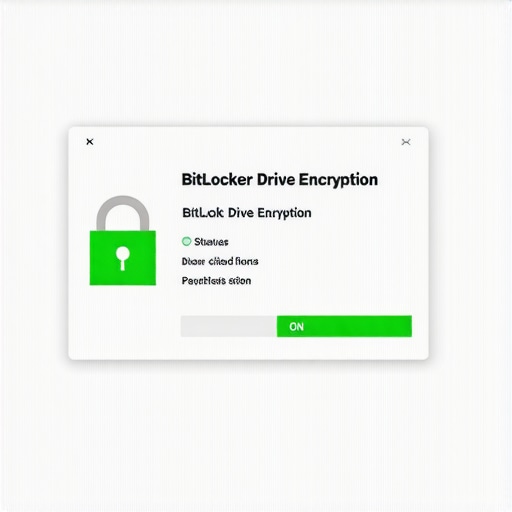
To see if BitLocker is guarding your files, hit the Start button and type ‘Manage BitLocker.’ It sounds technical, but you’re just looking for one word: ‘On.’ I’ve seen people skip this and end up in a panic when their PC won’t boot, eventually needing to learn the power of data recovery tools because they couldn’t access their own unencrypted files after a crash. If you see ‘BitLocker off,’ you are essentially leaving your front door wide open with a sign that says ‘Free Data.’ If you are a business owner, this is where how to audit your business software to find hidden security gaps starts—at the disk level.
Verify Your Mac is Actually a Vault
For the Apple crowd, the process is even sleeker. Head over to System Settings, click on ‘Privacy & Security,’ and scroll down to ‘FileVault.’ If it says it’s turned on, your data is scrambled into gibberish for anyone who doesn’t have your password. I remember helping a client with a device that had been submerged; knowing their FileVault was on gave them peace of mind even as they looked for the secret to getting files off a water-damaged MacBook. If it’s off, clicking that ‘Turn On’ button is the most productive thing you’ll do all week. It’s a simple toggle that acts as a digital deadbolt.
What a Missing Padlock Really Means for You
I once worked on a machine for a local accountant who brought it in because he needed a laptop screen repair. While I was testing the new display, I noticed the drive was completely unencrypted. It was a literal goldmine of client social security numbers and tax returns. I didn’t peek—I’m a professional—but the realization that any opportunistic thief could have seen everything was enough to make me call him immediately. We fixed the screen, but we also closed a security gap that could have ended his career. This is a classic example of why computer repair for beginners should always include a security check, not just hardware fixes.
The Connection Between Encryption and Ransomware
It’s easy to confuse your own encryption with the kind used by hackers. While you want your drive locked down to prevent theft, you must also be aware that the move that prevents a ransomware attack from encrypting your server is a different beast entirely. Your encryption protects you from physical loss; anti-ransomware strategies protect you from digital extortion. Both are non-negotiable in 2025. If you’re handling a fleet of devices, this is exactly why your managed IT provider should be doing quarterly audits to ensure no machine has accidentally reverted to an unencrypted state.
Don’t Ignore the Hardware Warning Signs
Sometimes, the reason you can’t verify your encryption is that the hardware itself is failing. I once tried to check the security status on a laptop while performing a routine task to safely upgrade RAM without voiding the warranty, only to find the drive was timing out. A failing drive can make encryption behave erratically. If your computer is sluggish or making odd noises while you try to access these settings, stop what you’re doing. Encryption is a shield, but it requires a healthy ‘arm’—your hard drive—to hold it up. If the drive is dying, the shield becomes a cage you can’t unlock.
One of the biggest misconceptions I encounter is the belief that hardware is hardware, regardless of where you buy it. I’ve seen countless small business owners fall into the trap of thinking a ‘Black Friday special’ from a big-box retailer is the same as a professional workstation. It’s not. In fact, the hidden cost of buying cheap consumer laptops for your staff usually manifests as broken hinges, overheating, and premature SSD failure within eighteen months. While the specs on the box look identical, the internal build quality—the soldering, the cooling pads, and the chassis reinforcement—is worlds apart. When you are trying to choose between repairing an old workstation and buying a new one, remember that a refurbished business-grade machine often outperforms a brand-new consumer plastic toy in a professional environment.
Stop Thinking All Laptops Are Created Equal
I recently spoke with a client who couldn’t understand why his team’s laptops were constantly in the shop for laptop screen repair or battery issues. The nuance they were missing was the duty cycle of the components. Consumer devices are designed for a few hours of Netflix; business machines are built for forty-plus hours of high-intensity work. Citing a study by IDC on hardware life cycles, the total cost of ownership for a ‘cheap’ laptop is actually 40% higher over three years when you factor in downtime and emergency repairs. 
Can You Really Afford to Ignore Quarterly Audits?
Most people view managed IT as a glorified help desk—someone to call when the printer stops working. This is a dangerous oversimplification. True effective managed IT solutions for growing companies focus on the architecture of your data, not just the hardware on your desk. I’ve walked into offices where the ‘IT guy’ had set up a perfectly functional network, but completely neglected why your managed IT provider should be doing quarterly audits. Without these audits, things like encryption status, patch management, and backup integrity slowly drift out of compliance. It’s not a matter of if something will fail, but when, and a proactive stance is the only thing standing between you and a catastrophic data loss event.
The Critical Nuance of Data Recovery
Here is a contrarian take: the best data recovery strategy is one you never have to use. Many users assume that if their drive clicks, they can just download some software and fix it. This is the ‘Oops’ factor that keeps me up at night. Attempting to run software on a physically failing drive is the fastest way to turn a recoverable situation into a permanent loss. If you hear a mechanical noise, you need data recovery secrets and expert techniques, not a $20 utility from the internet. Understanding the move that stops an SSD from failing during a power surge—like using high-quality UPS systems—is far more valuable than any recovery tool. Have you ever fallen into the ‘cheap hardware’ or ‘DIY recovery’ trap and regretted it six months later? Let me know in the comments; I’d love to hear your experiences and help you avoid the same pitfalls next time.
I have spent years fixing machines that didn’t have to die. If there is one thing I’ve learned, it’s that heat and unstable electricity are the silent killers of even the most expensive hardware. I’ve seen $3,000 workstations turned into doorstops because someone plugged them into a $10 power strip from a grocery store. This is why I insist on every setup having an Uninterruptible Power Supply (UPS). It isn’t just about having ten minutes of battery to save your work; it’s about the voltage regulation that protects your sensitive components from the micro-surges that happen daily. In fact, using a high-quality UPS is the move that stops an SSD from failing during a power surge and saves you from a world of hurt.
Clean Power is Your Cheapest Insurance
When you are looking at effective managed IT solutions for growing companies, power management is usually the first line of the audit. I personally use CyberPower or APC units with ‘Pure Sine Wave’ output. Why? Because modern power supplies are incredibly picky about the signal they receive. If you give them ‘choppy’ simulated power, they run hotter and fail sooner. This level of detail is what separates a professional setup from a hobbyist one. If you’re already dealing with a machine that won’t stay on, you might need to check out troubleshooting common computer repair issues effectively before you worry about the power supply quality.
The Tool I Use to Peek Inside My CPU
I don’t trust the basic Windows sensors. When I want to know exactly how a system is breathing, I use HWiNFO64. It’s a free, incredibly detailed tool that gives me the ‘Thermal Junction’ temperature of the processor. I use it because it shows me exactly when a laptop is starting to throttle its speed to stay cool. If those numbers are in the 90°C range while just browsing, I know it’s time to clean a laptop fan without pushing dust deeper inside. This simple software check can prevent the motherboard warping that leads to a laptop with a damaged motherboard and an expensive data recovery bill.
How can I keep my hardware alive for a decade?
The answer is a mix of physical hygiene and predictive monitoring. I tell all my clients that a ‘dead’ computer is often just a neglected one. Every six months, give your vents a blast of compressed air and check your drive’s health. I follow the data from the Backblaze Hard Drive Reliability Reports—a niche but essential technical resource—which highlights that drive failure rates spike significantly after the four-year mark. Knowing this, I start looking for the power of data recovery tools early, or better yet, I clone the drive to a new SSD before the first ‘click’ happens. If you wait until you hear a noise, you are already flirting with the risk of ignoring a clicking external drive, which rarely ends well.
Predictive AI is Changing the Repair Game
Looking ahead, I see a massive shift toward AI-driven predictive maintenance. We are moving away from ‘break-fix’ models and into an era where your managed IT strategies to keep your business secure in 2025 will include software that predicts a fan failure or a battery swell weeks before a human can notice it. This is why managed IT is a game changer for growing companies; it turns downtime into a scheduled fifteen-minute swap. Whether you are dealing with a laptop screen replacement or a complex server migration, the goal is always to stay ahead of the curve. My advanced tip for you today: Download HWiNFO64 and check your ‘Drive Remaining Life’ percentage; if it’s under 10%, back up your data immediately and get a replacement drive ready.
The Expensive Lesson I Learned by Choosing Consumer Laptops
Over the years, I’ve realized that the most expensive “save” you can make is buying a consumer-grade laptop for a business environment. I’ve seen teams lose days of productivity over a $200 price difference. If you are just starting, remember that computer repair for beginners isn’t just about turning it off and on again; it’s about making smart hardware choices from day one. I’ve also learned that the best IT support isn’t the person you call when things break, but the team that ensures things never break in the first place. That shift in mindset is why managed IT is a game changer for growing companies. It’s the difference between being a fire fighter and a fire preventer.
#IMAGE_PLACE_HOLDER_E#
My Personal Arsenal for Bulletproof Hardware
If you’re serious about protecting your setup, I have a few non-negotiables. First, bookmark the Backblaze Hard Drive Stats; it’s the gold standard for knowing which drives to trust based on real-world failure rates. Second, if you’re managing a team, look into effective managed IT solutions for growing companies to automate the boring but critical tasks like patch management. For those DIY moments, I always keep a copy of the power of data recovery tools in my mental toolkit. Finally, never underestimate a high-quality UPS—it’s the only thing standing between a power flicker and a laptop screen replacement or worse, a dead motherboard.
Taking Charge of Your Digital Future Today
Security and hardware longevity aren’t destinations; they are ongoing habits. You don’t need to be a tech genius to protect your business, you just need to be consistent. By implementing the encryption checks and hardware monitoring we discussed, you are already ahead of 90% of users. If you ever feel overwhelmed or need a professional eye to audit your setup, don’t hesitate to contact us for expert guidance. Your data is too valuable to leave to chance. Have you ever had a ‘near-miss’ where encryption or a surprise backup saved your career? Let me know your story in the comments below!