

I’ll never forget the cold sweat I broke into back in my early days of managing a small marketing firm. I was crawling under a desk to plug in a second monitor when I noticed something off. There was a tiny, cylindrical plastic nub sitting between the keyboard cable and the USB port on the computer tower. I brushed it off at first, thinking it was just some sort of signal filter or an old adapter. Boy, was I wrong. That little piece of plastic had been recording every single keystroke—passwords, private emails, and client data—for three months. It wasn’t a software virus; it was a physical intruder that my expensive antivirus didn’t even blink at. Dealing with physical security is just as vital as knowing the simple way to check your pc for hidden background processes, yet we often forget to actually look at our hardware.
The Silent Danger Lurking in Your USB Ports
Today, I want to help you avoid that same pitfall. We are going to walk through exactly how to identify these sneaky hardware keyloggers that could be sitting right behind your PC. We often obsess over digital firewalls, but if someone has ten seconds of physical access to your machine, those digital walls don’t mean a thing. I learned the hard way that a clean screen doesn’t always mean a clean machine. My biggest mistake was assuming that if my PC felt fast and the software was updated, I was safe. But a hardware keylogger is a passive parasite; it doesn’t slow down your system like a bulky virus might. It just sits there, listening. This is why managed IT strategies to keep your business secure in 2025 must include physical hardware audits alongside software monitoring. Have you ever actually looked at the back of your office computer since the day it was installed?
Can’t My IT Department Just Block These Automatically?
This is the question I get most often from skeptical friends. They assume that if the office has a big, expensive network, these little devices wouldn’t work. The scary truth is that hardware keyloggers are often OS-independent. Because they sit between the keyboard and the motherboard, the computer just thinks it’s talking to a standard HID (Human Interface Device). According to a report by the Cybersecurity and Infrastructure Security Agency (CISA), physical access remains one of the most difficult threat vectors to secure because it relies on human vigilance rather than just code. If you aren’t regularly checking for the first sign your business server motherboard is about to fail or being tampered with, you’re leaving the door wide open. In the next section, we’ll dive into the specific shapes and sizes these bugs take so you can spot them in a heartbeat.
Spot the Extra Inch Behind Your Tower
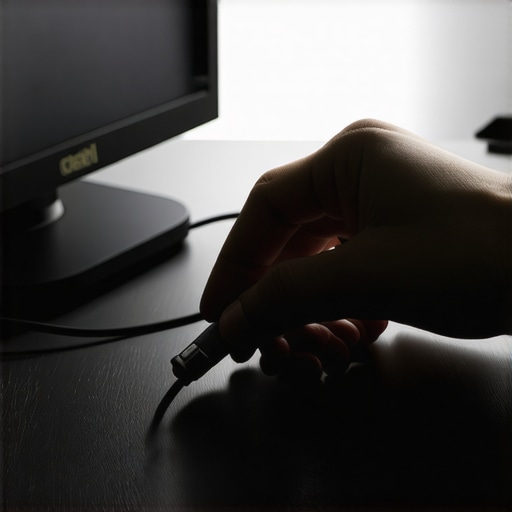
The very first step in your hardware audit is what I call the tactile trace. You need to physically follow the cable from your keyboard all the way to where it meets the computer case. Think of a hardware keylogger like a parasite on a garden hose; for it to work, it must sit in-line to intercept the flow of data. If you see a small, cylindrical or rectangular plastic housing between the USB plug and the port, that is your red flag. I once worked with a local clinic that complained of a ‘loose’ keyboard connection. When I reached behind the tower, I didn’t just find a loose plug; I found a device that looked exactly like a standard signal filter. It had been there for six months. This is exactly why the first thing to check when your usb ports stop working or acting strangely is whether something extra has been squeezed into the chain.
Distinguish Between Adapters and Spies
Not every piece of plastic is a threat, but you should treat them as guilty until proven innocent. A legitimate USB-to-PS2 adapter or a signal noise suppressor will usually have manufacturer branding or a very specific, molded look. Keyloggers, conversely, often look like generic ‘no-name’ extensions. They are designed to blend in with the shadows of a cable nest. If you find a mystery piece, unplug it. If the keyboard works perfectly when plugged directly into the motherboard, you’ve likely found a logger. This kind of physical vulnerability highlights why why your office network needs a physical firewall not just software protection; digital tools cannot prevent someone from simply sticking a bug into a port.
Check for Mystery HID Entries in Your System
Even though these devices are hardware-based, they often leave a faint digital footprint if you know where to look. Open your Device Manager and expand the ‘Keyboards’ and ‘Mice and other pointing devices’ sections. If you see two ‘HID Keyboard Device’ entries but you only have one keyboard plugged in, you might have a problem. Some advanced keyloggers act as a secondary input device to ‘inject’ commands back into your system. It is similar to how to spot a rogue device connected to your office wi-fi—you are looking for the extra guest who wasn’t invited to the party. In my experience, these ‘ghost’ devices are the most common way to catch more sophisticated internal implants that aren’t immediately obvious to the naked eye.
Audit Your Hubs and Docking Stations
If you use a laptop with a docking station, the back of the dock is the new prime real estate for hardware bugs. Many employees never look at the rear of their docks after the initial setup. This neglect is a security nightmare. For companies growing quickly, implementing managed IT solutions streamlining operations for small businesses should include a policy where all peripheral connections are photographed or ‘sealed’ with tamper-evident tape. I started doing this after I found a logger hidden inside a cheap USB hub a client had bought from an unverified vendor. The device was actually built into the hub’s internal circuitry, making it invisible from the outside. If you didn’t buy the hardware from a trusted source, you shouldn’t trust the data passing through it.
Let’s dig deeper into the contrarian reality of this threat. Most cybersecurity experts will tell you that as long as your data is encrypted at rest, you are safe from theft. I’ve seen firsthand that this is a dangerous myth. A hardware keylogger captures your credentials at the moment of entry, long before the operating system ever applies its fancy AES-256 encryption. If an intruder has your master password because they logged it while you typed it, your encryption is essentially a glass door with a key left in the lock. This is why why your managed it provider should be doing quarterly audits that include a physical sweep of every workstation. According to the 2023 IBM Cost of a Data Breach Report, breaches involving physical security compromise take significantly longer to identify—an average of 277 days—compared to digital-only attacks.
Stop Over-Relying on Your Antivirus Logs
The trap I see most people fall into is assuming their security software is a catch-all safety net. The ‘oops’ factor here is software-centric thinking. If you discover a suspicious device, your instinct might be to immediately run a deep scan or try to ‘clean’ the machine. If you suspect physical tampering, the worst thing you can do is continue using that operating system to troubleshoot. You might be inadvertently sending a wipe command or alerting the attacker. Instead, you should be looking into data recovery secrets every business should know today, which start with isolating the hardware entirely to prevent further manipulation of the local file system.
Can a Physical Breach Actually Render Your Backups Useless?
The answer is a resounding yes. I once watched an office manager try to fix a machine that had a logger by running a local admin repair tool; the logger simply recorded the elevated credentials during the process, giving the attacker full network privileges. By the time they realized the hardware was bugged, the attacker had already used those credentials to delete the shadow copies of their backups. This highlights why your business needs a disaster recovery plan before you need it, specifically one that accounts for hardware-level compromises that software backups alone cannot fix.
The Deadly Mistake of DIY Hardware Extraction
Stop blindly trusting your hardware just because it came in a sealed box. The nuance that beginners miss is that the supply chain itself is vulnerable. I recommend that every business has a clear protocol for when a peripheral fails. Don’t just toss a broken USB drive in a drawer or try to force a connection. If a device has corrupted your data or is acting ‘phantom-like,’ you need to know how to recover files from a usb drive that asks to be formatted without falling for the trap of clicking ‘Yes’ and erasing the evidence of the implant. Physical security isn’t a one-time setup; it’s a constant state of awareness. Start a habit of feeling the back of your PC once a week when you leave for the day. Have you ever fallen into this trap or found a mystery device you couldn’t explain? Let me know in the comments.
I’ve realized that the biggest gap in most security plans isn’t the software—it’s the lack of physical accountability. To really lock things down, I’ve started carrying a specific kit in my technician bag that I recommend to any business owner who is serious about their hardware. My go-to is non-residue tamper-evident tape. Unlike the cheap stuff that leaves a mess, a high-quality seal from a specialist like NovaVision allows you to see immediately if a port has been accessed without ruining the chassis. It sounds paranoid until you realize that how managed IT can elevate your business security in 2025 will depend entirely on these physical ‘tripwires.’ If that seal is broken, I don’t even boot the machine; I pull the drive and head straight for the clean room.
The Pro Kit for Port Protection
When I’m performing a deep-dive audit, I also rely on physical USB port blockers. These are small plastic inserts that literally lock into an unused port and require a proprietary key to remove. It’s a simple, low-tech solution that stops a ‘drive-by’ hardware injection in its tracks. In my experience, preventing the initial physical contact is much cheaper than dealing with the aftermath where you’re forced to look into data recovery secrets expert techniques to save your files fast because a malicious HID device scrambled your partition table. I’ve seen cases where a ‘BadUSB’ device was used to mimic a keyboard and execute a script that encrypted the entire drive in under sixty seconds. Using these blockers is a cornerstone of computer repair for beginners avoid costly mistakes because it removes the human element of ‘just plugging something in’ to see what it is.
How do I maintain physical security over time?
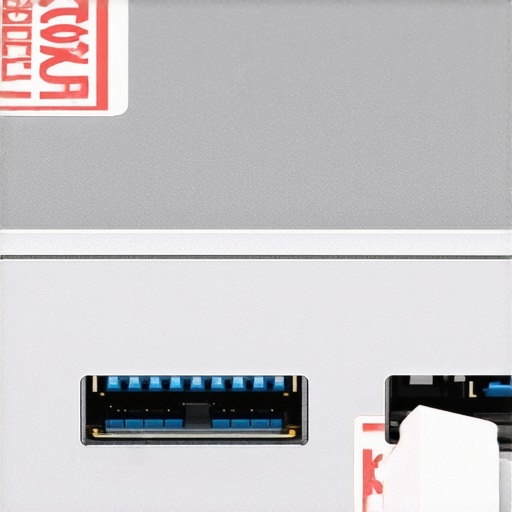
The secret isn’t a one-time setup; it’s the audit cycle. I tell my clients that physical security is a moving target. You need to establish a baseline of what the back of your workstations looks like. I recommend taking a high-resolution photo of the rear I/O panel of every server and critical workstation. Every quarter, compare the current state to that photo. This is exactly why your managed it provider should be doing quarterly audits that include a visual inspection. If you see a new dongle or a shifted cable that doesn’t match your baseline photo, you’ve found your breach point. According to documentation from the developers of the OM.G Cable—a highly sophisticated malicious cable that looks identical to a standard USB-C charger—the only real defense is strict physical inventory and visual verification of every peripheral in the building.
The Future of Hardware Attestation
Looking ahead, I predict we are going to see a massive shift toward hardware-level attestation. We are already seeing the beginnings of this with TPM 2.0 requirements, but soon, your motherboard will likely refuse to communicate with any peripheral that doesn’t have a cryptographically signed identity. Until that becomes the standard, you need to be the gatekeeper. Don’t wait for a system crash to realize your ports have been compromised. I highly suggest you go to your most sensitive machine right now and check the keyboard connection. If there is anything between that cable and the port that you didn’t personally install, stop what you are doing and call a professional. Understanding the power of data recovery tools what you need to know is great, but preventing the need for them through a simple physical check is the ultimate pro move. Try implementing a ‘clean desk’ policy that includes a Friday afternoon hardware sweep; it takes five minutes but could save your entire company’s data.
Hard Truths from a Decade of Hunting Hidden Bugs
Looking back at that day I found the cylindrical nub, I realized my biggest mistake wasn’t a lack of software—it was a lack of awareness. Here is what I know now: First, the most sophisticated firewall in the world is useless against a $30 USB device if someone can walk into your office. Second, never assume your hardware is “sealed” just because it looks that way; industrial espionage is surprisingly common. Finally, I’ve learned that managed IT strategies to keep your business secure in 2025 must start with the physical port. If you can’t see the connection, you can’t trust the data. I also realized that while I was busy learning the simple way to check your pc for hidden background processes, I should have been looking at the cables first.
The Hardware Guardian’s Selection of Trusted Tools
If you’re serious about locking down your workstations, don’t rely on luck. I personally use NovaVision Tamper-Evident Tape because it reveals any attempt to open a chassis or unplug a cable instantly. I also carry a set of Lindy USB Port Blockers to physically prevent unauthorized devices from being inserted when a desk is unattended. For those who want to dive deeper into the technical side, I highly recommend reading the CISA physical security guidelines to understand how these devices interact with your motherboard. This proactive approach is a core part of computer repair for beginners avoid costly mistakes by ensuring you never let an intruder through the front door in the first place.
Your Workspace Deserves a Second Look
Protecting your company isn’t just about the latest software update or a fancy cloud backup. It’s about the tangible, physical reality of the machines sitting right in front of you. By taking five minutes once a week to inspect your ports and verify your connections, you are building a defense that no remote hacker can bypass. Staying vigilant about hardware keyloggers is the ultimate way to maintain your digital integrity and keep your private data exactly where it belongs—with you. This is why why your managed it provider should be doing quarterly audits that include a thorough physical sweep. Don’t let a tiny piece of plastic be the reason your security fails. Have you ever reached behind your computer and found a cable or adapter you didn’t recognize? Let me know what you found in the comments below.