

I remember sitting in my office back in 2018, staring at a screen that just wouldn’t refresh while my team sat idle, looking at me for answers. We had the best antivirus money could buy at the time, or so I thought. But the ‘invaders’ weren’t hitting my employees’ laptops directly; they were hammering our network gateway until it buckled under the pressure of a basic brute-force attack. I realized right then that relying solely on software is like putting a high-tech deadbolt on your front door while leaving the main gate to your entire estate wide open. It was a visceral lesson in vulnerability. Today, I want to show you why that little software icon in your system tray isn’t enough to guard the fort and how a dedicated hardware appliance can finally give you a good night’s sleep. We are going to dive into the physical layer of security that most small businesses ignore until it is far too late.
The Moment I Realized Software Protection Is a Polite Suggestion
Early in my career, I made the classic mistake of thinking that the truth about the $20 antivirus software was all I needed to keep a growing team safe. I was wrong. Software firewalls live on the device they are protecting, which means if the device’s operating system is compromised, the firewall is often the first thing the malware shuts down. It is essentially asking the fox to guard the henhouse. A physical firewall, however, sits between your internet connection and your local network. It inspects traffic before it even touches a single computer. When I finally made the switch, it was like someone had finally turned on the lights in a dark room. I started seeing thousands of blocked ‘pings’ from suspicious IPs that my software had never even noticed. If you are currently seeing weird slowdowns, you might need to check why your office PCs are taking ten minutes to log in, as it could be a sign of a network under siege.
Is This Just an Expensive Paperweight for Small Offices?
I get it; you are probably wondering if your five-person team really needs enterprise-grade hardware. The short answer is yes. According to a report by Verizon, nearly 43% of all cyberattacks specifically target small businesses because they know we tend to have ‘soft’ perimeters. A hardware firewall handles the heavy lifting of traffic inspection so your computers don’t have to, which is a key part of managed IT strategies to keep your business secure in 2025. Have you ever felt like your network security was just a ‘fingers crossed’ situation?
Hardware Appliances Stop Threats Before They Reach Your Data
When you use a dedicated firewall appliance, you are creating a ‘demilitarized zone’ for your data. This is especially vital if you are dealing with sensitive client information or if you are worried about the move that prevents ransomware from spreading through your office. Software can be bypassed, but a physical barrier requires a level of sophistication that most automated bots simply don’t have. It’s about building a fortress, not just a fence.
Put the Firewall Where it Actually Works
To get this right, the appliance must sit between your ISP modem and your main network switch. I once saw a business owner plug his brand-new firewall into a random port on his office router—essentially putting the bouncer inside the club instead of at the door. All the traffic was already inside the building before the firewall even saw it. You want to bridge your modem or set it to ‘Passthrough’ mode so the hardware appliance receives the public IP directly. This is a fundamental part of effective managed IT solutions for growing companies. If you skip this, you’re just running an expensive heater in your server closet. Ensuring the physical layer is correct is the first rule of network-wide security.
Divide Your Network So One Infection Can’t Kill Everything
Most small offices operate on one big ‘flat’ network where every device talks to every other device. This is a disaster waiting to happen. If a guest connects a compromised phone to your Wi-Fi, that malware can hop straight to your server or your accounting PC. Use your hardware firewall to create VLANs (Virtual Local Area Networks) that separate your office PCs from guest Wi-Fi and IoT devices like smart fridges or printers. I remember a case where an old office printer kept losing its connection, and it turned out to be a constant IP conflict on a flat network that was easily solved by proper segmentation. Check the reason your office printer keeps losing its connection to the network if you’re hitting similar walls. This separation is exactly the move that prevents ransomware from spreading through your office.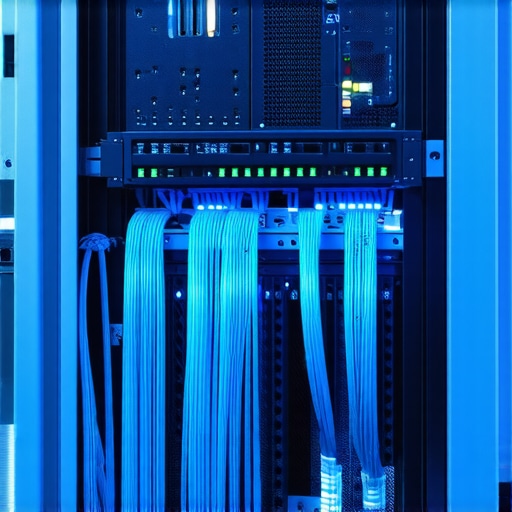
Turn on Deep Packet Inspection Without Killing Your Speed
Standard consumer routers just look at the ‘envelope’ of the data packet to see where it’s going. Deep Packet Inspection (DPI) actually opens the envelope to see if there is a threat hiding inside the code. The trade-off here is processing power. If your hardware is too weak or outdated, turning on DPI will make your internet feel like dial-up. This is often how to tell if your business internet speed is being throttled by your own hardware rather than your ISP. You need an appliance rated for your actual office bandwidth with all security features active, or you’ll find yourself tempted to turn the protection off just to get work done.
Set Up Secure Tunnels for Your Remote Team
If your team works from home, they shouldn’t be logging in through a random web portal or a basic remote desktop connection. A hardware firewall allows you to create a ‘Site-to-Site’ or ‘Client-to-Site’ VPN. This means their home laptop acts like it’s plugged directly into the office wall, protected by your main security stack. I once had a client who refused to set this up, only to have an employee’s personal device leak the entire company’s client list. This is a critical component of how managed IT can elevate your business security in 2025. It protects the very edge of your network regardless of where the staff is sitting.
Keep an Eye on the Logs to Spot Trouble Early
A firewall is only as good as the person watching the alerts. I once caught a breach in progress because I noticed an unusual amount of outbound traffic at 3 AM. A single laptop was trying to upload several gigabytes to a server in Eastern Europe. Because we had the hardware logs, we shut it down before they got a single byte of sensitive data. Without those logs, we would have been looking at a massive data recovery nightmare and a PR disaster. This level of oversight is why managed IT strategies to keep your business secure in 2025 are shifting toward proactive monitoring. If your tech starts acting up or your internet feels sluggish, always consider troubleshooting common computer repair issues effectively by looking at the network gateway first.Most business owners assume that if they sign a contract for ‘unlimited IT,’ they’ve outsourced their entire risk. In my experience, that’s a dangerous myth. You need to look closely at the truth about unlimited IT support contracts for businesses because most providers exclude high-level strategy or infrastructure upgrades. This is the difference between a helpdesk that fixes things and a partner who prevents them. When you are scaling, you don’t just need someone to reset passwords; you need effective managed IT solutions for growing companies that look at the architectural level.
Stop Believing That Unlimited Support Covers Everything
In the industry, we often see businesses paralyzed by the ‘Oops’ factor—a moment of cost-cutting that leads to total failure. A classic example is the generic power adapter. I have seen countless motherboards fried because of the truth about using generic chargers on expensive business laptops. It seems like a small saving until the voltage spike hits the CPU. Similarly, when a screen starts acting up, many assume the panel is dead. But before you panic about a replacement, you should learn how to tell if your laptop screen backlight is actually failing or if it is just a loose internal cable. This level of technical nuance is what separates a managed IT partner from a basic repair shop.
How Do You Quantify the Real Cost of Your Office Downtime?
According to research by Gartner, the average cost of network downtime can reach $5,600 per minute, making ‘cheap’ solutions incredibly expensive. This is why managed IT strategies to keep your business secure in 2025 focus on redundancy and preemptive hardware monitoring.
The Silent Killer of Business Data Recovery
Everyone says you just need a cloud backup and you’re safe. I disagree. If you have a physical drive failure, software is useless. The biggest mistake I see is ‘The Clicking Drive of Death.’ People keep trying to reboot, hoping it will just work one more time. Every click is the read-arm scratching the platter. You need to understand the risk of ignoring a clicking external drive before you lose everything. If you hear a physical scraping noise, stop immediately and research how to get files off a hard drive that makes a scraping sound without causing further damage.  Real expertise means knowing when to step away from the keyboard and call for a hardware specialist. This proactive approach is the core of how managed IT can elevate your business security in 2025. Have you ever fallen into the ‘cheaper is better’ trap and paid the price later? Let me know in the comments.I’ve spent a decade inside computer cases and server racks, and if there is one thing I have learned, it is that a set-it-and-forget-it attitude is the fastest way to a budget-crushing disaster. After you’ve dodged the immediate bullets of network intrusions or drive failures, the real work of maintenance begins. You need a toolkit that isn’t just a drawer full of screwdrivers; you need a system of habits and professional-grade utilities that prevent you from ever needing a ‘hail mary’ recovery effort.
My Professional Toolkit for Keeping Systems Alive
When people ask what I carry in my bag, they expect high-end gadgets. In reality, one of my most used tools is a high-quality electric duster. I’ve seen more motherboards killed by static-filled canned air than I care to count. Learning how to clean a laptop fan without pushing dust deeper inside is a foundational skill that can double the lifespan of your office hardware. On the software side, I swear by RMM (Remote Monitoring and Management) tools like NinjaOne or Datto. These aren’t just for ‘the IT guys.’ They allow you to see a failing hard drive or a thermal spike before the employee even notices a slowdown. If you are just starting to manage your own fleet, I highly recommend checking out computer repair for beginners to avoid costly mistakes before you start opening up expensive ultrabooks.
How do I keep my hardware healthy for the long haul?
Maintenance isn’t a one-time event; it’s a quarterly rhythm. Every three months, you should be auditing your physical environment. Are your server vents blocked? Is the battery in that executive’s laptop starting to bulge? Catching a problem early is the difference between a $100 part and a $2,000 emergency. This is where managed IT strategies to keep your business secure in 2025 really shine—they turn reactive panic into proactive planning. 
The Future of Repairs Is Predictive Rather Than Reactive
We are moving into an era where AI-driven diagnostics will tell us a capacitor is going to pop three weeks before it happens. Companies like Backblaze already provide incredible public data on drive failure rates, which I use to decide which brands to trust for my clients’ servers. I predict that within two years, your hardware firewall will not just block attacks, but will use machine learning to automatically adjust your quarterly audits based on global threat patterns. This level of automation is essential for effective managed IT solutions for growing companies.
Don’t Let Scaling Create Massive Technical Debt
As your team grows, the complexity of your network doesn’t just add up; it multiplies. If you haven’t implemented the move that stops an SSD from failing during a power surge, you are essentially gambling with your company’s intellectual property every time there is a thunderstorm. Scaling requires a shift in mindset from ‘fixing things’ to ‘architecting resilience.’ You need to understand the power of data recovery tools so you can verify your backups actually work. I want you to try one thing this week: download a simple SMART monitoring utility like CrystalDiskInfo and check the ‘health’ status of your primary work machine. If it’s anything less than ‘Good,’ you need to act now before you’re searching for expert techniques to save your files fast.
The Hardest Lessons I Learned Managing Office Networks
Looking back at my years in the server room, there are three things I wish someone had told me before the alarms started going off. First, that ‘set it and forget it’ is a lie. Technology is in a state of constant decay, and your security settings are only as good as the last update. Second, you cannot protect what you cannot see. If your network doesn’t have a physical gateway logging traffic, you are essentially flying blind through a storm. Finally, the biggest risk isn’t always a hacker in a distant land; it’s the well-meaning employee who plugs a virus-laden USB drive into a workstation. This is why computer repair for beginners to avoid costly mistakes emphasizes physical isolation over just running a scan. I’ve learned that a hardware firewall doesn’t just block attacks; it buys you the peace of mind to actually focus on your revenue instead of your routers.
The Toolkit I Use to Prevent Total Hardware Failure
If you want to keep your office running without constant emergency calls, you need more than just a screwdriver. I rely on a few specific resources to stay ahead of the curve. I constantly check the Backblaze Hard Drive Stats to see which storage brands are actually surviving in the real world before I recommend them to clients. For day-to-day maintenance, I swear by CrystalDiskInfo—it’s a simple, free utility that reads the S.M.A.R.T. data from your drives and warns you before a failure occurs. Knowing the power of data recovery tools is great, but using them to verify that your hardware is healthy is even better. I also recommend a high-quality electric duster for regular maintenance; learning how to clean a laptop fan without pushing dust deeper inside can save your CPUs from thermal throttling and premature death. #IMAGE_PLACE_HOLDER_E#
Start Building Your Fortress One Device at a Time
The jump from a residential setup to a professional-grade network can feel overwhelming, but it is the most important investment you will make this year. Don’t feel like you have to replace every single cable tomorrow. Start by placing a dedicated firewall appliance at the head of your network, and then move toward better managed IT strategies to keep your business secure in 2025. Security is a journey, not a destination. When you prioritize the physical layer of your infrastructure, you aren’t just fixing tech—you’re protecting your team’s hard work and your company’s future. If you ever feel stuck, remember that expert techniques to save your files fast exist, but preventing the need for them is the ultimate sign of a pro. Have you ever had a piece of hardware fail at the absolute worst possible moment? Let me know in the comments below.