

I will never forget the morning the silence felt heavy. It was not the peaceful kind of quiet you want on a Monday; it was the ‘everything just stopped working’ kind of dread. I sat there, watching a red screen on my workstation, realizing that one single compromised file was currently eating its way through every server we owned. I had made the classic mistake of thinking our office was one big happy family where every computer should be able to talk to every other computer. That mistake nearly cost me my entire business. I spent forty-eight hours straight trying to find data recovery secrets while my stomach did somersaults.
One Simple Change That Walls Off Your Data
Today, I am going to show you the exact tactical shift that turns your office from a digital tinderbox into a series of fireproof rooms. We are talking about network segmentation—specifically, the move that keeps a breach on one workstation from becoming a company-wide catastrophe. If you have ever felt like your current setup is just a basic router and a prayer, you are not alone. But you do not need a million-dollar budget to get this right. The goal is to stop the lateral movement of malware. When a virus cannot ‘see’ the rest of your network, it cannot encrypt it. It is that simple. I learned this the hard way after failing to audit my business software for vulnerabilities.
Is setting up a VLAN actually worth the headache?
You might be thinking that your small shop does not need to complicate things with advanced networking. I thought the same until I saw that 43% of cyberattacks target small businesses, according to a recent study by Accenture. The minor ‘headache’ of setting up proper managed IT strategies is nothing compared to the absolute migraine of a total company lockout. When I started, I just plugged everything into one big switch. Huge mistake. Now, I know that effective managed IT solutions require us to treat our departments like isolated islands. If the accounting department gets hit, the design team should not even feel the breeze. Have you ever noticed a weird pop-up on one computer and wondered if the rest of your office was already infected? It is a terrifying thought, but one we can fix together.
Get Rid of Your Consumer Grade Router
The first thing I did after my network meltdown was throw my home-office router into the recycling bin. If you are running a business on hardware designed for a three-bedroom apartment, you are leaving the front door wide open. You need a dedicated hardware firewall that can handle deep packet inspection. I learned this when I realized why your small business shouldnt rely on a single consumer-grade router; it simply cannot differentiate between a legitimate file transfer and a malicious script phone-homing to a command-and-control server. Moving to a professional-grade appliance is why your company needs a hardware firewall instead of a basic router to actually see what is happening in your traffic. I remember a client who kept seeing a weird shadow in the corner of their laptop screen and brought it in for what they thought was a hardware fix. While it was in my shop, my monitoring tools flagged it as a rogue device trying to scan for open ports. If that laptop had stayed on their main network, it would have mapped every server they had before the screen even died.
Build Digital Walls with VLANs
Think of your network like a submarine. If one compartment floods, you want to be able to seal the door so the whole ship does not sink. This is where Virtual Local Area Networks (VLANs) come in. You should have at least four: one for your servers, one for your staff workstations, one for your VoIP phones, and one for guests. When I set this up for a local medical clinic, I saw firsthand how managed it can elevate your business security in 2025. By isolating their guest Wi-Fi, we ensured that a patient’s infected smartphone could never touch the patient records server. 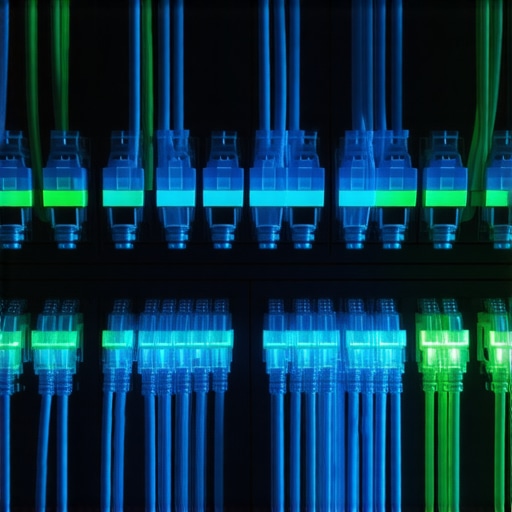 This is the exact move that prevents a ransomware attack from encrypting your server because the malware literally cannot find the server’s IP address from the guest or workstation branch.
Isolate Your Guest Traffic and Smart Devices
Every office has them: the smart coffee machine, the smart TV in the lobby, or the tablets used for check-ins. These are notorious security holes. I always tell my clients that why your office network needs a guest portal for visiting clients is not just about branding; it is about keeping those unmanaged devices in a sandbox. I once spent a weekend performing a messy data recovery operation because a vendor plugged an infected USB drive into a lobby computer that was on the same network as the accounting backups. It was a nightmare that could have been avoided with one simple configuration rule.
Keep Your Remote Team from Opening the Back Door
When your team works from home, they are often using networks that are shared with gaming consoles and smart fridges. You need to enforce a strict VPN-only policy for accessing any office resources. Learning how to keep your remote team secure without slowing down their workflow is the difference between a productive Monday and a total blackout. I use tools to constantly monitor for any unusual spikes in data usage, which helps me spot a rogue device connected to your office wi-fi before it can do real damage. If a laptop starts talking to an IP in a country you do not do business with, the system should automatically kill that connection. This proactive approach is the core of managed IT strategies to keep your business secure in 2025.Most people assume that as long as their files are ‘in the cloud,’ they are safe. This is arguably the most dangerous myth in modern business. I have had clients walk in, devastated, because their Dropbox synced a corrupted file across every device, overwriting the healthy version. A sync is not a backup. To have real data recovery secrets every business should know today, you need versioning and air-gapped storage. If your only copy of data is live and connected, it is vulnerable to ransomware that can leap across your network. Then there is the ‘DIY’ trap. When a hard drive starts making a faint clicking noise, the natural instinct is to download a recovery tool and run a deep scan. This is exactly how you kill a drive for good. In my experience, running software on a physically failing drive is like forcing a person with a broken leg to run a marathon to see where the bone is snapped. You are just grinding the heads into the platters. I always emphasize the danger of using free file recovery tools on a failing mechanical drive because, once that magnetic layer is gone, no amount of money will bring it back. This is why drive savers remains the only choice for physically damaged drives that require a cleanroom environment.
Why does your server crash right after you finally fixed it?
It sounds counterintuitive, but the most dangerous time for a system is immediately after a hardware change. This is known as ‘Infant Mortality’ in engineering. According to a long-term study by Backblaze, drive failure rates follow a ‘bathtub curve’—they fail early due to manufacturing defects or late due to wear, with a stable period in between. When you perform the 3 hardware swaps that stop your office pc from freezing every hour, you are actually introducing a moment of peak vulnerability.  This is where why your managed it service should be doing regular security audits and hardware health checks becomes vital. You do not just swap a part and walk away; you monitor the burn-in period. I see a similar lack of nuance with laptop repairs. Someone might ignore a weird shadow in the corner of their display, thinking it is just a cosmetic annoyance. But if you do not know how to identify a dying backlight before your screen goes dark, you might miss the fact that an overheating inverter is slowly melting a ribbon cable. It is also important to heed the risk of ignoring that smart status bad warning on your pc. That little pop-up is not a suggestion; it is a countdown. Finally, when you eventually upgrade, please remember how to properly decommission old office pcs without leaking sensitive data. Simply deleting folders is not enough to stop a determined thief. Have you ever fallen into the trap of thinking a quick fix was ‘good enough’ only to have it blow up a week later? Let me know in the comments.
I’ve spent years testing every dashboard under the sun, and if there is one thing I’ve learned, it is that you cannot manage what you do not measure. I used to wait for a phone call to tell me a server was down, but that is a loser’s game. Nowadays, I rely heavily on Remote Monitoring and Management (RMM) tools because managed IT solutions streamlining operations for small businesses only work when they are proactive. I personally use platforms that allow me to script automated patches every Tuesday night, ensuring that no one is interrupted mid-meeting. If you are still manually clicking ‘Update’ on twenty different machines, you are burning time you don’t have. I remember a case where we found the reason your computer is freezing during high-definition video calls was actually a background update that had hung in a loop for three days. Automated monitoring catches those ‘zombie’ processes before they eat your RAM.
The monitoring software I trust to catch a crash before it happens
For my clients, I look for tools that provide deep-level hardware telemetry. This goes beyond just checking if the PC is ‘on.’ We are looking at fan speeds, voltage fluctuations, and thermal thresholds. Implementing the move that keeps your server running when a cooling fan dies usually involves a software trigger that throttles the CPU to prevent a total meltdown while I’m en route with a replacement. It is about building a safety net. For example, according to the JEDEC Solid State Technology Association’s JESD218 standards, SSD endurance is strictly measured by Terabytes Written (TBW), and once you hit that ceiling, the drive can become a brick without warning. I use specialized SMART monitoring to track this percentage specifically because the risk of ignoring that smart status bad warning on your pc is far too high when you are dealing with proprietary business data.
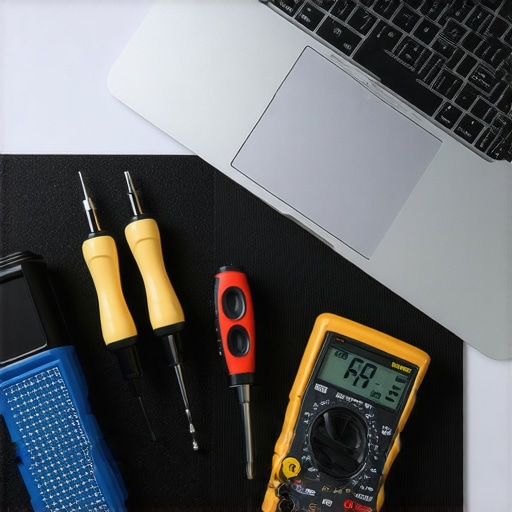
Keep your drives spinning with these proactive habits
Maintenance isn’t just about software; it’s about the physical environment. I’ve seen $5,000 servers killed by a $10 layer of dust. Every six months, you need to be blowing out those chassis with compressed air or an electric duster. While you’re in there, check the capacitors. If they look like they are bulging or leaking, you’re looking at a ticking time bomb. This physical check is often overlooked when people talk about effective managed IT solutions for growing companies, but it is the foundation of uptime. I also recommend a yearly ‘stress test’ where we push the hardware to 90% load for an hour to see if any components are on the verge of failing. It’s better to have a component fail during a controlled test than during your biggest sales week of the year.
How do I keep my workstation healthy for five years or more?
The secret to longevity is a combination of clean power and heat management. I never plug a business-critical machine directly into a wall outlet; a high-quality UPS (Uninterruptible Power Supply) is mandatory. This provides the ‘clean’ sine-wave power that prevents the micro-surges that degrade motherboards over time. When you combine this with the hardware upgrade that actually speeds up your daily workflow—like moving from a standard SATA SSD to a high-end NVMe drive—you’re not just getting speed; you’re getting more modern controllers that handle power states more efficiently. Looking ahead, I predict we will see AI-driven predictive failure analysis become standard in the next three years, where your OS will tell you a capacitor is likely to fail in two weeks based on subtle electrical noise signatures. For now, my best advice is to run a dedicated SMART diagnostic tool this afternoon. Don’t wait for a blue screen; check your drive’s health percentage right now and see if you’re closer to that JEDEC limit than you think.
What I Learned While Rebuilding My Server From Scratch
It’s easy to think a firewall is a ‘set it and forget it’ box, but that’s the fastest way to get breached. I learned that your security is only as strong as your least-trained employee. Also, never underestimate the power of a $20 cooling fan; its failure can trigger a $2,000 recovery bill. Finally, document every single password and network path; in a crisis, your memory will fail you long before the hardware does. If you’re just starting to manage your own equipment, looking into computer repair for beginners can prevent those expensive ‘rookie’ errors that lead to downtime.
Tools That Keep My Servers Running While I Sleep
I swear by APC and CyberPower for UPS units because ‘dirty’ power is a silent killer for motherboards. For drive health, I rely on CrystalDiskInfo to monitor those critical SMART status warnings. If things go physically south—meaning you hear clicking or grinding—stop immediately. I always tell my clients that why drive savers remains the only choice for physically damaged drives is because they have the cleanroom facilities that a standard repair shop simply can’t match. #IMAGE_PLACEHOLDER_E# I also recommend keeping a physical log of your VLAN configurations so you aren’t guessing which port goes to the guest Wi-Fi when the internet drops out.
Stop Worrying and Start Securing Your Data
You don’t need a degree in computer science to keep your office running smoothly. You just need the right habits and the willingness to ask for help before the smoke starts rising. Implementing managed IT strategies to keep your business secure in 2025 is a marathon, not a sprint, and every small change—like isolating your guest Wi-Fi—makes you a harder target. If you ever feel like you are in over your head or your hardware is acting up, don’t hesitate to contact us for a professional assessment. Your data is the lifeblood of your company; protect it like it’s your own. Have you ever had a piece of hardware fail at the absolute worst possible moment? Let me know in the comments below.