

I still remember the silence of my office at 2 AM, broken only by the rhythmic clicking of a dying hard drive. It’s a sound that makes your stomach drop. At the time, I wasn’t too worried because I’d been paying twenty bucks a month for one of those “unlimited” cloud backup services. I thought I was bulletproof. I was wrong. When I finally logged in to start the restoration, the software told me it would take 142 days to download my three terabytes of data. 142 days! My business couldn’t survive 142 hours without those files. That was the moment I realized I hadn’t bought a safety net; I’d bought a false sense of security.
The Day I Realized Unlimited Is a Lie
We’ve all seen the ads. For the price of a few lattes, you can back up every single byte of data on your server forever. It sounds like a dream for a growing company trying to keep overhead low. But here is the cold, hard truth: “unlimited” is almost always a marketing term, not a technical reality. Early in my career, I made the massive mistake of trusting a consumer-grade plan for a professional workload. I didn’t realize that these companies often throttle your upload and download speeds so aggressively that large-scale recovery becomes practically impossible. They count on you never actually needing to use the “unlimited” part of the deal.If you are currently relying on a single cheap subscription to protect your entire livelihood, you are walking on thin ice. You need to know why your business needs a disaster recovery plan that actually works when the chips are down. Many of these plans also exclude specific file types—like database files or virtual machines—without telling you clearly. It’s like buying insurance for your house that doesn’t cover the roof or the foundation.
Is This Just a Marketing Gimmick to Take Your Money?
It certainly feels that way when you’re staring at a “connection timed out” error during a crisis. According to a study by the Ponemon Institute, the average cost of data breaches and downtime for a small business can be devastatingly high, often reaching thousands of dollars per hour. If your “unlimited” plan takes weeks to restore your files, that “cheap” $20 a month suddenly becomes the most expensive mistake you’ve ever made. This is why I always tell my neighbors in the business community that managed IT solutions are about more than just fixing broken screens; they are about ensuring your data is actually accessible when you need it.I want to help you avoid the same panic-induced sweat I dealt with years ago. We’re going to look at how to spot the hidden traps in these contracts and what you should actually be looking for in a professional-grade backup. Have you ever actually tried to run a “test restore” on your current backup plan? Tell me in the comments, because most people are shocked by what they find. Understanding these data recovery secrets now will save you from a total meltdown later.
Fine Print That Can Kill Your Business
Most “unlimited” plans are designed for a single laptop with some photos and Word documents. They aren’t built for the complex needs of a modern office. When you start digging into the Terms of Service, you’ll find “fair use” clauses that allow the provider to terminate your account if you use “too much” of their unlimited space. It’s a paradox that would be funny if it wasn’t so dangerous. This is why why managed IT is a game changer for growing companies; it moves you away from these consumer traps and into a world where “backup” actually means “recoverable.”I want to show you how to build a fortress around your data without spending thousands. First, you have to embrace the 3-2-1 rule: three copies of your data, on two different media types, with one copy offsite. If your only backup is that “unlimited” cloud icon in your system tray, you have zero redundancy. You have a single point of failure. When I was helping a local accounting firm last year, they thought they were safe until a power surge fried their main server. We discovered their cloud backup hadn’t synced in three weeks because of a simple password change. This is why your business needs a disaster recovery plan that includes automated alerts when things go wrong.
Stop Relying on a Single Point of Failure
Most people think a backup is just a copy. It’s not. A real backup is a system. You need a local repository—usually a Network Attached Storage (NAS) or a high-capacity external drive—that lives in your office. This allows for near-instant recovery. If you accidentally delete a critical folder, you shouldn’t have to wait for a download. You should be able to recover a deleted folder from a network drive in seconds. This local copy is your first line of defense, while the cloud is your last resort for “the building burned down” scenarios.
Why Local Backups Beat the Cloud Every Time
Think of the cloud like a massive warehouse five states away, while a local backup is a filing cabinet in your office. If you need one piece of paper, you go to the cabinet. I once spent eighteen hours trying to pull data from a drive with a corrupted file system header for a client who refused to buy a $200 local drive. They paid me five times that amount in labor. Adding a dedicated backup drive is the hardware upgrade that actually speeds up your daily workflow because it removes the fear of experimentation and the downtime of recovery.
Don’t Wait for a Crisis to See if Your Files Exist
The most dangerous thing you can do is assume the green checkmark on your backup software means you are safe. I’ve seen cases where the software was “successfully” backing up an empty folder for months. You must perform a “Fire Drill” every quarter. Pick a random file, delete it, and try to get it back. If you can’t do it in under ten minutes, your system is broken. This kind of proactive checking is why your managed IT service should be doing regular security audits. You also need to how to audit your business software to find hidden security gaps to ensure your backup agent hasn’t been disabled by a rogue update or a piece of malware. I’ve personally sat through the nightmare of a failed restore where we had to use data recovery secrets just to get the customer list back. It’s a level of stress I wouldn’t wish on anyone.Let’s pivot from the theory of backups to the gritty reality of technical maintenance. Everyone tells you that if the screen flickers, you need a new panel, but in my experience, that’s often a waste of money. I’ve seen dozens of business owners jump straight to a laptop screen replacement when the issue was actually a dying capacitor on the motherboard or a simple driver conflict. For example, if you notice why your laptop screen flickers only when you are on battery power, you aren’t looking at a broken screen; you’re looking at a power management setting or a failing battery rail. Misdiagnosing these issues is the fastest way to bleed cash.
Why DIY Screen Fixes Often Cost Double
The common belief is that DIY repair is always the thriftiest route. I challenge that. While laptop screen repair DIY tips are great for cleaning or minor adjustments, cracking open a modern ultrabook without the right tools often leads to snapped hinges or punctured batteries. I once watched a client try to save $100 on a repair only to bridge a connection on the logic board, turning a simple fix into a $1,200 total loss. Expertise isn’t just about knowing how to fix it; it’s about knowing what *not* to touch. If you’re seeing strange horizontal black bars, it’s usually a failing display gate driver—something no amount of software updates will ever fix.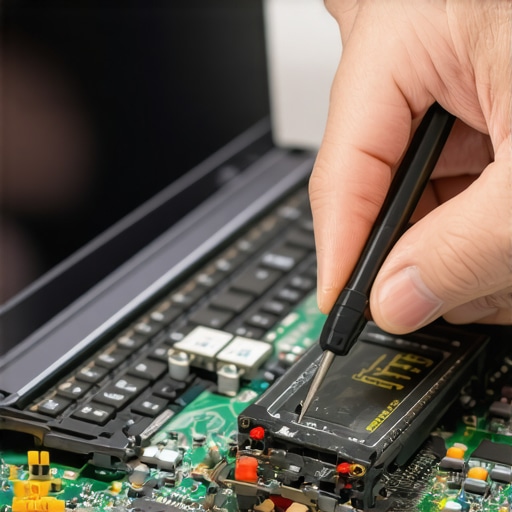
How Do You Know if Your Managed IT Provider is Actually Working?
This is the question that keeps CEOs up at night. Most people think a good MSP is one that answers the phone quickly when things break. I argue the opposite: the best MSP is the one you never have to call because nothing ever breaks. This shift from ‘break-fix’ to ‘proactive management’ is why managed IT is a game changer for growing companies. According to a study by Gartner, the average cost of IT downtime is approximately $5,600 per minute. If your IT guy is a hero for fixing a server that crashed, he’s actually failing you. The real hero is the one whose regular security audits prevented the crash in the first place. Have you ever fallen into the trap of thinking ‘no news is bad news’ with your IT team? Let me know in the comments, because that’s usually when they are doing their best work.
The Silent Killer Hiding Under Your Trackpad
One of the most overlooked hardware nuances is the relationship between your trackpad and your power supply. If your mouse starts acting jumpy, don’t just buy a new one. You need to learn how to tell if your laptop battery is swelling. A lithium-ion battery that expands will press against the underside of the trackpad long before it causes a fire, causing ‘ghost clicks.’ This is often the hardware component that causes the most blue screens and erratic behavior in older office fleets. Ignoring these physical signs while focusing solely on software is a classic mistake. Truly mastering your tech means looking at the machine as an ecosystem, where a physical bulge in the casing is just as much of a data threat as a phishing email. Using data recovery secrets won’t help you if your motherboard is snapped in half by an expanding battery cell.I’ve spent thousands on tools over the years, and if I had to strip my kit down to the essentials, I’d start with a rock-solid software stack. For years, I’ve sworn by Veeam for business backups because it handles granular recovery better than anything else on the market. If you ever need to recover documents from a corrupted excel file, you don’t want to wait for a 500GB virtual machine to restore; you want to reach in and grab that specific file in seconds. This level of precision is exactly how managed IT can elevate your business security in 2025 by moving away from ‘all-or-nothing’ recovery methods.
The Software Stack That Never Lets Me Down
On the hardware side, most people ignore the mechanical basics until it is too late. I see high-end workstations dying simply because of dust buildup. You must learn how to clean a laptop fan without pushing dust deeper inside. It sounds like a small chore, but heat is the silent killer of logic boards. I always use a small piece of painter’s tape or a toothpick to hold the fan blades still when using compressed air—if you let them spin freely at high speeds, you can actually generate a back-current that fries the motherboard header. This is a classic example of computer repair for beginners to avoid costly mistakes. For your peripherals, knowing the secret to cleaning a mechanical keyboard without breaking it will prevent those annoying double-clicks and ensure you aren’t dealing with the simple fix for a laptop keyboard that skips letters while typing later down the road.
How do I maintain my fleet of hardware over time?
Maintaining a professional setup requires a shift toward predictive maintenance rather than reactive fixing. As noted in the 2023 Backblaze Drive Stats report, the annualized failure rate for certain enterprise drive models can jump from under 1% to over 12% once they hit a specific age threshold. This is why I personally use RMM (Remote Monitoring and Management) tools to alert me the moment an SSD’s ‘Total Bytes Written’ (TBW) reaches 80% of its rated lifespan. Implementing these managed IT strategies to keep your business secure in 2025 ensures that you are replacing hardware on your own terms, not during a Monday morning emergency. I recommend everyone download a tool like CrystalDiskInfo today and check their drive health; if you see anything other than ‘Good 100%,’ it is time to act.
Your Screwdriver is Just as Important as Your Firewall
In the next five years, I expect the ‘Right to Repair’ movement to merge with AI-driven diagnostics. We are already seeing the emergence of self-healing firmware that can isolate corrupted memory sectors automatically before the user even sees a Blue Screen of Death. However, no AI can fix a snapped hinge or a liquid-damaged board. That’s why having a precision toolkit—like the iFixit Pro Tech kit—is non-negotiable for any office manager. When you combine the right physical tools with data recovery secrets every business should know today, you become your own first responder. Go ahead and run a SMART health check on your main workstation drive right now. It takes two minutes and could save you two weeks of downtime.
What Five Years in the Repair Trenches Taught Me
Reflecting on a decade of helping business owners, I’ve realized that the most expensive repairs aren’t caused by spilled coffee, but by deferred maintenance. Here are a few lightbulb moments from my career: First, hardware always gives you a warning sign—like that jumpy trackpad or a faint hum—and ignoring it is a choice to pay triple later. Second, a backup that hasn’t been tested is just a wish. I’ve seen people lose everything because they trusted a $10 app without checking the logs. Finally, professional-grade tools aren’t a luxury; they are the floor. If you’re running a business on home-office gear, you’re essentially betting your payroll on a coin flip.
#IMAGE_PLACE_HOLDER_E#
Tools That Keep My Digital Life Alive
I don’t just recommend these because they work; I use them daily to keep my own sanity. For physical repairs, the iFixit Pro Tech Kit is the only set I trust to prevent stripped screws and damaged casing. On the software side, Veeam remains my gold standard for enterprise-level safety because it simplifies complex recovery. To keep your hardware from surprising you, I highly recommend CrystalDiskInfo; it’s a free way to see if your SSD is about to give up the ghost. If you’re feeling overwhelmed, looking into managed IT solutions is the best way to hand these headaches to someone who lives for this stuff.
Building a Business That Never Stops
Data loss and hardware failure don’t have to be the end of your story. By shifting your mindset from fixing things when they break to stopping the break before it happens, you reclaim your time and your peace of mind. Whether you are performing a DIY laptop screen repair or refining your disaster recovery plan, the goal is resilience. Don’t wait for the 2 AM hard drive click to take action. Start with a simple audit and look at how to audit your business software to find those hidden gaps before a hacker does. Your future self will thank you for the extra hour you spent today securing your livelihood. Have you ever tried a ‘fire drill’ restore only to find your backup was actually empty? Share your experience in the comments so we can all learn from it!