

The smell of ozone is something you never forget. It was a humid Tuesday afternoon in 2019, and I was trying to be the hero for a local logistics company. Their primary file server had a failing RAID controller, and the replacement cost for a brand-new unit was astronomical. I found a ‘Grade A’ refurbished part on a secondary market site for a fraction of the price. I plugged it in, the lights blinked green, and I went home feeling like a financial genius. Three days later, the server didn’t just crash; it took the entire array down with it. I spent the next seventy-two hours knee-deep in the ultimate guide to data recovery after accidental deletion, praying I could undo my own mistake. That moment of pure terror changed how I look at hardware forever. Have you ever tried to save your budget with a used part only to have it blow up in your face?
The Panic of a Friday Afternoon Server Crash
Running a business means constantly balancing the books against the need for reliability. When your hardware starts acting up, like when you notice the first sign your business server motherboard is about to fail, the temptation to cut corners is massive. We tell ourselves that ‘refurbished’ just means ‘broken and fixed,’ but the reality is far more nuanced. Sometimes, a refurbished part is actually more reliable than a brand-new one because it has been individually tested by a technician rather than just rolling off an automated assembly line. However, the ‘refurbished’ label is often used as a mask for ‘used and abused’ gear pulled from a dusty closet.
Is Saving a Few Hundred Bucks Really Worth the Risk?
This is the question that keeps IT managers awake at night. According to research by Gartner, companies can reduce their hardware spend by up to 50% by integrating refurbished equipment into their lifecycle, but that only works if the sourcing is airtight. If you are buying a mission-critical part for a server that handles your entire payroll, saving $300 might cost you $30,000 in downtime. I learned the hard way that you have to look at the warranty and the seller’s certification, not just the price tag. These days, I integrate managed IT strategies to keep your business secure in 2025 by using a mix of new and certified refurbished gear. It is about knowing which components are safe to buy second-hand and which ones—like power supplies and mechanical hard drives—should always be brand new. [image_placeholder_1]
Where I Went Wrong With a Bargain-Bin Controller
My big mistake wasn’t just buying refurbished; it was buying from a vendor with no reputation. I was chasing the lowest price rather than the best value. In the world of enterprise hardware, ‘cheap’ usually has a hidden cost. If you aren’t careful, you’ll end up needing data recovery secrets every business should know today much sooner than you think. Today, I want to walk you through the framework I use now to decide when to go refurbished and when to run the other way. We are going to look at the specific parts that are ‘safe bets’ and the red flags that mean a piece of hardware is a ticking time bomb for your office infrastructure.
Separate the Gems from the Junk
Buying refurbished is not a game of chance if you know which components age like wine and which age like milk. Think of a CPU or a stick of RAM as a rock; they are solid-state and rarely fail after the initial ‘infant mortality’ phase. I always tell my clients that learning how to safely upgrade your ram without voiding the warranty is the single most cost-effective way to extend a machine’s life using used parts. On the flip side, mechanical hard drives and power supplies are the ‘brake pads’ of the computer world—they are designed to wear out. Buying a used HDD is like buying a used parachute; the savings just aren’t worth the plummet. If you hear a noise, you should immediately understand the risk of ignoring a clicking external drive. I once tried to save $50 on a bulk order of ‘recertified’ drives for a backup array, and two of them failed within forty-eight hours of the initial sync. It was a stressful lesson in why some parts must always be factory-new. 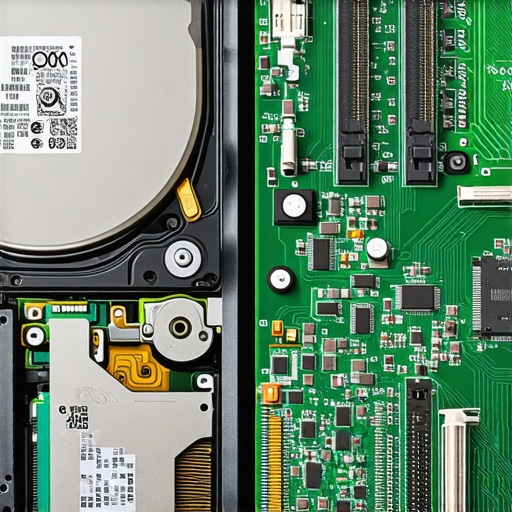
Don’t Trust the Sticker on the Box
When you see ‘Grade A’ or ‘Seller Refurbished,’ take it with a grain of salt. In my early days, I bought what looked like a pristine workstation for a graphic designer, only to realize later that the screen had a slight tint issue that didn’t show up in the BIOS. This is why you need a checklist for tips for troubleshooting laptop screen problems seamlessly before you sign off on any used mobile hardware. A reputable seller should provide a detailed report of the testing software they used. If they can’t tell you the battery cycle count or the ‘Power On Hours’ for the storage, they didn’t refurbish it; they just wiped it down with a damp cloth. This lack of transparency is one of the biggest factors in the hidden cost of buying refurbished laptops for your entire team.
Run Your Hardware Through the Gauntlet
Every piece of second-hand gear that enters my office goes through a 24-hour burn-in test. I use software to max out the CPU and memory to see if the heat causes a crash. Often, this is where you find the hardware component that causes the most blue screens of death before it ever touches your production network. During one of these tests, I discovered a motherboard with a micro-crack that only expanded when the fans were at 100%. It was a ‘silent killer’ that would have caused random reboots for months. For anyone practicing computer repair for beginners avoid costly mistakes by ensuring you have a dedicated ‘sandbox’ network for testing used gear. You don’t want a rogue BIOS on a refurbished machine talking to your primary server. This level of scrutiny is exactly why your managed it provider should be doing quarterly audits on all hardware, whether it was bought new or used. It’s about verifying stability so you aren’t surprised by a failure on a Monday morning.
One of the biggest lies in the tech world is that software can fix a hardware problem. Most people reach for a recovery tool the second a drive starts clicking, thinking it’s a magic wand. But if your drive has a physical head crash, running that software is like trying to drive a car with a shattered engine block; you’re just grinding the metal into dust. I’ve seen businesses lose decades of data because they didn’t realize that the power of data recovery tools has physical limits. If there’s a scraping sound, you need to stop immediately. In fact, industry data from professional recovery labs suggests that nearly 60% of failed drives sent to them have been made significantly harder to recover due to amateur software attempts. This is exactly why drive savers remains the only choice when the stakes are high and the hardware is physically failing.
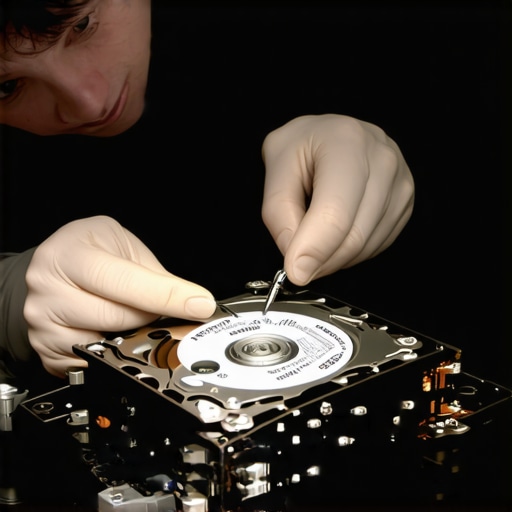
Stop Killing Your Drives with DIY Software
Then there’s the laptop screen myth. People see a flicker or a dim display and assume the panel is toast. Often, it’s just the eDP cable or a bad capacitor on the logic board. If you’re dealing with a screen that acts up only at certain angles, you should be looking at how to fix a laptop screen that flickers only when the brightness is low or checking the physical connections before buying a new panel. The ‘Oops’ factor here is usually the charger. People buy $15 knock-offs that send ‘dirty’ power to the board, which eventually fries the backlight circuit or the charging controller. It’s a classic case of the truth about using generic chargers on expensive business laptops coming back to haunt your budget months later.
Why Cheap Chargers Kill Expensive Screens
Advanced IT management isn’t just about having a dashboard that shows all green lights. It’s about the ‘restore’ test. I once worked with a client who had ‘successful’ backups for three years, but when they actually needed to pull a file, the data was corrupted at the source because of a silent bit-rot issue on their local NAS. This is where managed it solutions streamlining operations for small businesses separate the pros from the amateurs. Real security involves quarterly ‘fire drills’ where you prove the data is readable. If you aren’t doing that, you’re just paying for a false sense of security.
Does Your IT Provider Actually Test Your Backups or Just Check the Box?
If you are trying to balance the budget by using refurbished gear, you must verify the ‘invisible’ components. A workstation might look Grade A, but if the internal thermal paste has dried into a brick, that machine will throttle and die within a year of heavy use. I always recommend that beginners practicing computer repair for beginners avoid costly mistakes by performing a full internal inspection of any used gear. Have you ever fallen into this trap where you thought you were covered only to find the safety net was full of holes? Let me know in the comments.
I don’t leave things to chance anymore. My toolkit isn’t just a screwdriver and a prayer; it’s a suite of diagnostic software that I’ve refined over a decade of trial and error. For instance, I never trust a motherboard—even a brand-new one—until it has survived a 48-hour stress test in my lab. If you want to start troubleshooting common computer repair issues effectively, you need to look at the telemetry data rather than guessing. I use HWiNFO64 to monitor VRM temperatures because heat is the silent killer of productivity. Catching a 100°C spike today prevents a dead workstation next month. This granular approach is also the secret to cooling down a gaming laptop that feels like a stove before the internal components start to warp or desolder themselves.
How do I maintain office hardware over the long haul?
True maintenance is a scheduled ritual, not a panicked reaction to a crash. Every six months, I perform a “Deep Health Audit” for my clients. This involves more than just a quick wipe-down. We’re talking about opening cases and ensuring airflow is optimal. Knowing how to clean a laptop fan without pushing dust deeper inside is a foundational skill that can double the lifespan of your mobile fleet. I also look at the hard data for storage. According to the 2023 Backblaze Drive Stats report, which tracks over 230,000 drives, failure rates begin to climb sharply after the four-year mark. If a drive hits 35,000 power-on hours, we pull it from production. This proactive retirement is exactly what makes effective managed it solutions for growing companies so valuable; it’s about spending a few hundred dollars now to avoid the catastrophe of ultimate guide to data recovery after accidental deletion later.

Predictive Software Will Soon Replace Your IT Guy
The next frontier of hardware management isn’t just better heat sinks; it’s AI-driven telemetry. We are rapidly moving toward a world where your server will proactively alert you that its secondary power rail is fluctuating by mere millivolts—a telltale sign of imminent failure—weeks before the hardware actually gives up. This is how managed it can elevate your business security in 2025 by shifting the paradigm from “fix it when it breaks” to guaranteed uptime. To stay ahead, you should ensure why your managed it service should be doing regular security audits that include these physical health checks. Here is my challenge for you: download a free tool like CrystalDiskInfo today and check your “Reallocated Sectors Count.” If it’s anything other than zero, back up your files and replace that drive immediately. It’s the single most effective way to prevent a disaster before it starts.
The Reality Check Most Technicians Hide
After a decade of recovering failed systems, I’ve realized that the most expensive part of a computer isn’t the CPU—it’s the data that lives on it. I’ve seen seasoned pros make the mistake of trusting a refurbished drive because the sticker looked new. If you want to see how computer repair for beginners avoid costly mistakes, start by assuming every used part is guilty until proven innocent by a stress test. Furthermore, never forget that the power of data recovery tools is a miracle for logical errors but can be a death sentence for physical ones if used improperly. Lastly, remember that ‘new’ doesn’t always mean ‘better.’ A certified refurbished unit that has survived a 48-hour burn-in is often more reliable than a fresh-from-the-factory server that hasn’t seen its first heat cycle yet.
Tools That Saved My Reputation
I don’t leave my clients’ livelihoods to chance, and neither should you. My primary recommendation for anyone managing office hardware is to lean on hard data rather than gut feelings. I personally rely on the annual Backblaze Drive Stats to know which models to avoid. For local monitoring, CrystalDiskInfo is my go-to for predicting drive death before the clicking starts, which can help you start troubleshooting common computer repair issues effectively before they escalate into downtime. When I need to ensure a business is truly resilient, I look toward managed IT strategies to keep your business secure in 2025 which prioritize redundancy over raw speed. These aren’t just tools; they are the buffer between a normal workday and a catastrophic outage.
#IMAGE_PLACE_FINAL#
Build Your Digital Fortress
Hardware will eventually fail—that is the only certainty in tech. Whether you choose the latest enterprise gear or high-quality refurbished components, your true security comes from the systems you put in place to catch those failures. By following the ultimate guide to data recovery after accidental deletion and maintaining a strict audit schedule, you turn a potential disaster into a minor speed bump. Take control of your infrastructure today so you aren’t the one smelling ozone on a Tuesday afternoon. Have you ever had a refurbished part perform better than a brand-new one? Let me know in the comments below.