

I remember the exact moment I almost cost my client thousands of dollars because I was in a hurry. It was a Tuesday morning, the sun was barely up, and I saw a message from what looked like a trusted vendor. My spam filter—the one I had bragged about—didn’t even blink. I was one click away from a disaster. It’s a humbling realization that even with the best managed IT strategies to keep your business secure in 2025, the human eye remains the final line of defense. Today, I’m going to show you how to develop that ‘spidey sense’ so you can see through the digital smoke and mirrors that slip past the robots.
The Robots Are Getting Tired and the Scammers Are Getting Smarter
I used to think that a solid firewall and an expensive filter were all I needed. I was wrong. Scammers have figured out how to bypass the technical gates by playing on our emotions. They don’t just send ‘junk’ anymore; they send highly researched lures. This is why how to tell if a phishing email is targeting your accounting department has become a mandatory skill rather than a ‘nice-to-have.’ If you aren’t looking at the actual headers and the subtle shifts in language, you’re leaving the door wide open. For example, according to the 2023 Verizon Data Breach Investigations Report, nearly 74% of all breaches include a human element, often starting with a clever email. It’s not about brute force anymore; it’s about tricking me and you.
Can we really trust our own eyes anymore?
You might be thinking that these emails are getting too good to catch. I get it. I’ve seen some that would fool a forensic expert at first glance. But here is the secret: every scammer leaves a fingerprint. Whether it’s a slightly off domain name—which is why your business should never use a personal gmail for company work—or a sense of urgency that feels just a bit too forced, the signs are there. I once ignored a ‘low disk space’ alert that turned out to be a malware downloader because I was overconfident. I felt like an amateur, but it taught me that skepticism is a superpower. Have you ever received an email that looked 100% real but felt 100% wrong in your gut? That instinct is usually your best tool, and we’re going to sharpen it together.
Strip Away the Mask
When you get an email, the first thing you see is the sender’s name. It might say ‘Microsoft Support’ or ‘Chase Bank,’ but that’s just a digital nametag anyone can pin on. Think of it like a stranger wearing a shirt with your friend’s face printed on it—you’d look closer at the face, not just the shirt. You need to look at the actual email address hidden behind that name. In most mail clients, you have to hover your mouse over the name or click the ‘from’ dropdown to see the truth. If it shows a string of random characters or a domain that doesn’t match the company exactly, it’s a trap. Learning this is like computer repair for beginners: avoid costly mistakes by simply checking the basics before you tear the whole thing apart. 
The Hover Trick That Saves Hours of Cleanup
Don’t just click because a button is blue and shiny. Scammers use ‘URL shortening’ or hide the destination behind a hyperlinked word. I once had a client who received a ‘Password Reset’ email that looked flawless. Before I let him click, we hovered the mouse over the button. The status bar at the bottom of the browser showed a weird IP address instead of a secure login page. If he had clicked, he would have handed over his credentials, proving the risk of keeping your business passwords in an excel sheet is only the beginning of your security nightmares. Always verify the destination matches the source.
Verify Through a Second Channel
If an email asks for money, a password, or sensitive data, stop. Even if it looks perfect, follow the ‘Two-Channel Rule.’ If the email came via Outlook, verify the request via a phone call, a Slack message, or a separate portal you navigated to yourself. Never use the contact info provided inside the suspicious email. If the email tells you to call a number because your system is infected, take a breath. Knowing how to identify a fake tech support call before they gain access applies to these emails too. Real companies don’t put toll-free numbers in scary red boxes.
Why Your Audit Process Matters Here
I’ve seen businesses lose thousands because they didn’t have a protocol for verifying bank account changes. This is why your managed IT service should be doing regular security audits. They should be testing your team with simulated phishing to see who clicks. Last year, I ran a test for a local firm, and 30% of the staff clicked on a ‘Free Pizza’ link. It was a mess to explain, but it was better than a real breach.
Read the Tone Not Just the Words
Scammers love the ‘Fire Drill’ technique. They create a fake emergency—’Your account will be deleted in 2 hours’—to make you bypass your logical brain. When you feel that spike of adrenaline, that is your signal to slow down. If an email is pressuring you to act immediately, it’s almost certainly a scam. True professional organizations don’t give you two-hour ultimatums via email without prior notice.
But here is where the nuance gets even deeper: even if you spot the fake email, the damage might already be rooted in your infrastructure. Most business owners think that if they don’t click, they’ve won. In reality, the sophisticated scammers of today are often using these emails as a smoke screen for a much more subtle long-game attack. They aren’t just looking for your login; they are looking for your patterns. This is how to audit your business software to find hidden security gaps before a phishing attempt ever hits your inbox.
Your Backup is Probably a Liar
Everyone says a backup is your safety net, but in my experience, a backup that hasn’t been tested is just a piece of hardware taking up space. I’ve seen countless companies rely on a simple cloud sync, thinking it’s a true recovery strategy. It isn’t. If you get hit with ransomware, your cloud sync will likely just sync the encrypted files right over your good data. This is why your business needs a disaster recovery plan before you need it, specifically one that includes ‘immutable’ backups that can’t be modified by any user or script. A study by the Ponemon Institute found that the average time to identify and contain a data breach is 277 days; if you are only keeping a week of backups, you’re backing up the breach itself.
The Deadly Sound of a Scraping Drive
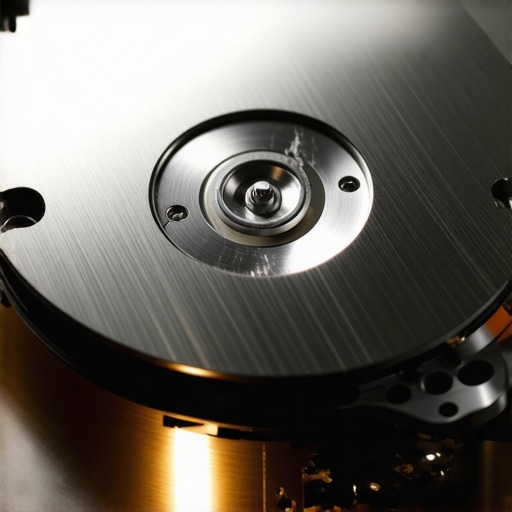
There is a dangerous ‘Oops’ factor that I see constantly: the urge to run DIY software on a failing drive. If your computer is making a physical noise, software is your enemy. I once watched a client run a ‘recovery tool’ on a drive that was making a faint metallic click. That software forced the drive to spin at high speeds, and the reading head physically scraped the magnetic coating off the platter. He turned a fixable problem into a permanent paperweight. This is exactly how to get files off a hard drive that makes a scraping sound without destroying them: you stop. Immediately. For physical damage, why drive savers remains the only choice for physically damaged drives becomes clear when you see their cleanroom environments. One speck of dust on a moving platter is like a boulder hitting a car at 60mph.
Does redundancy actually mean you are safe from data loss?
Advanced readers often ask if their RAID 5 or RAID 6 setup makes them invincible. The short answer is no. RAID is about uptime, not data protection. If a controller fails or two drives die in quick succession, your ‘redundancy’ is gone. I’ve lived through the nightmare of a rebuild failing because the stress of the process killed a second, aging drive. That is the moment you realize that data recovery secrets every business should know today involve having an off-site, air-gapped copy of your data that has nothing to do with your RAID array. Have you ever fallen into this trap of over-trusting your hardware? Let me know in the comments.
I’ve spent years cracking open cases, and the number one killer isn’t a virus—it’s heat. If you can’t remember the last time you cleaned your vents, your machine is likely throttling its performance just to survive. This is the move that keeps your laptop from overheating on your lap. I personally use an electric high-pressure duster rather than canned air; it is more sustainable and doesn’t risk spraying liquid propellant onto a live board. When you learn how to clean a laptop fan without pushing dust deeper inside, you’re not just being tidy—you’re extending the lifespan of your expensive silicon.
Stop Cooking Your CPU from the Inside Out
Most people forget that thermal paste dries out. After about three years, that factory-applied gunk often turns into a brittle insulator. I recommend using high-performance compounds like Kryonaut for any laptop that runs hot. It is the hardware upgrade that actually speeds up your daily workflow because it allows your processor to maintain higher boost clocks for longer periods. If your screen is the issue, remember that laptop screen repair DIY tips for clearer displays often start with simply checking the ribbon cable seating before buying a whole new panel. 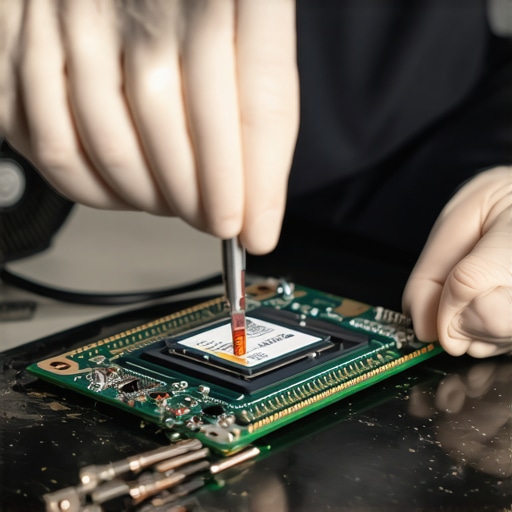
How do I maintain my hardware health without calling a pro every week?
The secret is a monthly audit of your physical and digital environment. Digitally, I swear by Macrium Reflect for system imaging. Standard backups are great, but an image is a literal snapshot of your entire drive. If your OS gets corrupted by a bad update, you can be back to work in twenty minutes. This is especially vital because why your business needs a dedicated backup for Microsoft 365 emails is a lesson you do not want to learn during a service outage. Physically, check your hinges regularly. If you feel resistance, learning how to tell if your laptop hinges are about to snap the frame is a skill that saves you from a total shell replacement.
The Imaging Software That Saved My Reputation
When a client brings me a drive that half-works, I don’t browse the files in Windows Explorer. I use a tool called R-Studio. It is the gold standard for a reason: it doesn’t care if the file table is trashed. According to the 2023 Backblaze Drive Stats report, drive failure rates increase significantly after the four-year mark, regardless of brand. This means your window for getting lucky is shorter than you think. If you are dealing with a drive that is barely hanging on, knowing how to pull data from a drive with a corrupted file system header is the difference between a successful recovery and permanent data loss.
What the Future of Hardware Longevity Looks Like
We are moving toward a world where predictive maintenance is the norm. In the next five years, I expect AI-driven sensors in the BIOS to analyze SSD voltage fluctuations to warn you of a failure weeks before it happens. Until then, the responsibility sits with us. I want you to try this: download a free tool like CrystalDiskInfo today. It reads the S.M.A.R.T. data from your drive and gives you a simple health percentage. If it is anything less than 90%, it is time to stop what you are doing and clone that drive immediately. Don’t wait for the clicking to start.
What My Most Expensive Mistakes Taught Me About Hardware
Over the years, I’ve realized that the most expensive repairs usually start with a tiny ignored warning. One of my biggest lightbulb moments was discovering that software can’t fix a mechanical scream—if you hear a click, stop immediately. Another hard-earned truth is that most people treat their screens like fragile glass, but the real danger is often the hinge tension. If you learn laptop screen replacement: step-by-step repair guide basics, you’ll see how delicate those internal ribbons really are. Finally, remember that ‘deleted’ doesn’t mean ‘gone’—it just means ‘hidden’ for now. Mastering the ultimate guide to data recovery after accidental deletion has saved me from more ‘oops’ moments than I can count.
The Three Tools I Use to Prevent Data Disasters
I don’t trust my gut alone; I trust tools that have survived a decade of chaos. For deep diagnostics, I always reach for R-Studio because it ignores the lies a corrupted file system tells. When I’m helping a business scale, I show them why managed IT is a game-changer for growing companies because it automates the boring security stuff that humans naturally forget. For physical maintenance, I suggest throwing away the canned air and getting an electric high-pressure blower; it’s more sustainable and won’t freeze your motherboard. These aren’t just gadgets—they are the line between a ten-minute fix and a three-day disaster. #IMAGE_PLACE_HOLDER_E#
Build Your Own Digital Fortress
Digital security and hardware maintenance can feel like an impossible mountain, but you only have to take it one step at a time. Whether you’re verifying a suspicious email or dusting out a fan, you are taking control of your tools rather than letting them control you. By troubleshooting common computer repair issues effectively, you’re building a ‘spidey sense’ that will protect your data for years to come. You’ve got the knowledge now—it’s time to apply it. Have you ever had a moment where your gut told you an email was a scam even though it looked perfect? Let me know in the comments below!