

It happened on a Tuesday. My neighbor, Dave, was over for coffee, and like any good host, I handed over my Wi-Fi password. A few minutes later, I noticed something that made my blood run cold: Dave’s phone was ‘discovering’ my networked hard drive, the one where I keep all my sensitive tax returns and client contracts. I felt like I’d left my front door wide open while I went to the grocery store. This was my wake-up call that simply having a password isn’t enough; you need the right managed IT strategies to keep your business secure in 2025. Today, I’m going to share the exact move that keeps your personal or business data walled off from anyone just looking for a signal.
That Sick Feeling When a Guest Sees Your Private Files
I used to think that a strong password was the ultimate shield. I was wrong. I made the classic mistake of putting everyone—my family, my guests, and my smart toaster—on the same digital playground. If one of those devices is compromised, the whole network is a sitting duck. This is exactly why your business should never use residential-grade firewalls that treat every connection as trusted. Setting up a VLAN, or a Virtual Local Area Network, is the ‘secret sauce’ that creates a digital airlock between your guests and your sensitive internal files. Have you ever checked your shared folders while a guest was logged in and felt that pang of anxiety?
Doesn’t a Guest Password Keep Me Safe Enough?
Many people believe that the ‘Guest’ toggle on their cheap home router is doing the heavy lifting, but often it’s just a superficial layer. According to security researchers at Norton, unsecured or improperly segmented networks are the primary gateway for lateral movement attacks where a hacker jumps from a phone to your PC. If you aren’t actively segregating traffic, you’re essentially trusting every guest’s device to be malware-free—which is a huge gamble. This is why how managed IT can elevate your business security in 2025 is so critical for growing teams. We’re moving beyond simple passwords and into true network isolation, ensuring that even if Dave’s phone is crawling with spyware, my business servers remain untouchable.Setting up a VLAN isn’t just a software toggle; it’s about rethinking how data moves through your walls. Think of your network like a bank. You have a lobby where anyone can sit, but only authorized staff can enter the vault. Most home and small business routers treat your entire network like one big open lobby. To fix this, you need to stop relying on software-only solutions and understand why your office network needs a physical firewall, not just software. This dedicated hardware acts as the ‘bouncer’ that checks the ID of every packet of data trying to cross from the guest Wi-Fi over to your accounting server.
Get a Real Firewall Instead of a Plastic Toy
The first time I tried to segment my network, I used a cheap consumer-grade router I’d bought on sale. I thought I was being clever by following a YouTube tutorial. Halfway through, I misconfigured a trunk port and accidentally wiped out the connection to my main storage drive. I spent the next six hours sweating over data recovery secrets and expert techniques to save my files because I thought the drive had failed. It hadn’t; I’d just created a digital dead-end. The lesson? Use professional-grade gear that supports ‘Inter-VLAN routing’ properly. This is the difference between a secure environment and a ticking time bomb. 
Separate Your Smart Toaster from Your Tax Returns
Once you have the hardware, the ‘how’ becomes a matter of tagging. Every device on your network needs a tag. Your work laptop gets Tag 10 (Secure). Dave’s phone gets Tag 20 (Guest). Your smart lights get Tag 30 (IoT). These tags ensure that a device on Tag 20 literally cannot ‘see’ a device on Tag 10. This is the foundation of effective managed IT solutions for growing companies. If a hacker gets into that smart lightbulb—a notoriously easy target—they stay trapped in the Tag 30 sandbox. They can’t hop over to your secure files because the firewall shuts the door.
Test Your Barriers Without Breaking Your Workflow
After you’ve mapped everything out, don’t just assume it works. I’ve seen businesses set up beautiful VLANs only to realize later that their printer was on the wrong segment, and nobody could scan documents for a week. This leads to troubleshooting common computer repair issues effectively before they turn into a full-blown productivity crisis. Use a ‘ping’ test from a guest device to your server’s IP address. If it times out, you’ve succeeded. If you get a response, your wall has a hole in it.
Keep an Eye on the Speed Tax
Segmentation adds a layer of inspection to your traffic, which can sometimes slow things down if your hardware is weak. If you notice a lag, it might be time to look into how managed IT can elevate your business security in 2025 by optimizing your traffic flow. You shouldn’t have to choose between being safe and being fast.Everyone tells you to just ‘sync to the cloud’ and you will be fine. In my experience, that is a dangerous half-truth. While the cloud is a great second layer, it is a slow-motion rescue boat when your office infrastructure goes down. If you are running a real operation, you need managed IT solutions streamlining operations for small businesses that prioritize local, high-speed recovery.
The Cloud Is Often a Slow Rescue Boat
Most people assume that having a green checkmark on their backup software means they are safe. This is one of the most common data recovery secrets every business should know today: a backup is worthless if you cannot restore it within your required timeframe. I have seen companies with ‘perfect’ cloud backups realize it would take four days to download their entire database over a standard fiber line. In the professional tech world, we measure success by the Recovery Time Objective (RTO).
Why You Must Test Your Restores Today
According to research by Gartner, the average cost of IT downtime can reach $5,600 per minute. If you haven’t performed a ‘fire drill’ restore this quarter, you don’t actually have a backup plan; you have a wish. This is why your business needs a disaster recovery plan before you need it. Don’t wait for the server to smoke before you find out your backup files are corrupted.
Are Your Employee Permissions Silently Leaking Data?
Even the most segmented VLAN won’t save you if your internal permissions are a mess. We call this ‘permission creep.’ You hire someone, give them access to a project folder, they get promoted or move departments, and three years later, they still have access to the sensitive payroll spreadsheets. This is why your managed IT provider should be doing quarterly audits. You need a professional to sweep for these digital open doors regularly to prevent internal breaches.
Stop Killing Your Laptop With These DIY Screen Mistakes
Let’s pivot to the hardware on your desk. I often see people trying laptop screen repair DIY tips for clearer displays to save a few dollars. The most common ‘oops’ factor? Failing to disconnect the battery before starting the swap. Even if the laptop is ‘off,’ there is still current running to the screen’s backlight circuit. If you slip with a metal tool or the ribbon cable connector isn’t perfectly aligned, you will blow a fuse on the motherboard, turning a simple screen swap into a total board replacement. 
The Hidden Risk of Universal Power Bricks
Furthermore, never underestimate the truth about using generic chargers on expensive business laptops. Those cheap replacements from online marketplaces often have massive voltage ripples that wear down your capacitors over time. You think you are being frugal, but you are slowly cooking your workstation from the inside out. Have you ever fallen into this trap of trying to save a buck only to have it blow up in your face? Let me know in the comments.Beyond just avoiding bad chargers, you need to be proactive about the invisible wear and tear on your systems. I am a huge advocate for using Software as a Mechanic. I personally use tools that monitor S.M.A.R.T. data—this is the internal early warning system for your storage drives. If you are not checking these stats, you are essentially flying blind until you hit a wall and desperately need the power of data recovery tools to bail you out of a disaster.
Software is the Best Mechanic in Your Toolbox
Monitoring your hardware health should be as routine as checking your mirrors while driving. I use diagnostic dashboards to watch for voltage spikes or abnormal read/write cycles. When you scale from one laptop to a dozen, you cannot do this manually. This is where managed IT strategies to keep your business secure in 2025 become a lifesaver. Automating these health checks ensures that you catch a failing capacitor before it triggers a total system blackout. 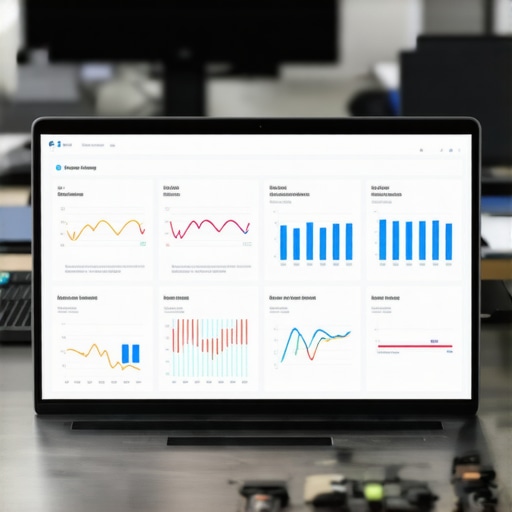
Don’t Let Dust Kill Your Productivity
Heat is the primary enemy of silicon. I have seen incredibly expensive workstations throttled to the speed of a 2010 netbook simply because the owner ignored the cooling system. You must know how to clean a laptop fan without pushing dust deeper inside to maintain peak performance. One specific expert source I always refer to is the annual report from Backblaze, which consistently highlights how temperature control directly correlates with hard drive longevity. If your equipment is running hot, you are on a fast track to a hardware funeral. I always recommend the move that keeps your laptop from overheating on your lap, but it is just as vital for desktop towers and server racks.
How do I keep my tech stack from rotting over time?
The secret is a rigorous maintenance schedule. Treat your computers like a commercial vehicle—quarterly checks are mandatory. This includes why your managed IT provider should be doing quarterly audits to look for software bloat or memory leaks that quietly degrade your speed. If you ignore the small stutters, you will eventually spend hours troubleshooting common computer repair issues effectively in the middle of a high-stakes meeting.
Predictive AI is the Future of Hardware Longevity
Looking ahead, the trend is shifting toward predictive failure analysis. We are moving toward a world where your motherboard will use machine learning to predict its own failure weeks before it happens. This transition from reactive to proactive maintenance will save businesses billions in downtime. My challenge to you is simple: Download a tool like HWiNFO today and check your CPU thermals while you have ten tabs open. If it is over 85°C, you have work to do.
Lessons I Had to Learn the Hard Way About Network Safety
Looking back at the day Dave nearly saw my taxes, I realize that technical knowledge is only half the battle; the rest is about discipline. One major lightbulb moment for me was realizing that complexity is the enemy of security. If your network setup is so convoluted that you cannot explain it to a colleague, you will inevitably make mistakes when learning computer repair for beginners to avoid costly mistakes. I also learned that ‘invisible’ hardware issues, like a tiny bit of corrosion on a port, can mimic massive software failures. Most importantly, I discovered that relying on a single layer of defense—whether that is just a password or just a backup—is a recipe for disaster. You need a multi-layered approach where your firewall, your VLANs, and your physical maintenance routines all work in harmony. This is why I always advocate for why your business should never use residential-grade firewalls; the peace of mind that comes with enterprise-grade protection is worth every penny.
The Three Tools I Use to Keep Everything Running
I am often asked what is in my personal tech survival kit. First, I never go a day without HWiNFO to keep an eye on those critical thermal sensors I mentioned earlier. Second, I rely heavily on physical firewall appliances rather than just software toggles; you can see why your office network needs a dedicated firewall appliance if you truly want to stop intrusions before they hit your OS. Lastly, I keep a dedicated, air-gapped external drive for ‘cold’ backups of my most sensitive data. I trust these tools because they have saved my skin during actual hardware failures when the power of data recovery tools was my last line of defense.
Take Back Control of Your Digital Environment
It can feel overwhelming to look at a list of VLAN tags, thermal charts, and backup schedules, but I promise you that the effort is worth the security it brings. You don’t have to do it all in one afternoon. Start by cleaning your fan, then move on to segmenting your Wi-Fi, and eventually, you will have a system that is robust enough to handle any Dave that walks through your door. Implementing these managed IT strategies to keep your business secure in 2025 is the best investment you can make for your productivity. If you ever feel stuck or realize your infrastructure has grown beyond your capacity to manage it, don’t hesitate to reach out to professionals who can help you audit your setup at our contact page. Have you ever set up a guest network only to realize someone could still see your main files? Let me know in the comments below!