

I smelled it before I saw it. It was that sharp, ozone-heavy scent that tells you something very expensive is currently melting into a puddle of silicon and regret. I was working on a laptop screen replacement at my desk when the Wi-Fi cut out. I walked over to my hall closet—the place where I’d ‘safely’ tucked my old server to keep the noise down—and the doorknob was actually warm to the touch. When I swung it open, a wave of heat hit me like a physical punch. I’d spent years doing computer repair for friends and neighbors, yet here I was, committing the cardinal sin of server management. I hadn’t just ignored managed IT basics; I’d basically built a digital oven. In that moment, I wasn’t an expert; I was just a guy praying I wouldn’t need a professional data recovery service to save my family photos. Today, I want to help you avoid that panic by showing you why ‘out of sight, out of mind’ is a dangerous philosophy for hardware.
Your Closet is a Slow-Motion Microwave for Electronics
Let’s be honest with ourselves. We put servers in closets because they are loud and ugly. They hum, they click, and they don’t exactly match the living room decor. But that hum is the sound of fans desperately trying to move air, and in a tiny closet, they are just recycling the same hot exhaust over and over. I made the classic rookie mistake of thinking the half-inch gap under the door was enough ‘ventilation.’ Spoiler: it wasn’t. Within hours, the ambient temperature in that tiny space had spiked to over 100 degrees. According to research from the Ponemon Institute, heat-related hardware failures contribute to nearly 30% of unplanned outages, and trust me, your home server isn’t immune to those statistics. When your gear gets that hot, it enters a state of panic called thermal throttling. I’ve seen many clients struggle with thermal throttling during peak hours without realizing their storage setup is the culprit.
Is a little extra heat really a dealbreaker?
You might think that as long as the machine is still running, everything is fine. That is a dangerous game to play. Excessive heat doesn’t just slow down your processor; it physically degrades the components. I once saw a power supply literally pop because the capacitors couldn’t handle the localized heat build-up. Learning how to spot a failing power supply before it fries your motherboard is a great skill, but preventing the heat in the first place is even better. I also learned the hard way about the risk of ignoring a clicking external drive, which often starts after a period of intense overheating. If you’ve ever wondered why your computer feels hot but the fan isn’t spinning fast enough to cool it, it’s usually because the air it’s pulling in is already too warm to do any good. Have you ever felt the top of your server and realized it was hot enough to fry an egg?
The ventilation mistake I won’t make again
Early in my journey, I actually stacked three old laptops right on top of an active server in a closet to ‘save space.’ It was a disaster. The heat had nowhere to go, and I nearly lost an entire database of client records. It wasn’t until I sat down and looked into how to properly vent a server rack in a small office space that I realized how much I was gambling with my data. In the next section, we’re going to dive into the practical ways you can keep your server out of sight without turning it into a fire hazard.I realized that managing a home server requires the same mindset as managed IT in a corporate data center, just on a smaller budget. You need to create a path for the heat to escape. If you are using an old laptop as a temporary server, remember that even the laptop screen can be sensitive to the ambient heat coming off the keyboard deck. I once tried to fix a machine where the heat was so intense it actually warped the plastic bezel around the display. To avoid this, you need to think about ‘static pressure’ versus ‘airflow.’ I once spent a Saturday afternoon drilling ventilation holes and installing two 120mm fans directly into my closet door. It looked like a DIY science project gone wrong, but the temperature inside dropped by 15 degrees instantly.
Give Your Hardware Room to Breathe
Airflow is like a conversation; it needs to be a two-way street. You cannot just blow cool air in; you have to pull the hot air out. This is the foundation of computer repair for any high-performance system. If your server is tucked against a wall, those fans are just hitting a brick wall and bouncing the heat back into the chassis. I always recommend a minimum of four inches of clearance on all sides. When I was younger, I tucked a tower so close to a velvet curtain that it sucked the fabric against the intake. The resulting smell of scorched polyester was a lesson I will never forget. You should also check for physical obstructions inside the case. Messy cables are not just an eyesore; they are tiny walls that block the wind.
Clean the Grime Before it Kills the Motor
Dust is a silent insulator. It settles on your heatsinks and creates a blanket that traps heat against the silicon. If you hear a strange sound, you need to know why your laptop fan makes a grinding noise only when moved, because it usually means the bearings are clogged or failing. I’ve seen fans so caked in debris they simply stopped spinning, leading to an immediate thermal shutdown. It is much cheaper to buy a can of compressed air than to pay for data recovery because your hard drive cooked itself. You should also learn how to tell if your laptops overheating is caused by dust or a dead fan before you start buying expensive replacement parts. 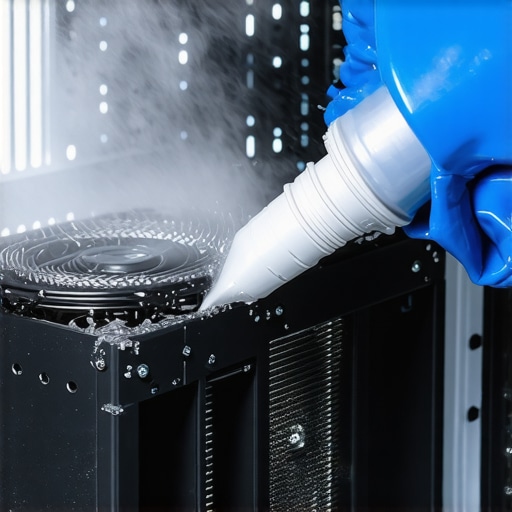
Track the Numbers Before the Smoke Appears
You cannot manage what you do not measure. In professional managed IT, we use sensors to monitor every degree. At home, you can use free tools like HWMonitor or Open Hardware Monitor. I set up a simple script on my server that emails me if the CPU temperature crosses 80 degrees Celsius. This saved me once when my closet fan’s power supply died while I was at work. If you notice your system slowing down under load, keep an eye on the signs your server power supply is struggling with the load, as a hot PSU is often the first domino to fall. If the worst happens and the heat causes a total crash, understanding the power of data recovery tools will be your only safety net. By implementing these managed IT habits, such as how managed IT can elevate your business security in 2025 through proactive maintenance, you ensure your hardware lives a long, cool life.
I’ve seen too many people throw away a laptop because the screen was dim, assuming they needed an expensive laptop screen replacement. In reality, it’s often a $2 fuse on the motherboard or a loose ribbon cable. This is where the ‘replace instead of repair’ culture fails us. Everyone says you should just swap parts, but in my experience, diagnosing the root electrical cause works better for your wallet and the environment. Let’s dig deeper into the nuances that separate a DIY hobbyist from a professional.
Stop Throwing Away Perfectly Good Hardware
The biggest myth in computer repair is that modern electronics are ‘black boxes’ that can’t be fixed at the component level. While it’s true that things are getting smaller, they aren’t magic. I often see clients who were told by a big-box store that their data was gone because the laptop wouldn’t turn on. That is a lazy lie. Most of the time, the storage is perfectly fine, and you just need the right tools to extract it. If you are just starting out, check out computer repair for beginners to avoid costly mistakes like overspending on unnecessary motherboard swaps. I’ve saved clients thousands by simply identifying a shorted capacitor rather than replacing the entire logic board.
Is your laptop screen actually dead or is it just the backlight?
Here is a pro tip: if your screen looks black, hold a bright flashlight directly against the glass at an angle. If you can see a faint image of your desktop, your laptop screen isn’t actually broken; your backlight circuit is. This nuance is critical because laptop screen repair and how to fix common issues at home often starts with checking the inverter or the eDP cable before buying a new panel. Most ‘experts’ will just sell you a new display because it’s faster for them, but a true professional understands the signal path. I once had a client spend $300 on a new screen only to find out the laptop screen was fine, but the lid-close sensor was stuck in the ‘on’ position.
When it comes to managed IT, the hidden nuance is that it isn’t actually about ‘fixing’ computers. It is about business continuity. A common trap for growing companies is thinking that an ‘on-call’ tech is the same as managed services. It isn’t. According to a study by the Ponemon Institute, the cost of a data breach or significant downtime has reached an all-time high, proving that proactive managed IT strategies to keep your business secure in 2025 are about prevention, not reaction. If your IT guy is only visible when things are broken, he isn’t managing your IT; he’s just putting out fires you could have avoided.
Don’t Kill Your Data Trying to Save It
Perhaps the most dangerous ‘expert’ advice I see online is the suggestion to run ‘free recovery software’ the second a drive starts making noise. This is the ultimate ‘oops’ factor. If your hard drive is clicking, it is a physical mechanical failure. Running software on a failing drive is like trying to win a marathon with a broken leg—you are only going to cause more damage. Every second that platter spins, the read/write head could be gouging the surface, making data recovery impossible even for the pros. I’ve had to break the news to many people that they lost their wedding photos because they tried a DIY software fix instead of looking into data recovery secrets and expert techniques to save your files fast. Industry leaders like Seagate emphasize that physical failures require a clean-room environment, not a software download. Have you ever fallen into this trap? Let me know in the comments.
I don’t just rely on a standard kit; I swear by the iFixit Pro Tech Toolkit and a decent digital multimeter for every job. If you’re serious about computer repair, you need to measure voltages at the rail, not just guess which component is failing. For software, I use a combination of CrystalDiskInfo to monitor S.M.A.R.T. data and specialized bootable Linux distros for deep file system scans. When a client brings in a machine where the laptop screen looks like a glitchy mess, I first check the display cable’s continuity with my meter. You’d be surprised how often learning how to fix a laptop screen that shows static like an old TV comes down to a loose ribbon connection rather than a fried GPU. Proactively troubleshooting common computer repair issues effectively involves having these physical and digital tools ready before the smoke starts appearing from your chassis.
How do I maintain my hardware health over the long haul?
Consistency beats intensity every single time. I schedule a ‘deep clean’ for my personal servers and client machines every six months. This isn’t just a quick blast of air; it’s about re-applying high-quality thermal paste. According to technical documentation from hardware experts at Noctua, thermal compound can dry out and lose its heat-transfer efficiency significantly after three to five years of heavy use. If you neglect this, your fans will work harder, eventually leading to mechanical failure. I also strongly suggest automating your backups to an offsite location. Don’t rely on your human memory; use a versioned sync service. While I’ve written the ultimate guide to data recovery after accidental deletion, never needing to use those skills because you have a redundant backup is the real win. Professional managed IT providers save entire companies every day just by enforcing a strict 3-2-1 backup strategy.
Looking ahead, I predict we will see a massive shift toward AI-driven predictive maintenance in consumer hardware. Imagine your operating system telling you a specific capacitor is likely to fail in two weeks based on subtle voltage fluctuations. Until that becomes standard, you have to be the primary sensor. If you’re managing a growing office, you eventually need to transition to effective managed IT solutions for growing companies rather than trying to fix every flickering laptop screen or clicking drive yourself. Scaling requires delegating the technical minutiae so you can focus on your business goals. Even small tasks like the secret to getting a laptop to recognize a new battery can eat up hours of your afternoon if you aren’t prepared. My challenge to you is simple: download a hardware monitor today and check your primary drive’s ‘reallocated sectors’ count. If that number isn’t zero, it’s time to move your files before you’re desperately searching for data recovery secrets every business should know today.
Realizations That Changed My Entire Approach to Tech Support
After years in the trenches of computer repair, I’ve realized that the biggest threat to your gear isn’t a software bug—it’s physical neglect. Most people wait for a screen to flicker or a drive to click before they act. One of my biggest lightbulb moments was realizing that laptop screen issues are frequently just loose connections or blown fuses, yet people often jump to a full laptop screen replacement step-by-step repair guide before checking the simple things. Another hard truth: managed IT isn’t a luxury for big corporations; it’s a survival tactic for anyone with data they care about. I’ve seen small shops saved by managed IT solutions streamlining operations for small businesses simply because they had a plan for when things got hot or hardware aged out.
Tools I Use to Solve the Toughest Hardware Puzzles
You don’t need a full lab to keep your systems running, but you do need precision. I never go into a job without a digital multimeter and a reliable toolkit. These allow me to verify if a laptop screen is truly dead or just lacking backlight power. For those managing a small office or a home server, I recommend using a dedicated monitoring dashboard to act as your eyes when you aren’t there. If you’re looking to sharpen your own skills, explore laptop screen repair diy tips for clearer displays to see how professional-grade tools make the difference. Understanding why managed IT is a game changer for growing companies often starts with the realization that you cannot scale a business if you are busy dusting out servers every weekend.
Your Hardware Deserves a Proactive Guardian
Hardware failure feels personal, especially when it involves lost family photos or critical work files. By shifting your mindset from reactive ‘fixing’ to proactive ‘maintaining,’ you can avoid the data recovery panic entirely. Whether you are diving into a complex computer repair or just applying fresh thermal paste to an old CPU, your effort today adds years to your machine’s life. Trust your tools, stay curious about the signals your hardware sends, and never ignore a strange noise from your chassis. Have you ever had a piece of hardware you thought was dead suddenly come back to life with a simple, common-sense fix? Let me know below.