

I was sitting in my swivel chair last Tuesday, staring at a little icon in the corner of my screen that insisted everything was fine. Five bars. Full strength. And yet, the crucial presentation I needed for my 10 AM call was stuck at 12% for the better part of an hour. I felt like I was screaming into a digital void that kept smiling back at me, telling me the connection was ‘Excellent.’ It is that maddening ‘phantom signal’ that drives even the most patient office manager to the brink of a breakdown. You have the signal, so why don’t you have the speed? Today, we are going to strip back the curtain and figure out why your network is lying to you and how to get those pages moving again. Have you ever felt like your router was personally gaslighting you during a deadline?
Stop Trusting the Five Bar Icon
The biggest mistake I made early on—and I still kick myself for it—was assuming that signal strength was the same thing as data flow. I once convinced a client to replace three perfectly good routers, thinking it was a hardware failure that required serious troubleshooting of computer repair issues. It wasn’t. It was a simple case of massive channel interference and a DNS server that had essentially gone on strike. I looked like a novice, and they spent money they didn’t need to. That embarrassment taught me that ‘bars’ only measure the loudness of the shout, not the clarity of the conversation. According to network specialists at Cisco, interference from non-Wi-Fi sources like microwave ovens or legacy Bluetooth devices is a leading cause of packet loss, even when your signal meter remains pinned to the maximum.
Is the signal meter actually lying to me?
In a way, yes. Think of it like a cell phone in a crowded stadium; you have full bars because the tower is right there, but you can’t send a text because ten thousand other people are trying to do the same thing. Your laptop sees the ‘loudness’ of the router, but it can’t hear the specific ‘data’ over the roar of every other device in the building. This is often why your office internet speed drops during video conference calls even if you are sitting three feet from the access point.
What Really Happens When Data Hits a Wall
When you click a link, your computer sends a request out, and it expects a ‘handshake’ back. If that handshake gets lost in a sea of interference or a congested IP table, your browser just sits there spinning its wheels. It’s not a hardware death sentence, but it might mean your network needs a more professional touch. Many companies find that moving to managed IT solutions helps solve these invisible bottlenecks before they turn into a full afternoon of zero productivity. We need to look past the bars and start looking at the actual path your data takes from the wall to your screen. It is rarely the ‘strength’ that is the problem; it is almost always the ‘clutter’ in the air or the settings hidden deep within your router’s admin panel.
Flush Out the Throttlers
The first thing you need to do is determine if the bottleneck is inside your building or coming from the street. Internet Service Providers (ISPs) love to promise ‘blazing speeds’ but often dial back your connection when they see high-bandwidth activity like video conferencing or large file backups. To get a clear picture, you need to learn how to tell if your business internet speed is being throttled by comparing a standard speed test with a VPN-encrypted one. If your speed jumps when the ISP can’t see what you’re doing, you’ve caught them red-handed. I remember a small accounting firm that was ready to fire their IT guy because their cloud software was lagging. It turned out their ISP was capping their upload speed during tax season. Once we identified the throttling, a single phone call to the provider fixed a month of ‘hardware’ headaches without spending a dime on new equipment.
Kill the Hidden Bandwidth Vampires
Even if your ISP is playing fair, your own machines might be betraying you. Think of your bandwidth like a water pipe; if five different faucets are running in the background, your shower is going to be a pathetic trickle. You have to hunt down the processes that are sucking the life out of your connection. Use the simple way to check your pc for hidden background processes to see what is actually talking to the internet while you’re trying to work. Last year, I worked on a laptop that was so slow the owner thought the laptop screen was failing because the interface was stuttering. In reality, a legacy cloud-sync tool was trying to upload 50GB of temporary files in a loop. By killing that one task, the machine felt brand new again. This is a classic case where computer repair for beginners usually starts with buying more RAM, but the real solution is just better management of existing resources.
Stop Burying Your Router in a Closet
Physical location is the most underrated aspect of network performance. I once visited an office where the router was literally inside a metal filing cabinet ‘to keep the wires tidy.’ They were basically running their internet through a Faraday cage. If you are struggling with a laptop that keeps dropping the wi-fi signal, look at the path between your desk and the access point. Walls, mirrors, and even large stacks of paper can degrade those invisible waves. 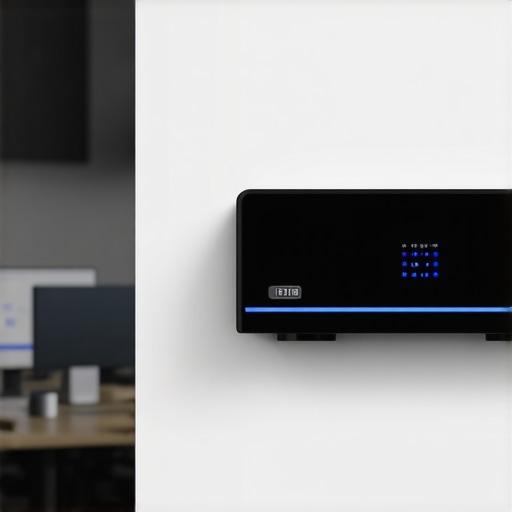 For most businesses, the jump to a more robust setup is necessary. Moving away from consumer-grade gear and understanding why your office network needs a physical firewall not just software can provide the processing power needed to handle dozens of devices without the ‘phantom signal’ effect. Don’t let your hardware be the reason you miss a deadline; elevate it to the center of the room and out of the shadows.
Stop Running Software on a Dying Drive
Everyone tells you that if you lose a file, you should immediately download a recovery tool. In my experience, that is the single most dangerous piece of advice a business owner can follow. When a drive is failing physically, every second it stays powered on is a second closer to total data annihilation. If you hear a faint rhythmic noise, you must understand the risk of ignoring a clicking external drive. Most people think it is just a ‘glitch,’ but it is actually the read-write head scraping the platter. By the time you download ‘free recovery software,’ you have likely overwritten the file headers you were trying to find. According to data recovery specialists at Ontrack, physical head crashes are exacerbated by DIY recovery attempts, turning a recoverable situation into a permanent loss. Instead of gambling, you need to learn data recovery secrets expert techniques to save your files fast without making the damage worse.
Are your cloud permissions creating a silent security gap?
This is the advanced question most office managers forget to ask. We focus so much on the hardware that we ignore the invisible doors we leave wide open. I’ve seen companies with ‘perfect’ IT setups that were one disgruntled intern away from a total wipeout because everyone had admin rights to the root directory. This is exactly why your managed it provider should be doing quarterly audits of your user permissions. Managed IT isn’t just a help desk; it is about proactive governance. If your current strategy is just reacting to broken screens, you are missing the bigger picture of managed IT strategies to keep your business secure in 2025.
Look Past the Yellow Tint on Your Display
I recently had a client insist they needed a total laptop screen replacement because their display looked ‘washed out and sickly.’ They were convinced the hardware was dying. Before you spend hundreds of dollars, check your software filters. Many people don’t realize why your laptop screen has a persistent yellow tint—often it is just an aggressive ‘Night Light’ or ‘Blue Light Filter’ setting that never turned off. However, if the tint stays during the boot-up screen, you’re looking at a failing backlight or a pinched ribbon cable. It is these nuances that separate a quick fix from an expensive mistake. Have you ever fallen into this trap of assuming a software setting was a hardware failure? Let me know in the comments. We often rush to buy new gear when the solution is just a few clicks or a professional audit away. Staying ahead means avoiding computer repair for beginners errors that drain your budget and your patience.Moving past those initial ‘firefighter’ moments where you’re just trying to get through a deadline is where true professional growth happens. I’ve realized that the most successful office managers aren’t the ones who can fix a router in five minutes; they are the ones who make sure the router never needs a frantic reboot in the first place. This transition from reactive chaos to proactive stability is exactly why managed IT is a game-changer for growing companies. It stops being about whether you have five bars and starts being about the integrity of the entire digital ecosystem.
Stop Playing Fireman with Your Infrastructure
If you are still waiting for something to break before you address it, you are essentially bleeding money. I used to think I was saving a client cash by only billing them when I showed up to fix a crashed server. I was wrong. The downtime cost them ten times my hourly rate in lost productivity. Now, I advocate for effective managed IT solutions for growing companies that focus on background monitoring. By the time you notice your office PCs are taking ten minutes to log in, the damage to your workflow is already done. Shifting to managed IT strategies to keep your business secure in 2025 means catching these latency issues before the first employee even pours their coffee.
Look for the Subtle Curve in Your Keyboard
Maintenance isn’t just about software patches; it’s about the physical reality of the machines sitting on your desks. One of the most overlooked hardware risks I see today is the internal battery. If you notice your trackpad is getting harder to click or there is a slight bulge under the keys, you need to learn how to tell if your laptop battery is swelling before it breaks the case. I once saw a MacBook screen shatter from the inside out because the battery expanded like a slow-motion balloon. It could have been a $100 battery swap, but it turned into a $700 laptop screen replacement. 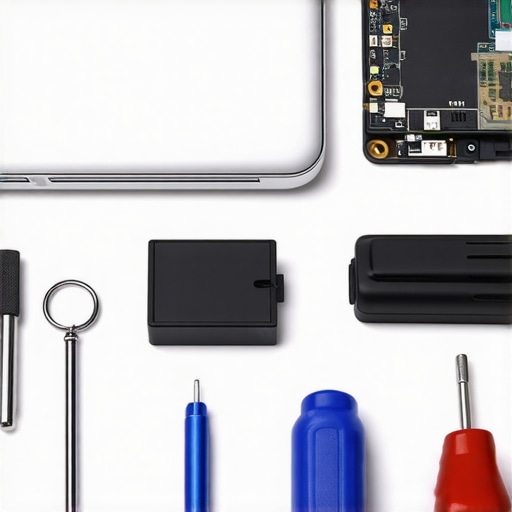 Checking your hardware for these physical ‘tells’ is a core part of troubleshooting common computer repair issues effectively.
Why Your Data Recovery Plan Needs a Reality Check
I have a personal rule: if the data doesn’t exist in three different places, it doesn’t exist at all. People get lulled into a false sense of security by ‘unlimited’ cloud plans, but they forget how long it takes to actually download a terabyte of data over an office connection. You need data recovery secrets every business should know today, specifically the difference between a ‘backup’ and a ‘disaster recovery’ plan. According to the Backblaze 2023 Drive Stats report, consumer-grade SSDs can fail with zero warning, unlike old mechanical drives that would at least give you a ‘click of death’ as a heads-up. This is why understanding the power of data recovery tools is essential, but relying on them as your primary safety net is a recipe for a heart attack. If you’re currently dealing with a disaster, knowing the ultimate guide to data recovery after accidental deletion can save you, but a redundant local NAS is what will keep you sleeping at night.
How do I keep my workstation running like day one for five years?
The secret isn’t some ‘magic’ cleaner; it’s consistency. I recommend a quarterly ‘deep clean’ that involves more than just canned air. You should be auditing your startup programs to ensure no new ‘bandwidth vampires’ have moved in. It’s also vital to check your thermal health; if your fans are constantly ramping up, you might be facing a dust buildup that could lead to a permanent hardware failure. Most users benefit from a professional laptop screen repair and maintenance check every twelve months to ensure cables haven’t frayed and hinges are still tight. If you’re feeling bold, try running a dedicated hardware diagnostic today—most PCs have one built into the BIOS—to see if any components are throwing hidden errors. It’s better to find a failing sector now than during your next big presentation.
Why Your Data Recovery Plan is Probably Half-Finished
After a decade in the tech trenches, I have realized that the real digital killer isn’t a massive virus; it is the slow accumulation of tiny errors and false security. Many business owners believe they are safe because they have a cloud backup, but they often ignore the restore time. Having a 1TB backup is useless if your internet connection takes three days to pull it down when your server dies. This is why knowing data recovery secrets every business should know today is about more than just software—it is about planning for the ‘when,’ not the ‘if.’
Another lightbulb moment for me was realizing that software updates can sometimes be the enemy of older hardware. I have seen perfectly functional workstations grind to a halt because a background update was too heavy for an aging processor. Instead of just buying new machines, you can often extend a device’s life by focusing on troubleshooting common computer repair issues effectively before they escalate into hardware failure.
My Go-To Tools for Professional Workspace Maintenance
I rely on three core pillars to keep my clients’ offices humming without the constant need for emergency calls. First, I always keep a dedicated hardware diagnostic tool on a USB drive to catch failing sectors or memory leaks early. Second, I insist on a dual-layered backup strategy that combines a local NAS for speed and a cloud provider for disaster protection. If you are ever in a pinch, having the ultimate guide to data recovery after accidental deletion bookmarked can save hours of panic.
Lastly, physical maintenance is non-negotiable for longevity. I use a specific micro-vacuum (never canned air) to keep heat sinks clear of dust. For the visual side of things, providing staff with laptop screen repair and maintenance check guidelines ensures that small scratches or cable issues don’t turn into an expensive laptop screen replacement.
Scale Your Business Without the Technical Crashes
The transition from a ‘break-fix’ mindset to a proactive stance is the single greatest efficiency boost any company can achieve. By implementing managed IT strategies to keep your business secure in 2025, you stop being a firefighter and start being an architect of your own productivity. It is about creating an environment where the technology supports your goals instead of acting as a bottleneck. This shift is exactly why managed IT is a game-changer for growing companies. Don’t wait for the five bars to disappear before you check the health of your digital infrastructure. Have you ever lost a critical file right before a major deadline? Let me know in the comments below!