

I’ll never forget the Tuesday my office basically ground to a halt because of a ghost in the machine. I spent four hours debugging a supposed server failure, only to find out our five-year-old firewall had unilaterally decided our new CRM was a security threat. While it was busy blocking our sales team from closing deals, it was completely ignoring a suspicious spike in background data. I had made the rookie mistake of assuming that if the lights were blinking green, the hardware was doing its job. I was wrong. Today, I want to walk you through the real-world signs that your firewall has transitioned from a silent guardian to a productivity-killing dinosaur. We are going to clear the air on what traffic should stay and what needs to go so you can finally stop your business network from crashing during peak hours. Have you ever had a specific app just stop working for no reason while your IT guy scratched his head? Let me know in the comments because I bet it was your firewall.
The Subtle Red Flags That Mean Your Security Is Failing
If you have ever wondered how to tell if your office firewall is actually blocking threats, the answer is usually found in the complaints from your staff. When a firewall gets old, its internal processing power can’t keep up with the modern web. It starts taking shortcuts. Sometimes that means it blocks legitimate encrypted traffic because it doesn’t have the horsepower to inspect it. A surprising fact is that nearly 90% of cyber threats now hide in encrypted traffic, according to data from Zscaler, yet many legacy firewalls lack the muscle to decrypt and inspect that data in real-time without making your internet feel like dial-up. When I first started out, I actually disabled a deep packet inspection layer just to stop the complaints about slow speeds. It was a huge mistake that left us wide open. You need to know how managed IT can elevate your business security by replacing these bottlenecks with intelligent systems that know the difference between a Zoom call and a data breach.
Does Upgrading Your Security Really Have to Be This Expensive?
I get it—every time an IT person mentions a new box, you see dollar signs. But the cost of a legacy firewall isn’t just the hardware; it is the lost man-hours when your team can’t access their tools. Using managed IT strategies to keep your business secure often pays for itself simply by reducing the number of tickets your team submits for ‘slow internet.’ We are looking for a balance where you can keep your remote team secure without slowing down their workflow. It is about working smarter, not just throwing more money at the wall. In the next section, we’ll dive into the specific logs you need to check to see if your firewall is actually the one causing your afternoon slowdowns.To get your network back on track, you first need to stop treating your firewall like a set-it-and-forget-it appliance. The first thing I do when a client complains about a slow connection is crack open the traffic logs. If you aren’t looking at these, you are flying blind. Most modern firewalls have a ‘Top Talkers’ or ‘Traffic Monitor’ section. This is your starting point. You are looking for anomalies—IP addresses that are sending or receiving gigabytes of data when they should be idle.
Stop Guessing and Start Reading Your Firewall Logs
I remember working with a local law firm that was ready to fire their ISP because their connection was garbage. After ten minutes in the firewall interface, I saw one specific workstation was uploading massive amounts of data to a server in a different country at 3 AM. It turned out to be a malware infection that had bypassed their basic antivirus. This is why you need to know how to find out which background program is eating your network bandwidth. If I hadn’t checked those logs, we would have kept throwing money at a faster internet plan while the virus just worked faster too. You should also check for ‘dropped packet’ counts. If your firewall is dropping thousands of legitimate requests, it is a sign the hardware is overwhelmed or the rules are too restrictive for your current software stack. It is one of the clearest ways how to tell if your office firewall is actually blocking threats or just being a nuisance.
Move Past the Bouncer Strategy with Deep Packet Inspection
Think of a basic firewall as a bouncer at a club who only looks at the ID. If the ID says ‘Authorized,’ they let the person in. But what if that person is carrying a concealed weapon? That is where Deep Packet Inspection (DPI) comes in. DPI is like a customs agent who doesn’t just look at the passport; they open the suitcase and inspect the contents. If your current setup doesn’t support this, you are missing 90% of the picture. Implementing effective managed IT solutions for growing companies usually involves turning on these advanced features. However, be warned: DPI requires serious CPU power. I once tried to enable full inspection on a client’s entry-level firewall and it pinned the processor at 100% instantly, effectively killing their internet. If your hardware is older than three years, you likely need a refresh to handle this level of scrutiny without lag. It is much like how managed IT can elevate your business security in 2025 by ensuring your hardware matches your security ambitions.
Lock Down Your Network by Separating Guest Traffic
One of the biggest security holes I see in small offices is a single, flat network where the guest Wi-Fi, the printers, and the server all live on the same ‘island.’ If a guest brings in a laptop with a worm, it can jump to your server in seconds. You must implement VLANs (Virtual Local Area Networks) to keep these worlds apart. Understanding why your IT guy is insisting on a separate network for guest Wi-Fi is crucial for your peace of mind. It isn’t just about being difficult; it’s about building a digital moat. Beyond just the firewall, you should also be teaching your team how to spot a suspicious process in your task manager so they can be your second line of defense. This combined approach of hardware segmentation and staff awareness is what separates a vulnerable office from a resilient one.Once you have your VLANs and firewall rules in place, don’t fall into the common trap of ‘Cloud Complacency.’ I often hear clients say they don’t need local backups because everything is in Microsoft 365 or Google Drive. This is a massive misunderstanding of how data persistence works. Cloud services are fantastic for availability, but they are not a substitute for a true backup. If a user accidentally deletes a folder and doesn’t notice for 30 days, or if a ransomware strain syncs encrypted files to the cloud, you are in trouble. This is why your business needs a local backup even if you use the cloud. It gives you a ‘point-in-time’ recovery that simple syncing lacks. Speaking of recovery, there is a dangerous myth that SSDs are inherently more reliable than traditional hard drives. While they have no moving parts, when they fail, they fail ‘blind’—without the physical warnings of an older disk. To stay ahead, you should learn how to check if your hard drive is about to fail using S.M.A.R.T. data. A mechanical drive often gives you the gift of a clicking sound—a warning to stop immediately. If you hear that, don’t try to fix it yourself; you need to know how to pull critical data from a hard drive that makes a scratching sound before the internal platter is physically destroyed. According to the 2023 Backblaze Drive Stats, even high-end drives have a failure curve that peaks unexpectedly, proving that brand loyalty won’t save your data—only redundancy will.
Does your current backup strategy actually pass a real-world test?
The ‘Oops’ factor usually happens when someone tries to be a hero in the middle of a crisis. I’ve seen people use free software on a failing drive, which highlights the danger of using free file recovery tools on a failing mechanical drive—the software stresses the hardware until it dies completely. It’s the same with hardware repairs. Many think a hairline crack in a display is just cosmetic, but why a cracked laptop screen can eventually damage your motherboard is due to the way pressure points shift over time, potentially causing a short circuit.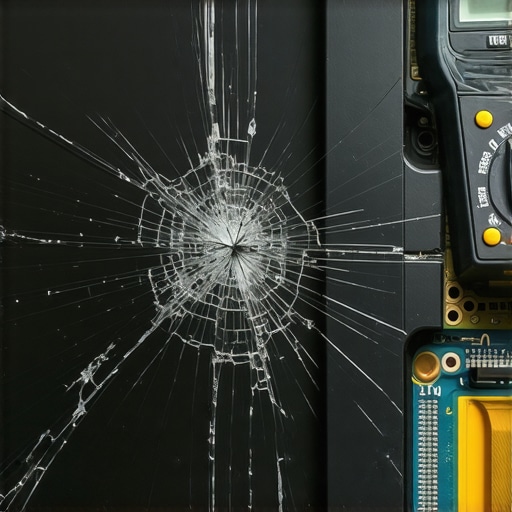 Real expertise isn’t just about knowing how to fix things; it’s about knowing when the ‘standard’ advice is actually dangerous. For example, many suggest ‘restarting’ a router during a slowdown, but if that slowdown is caused by a broadcast storm, you’re just resetting the timer on a deeper problem. You need why your business needs a disaster recovery plan before the storm hits so you aren’t making these critical calls under pressure. Have you ever fallen into the ‘it’s in the cloud, so it’s safe’ trap? Let me know in the comments.
Moving from a reactive ‘it’s broken, fix it’ mindset to a proactive stance is what separates successful businesses from those constantly drowning in repair bills. In my personal toolkit, I never leave the office without a dedicated USB drive loaded with Clonezilla and HWiNFO64. While most people rely on built-in Windows diagnostics, HWiNFO64 gives me the raw sensor data that shows exactly when a CPU is thermal throttling or a voltage rail is sagging. It is about catching the problem before the blue screen appears. Understanding the power of data recovery tools is only half the battle; the real victory is never needing to use them because your monitoring caught a rising sector count three weeks early.
My Favorite Toolkit for Troubleshooting Hardware
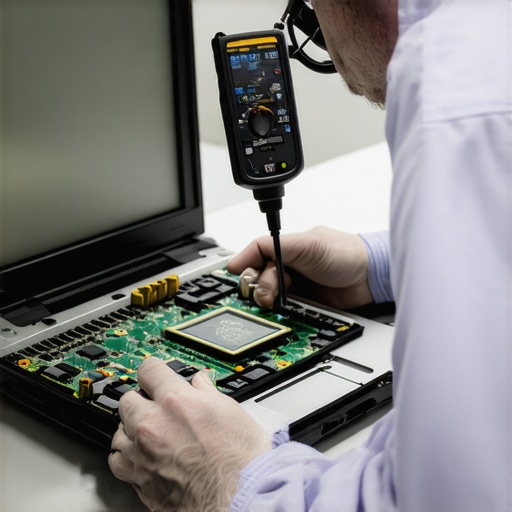
When a client brings in a laptop with visual issues, I don’t just guess. I use specialized screen testing software to identify if the issue is a driver conflict or physical damage. For instance, I always check for physical defects first, such as how to fix a laptop screen that has white pressure spots, before I even think about touching the operating system. If you are doing your own upgrades, remember the hardware part you should never buy used for your business—the power supply. A used PSU is a ticking time bomb for your motherboard. I’ve seen more ‘unfixable’ computers saved by a fresh, high-quality power unit than by any software ‘optimization’ tool on the market.
How do I keep my business tech running without a full-time staff?
The secret that most big firms won’t tell you is that they don’t actually ‘fix’ things as often as you think—they prevent them. This is why managed IT is a game-changer for growing companies that can’t afford a single hour of downtime. By using remote monitoring and management (RMM) tools, a tech can patch your systems at 2 AM without you ever knowing there was a vulnerability. You get the benefit of staying secure by using managed IT solutions streamlining operations for small businesses, allowing your team to focus on their actual jobs instead of troubleshooting why the printer won’t connect. To truly bulletproof your data, look toward the experts. Rick Vanover, a Senior Director at Veeam, recommends the 3-2-1-1-0 rule: 3 copies of data, 2 different media, 1 offsite, 1 offline (air-gapped), and 0 errors after backup verification. It sounds like overkill until the day your main server doesn’t wake up.
The Future of IT Maintenance Is Predictive
We are rapidly moving into an era where AI doesn’t just suggest text; it monitors hardware vibrations and fan speeds to predict a bearing failure days before it happens. In the next few years, I expect ‘Self-Healing’ networks to become the standard for small businesses, where the system automatically re-routes traffic if it detects a localized hardware lag. For now, your best defense is a solid habit of verification. Tonight, I want you to try one thing: download a free tool like CrystalDiskInfo and check your drive’s health. If it says anything other than ‘Good,’ don’t wait for a crash—back it up immediately. Taking that five-minute step is the difference between a productive Monday and a catastrophic data loss event. Have you ever checked your drive’s S.M.A.R.T. status? You might be surprised by what’s lurking in the background.
The Hardest Lessons I Learned From 20 Years in the Trenches
I used to think that as long as the internet was ‘up,’ the business was safe. That was my first big mistake. The most dangerous threats aren’t the ones that knock you offline; they are the ones that sit quietly in your network for months. I’ve learned that a ‘good deal’ on used hardware often ends up costing five times as much in lost productivity. For instance, troubleshooting common computer repair issues effectively is about identifying the root cause, not just slapping a Band-Aid on a symptom like a slow browser. I also learned that trust is not a security policy; just because an employee has been with you for a decade doesn’t mean their personal USB drive isn’t carrying a dormant rootkit.
The Tools That Never Leave My Bag
If you want to move beyond basic maintenance, you need a specialized toolkit. I personally swear by CrystalDiskInfo for a quick health check on every machine I touch—it has saved countless spreadsheets from the abyss. I also recommend checking out data recovery secrets to understand the technical hurdles involved in saving files from a truly dead drive. For business owners who don’t want to play ‘IT guy’ every weekend, looking into managed IT solutions streamlining operations for small businesses is the single best investment you can make to regain your time and sanity. I also suggest keeping a physical log of your firewall’s baseline traffic so you can spot an anomaly without needing a degree in cybersecurity.
Start Building Your Digital Moat Today
Transitioning from a reactive ‘firefighter’ to a proactive manager takes time, but it starts with a single audit of your current hardware. You don’t have to be a tech expert to notice a clicking hard drive or a burning smell—you just have to be willing to act before the total failure occurs. By staying curious and keeping your systems updated, you ensure your business stays resilient against whatever the digital world throws at it. Don’t wait for the blue screen to tell you there is a problem; be the one who finds it first. Have you ever caught a hardware failure right before it turned into a catastrophe? Let me know in the comments below!