

I was sitting in my home office last Tuesday, the house was perfectly quiet, and suddenly my desktop sounded like it was preparing for a moon landing. The fans were screaming at max RPM, yet I only had three chrome tabs and a spreadsheet open. It was that specific, visceral moment of panic where you realize your hardware is doing something you didn’t tell it to do. After some digging, I found I had stumbled into a ‘cryptojacking’ trap—a tiny piece of JavaScript hidden in a tab that was chewing through my processor to mine Monero for someone else. Today, I am going to show you exactly how to find these silent hitchhikers and kick them off your network for good.
Spot the Silent Thief Before It Drains Your Hardware
It is incredibly easy to mistake a browser miner for a simple software glitch. Early in my career, I made the classic mistake of assuming my machine was just getting old. I figured why your computer keeps freezing when you watch youtube videos was just part of the ‘new normal.’ I was wrong. I spent weeks ignoring the heat and the lag, and by the time I investigated, my power bill had spiked and my CPU had lived through a marathon it never signed up for. Browser miners are clever because they don’t require you to download a virus; they just need you to stay on a specific website.
Does a little extra CPU usage actually hurt anyone?
You might think that letting a site use a bit of your ‘spare’ processing power is a fair trade for free content, but it is a massive security risk. These scripts can be a gateway to more aggressive attacks. According to the SonicWall 2024 Cyber Threat Report, cryptojacking has seen a 659% increase in certain sectors, proving that hackers are moving away from loud ransomware and toward this quiet, persistent theft. If you have noticed that why your computer feels hot but the fan isnt spinning or your performance has tanked, you need the simple way to check your pc for hidden background processes immediately. Have you ever noticed your laptop fans spinning up for no reason when you visit a specific blog or streaming site? Reach out to us at our contact page if you think your office network is currently under a ‘low and slow’ attack. To stay ahead, you should also look into managed IT strategies to keep your business secure in 2025 to prevent these scripts from ever executing on your staff’s machines.
Kill the Script Before It Kills Your Hardware
To stop a silent miner, you have to look exactly where it hides: inside your browser’s own sub-processes. Most people open the Windows Task Manager and see ‘Google Chrome’ using 40% of their CPU, but that doesn’t tell you which tab is the culprit. You need to go deeper. If you are using Chrome or Edge, hit Shift + Esc while the browser is open. This opens the internal browser task manager. I remember walking into a client’s office where the entire accounting team complained about lag. They thought they needed a laptop screen replacement because the display was flickering, but the flicker was actually just a massive frame-rate drop caused by a rogue tab. Within ten seconds of opening the internal task manager, we found a ‘free music’ site pulling 98% of the CPU. We killed the process, and the ‘flicker’ vanished instantly.
Check Your Browser Internal Vital Signs First
Once you have the internal manager open, sort by CPU usage. If you see a ‘Utility: V8 Dedicated Worker’ or a specific tab name pegged at a high percentage while you aren’t doing anything intensive, you’ve found your thief. This is often the primary reason how to fix a computer that freezes every time you open chrome becomes a daily necessity. Unlike a standard how to identify a memory leak that is slowing down your workstation, a miner won’t necessarily hog your RAM; it wants your raw processing cycles to solve hashes. 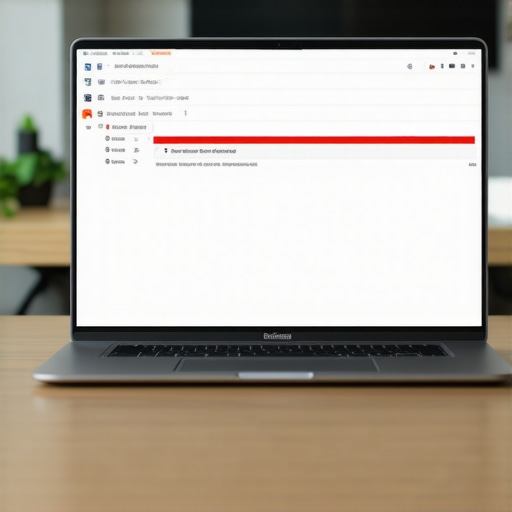
Shield Your Network with Professional Grade Defense
If you are managing more than one computer, manual checking isn’t a viable strategy. You need to block these scripts at the gateway. This is where effective managed IT solutions for growing companies prove their worth by implementing DNS filtering. By using a service that blocks known cryptojacking domains (like Coinhive or its many successors), the script never even reaches the user’s browser. I once saw a small firm lose an entire day of productivity because they were hit with a ‘low and slow’ script that bypassed their basic antivirus. This is why your office network needs a dedicated firewall appliance that can inspect encrypted traffic for these specific signatures. If you don’t have that, you are essentially leaving the back door open and hoping nobody notices the extra heat in the room. For individual users, installing a reputable ad-blocker or a dedicated ‘NoCoin’ extension is the first line of defense. These tools maintain a blacklist of mining scripts and kill them before they can execute. This simple move is often more effective than computer repair for beginners tutorials because it prevents the damage to your hardware’s lifespan before it starts. You should also ensure the simple way to check your pc for hidden background processes is a habit you teach your staff so they can spot the red flags of a hot, loud machine before it leads to a total system failure.Most people think a simple antivirus scan is the ‘silver bullet’ for a sluggish machine. In my experience, that is rarely the case with modern threats like cryptojacking. Everyone says software is the primary frontline of defense, but if your hardware is being physically pushed to its limit by a hidden miner, no amount of ‘cleanup’ software will save your motherboard from a premature death. I have seen countless business owners waste money on the truth about the 20 antivirus software for your business when their real problem was a hardware-based miner or a simple cooling failure.
Stop Trusting Your Antivirus to Catch Everything
The biggest mistake I see is the ‘reinstall’ reflex. When a computer slows down, the common wisdom is to wipe the drive and start over. But if the issue is a thermal one—where your CPU is throttling because the thermal paste has turned into dry chalk—a fresh Windows install won’t do a thing. In fact, a study by iFixit highlights that a significant percentage of hardware ‘failures’ are actually just maintenance issues like dust buildup or poor ventilation. Before you assume you need a new PC, you should look into how to tell if your laptops overheating is caused by dust or a dead fan to save yourself a few hundred dollars.
The Costly Mistake of Misdiagnosing a Dying Screen
Don’t fall for the ‘check cable’ trap either. Many users see a glitchy display and immediately jump to a full laptop screen replacement step-by-step repair guide. But wait—is it the panel or just the internal ribbon cable? I once saw a client spend a fortune on a new screen when the issue was actually a loose connection caused by repetitive hinge movement. This is why understanding how to fix a laptop screen that shows a check cable message is a vital skill before pulling out the credit card. It is often the small, physical nuances that differentiate a quick fix from a total loss.
Can cryptojacking actually cause permanent physical damage to my server?
It absolutely can. While the software itself isn’t ‘breaking’ the silicon, the heat generated by running a processor at 100% capacity 24/7 is a silent killer. According to research from the Ponemon Institute, the ‘hidden’ costs of cyberattacks often include the accelerated depreciation of hardware. If a server is running hot for months, the capacitors on the motherboard can bulge and fail. This is why how managed it can elevate your business security in 2025 is so critical—it is not just about stopping hackers; it is about protecting your physical assets. 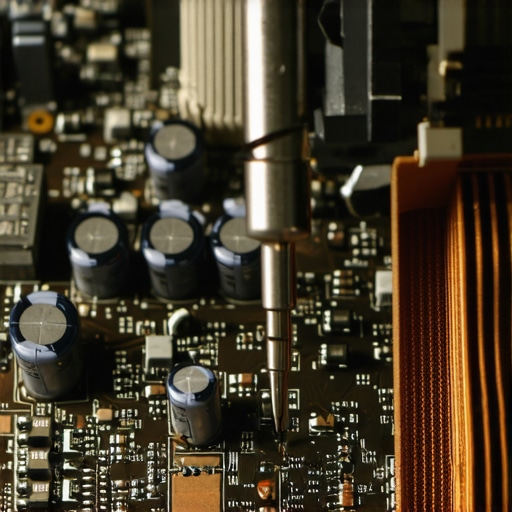
Don’t Kill Your Data by Trying to Save It
Another advanced ‘trap’ involves failing storage. If you hear a rhythmic clicking, the worst thing you can do is run a software ‘fixer.’ The risk of ignoring a clicking external drive is that every second it is powered on, the physical heads could be scraping the magnetic coating off the platters, making data recovery secrets expert techniques to save your files fast impossible even for professionals. If the hardware is failing, software is your enemy. Have you ever fallen into this trap of trying to ‘software’ your way out of a ‘hardware’ problem? Let me know in the comments—I’d love to hear your stories.Beyond the software fixes, the physical toolkit I carry is what really saves the day when things get ugly. I do not rely on generic optimization apps that usually do more harm than good. Instead, I stick to high-resolution monitoring tools like HWiNFO64. I use this specifically because it lets me see individual sensor data for the VRMs on a motherboard; if those get too hot, your system throttles even if the CPU looks fine. This is the level of detail you need for troubleshooting common computer repair issues effectively. For data scares, I personally swear by R-Studio Network. It is not the prettiest interface, but its ability to reconstruct virtual RAIDs from damaged disks is why it is a staple in professional labs. Most beginner tools just scan for headers, but this digs into the file system structure itself, which is the power of data recovery tools what you need to know before a disaster strikes.
How do I keep my hardware running like new for five years?
The secret is not a magical software patch; it is a physical maintenance schedule. I pull the back off my machines every six months to blast out the heat sinks. You would be shocked at how much a thin layer of dust can impact performance. Learning how to clean a laptop fan without pushing dust deeper inside is arguably more important than any antivirus update. If you are running a business, this is why managed IT is a game changer for growing companies. Instead of reacting when a laptop dies, a managed service provider (MSP) monitors hardware vitals remotely. They can see a failing fan or a swelling battery before the user even notices a slowdown. According to Backblaze’s 2023 Drive Stats report, hard drive failure rates (AFR) start a sharp climb after 36 months of service. This makes a proactive hardware refresh or managed IT solutions streamlining operations for small businesses essential for avoiding a total work stoppage. 
Stop Reacting and Start Predicting Hardware Failures
Looking ahead, we are moving away from break-fix cycles and into the era of AI-driven telemetry. Soon, your OS will likely warn you that your SSD is 48 hours away from a controller failure based on micro-fluctuations in voltage. Until that becomes standard, you have to be the one paying attention. If you see why your laptop screen has a weird shadow in one corner, do not wait for it to cover the whole display. If your trackpad feels stiff, you need to check how to tell if your laptop battery is swelling before it breaks the case immediately. These are the early warning signs that save you thousands in the long run. I recommend everyone downloads a basic sensor monitor today—just open it once a week. If your idle temperature has climbed 10 degrees since last month, your hardware is screaming for a cleaning. Give it a try this weekend and let me know if you find a dust-bunny colony living in your vents.
The Hard Truth About Trying to Software-Fix a Hardware Crisis
After a decade in the field, I’ve realized that most users treat their operating system like a magical entity, forgetting that it relies on physical, heat-sensitive silicon. One of the biggest lightbulb moments for my clients is realizing that proactive cooling is a security strategy. If your system is running hot, you’re not just losing speed; you’re losing lifespan. I always tell my students in computer repair for beginners that the most expensive mistakes are the ones where you ignore a physical symptom because you’re busy scanning for viruses. Cryptojacking is unique because it bridges that gap—it’s a software problem that creates a very real hardware emergency.
- Trust your ears: The sudden roar of your fans is often the first alert that a background script is hijacking your cycles.
- Hardware maintenance is security: Reinstalling Windows won’t fix a clogged heat sink or a thermal-throttling CPU caused by long-term mining stress.
- Automation wins: For businesses, establishing managed IT strategies to keep your business secure in 2025 is far cheaper than replacing a fleet of overheated laptops.
#IMAGE_PLACEHOLDER_E#
My Secret Weaponry for Spotting System Hitchhikers
I don’t just guess when a machine is underperforming; I use tools that provide objective data. For real-time monitoring, HWiNFO64 is my go-to because it reveals the voltage and temperature spikes that standard task managers hide. When it comes to business-level protection, I always advocate for why managed IT is a game changer for growing companies because it places a professional shield between your browser and the malicious scripts. If the worst happens and a script-heavy crash corrupts your work, having data recovery secrets expert techniques to save your files fast in your back pocket is the only way to sleep soundly at night. These tools aren’t just software; they are an insurance policy for your physical productivity.
Your Hardware Deserves a Long Life Without Being Hijacked
Your computer should be a tool that serves you, not a silent engine for someone else’s profit. By staying vigilant and using the internal browser checks we discussed, you can stop cryptojacking before it does permanent damage to your motherboard. It takes a little extra effort to be proactive, but seeing how how managed it can elevate your business security in 2025 can simplify your entire workflow makes it all worthwhile. Don’t let the silent thieves win; take control of your hardware today. Have you ever checked your browser’s internal task manager (Shift + Esc) and found a tab using 90% of your CPU? Let me know what you found in the comments below!