

It was a Tuesday morning, right after I’d poured my second cup of dark roast. I opened my inbox to find twenty-seven ‘Delivery Status Notification (Failure)’ messages. I hadn’t sent a single email since the previous Friday. My stomach dropped. I realized then that my small business server wasn’t just mine anymore; it had been hijacked to bounce junk across the globe. I felt like a total amateur. I had spent so much time worrying about whether I needed a laptop screen replacement for an old workstation that I completely ignored the digital front door of my email server. Today, I’m going to show you how to spot these red flags before your domain reputation is permanently trashed.
Your Reputation Is Vanishing Without You Lifting a Finger
It’s a gut-wrenching feeling. You work hard to build a reputation, and suddenly, major providers like Gmail or Outlook are treating your domain like a toxic waste site. I made the classic mistake of thinking my small setup was too ‘insignificant’ for hackers to care about. I was wrong. These bad actors don’t want your data as much as they want your reputation to bypass filters. According to recent data from Statista, nearly 45 percent of all email traffic worldwide is spam, and a huge chunk of that is funneled through legitimate business servers that have been compromised. If you’ve noticed that your business computer is getting slower every monday morning, it might not just be a heavy software update—it could be a malicious process chugging away in the background. It is vital to understand how to secure your business emails from being spoofed because once the damage is done, getting off a blacklist is harder than getting a stain out of a white rug. Have you ever noticed your outgoing mail folder filled with stuff you didn’t send or received a flood of complaints from people you’ve never contacted? Reach out if you’re seeing this; it’s a nightmare you shouldn’t face alone.
Could this just be a simple server glitch?
I hear this all the time. ‘Maybe the internet is just being slow today?’ No. If your system is suddenly sluggish or your clients are telling you they found your invoice in their junk folder, you need to investigate. You should be checking how to tell if your office firewall is actually blocking threats immediately. A ‘glitch’ doesn’t usually result in your IP address appearing on the Spamhaus Block List. Early in my career, I ignored these signs, thinking it was a temporary provider issue. That mistake cost me a week of lost communication with major clients. We are going to dive into the specific logs and traffic patterns you need to watch to ensure you aren’t the internet’s unintentional mailman for pharmaceutical ads.
When I finally stopped panic-scrolling through those failure notices, my first move was to check the server’s vitals. Think of it like checking your pulse when you’re feeling faint—you need to know if the heart of your machine is racing for no reason. I opened the Task Manager and looked for anything that didn’t belong. You have to be careful here because hackers are clever; they name their viruses things like ‘svchost.exe’ but spell it with a zero instead of an ‘o’. I remember finding a process that was chewing through 80% of my bandwidth. It was a fake service masquerading as a printer spooler. Learning how to spot a suspicious process in your task manager is your first line of defense. If your server is working overtime but you aren’t doing anything, someone else is likely using your resources to send thousands of ‘discounted pharmacy’ ads. 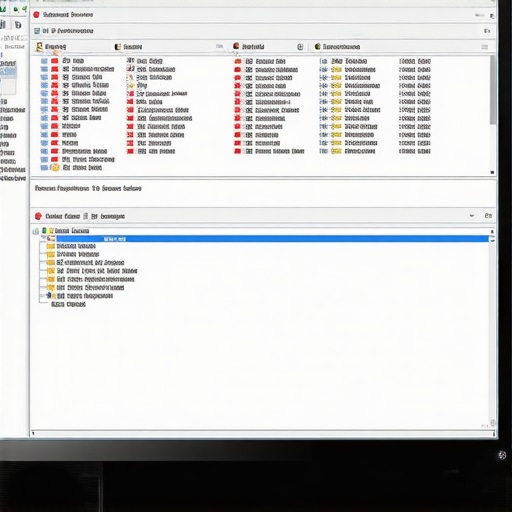
Wipe Out the Rootkits Hiding in Plain Sight
Once you see the activity, the next step is a deep purge. Standard antivirus software is like a mall security guard—great for catching shoplifters, but not so good at stopping a professional heist. In my case, a standard scan came up clean even though my server was clearly compromised. I had to go deeper to find a rootkit that had hooked itself into the operating system’s kernel. These are the ninjas of the digital world. You need to know how to remove a stubborn rootkit that your antivirus missed before you can even think about being ‘safe’ again. I had to boot into a specialized environment to finally scrub the infection. It was a tense four hours, but seeing those outbound SMTP logs finally drop to zero was an incredible relief.
Ditch the Single Password Policy Immediately
After the cleanup, I had to figure out how they got in. It wasn’t a complex brute-force attack; it was a simple credential leak. One of my remote staff members was using the same password for their server access as they were for a random fitness app that got breached months prior. This is why why your business should never use a single password for every employee is a rule written in blood. If one door has a weak lock, the whole house is vulnerable. I immediately enforced multi-factor authentication (MFA) across the board. It’s a slight inconvenience for the team, but compared to having your domain blacklisted by every major ISP, it’s a minor trade-off.
Verify Your Mail Configuration with a Professional Audit
Even after the passwords were changed and the malware was gone, my emails were still bouncing. Why? Because the hackers had modified my DNS settings to authorize their own servers. This is why how to secure your business emails from being spoofed involves more than just a strong password; you have to check your SPF, DKIM, and DMARC records. If these sound like alphabet soup to you, that’s a sign you might need a pro. I eventually realized that why your managed it service should be providing quarterly security audits isn’t just a sales pitch—it’s an insurance policy. They would have caught those weird DNS changes in minutes, while it took me two days to find the discrepancy in my registrar’s portal. Don’t wait for a crash to check your brakes.
Let’s dig deeper into the myths that even seasoned business owners fall for. One of the most dangerous beliefs is that ‘the cloud’ is an all-encompassing safety net. While cloud providers are generally secure, they aren’t responsible for your data integrity or the speed at which you can get back to work. I’ve watched companies bleed thousands of dollars in lost productivity because they didn’t realize why your business needs a local backup even if you use the cloud. When you have five terabytes of data to restore, your standard fiber line becomes a massive bottleneck that can take days to clear, essentially putting your business in a coma while you wait for the download to finish.
Stop Trusting Your Backup Successful Notification
This brings me to the most common ‘oops’ factor I see in the field: blind trust in automation. Your dashboard might show a sea of green checkmarks, but without manual verification, those logs are just digital noise. A study by Gartner highlights that a staggering number of organizations fail to successfully restore data because the backups were corrupted during the initial write process, long before the disaster occurred. This is the mistake that makes your backups completely useless. You must implement a policy of ‘Trust, but Verify’ by running monthly trial restores. If you aren’t testing your ability to pull a single file from six months ago, your backup doesn’t actually exist in any meaningful way. 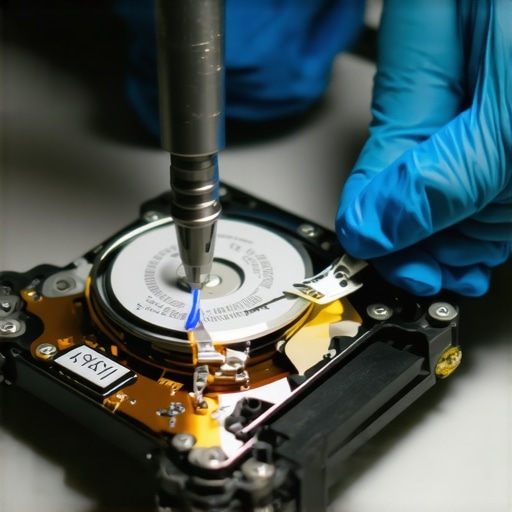
The Costly Mistake of Ignoring Minor Hardware Damage
In the world of computer repair, we often see people pushing their hardware to the breaking point because they view repairs as an interruption rather than maintenance. Take a simple laptop screen issue, for instance. Most users assume a small crack is just an eyesore, but why a cracked laptop screen can eventually damage your motherboard is a reality dictated by electrical physics. The liquid crystal or glass fragments can shift slightly with every move, eventually causing electrical shorts that travel through the display ribbon cable and fry the video controller on the main board. Don’t let a simple fix turn into a total system replacement because you waited for the screen to go completely black.
Can You Really Pull Data from a Hard Drive After a Total Disaster?
I get asked this whenever a client faces a catastrophe like a flood or an office fire. The nuance here is that recovery is almost always possible, but the methods are far more advanced than just plugging the drive into another machine. Specialized data recovery secrets and expert techniques to save your files fast involve working in a Class 100 clean room to swap out damaged platters or read-write heads that have literally fused together. Even how to recover data from a hard drive that was in a fire relies on the fact that magnetic data is surprisingly resilient to heat, provided the internal platters didn’t reach the Curie point where they lose their magnetism. It’s an intricate, surgical process that requires high-level expertise, and managed IT strategies to keep your business secure in 2025 should always include a specific plan for these worst-case scenarios. Have you ever fallen into the trap of assuming your data was safe just because the software said so? Let me know in the comments.
I’ve spent thousands of hours in server rooms that felt like saunas because the AC failed, and I can tell you that the best tool in my kit isn’t a software suite—it’s a high-quality Uninterruptible Power Supply (UPS). I stopped buying the cheap $50 units from big-box stores after a minor brownout fried a client’s RAID controller. Now, I insist that why your office network needs a battery backup for the main switch is a non-negotiable part of our setup. You need a pure sine wave UPS because modern active PFC power supplies hate the ‘choppy’ power of cheap backups.
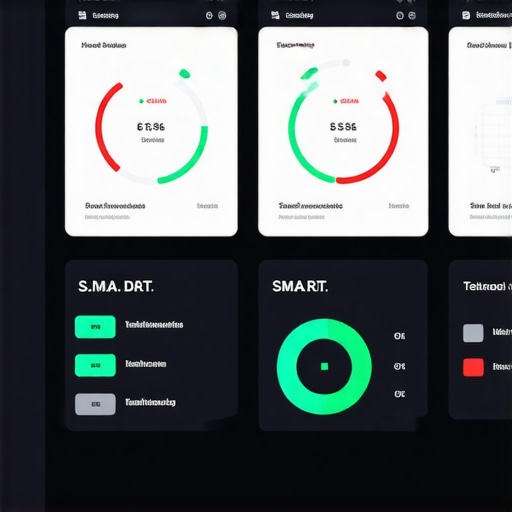
When it comes to the actual guts of the machine, I live and breathe S.M.A.R.T. data. If you aren’t looking at ‘reallocated sector counts,’ you’re flying blind. I personally use CrystalDiskInfo for a quick glance, but for my managed clients, we have sensors that alert us the second a drive starts to wobble. You can actually learn how to check if your hard drive is about to fail using s-m-a-r-t-data yourself without paying a consultant a dime. I always tell people to keep an eye on the Backblaze Drive Stats report. It’s an incredible resource where they share real-world failure rates of thousands of drives—it’s the only way to know which brands are actually worth your money this year.
How do I keep my server from dying an early death?
The secret isn’t a magic software; it’s airflow and clean power. Dust is a silent killer that leads to the sign your cpu is thermal throttling and slowing down your work. I make it a habit to physically inspect the fans every quarter. If you hear a grinding noise, that’s the fix for a noisy laptop fan that sounds like a jet engine waiting to happen, but on a server scale, it means your CPU is cooking. I predict that in the next five years, we won’t even be doing these manual checks. We’re moving toward AI-driven telemetry where the hardware will literally ‘order’ its own replacement parts weeks before a failure occurs.
I also keep a close eye on the motherboard capacitors. If they look like they’re bulging or leaking, you’re on borrowed time. Learning how to identify a failing motherboard before it stops working has saved my clients from weeks of downtime. It’s all about catching the ‘whisper’ before the ‘scream.’ My Challenge to You: Download a free S.M.A.R.T. monitoring tool today and check your ‘Power On Hours’ and ‘Reallocated Sectors.’ If that number isn’t zero, contact-us immediately before you lose everything.
Hard-Earned Truths from the Server Room Floor
After decades of rescuing systems from the brink of total collapse, I’ve realized that the most expensive repairs always start with a small ‘I’ll handle that later.’ It’s the whisper of a bearing failing—exactly like the fix for a noisy laptop fan that sounds like a jet engine—that warns you before the whole system overheats. I’ve also learned that a ‘successful’ backup status is a dangerous lie if you aren’t testing it. Avoiding the mistake that makes your backups completely useless is often as simple as attempting to restore one file every month. Finally, remember that your email security isn’t a ‘set it and forget it’ task; knowing how to secure your business emails from being spoofed requires staying vigilant about your DNS records and employee habits.
The Toolbag Every Business Owner Needs
You don’t need a degree in computer science to keep your office running smoothly, but you do need the right resources. I personally rely on the Backblaze Drive Stats report every quarter to see which hard drive models are actually reliable in the real world. For day-to-day monitoring, I always recommend learning how to check if your hard drive is about to fail using s-m-a-r-t-data so you can replace hardware on your own timeline. Additionally, investing in a pure sine wave battery backup is the best insurance policy you can buy for your hardware. Understanding why your office network needs a battery backup for the main switch will save you from the data corruption that happens during those split-second power flickers.
#IMAGE_PLACEHOLDER_E#
Your Best Work Happens When You Aren’t Fighting Fires
The peace of mind that comes from a secure, well-maintained network is what allows you to focus on growing your business rather than just surviving the week. By implementing managed IT strategies to keep your business secure in 2025, you shift from being reactive to being proactive. This shift is where true business resilience is built. If you’re feeling overwhelmed by the technical hurdles or just want a professional second opinion on your current setup, please contact-us. We are here to help you navigate these digital waters safely. Have you ever ignored a strange computer noise only to have the machine fail weeks later? Let me know your story in the comments below!