

I remember it like it was yesterday. The sun was setting on a Friday afternoon, and I was looking forward to a quiet weekend. Then, the printer started. It wasn’t printing my reports; it was churning out endless pages of cryptic symbols and a single, chilling URL. My heart dropped. I had a firewall—a brand-name one, too—so how did this happen? It turns out, I had fallen for the biggest trap in small business IT: the ‘set it and forget it’ mentality. I had a gate, but I hadn’t realized I’d left a massive gap under the fence. It was a visceral, painful lesson in how ransomware doesn’t just break in; it gets invited in through the tiny mistakes we don’t even know we’re making. Today, I want to share that hard-earned knowledge so you never have to stand over a printer watching your livelihood be encrypted in real-time. Have you ever felt that sudden, sinking feeling that your data might not be as safe as you thought?
Stop Trusting Your Router to Do a Security Professional’s Job
Most of us start our businesses with whatever hardware the internet provider gives us. I did the same. I thought that if the ‘Security’ light was green, I was safe. But here is the truth I learned the hard way: consumer-grade routers are built for speed and convenience, not for stopping a targeted attack. They are the digital equivalent of a screen door. When I finally called in experts, they pointed out that my lack of a dedicated firewall appliance was the primary reason the breach was so easy. A real firewall doesn’t just look at where data is coming from; it inspects the ‘packages’ themselves. According to the 2023 Verizon Data Breach Investigations Report, over 80% of breaches involve external actors, and the majority of those exploit weak perimeter security or misconfigurations. I used to think I could handle it all myself, but one bad afternoon changed my perspective forever. I had even tried to save money by using pirated software on my business network, which acted like a beacon for the very ransomware that eventually took me down.
Is all this specialized security hardware actually worth the hype?
You might be thinking, ‘I’m a small business, nobody is looking for me.’ That is exactly what the hackers want you to believe. They aren’t always looking for you specifically; they are looking for open doors, and they use automated bots to find them 24/7. Relying on basic software isn’t enough when the threats are constantly evolving. If you’ve been on the fence about upgrading, consider this: the cost of a proper setup is nothing compared to the stress of needing the first step to take after a ransomware infection. My mistake wasn’t just technical; it was a failure to respect how fast the ‘bad guys’ move. By the time I started looking into managed IT strategies to keep my business secure, I was already paying for the lesson in downtime and lost sleep. Let’s make sure you aren’t next.
Lock Down the Perimeter with Real Isolation
One of the biggest mistakes I see small business owners make is treating their network like a single, open room. In reality, your network should be more like a high-security hotel. Guests can stay in their rooms, but they definitely shouldn’t have keys to the manager’s office. I learned this when I allowed a contractor to hop on our main Wi-Fi for a ‘quick’ project. Unknown to me, his laptop was crawling with adware that immediately began probing our internal server for vulnerabilities. Since then, I’ve implemented the move that secures your guest wi-fi from your internal network, ensuring that anyone not on the payroll stays completely isolated from our sensitive data.
Stop Relying on Software to Save You
While antivirus software is a necessary layer, it’s not a complete shield. Think of it like a home security system; a software alarm is great, but a physical deadbolt is better. This is why your office network needs a physical firewall not just software. A dedicated hardware appliance sits at the edge of your connection, scrubbing incoming traffic before it even touches a single workstation. When I finally installed a hardware firewall after my first scare, it blocked over three hundred unauthorized access attempts in the first week alone. 
Build a Backup Strategy That Actually Survives
If you aren’t testing your backups, you don’t actually have backups; you have a collection of hope. Many businesses fall for the marketing of ‘set it and forget it’ cloud services. However, there is a harsh truth about unlimited backup plans for small businesses: they often have agonizingly slow recovery speeds or fail to back up the exact system state you need to get back to work quickly. I follow the 3-2-1 rule: three copies of data, two different media types, and one off-site.
Why Data Recovery is the Last Resort You Hope to Avoid
If a drive fails or an encryption script hits, you might find yourself looking into the power of data recovery tools what you need to know. But here is the catch: recovery is expensive and never 100% guaranteed. I once spent three days sweating over a clicking drive, trying to pull a decade of accounting records. It was a nightmare that could have been avoided with a simple, automated local backup mirror.
Stop the Leak of Cloud Permissions
We often move to the cloud because it feels safer, but ‘the cloud’ is just someone else’s computer. If your permissions are too broad, a single compromised employee password can give a hacker the keys to your entire OneDrive or Google Workspace. This is exactly why your managed it service should be auditing your cloud permissions regularly. I once found an ex-employee still had ‘editor’ access to our financial folders six months after they left. It was a ticking time bomb. Implementing effective managed it solutions for growing companies means having someone constantly checking these ‘digital doors’ to make sure they are locked. Check your user list today—you might be surprised who still has access to your most private files.Let’s dig deeper into a hard truth most service providers won’t tell you: the ‘unlimited’ model is often a trap. While it sounds great on paper, there is a hidden truth about unlimited IT support contracts for businesses. When a provider earns the same amount regardless of how much time they spend on your network, they are subtly incentivized to ignore the deep, proactive maintenance that prevents problems in the first place. They become reactive, waiting for things to break. I prefer effective managed IT solutions for growing companies that prioritize strategic audits over simple ticket-closing. Have you ever fallen into this trap? Let me know in the comments.
Stop Killing Your Hard Drive with Recovery Software
Another massive ‘oops’ I see involves DIY data recovery. People see a drive failing and immediately download software to ‘fix’ it. But if your drive is physically clicking, that software is like forcing a marathon runner to keep going on a broken leg. You need to know data recovery secrets expert techniques to save your files fast before you turn a simple fix into permanent data loss. A 2023 report from IBM and the Ponemon Institute indicates that the average cost of a data breach is now $4.45 million, with a significant portion of that expense attributed to the complexity of recovery and lost productivity.
Why Is My High-End Screen Still Blurry?
You spent a fortune on a 4K display, yet the text looks fuzzy or the icons are tiny. This is often a scaling issue or a cable mismatch rather than a hardware defect, and understanding why your laptop screen resolution looks blurry on a high end display can save you from an unnecessary and expensive replacement. 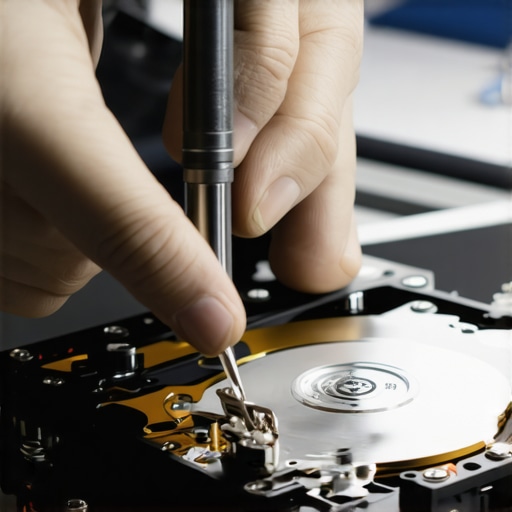
Spot the Difference Between a Dead Backlight and a Broken Panel
Finally, don’t assume a dark screen means the whole unit is trash. It could be the inverter, a loose ribbon cable, or even a software glitch. Learning how to tell if your laptop screen backlight is actually failing is the kind of nuance that separates a $50 fix from a $300 replacement. It’s these small details that keep your budget from leaking away on hardware you didn’t actually need to buy. By the time you start looking at managed IT strategies to keep your business secure, you will realize that expertise isn’t just about fixing things—it’s about knowing exactly what is worth fixing in the first place.But looking at a screen is just the surface level of maintenance. True long-term stability comes from the guts of the machine. I’ve seen too many business owners buy expensive hardware only to let it choke to death on dust or outdated firmware. If you want to scale, you have to stop thinking of your computers as appliances and start treating them like a fleet of vehicles that need oil changes and tire rotations. I personally use Remote Monitoring and Management (RMM) tools to keep an eye on temperature spikes across my entire office. When a processor hits 90 degrees Celsius, I don’t wait for it to thermal throttle; I act immediately. One of the most effective things you can do right now is learn how to clean a laptop fan without pushing dust deeper inside. It sounds trivial, but heat is the silent killer of motherboards.
The Tools That Actually Earn Their Keep
I’m often asked what’s in my toolkit. It’s not just a set of screwdrivers. It’s about having the right software to diagnose a problem before you start tearing a chassis apart. When I suspect a hardware bottleneck, I look at memory usage first. If you’re constantly hitting 90% utilization, you’re wearing out your SSD’s swap file. Knowing how to safely upgrade your RAM without voiding the warranty is a skill that has saved me thousands in unnecessary laptop replacements. It’s the difference between a machine that lasts two years and one that lasts six.
How Do I Keep My Business Hardware Running for Five Years or More?
The secret isn’t just buying the most expensive gear; it’s about consistent, proactive audits. According to the 2023 Backblaze Drive Stats report, the annualized failure rate for older drives can jump significantly after the four-year mark, which is why I now treat hardware lifecycle management as a non-negotiable part of my business plan. I don’t wait for the click of death to think about data recovery secrets expert techniques to save your files fast. I replace drives on a schedule. This proactive approach is a cornerstone of how managed IT can elevate your business security in 2025, moving away from ‘break-fix’ and toward ‘prevent-fix.’ 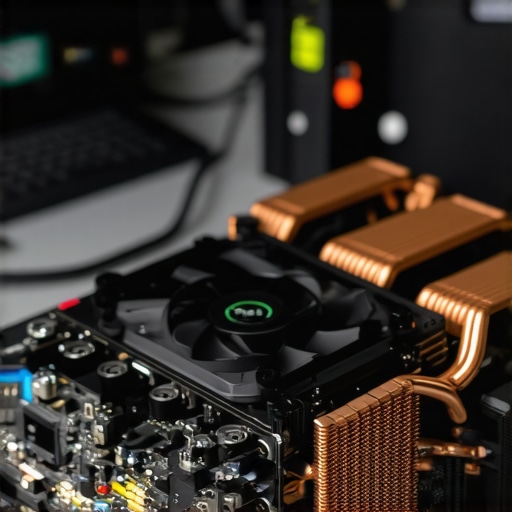
Prepare for the Era of Predictive Maintenance
Looking ahead, I see the industry moving toward AI-driven diagnostics that can predict a fan failure or a battery swell weeks before it happens. We are already seeing early versions of this in enterprise-grade servers. If you are growing, you need effective managed IT solutions for growing companies that leverage these telemetry insights. Instead of a technician showing up because your server is down, they’ll show up because a sensor told them a power supply is fluctuating. This shift from reactive to predictive is the only way to stay competitive. Today, I want you to try one thing: use the simple way to check your pc for hidden background processes. You might be shocked at the resource-heavy bloatware that is slowing down your workflow right now.
I’ve spent years in the trenches of server rooms and laptop repair benches, and if there is one thing I’ve learned, it’s that technology is never truly ‘done.’ It is a living part of your business that requires care. The transition from a chaotic, reactive environment to a streamlined, secure operation doesn’t happen overnight, but it starts with the very steps we’ve discussed today.
The Most Expensive Mistakes I Made So You Don’t Have To
Reflecting on my own journey, I realized that my biggest losses weren’t from expensive hardware failures, but from the hubris of thinking I could skip the basics. Here are a few lightbulb moments that changed everything for me:
- The ‘Unlimited’ Illusion: I once signed a contract thinking I was covered for everything, only to realize the provider wasn’t doing any maintenance because they only got paid when things broke. I finally understood why managed IT is a game changer for growing companies when I switched to a partner that prioritized prevention over repairs.
- DIY Data Disasters: I tried to run a software recovery on a drive that was physically failing. The friction of the platters spinning while I ‘scanned’ it caused permanent data loss. Now, I always tell people to start with computer repair for beginners avoid costly mistakes to understand the limits of software tools.
- Neglecting the Physical: I spent thousands on high-end laptops but ignored the hinges and fans. A $10 tube of compressed air and some light lubrication could have saved me from five cracked chassis in one year.
My Personal Tech Stack for a Resilient Office
If you are looking to build a setup that actually survives the daily grind, you need more than just a fast processor. I personally rely on these categories of tools to keep things running smoothly:
First, I never deploy a workstation without ensuring it has a solid hardware foundation. This means skipping consumer-grade laptops in favor of business units that allow for modular repairs. If you’re dealing with display issues right now, checking out laptop screen repair how to fix common issues at home can save you a trip to the shop for minor ribbon cable resets. Second, I use an encrypted password manager for everything—no more Excel sheets or sticky notes. Finally, I maintain a strict hardware lifecycle policy: if a drive hits five years, it gets replaced, period. The cost of a new SSD is a fraction of the cost of emergency data recovery.
Your Blueprint for Digital Peace of Mind
Technology should be the engine of your business, not the anchor dragging you down. By shifting from reactive panic to proactive management, you reclaim your time and your sanity. You don’t need to be an expert in every technical detail, but you do need to be an advocate for your own security. Start today by auditing one small part of your network or cleaning out one dusty laptop fan. Every small action builds a wall between you and the next potential disaster. Have you ever had a hardware failure or a security scare that changed how you view your business tech? Let me know in the comments below!